
REBEL MIE-RB-33B
Contents
REBEL RB-33C Universal Multimeter User Manual
Model: MIE-RB-33B
1. Introduction
This manual provides essential information for the safe and effective operation of your REBEL RB-33C Universal Multimeter. Please read this manual thoroughly before use and keep it for future reference.
The REBEL RB-33C is a compact and reliable digital multimeter designed for measuring DC/AC voltage, DC current, resistance, battery testing, diode testing, and continuity testing. It features a backlit display, manual range selection, and a foldable stand for convenience.
2. Safety Information
WARNING:
- Always ensure the multimeter is set to the correct range before making measurements.
- Do not attempt to measure voltages or currents exceeding the specified maximum limits.
- Exercise extreme caution when working with live circuits.
- Never connect the multimeter to a voltage source when the rotary switch is set to current, resistance, or diode/continuity test modes.
- Replace the battery when the low battery indicator appears to ensure accurate readings.
- Do not operate the multimeter if it appears damaged or if the test leads are compromised.
3. Product Features
- Backlit display for clear readings in various lighting conditions.
- Manual range selection for precise control over measurements.
- Foldable stand for convenient hands-free operation.
- Data hold function to freeze the last displayed reading.
- Low battery indicator to alert when battery replacement is needed.
- Automatic polarity detection.
- Sampling rate of 2 times per second.
- Maximum display reading of 1999.
4. Components and Overview

Figure 4.1: Front view of the REBEL RB-33C Multimeter, showing the digital display, function rotary switch, and input terminals for test leads.
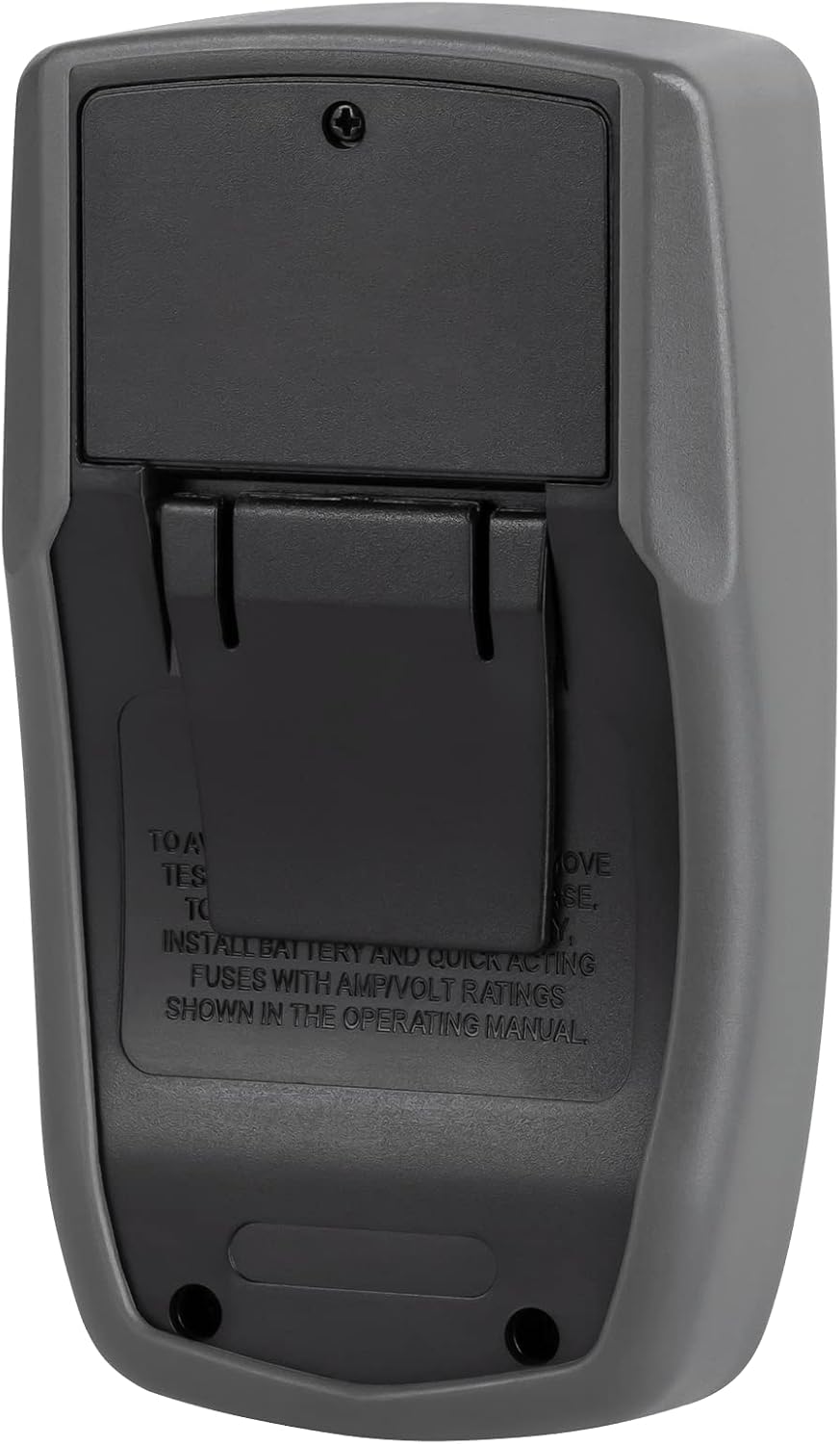
Figure 4.2: Rear view of the multimeter, illustrating the battery compartment cover. Instructions for battery and fuse installation are visible.

Figure 4.3: Side view of the multimeter with its integrated foldable kickstand extended, allowing for angled viewing on a workbench.

Figure 4.4: The included red and black test leads with standard banana plugs and probe tips, used for connecting the multimeter to circuits.
What's in the Box:
- REBEL RB-33C Multimeter
- Test Leads
- User Manual
5. Setup
5.1 Battery Installation
- Ensure the multimeter is turned OFF.
- Locate the battery compartment on the back of the unit (refer to Figure 4.2).
- Unscrew the retaining screw(s) and remove the battery compartment cover.
- Insert a new 9V battery, observing the correct polarity (+/-).
- Replace the battery compartment cover and secure it with the screw(s).
5.2 Connecting Test Leads
- For most measurements (voltage, resistance, continuity, diode, low current), insert the black test lead into the "COM" (common) jack.
- Insert the red test lead into the "VΩmA" jack.
- For high current measurements (up to 10A), insert the red test lead into the "10A MAX" jack.
6. Operating Instructions
The REBEL RB-33C Multimeter uses a rotary switch to select the desired measurement function and range. Always select the appropriate function and range before connecting the test leads to the circuit under test.
6.1 Measurement Ranges:
| Measurement Type | Ranges |
|---|---|
| DC Voltage | 200 mV, 2000 mV, 20 V, 200 V, 500 V |
| AC Voltage | 200 V, 500 V |
| DC Current | 200 µA, 200 mA, 10 A |
| Resistance | 200 Ohm, 2000 Ohm, 20 kOhm, 200 kOhm, 20 MOhm |
| Battery Test | 1.5 V, 9 V |
| Diode Test | Yes |
| Continuity Test | Yes |
6.2 General Measurement Steps:
- Connect the test leads to the appropriate input jacks (COM and VΩmA or 10A MAX).
- Turn the rotary switch to the desired measurement function and range. If the value is unknown, start with the highest range and decrease as needed.
- Connect the test probes to the circuit or component you wish to measure.
- Read the measurement value on the digital display.
- After measurement, disconnect the test probes from the circuit and turn the rotary switch to the "OFF" position.
6.3 Special Functions:
- Data Hold: Press the "HOLD" button to freeze the current reading on the display. Press it again to release.
- Backlight: Press the backlight button (often indicated by a light bulb symbol) to illuminate the display. Press again to turn off.
7. Maintenance
7.1 Cleaning
Wipe the multimeter casing with a damp cloth. Do not use abrasive cleaners or solvents. Ensure the device is off and disconnected from any circuits before cleaning.
7.2 Battery Replacement
When the low battery indicator appears on the display, replace the 9V battery as described in the "Setup" section (5.1 Battery Installation). Always use a fresh 9V battery.
7.3 Storage
If the multimeter is not used for an extended period, remove the battery to prevent leakage and damage. Store the device in a cool, dry place, away from direct sunlight and extreme temperatures.
8. Troubleshooting
| Problem | Possible Cause | Solution |
|---|---|---|
| No display or faint display | Low or dead battery | Replace the 9V battery. |
| "OL" or "1" displayed | Overload or out of range | Select a higher range or check if the measured value exceeds the maximum capacity. |
| Incorrect readings | Incorrect function/range selected; poor test lead connection; low battery | Verify function and range; ensure test leads are securely connected; replace battery. |
| No continuity beep | Circuit is open; multimeter not in continuity mode | Check the circuit for breaks; ensure the rotary switch is set to continuity mode. |
9. Specifications
| Feature | Detail |
|---|---|
| Display Dimensions | 45 x 21 mm |
| Maximum Measurement | 1999 counts |
| Operating Temperature | 0°C ~ 40°C (humidity <80%) |
| -10°C ~ 50°C (humidity <85%) | Storage Temperature |
| Power Supply | 9V Battery |
| Dimensions (L x W x H) | 160 x 76 x 32 mm |
| Weight | 150 g |
| Manufacturer | Rebel |
| Model Number | MIE-RB-33B |
| Style | Digital |
| Batteries Included | No |
| Batteries Required | Yes |
10. Warranty and Support
For warranty information and technical support, please contact your point of purchase or the manufacturer directly. Keep your purchase receipt as proof of purchase.
Manufacturer: REBEL
Model: MIE-RB-33B
Ask a question about this manual
Ask about setup, troubleshooting, compatibility, parts, safety, or missing instructions. Manuals+ will review the question and use this page’s manual context to help answer it.