
Introduction
The SabineTek SmartMike+ is an ultra-compact, lightweight wireless Bluetooth microphone designed for high-quality audio and video recording. It features advanced multi-level noise cancellation and Bluetooth 5.0 connectivity, making it suitable for various applications including vlogging, interviews, online classes, and music recording. This manual provides essential information for setting up, operating, maintaining, and troubleshooting your SmartMike+.
What's in the Box
Upon unboxing your SabineTek SmartMike+, you should find the following components:
- SmartMike+ Microphone Unit
- Microphone Fleece (Windbreaker)
- Microphone Sponge Cover
- Headset (for monitoring audio)
- Data Charging Cable (USB)
- Product Manual / Quick Start Guide

Image: The SmartMike+ microphone shown alongside its accessories, including a wind muff, sponge cover, wired headset, and USB charging cable.
Setup
- Charging the Device: Before first use, fully charge the SmartMike+ using the provided USB data charging cable. The device features a Micro USB port for charging. A full charge provides over 6 hours of battery life.
- Downloading the SmartMike+ App: The SmartMike+ requires its dedicated application for full functionality. Scan the QR code on the product packaging or search for "SmartMike+" in your device's app store (available for iOS and Android).
- Pairing via Bluetooth:
- Power on the SmartMike+ by holding the power button for 3 seconds. The LED indicator will flash, indicating it's in pairing mode.
- On your smartphone or tablet, navigate to Bluetooth settings.
- Select "SmartMike+" from the list of available devices to pair. The LED indicator will turn solid blue once connected.
- App Permissions: Upon opening the SmartMike+ app for the first time, grant necessary permissions for location, microphone access, and media storage to ensure proper operation.
- Firmware Update: The app may prompt you to update the device's firmware. Ensure the SmartMike+ has sufficient battery (preferably 100%) and follow the on-screen instructions to complete the update. Do not interrupt the process.
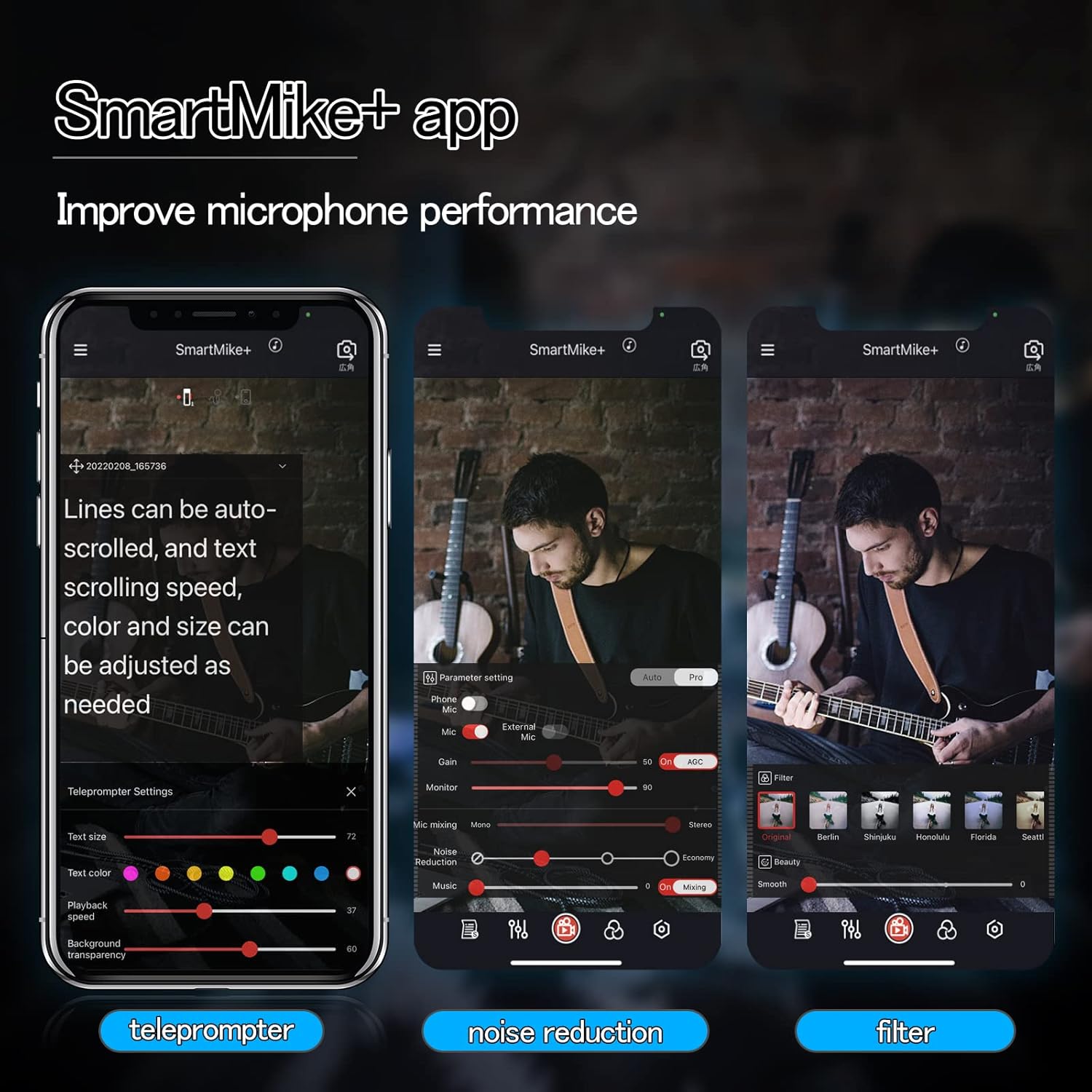
Image: The SmartMike+ app interface, demonstrating its teleprompter, noise reduction, and filter adjustment capabilities for enhanced recording.
Operating Instructions
- Wearing the Microphone: The SmartMike+ features a mini metal clip, allowing you to easily attach it to your collar or pocket. Its ultra-compact and lightweight design (15.6g) ensures it remains discreet and comfortable during use.
- Recording Audio/Video:
- Open the SmartMike+ app. The app serves as your primary interface for recording audio and video with the microphone.
- The microphone automatically connects to the app via Bluetooth. You can select between using the SmartMike+ as the primary audio source or combining it with your phone's built-in microphone for mixed audio.
- Utilize the app's features such as multi-level noise cancellation, filters, and teleprompter for optimized recording.
- Noise Cancellation: The SmartMike+ incorporates an intelligent algorithm for advanced multi-level noise cancellation, effectively reducing background sounds like wind or ambient chatter to restore authentic sound.
- Audio Monitoring: Connect the included headset or your own 3.5mm headphones to the SmartMike+ to monitor audio in real-time during recording.
- Long-Distance Recording: The Bluetooth 5.0 connectivity allows for stable audio recording from distances up to 50 feet, providing flexibility for various shooting scenarios without needing a separate receiver.
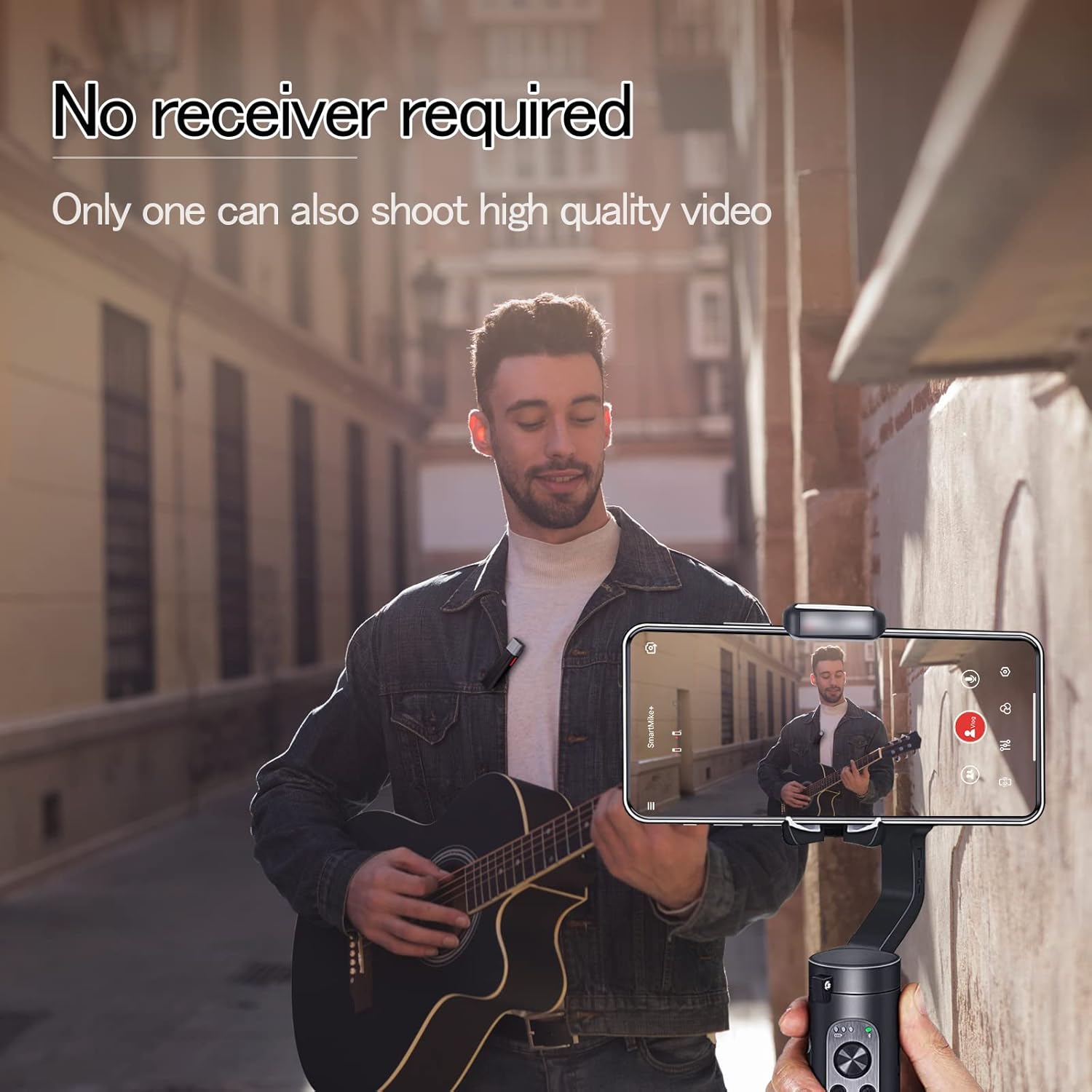
Image: The SmartMike+ allows for high-quality video recording without an external receiver, demonstrating its simplicity and portability.

Image: The lightweight design of the SmartMike+ ensures it does not distort clothing when clipped on, unlike heavier microphones.
Maintenance
To ensure the longevity and optimal performance of your SabineTek SmartMike+:
- Keep the device dry and away from extreme temperatures.
- Clean the exterior with a soft, dry cloth. Avoid using harsh chemicals or abrasive materials.
- Store the microphone in a cool, dry place when not in use.
- Regularly check the charging port for any debris and clean if necessary.
Troubleshooting
If you encounter issues with your SmartMike+, consider the following:
- Connectivity Issues:
- Ensure Bluetooth is enabled on your device and the SmartMike+ is powered on and in pairing mode.
- Restart both the SmartMike+ and your recording device.
- Forget the device in your Bluetooth settings and re-pair it.
- Verify that the SmartMike+ app has all necessary permissions granted.
- Audio Quality Concerns:
- Ensure the microphone is positioned correctly and not obstructed.
- Use the included wind muff or sponge cover in windy environments to reduce noise.
- Adjust noise cancellation levels within the SmartMike+ app.
- Check the audio input settings within the app to ensure the SmartMike+ is selected as the primary audio source.
- App Functionality:
- Ensure the SmartMike+ app is updated to the latest version.
- Some users have reported that the microphone primarily functions optimally with the dedicated SmartMike+ app, rather than native camera apps. Ensure you are using the official app for recording.
Specifications
| Feature | Detail |
|---|---|
| Model Name | S610 |
| Brand | SabineTek |
| Connectivity Technology | Bluetooth |
| Microphone Form Factor | Lavalier |
| Polar Pattern | Omnidirectional |
| Audio Sensitivity | 50 dB |
| Signal-to-Noise Ratio | 65 dB |
| Item Weight | 0.52 Ounces (14g) |
| Product Dimensions | 2 x 1 x 1 inches (approx. 2.28 x 0.39 x 0.59 inches) |
| Power Source | Battery Powered (1 Lithium Polymer battery included) |
| Battery Life | More than 6 hours (after full charge) |
| Material | Metal |
| Compatible Devices | Camera, Headphone, Personal Computer, Radio, Smartphone, Speaker |
| Supported Software | SmartMike+ App |
Warranty and Support
For detailed warranty information and customer support, please refer to the official SabineTek website or contact their customer service directly. Keep your purchase receipt as proof of purchase for any warranty claims.