
InfinityLab ILING10000WBLKAM
InfinityLab InstantGo 10000 Wireless Power Bank User Manual
Model: ILING10000WBLKAM
Product Overview
The InfinityLab InstantGo 10000 Wireless Power Bank is a compact, high-speed portable charger designed to keep your devices powered on the go. Featuring a 10,000mAh battery capacity, it supports Qi wireless charging, Power Delivery 3.0 for fast charging, and can charge up to three devices simultaneously via its wireless pad, USB-A, and USB-C ports. It is also made from recycled plastics and packaged in sustainable materials.

Figure 1: InfinityLab InstantGo 10000 Wireless Power Bank (Black)
What's in the Box
- Infinity Lab 10000W Battery
- Quick Start Guide (QSG)
Setup
Initial Charging of the Power Bank
Before first use, fully charge your InstantGo 10000 Wireless Power Bank. Connect the power bank to a compatible USB-C power adapter using a USB-C cable (not included). The LED indicators on the side of the power bank will illuminate to show the charging progress. All four LEDs will be solid white when fully charged.
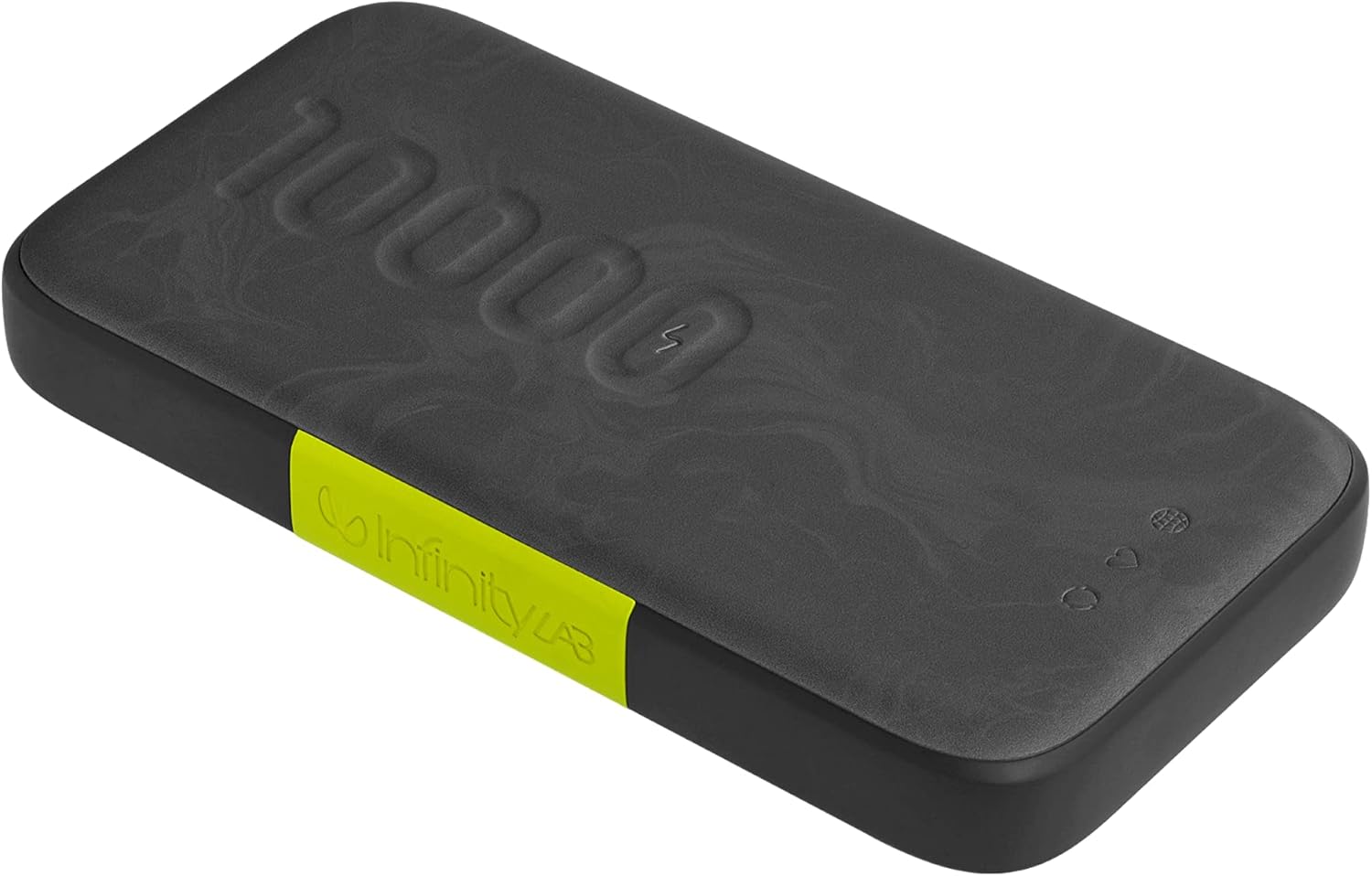
Figure 2: Power Bank Ports and Indicators
Operating Instructions
Charging Devices Wirelessly (Qi)
To charge a Qi-compatible device wirelessly, simply place your device on the designated wireless charging pad area on top of the power bank. Ensure the device is centered for optimal charging. The power bank supports up to 10W Qi wireless charging.

Figure 3: Wireless Charging in Progress
Charging Devices via Cable (USB-A / USB-C)
The InstantGo 10000 features a USB-A output port and a USB-C input/output port. Connect your device to either port using a compatible charging cable. The USB-C port supports Power Delivery 3.0 for fast charging, delivering up to 30W output power, suitable even for small laptops. You can charge up to three devices simultaneously (one wirelessly, one via USB-A, and one via USB-C).

Figure 4: Fast Charging via USB-C
Checking Battery Level
Press the power button on the side of the power bank once to check the current battery level. The LED indicators will light up, with each light representing approximately 25% of the battery capacity.
Smart Pass-Through Charging
The power bank supports smart pass-through charging, allowing you to charge the power bank itself and a connected device simultaneously from a single wall outlet.
Maintenance
- Keep the power bank dry and away from moisture.
- Avoid extreme temperatures.
- Clean the device with a soft, dry cloth. Do not use harsh chemicals or abrasive materials.
- Store in a cool, dry place when not in use for extended periods.
Troubleshooting
Device Not Charging
- Ensure the power bank is sufficiently charged. Check the LED indicators.
- Verify that the charging cable is securely connected to both the power bank and your device.
- Try a different charging cable or port.
- For wireless charging, ensure your device is Qi-compatible and properly aligned on the charging pad. Remove any thick cases that might interfere with wireless charging.
- If charging a laptop, ensure it supports USB-C Power Delivery input and that the power bank has enough charge.
Power Bank Not Charging
- Ensure the wall adapter and charging cable are functioning correctly.
- Try a different wall outlet or USB power source.
- Verify the USB-C cable is properly inserted into the "IN" port of the power bank.
Video: InfinityLab InstantGo 10000 In the field
This video demonstrates the InfinityLab InstantGo 10000 in an outdoor setting, highlighting its portability and ease of use for charging devices on the go. It shows the power bank being used to charge a device while outdoors, emphasizing its utility for active lifestyles.
For more detailed troubleshooting, please refer to the official Troubleshooting Guide (PDF).
Specifications
| Feature | Detail |
|---|---|
| Model Number | ILING10000WBLKAM |
| Battery Capacity | 10000 Milliamp Hours (mAh) |
| Product Dimensions | 6.83 x 3.68 x 1.65 inches |
| Item Weight | 15.5 ounces |
| Color | Black |
| Connector Type | USB Type C |
| Special Features | Fast Charging, Wireless Charging |
| Manufacturer | InfinityLab |
Warranty and Support
For warranty information and customer support, please refer to the official InfinityLab website or contact their customer service directly. You may also find additional resources in the comprehensive User Guide (PDF).
Protection plans are available for purchase:
Related documentsILING10000WBLKAM


Ask a question about this manual
Ask about setup, troubleshooting, compatibility, parts, safety, or missing instructions. Manuals+ will review the question and use this page’s manual context to help answer it.