
Introduction
This manual provides essential instructions for the proper setup and use of your Seenda IWG-WJKB01 Wireless Keyboard USB Receiver Replacement Dongle. This dongle is specifically designed to replace a lost or damaged receiver for the Seenda IWG-WJKB01 wireless keyboard model. Please read these instructions carefully to ensure correct pairing and functionality.
Compatibility Note: This USB dongle is exclusively compatible with the Seenda IWG-WJKB01 wireless keyboard.
Setup and Pairing
Follow these steps to connect and pair the replacement USB receiver with your Seenda IWG-WJKB01 wireless keyboard:
- Power On the Keyboard: Ensure your Seenda IWG-WJKB01 wireless keyboard is turned on and has sufficient battery power.
- Initiate Pairing Mode: On your keyboard, simultaneously press and hold the "Esc" (Escape) key and the "=" (Equals) key for approximately 3 seconds. This action puts the keyboard into pairing mode.
- Insert USB Receiver: While the keyboard is in pairing mode, plug the replacement USB receiver dongle into an available USB port on your computer.
- Automatic Connection: The system will automatically attempt to connect the keyboard to the new receiver. Wait a few moments for the connection to establish. Once connected, your keyboard should be ready for use.
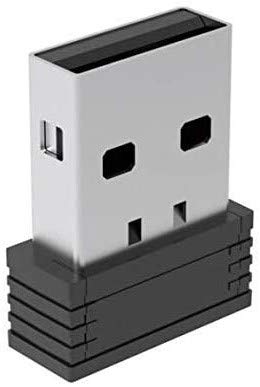
Image: The Seenda IWG-WJKB01 USB Receiver Dongle. This image shows the compact USB dongle, which is essential for wireless connectivity with the compatible keyboard.
Operation
Once successfully paired, the Seenda IWG-WJKB01 USB receiver operates automatically. It provides a stable wireless connection between your Seenda IWG-WJKB01 keyboard and your computer. No further action is required after the initial pairing process, unless the connection is lost or the dongle is moved to a different USB port or computer.
Care and Maintenance
- Storage: When not in use, store the USB receiver in a dry, dust-free environment.
- Cleaning: If necessary, gently wipe the exterior of the dongle with a soft, dry cloth. Avoid using liquid cleaners or abrasive materials.
- Handling: Avoid dropping the dongle or subjecting it to strong impacts, which could damage internal components.
- Temperature: Do not expose the dongle to extreme temperatures or direct sunlight for prolonged periods.
Troubleshooting
If you encounter issues with your Seenda IWG-WJKB01 USB receiver, consider the following:
- Keyboard Not Connecting: Ensure the keyboard is powered on and fully charged. Repeat the pairing steps outlined in the "Setup and Pairing" section. Try plugging the USB receiver into a different USB port on your computer.
- Dongle Not Recognized: Ensure the USB receiver is fully inserted into the USB port. Try a different USB port. Restart your computer and attempt the pairing process again.
- Interference: Keep the keyboard and receiver away from other wireless devices or large metal objects that might cause interference.
Product Specifications
| Brand | Seenda |
| Model Number | IWG-WJKB01-USB |
| Hardware Interface | USB |
| Data Link Protocol | USB |
| Manufacturer | seenda |
| ASIN | B08LFWLDJZ |
Warranty and Customer Support
Information regarding product warranty and specific customer support contacts is not provided within this manual. For warranty details, technical assistance, or further inquiries, please refer to the official Seenda website or contact their customer service directly through the contact information provided with your original product purchase or on their official channels.


