
1. Introduction
Thank you for choosing the Cecotec BreezeCare 3000 Humidifier. This manual provides essential information for the safe and efficient operation, maintenance, and troubleshooting of your new appliance. Please read it thoroughly before first use and keep it for future reference.
The BreezeCare 3000 is designed to improve the air quality in your home by maintaining optimal humidity levels. Proper humidity can help alleviate dry eyes, respiratory irritation, and dry skin, contributing to a more comfortable living environment. This model offers a maximum humidification rate of 330 ml/h, totaling up to 8 liters of water per day.
2. Safety Instructions
Always follow basic safety precautions when using electrical appliances to reduce the risk of fire, electric shock, and injury.
- Ensure the voltage specified on the appliance matches your local power supply before connecting.
- Do not immerse the appliance, power cord, or plug in water or other liquids.
- Unplug the humidifier before filling, cleaning, or moving it.
- Keep the appliance out of reach of children and pets.
- Place the humidifier on a firm, flat, and water-resistant surface, away from walls and heat sources.
- Do not block the mist outlet or air inlet.
- Use only clean, cool tap water. Distilled or demineralized water is recommended to prevent mineral buildup.
- Do not add essential oils directly into the water tank unless the model specifically supports it with a dedicated aroma tray.
- If the power cord is damaged, it must be replaced by the manufacturer, its service agent, or similarly qualified persons to avoid a hazard.
3. Product Overview
Familiarize yourself with the components of your Cecotec BreezeCare 3000 Humidifier.

Figure 1: Front view of the Cecotec BreezeCare 3000 Humidifier, showing the main unit with its digital display and control buttons.
- Water Tank: Large 5.5-liter capacity for extended operation.
- Mist Outlet: Where the humidified air is released.
- Control Panel: Touch-sensitive buttons for power, timer, mist level, and humidity settings.
- LED Display: Shows current humidity, selected humidity, and timer settings.
- Ceramic Filter: Located within the unit, designed to filter out large particles like limescale and prevent odors.
- Base Unit: Contains the ultrasonic transducer and electronic components.

Figure 2: Close-up of the touch control panel and LED display, showing humidity level and function icons.
4. Setup
- Unpack: Carefully remove the humidifier from its packaging. Retain all packaging materials for future storage or transport.
- Placement: Place the humidifier on a flat, stable, and water-resistant surface at least 15 cm (6 inches) away from walls and furniture. Ensure it is not placed directly on carpet or near heat sources.
- Fill Water Tank:

Figure 3: Illustrates the process of filling the humidifier's water tank from the top opening.
Remove the top cover and fill the 5.5-liter water tank with clean, cool tap water. Do not exceed the maximum fill line. Replace the top cover securely.
- Connect Power: Plug the power cord into a suitable electrical outlet (240V). The unit will enter standby mode.
5. Operating Instructions
The Cecotec BreezeCare 3000 features intuitive touch controls and an LED display for easy operation.
- Power On/Off: Touch the Power button (⏻) on the control panel to turn the humidifier on or off. The LED display will illuminate when powered on.
- Adjust Mist Level: Touch the Mist Level button (☰) repeatedly to cycle through different mist output levels (e.g., Low, Medium, High). The selected level will be indicated on the display.
- Set Humidity Level: Touch the Humidity Setting button (⛲) to set your desired humidity level, ranging from 30% to 90%. The humidifier will automatically maintain this level, turning on and off as needed. The current ambient humidity is also displayed.
- Set Timer: Touch the Timer button (⏱) to set an operating duration. The humidifier will automatically shut off after the set time (e.g., 1 hour, 2 hours, etc.).
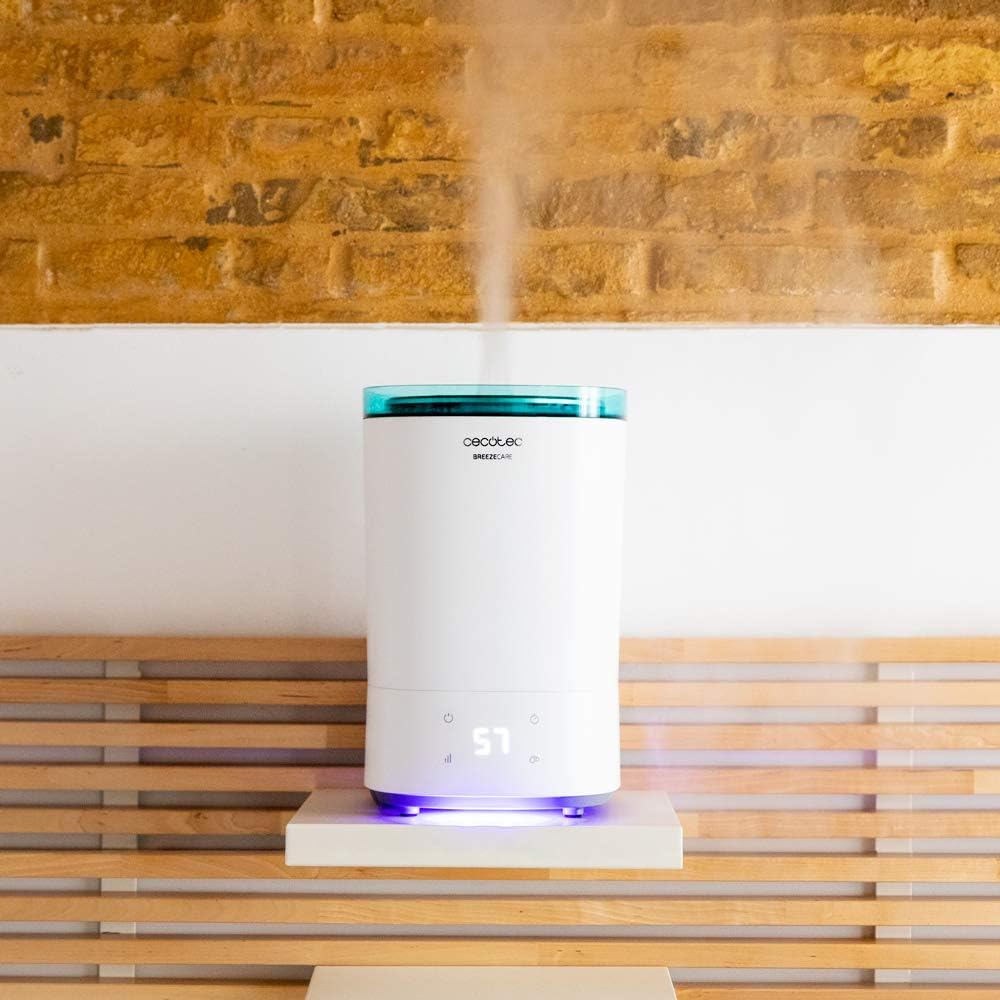
Figure 4: The humidifier in operation, visibly emitting a fine mist into the air.
The humidifier can cover an area of up to 30 m² at maximum speed and offers an autonomy of up to 24 hours at minimum speed with a full tank.
6. Maintenance
Regular cleaning and maintenance will ensure the longevity and optimal performance of your humidifier.
- Daily Maintenance:
- Empty and rinse the water tank daily.
- Wipe the inside of the tank and the base unit with a clean cloth.
- Weekly Maintenance:
- Unplug the unit.
- Remove the water tank and ceramic filter.
- Clean the ceramic filter by rinsing it under running water. If heavily scaled, soak it in a 1:1 solution of white vinegar and water for 30 minutes, then rinse thoroughly.
- Clean the ultrasonic transducer (the small disc in the base unit) with a soft brush and a 1:1 solution of white vinegar and water to remove mineral deposits. Do not scrub aggressively.
- Rinse all components thoroughly with clean water and dry them before reassembling.
- Storage: If storing the humidifier for an extended period, ensure all parts are clean and completely dry. Store in a cool, dry place.
Note: Do not use harsh chemicals or abrasive cleaners, as these can damage the humidifier's components.
7. Troubleshooting
Before contacting customer support, please refer to the following common issues and solutions.
| Problem | Possible Cause | Solution |
|---|---|---|
| No mist or very little mist. |
|
|
| Unpleasant odor from mist. |
|
|
| Water leakage. |
|
|
| Unit does not power on. |
|
|
8. Specifications
| Feature | Detail |
|---|---|
| Brand | Cecotec |
| Model Name | BreezeCare 3000 |
| Model Number | 05611 |
| Dimensions (L x W x H) | 37 x 25 x 26.5 cm |
| Weight | 1 Kilogram |
| Water Tank Capacity | 5.5 Liters |
| Humidification Rate | 330 ml/h (maximum) |
| Power | 30 Watts |
| Voltage | 240 Volts |
| Material | Plastic |
| Auto Shut-off Function | Yes |
| Noise Level | 10 dB |
| Runtime | Up to 24 hours (at minimum speed) |
| Coverage Area | Up to 30 m² |
| Special Features | Timer, Hygrometer, Ceramic Filter, Touch Control, LED Display |
9. Warranty and Support
Cecotec products are manufactured to high-quality standards. In the unlikely event of a defect, please refer to your purchase documentation for warranty terms and conditions.
Spare parts for the Cecotec BreezeCare 3000 Humidifier are available for up to 10 years from the date of purchase.
For further assistance, technical support, or warranty claims, please contact Cecotec customer service through their official website or the retailer where the product was purchased.


