
Introduction
Thank you for choosing the Koss The Plug Wireless Bluetooth In-Ear Headphones. These headphones are designed to provide accurate high-fidelity sound with superior comfort and noise isolation, featuring memory foam cushions and convenient in-line controls. This manual will guide you through the setup, operation, and maintenance of your new headphones.
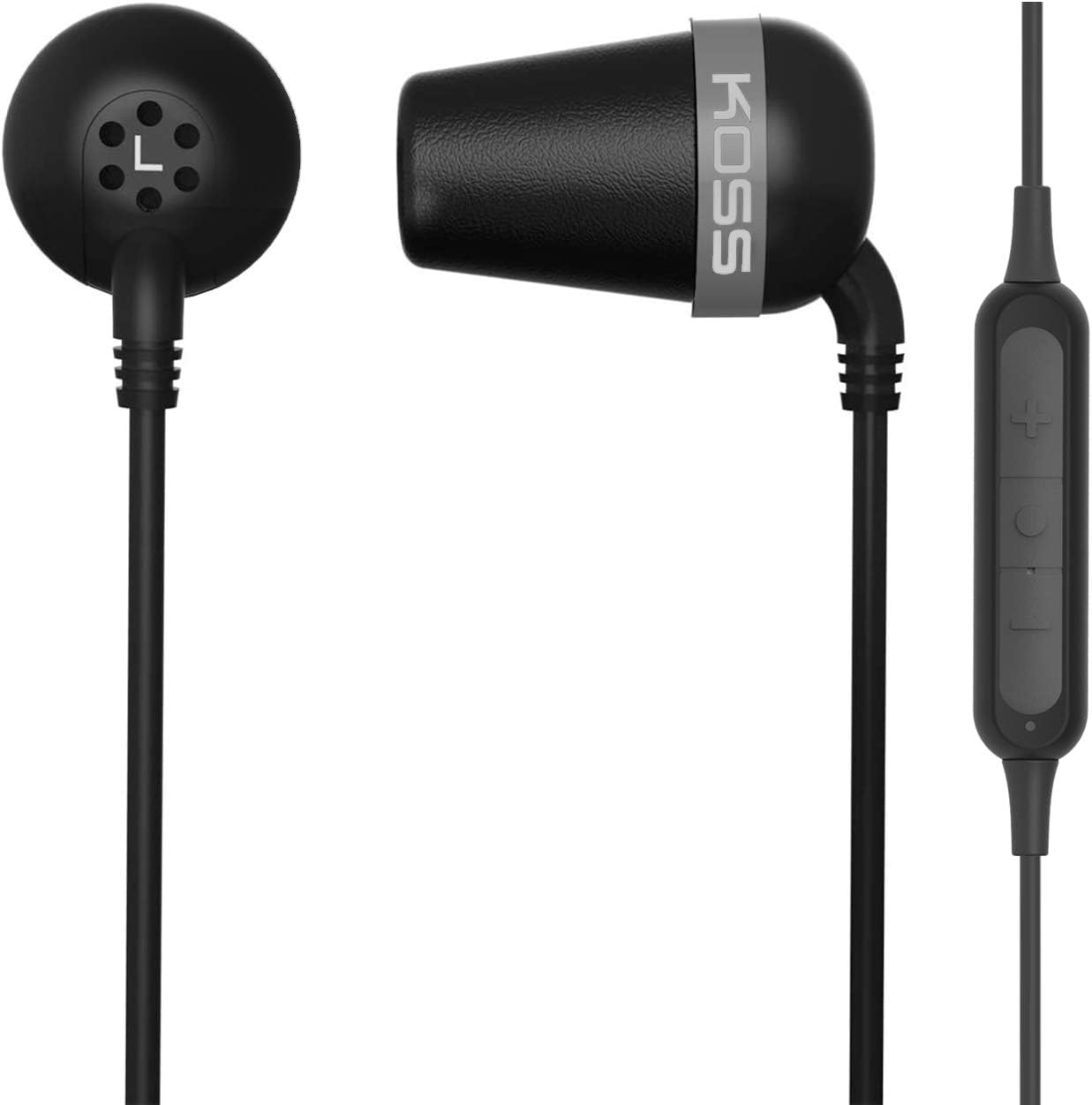
Image: Koss The Plug Wireless Bluetooth In-Ear Headphones, showcasing the earbuds and the in-line remote.
Setup
1. Charging the Headphones
Before first use, fully charge your Koss The Plug Wireless headphones. The headphones feature a built-in rechargeable lithium-ion battery providing approximately 6+ hours of play time.

Image: Illustration showing the headphones and a battery icon, indicating the charging process.
2. Fitting the Memory Foam Cushions
The headphones come with noise-isolating memory foam cushions for optimal comfort and sound. To ensure a proper fit:
- Gently compress the memory foam cushion before inserting it into your ear canal.
- Insert the earbud into your ear and hold it in place for a few seconds while the foam expands to create a seal.
- Ensure a snug fit for the best audio experience and noise isolation. Extra cushions are included for different ear sizes.

Image: Close-up view of the memory foam ear cushions.
3. Bluetooth Pairing
To connect your headphones to a Bluetooth-enabled device:
- Ensure Bluetooth is enabled on your audio device (smartphone, tablet, etc.).
- Press and hold the power button on the in-line remote for 5 seconds until you hear a tone and the LED indicator flashes blue and red, indicating pairing mode.
- On your device, select "Koss Plug Wireless" from the list of available Bluetooth devices.
- Once successfully paired, the LED indicator will show a solid blue light or flash blue periodically.

Video: Official Koss tutorial on how to pair The Plug Wireless Bluetooth In-Ear Headphones with a device.
Operating Instructions
In-Line Microphone and Remote Functions
The in-line remote provides convenient control over your audio and calls:
- Power On/Off: Press and hold the multi-function button (center button) for approximately 3 seconds.
- Play/Pause: Press the multi-function button once.
- Volume Up: Press the '+' button.
- Volume Down: Press the '-' button.
- Next Track: Press and hold the '+' button.
- Previous Track: Press and hold the '-' button.
- Answer/End Call: Press the multi-function button once during an incoming call or active call.
- Reject Call: Press and hold the multi-function button during an incoming call.
- Activate Voice Assistant: Double-press the multi-function button.

Image: Detailed view of the in-line remote control with its various buttons.

Video: Overview of the features of The Plug Wireless headphones, including controls and fit.
Maintenance
Cleaning
To maintain the performance and hygiene of your headphones:
- Wipe the earbuds and cable with a soft, dry cloth.
- Periodically remove the memory foam cushions and gently clean them with a damp cloth, allowing them to air dry completely before reattaching.
- Do not use harsh chemicals or abrasive cleaners.
Storage
When not in use, store your headphones in a clean, dry place away from extreme temperatures and direct sunlight. Avoid tangling the cable to prevent damage.
Troubleshooting
If you encounter issues with your Koss The Plug Wireless headphones, refer to the following common solutions:
| Problem | Solution |
|---|---|
| Headphones do not power on. | Ensure the headphones are fully charged. Press and hold the power button for 3 seconds. |
| Cannot pair with device. | Ensure Bluetooth is enabled on your device. Make sure the headphones are in pairing mode (flashing blue/red LED). Move closer to the device. Forget the device in your phone's Bluetooth settings and try pairing again. |
| No sound or intermittent sound. | Check the volume levels on both the headphones and your connected device. Ensure the headphones are within Bluetooth range. Re-pair the headphones if necessary. |
| Microphone not working. | Ensure the microphone is not obstructed. Check your device's audio input settings to confirm the headphones are selected as the input source. |
Specifications
- Model: 196982.102
- Connectivity Technology: Wireless (Bluetooth v4.2)
- Earpiece Shape: In-Ear
- Noise Control: Sound Isolation
- Frequency Response: 10 Hz to 20 kHz
- Battery Life: Approximately 6+ Hours
- Control Type: In-line Media Control (Play/Pause, Start/Stop, Volume, Answer/End)
- Microphone: In-line
- Water Resistance Level: Water Resistant (Sweat-resistant)
- Material: Plastic
- Item Weight: 1.28 ounces
- Product Dimensions: 2.63 x 1 x 6 inches
- Included Components: User Manual, Extra Cushions
Warranty and Support
Warranty Information
Koss products are known for their quality and durability. For specific warranty details regarding your Koss The Plug Wireless headphones, please refer to the warranty card included in your product packaging or visit the official Koss website.
Customer Support
If you require further assistance or have questions not covered in this manual, please contact Koss customer support. You can find contact information on the official Koss website or through your product's documentation.