
Powermate PM2000i
Powermate PM2000i Portable Inverter Generator User Manual
Model: PM2000i (P0080501)
1. Introduction
The Powermate PM2000i is a 2,000-watt gas-powered portable inverter generator designed to provide clean, stable power for sensitive electronics, tools, and appliances. Its compact and lightweight design, combined with quiet operation, makes it ideal for a variety of uses, including home backup, camping, RV use, and other outdoor activities.
This manual contains important information regarding the safe operation, maintenance, and troubleshooting of your PM2000i generator. Please read it thoroughly before operating the unit.
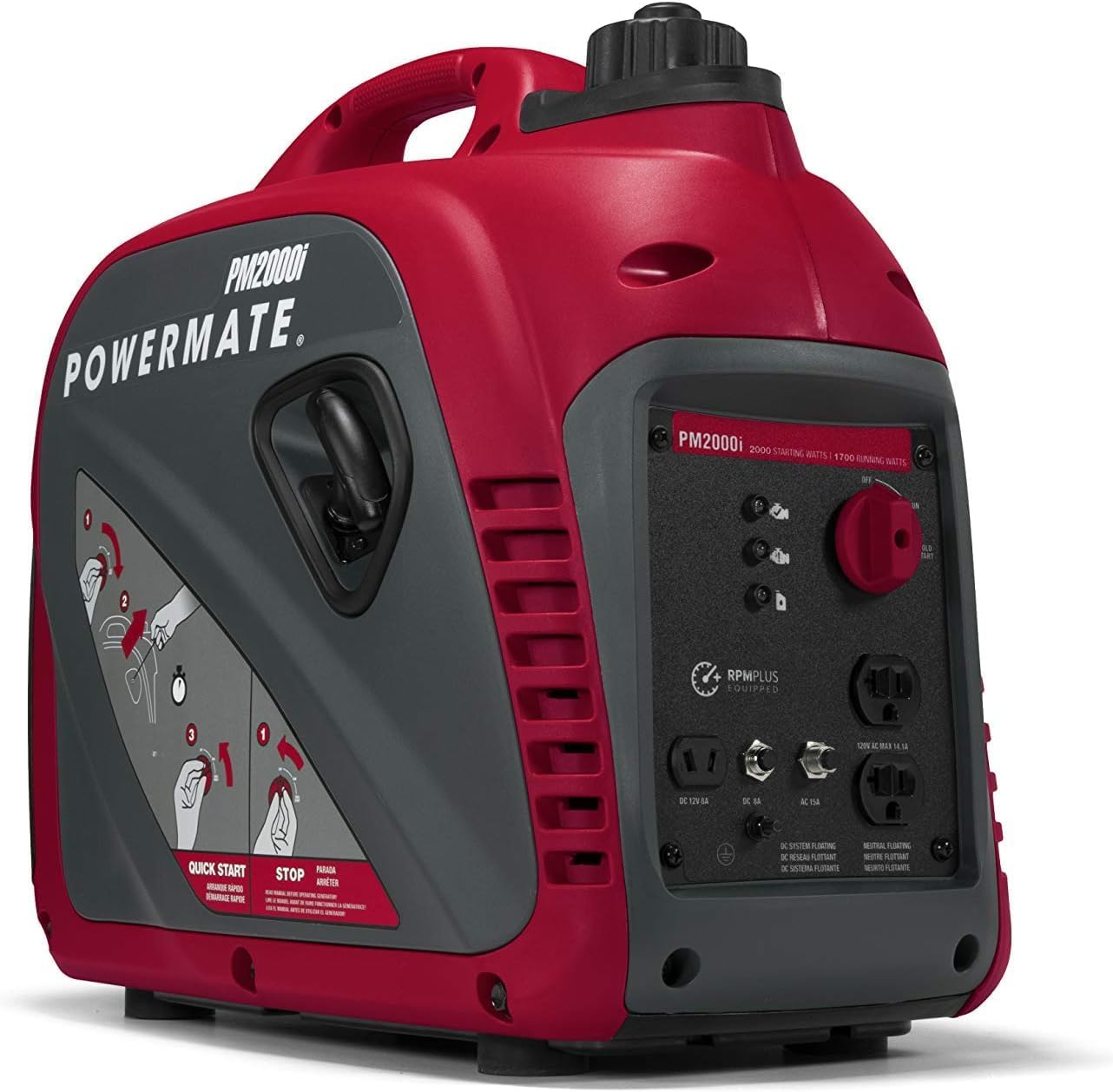
Figure 1.1: Powermate PM2000i Portable Inverter Generator. This image shows the overall design of the generator, highlighting its compact form factor and integrated handle for easy transport.
2. Safety Information
Always observe the following safety precautions to prevent injury or damage to the generator:
- Carbon Monoxide Hazard: Generators produce carbon monoxide, a colorless, odorless, poisonous gas. Operate the generator outdoors in a well-ventilated area, far away from windows, doors, and vents. Never operate indoors or in enclosed spaces.
- Fire Hazard: Fuel is highly flammable. Always refuel in a well-ventilated area with the engine off and cool. Do not smoke or allow open flames near the generator.
- Electrical Shock Hazard: Do not operate the generator in wet conditions. Ensure all electrical connections are secure and dry. Never touch electrical components with wet hands.
- Hot Surfaces: The generator's engine and muffler become very hot during operation and remain hot for some time after shutdown. Avoid contact with hot surfaces to prevent burns.
- Read the Manual: Familiarize yourself with all operating instructions and warnings before using the generator.
3. Components and Included Items
Your Powermate PM2000i generator package includes the following items:
- Powermate PM2000i Inverter Generator Unit
- Engine Oil
- Oil Funnel
- Owner's Manual
Familiarize yourself with the main parts of the generator:
- Fuel Tank Cap
- Recoil Starter Handle
- POWERDIAL (Off/Run/Cold Start)
- Control Panel (Outlets, Indicator Lights)
- Oil Fill Cap/Dipstick
- Air Filter Cover
- Muffler

Figure 3.1: Front view of the Powermate PM2000i, showing the control panel. This panel includes the POWERDIAL, various outlets (DC 12V 8A, AC 15A), and LED indicators for low oil, overload, and output readiness.
4. Setup
Before first use, proper setup is crucial for safe and efficient operation.
4.1. Add Engine Oil
- Place the generator on a level surface.
- Locate the oil fill cap/dipstick. Remove it.
- Using the provided oil funnel, carefully pour the entire bottle of engine oil (typically 10W-30) into the oil fill opening. Do not overfill.
- Reinsert and tighten the oil fill cap/dipstick.
4.2. Add Fuel
- Ensure the generator is off and cool.
- Unscrew the fuel tank cap.
- Fill the fuel tank with fresh, unleaded gasoline (minimum 87 octane). Do not use E85 or mixed fuels.
- Do not overfill; leave some space for fuel expansion.
- Securely replace the fuel tank cap.
4.3. Placement
Always operate the generator outdoors in a well-ventilated area. Keep it at least 20 feet (6 meters) away from homes, buildings, and other structures. Ensure the exhaust is directed away from people and buildings.

Figure 4.1: Quick Start instructions located on the side panel of the Powermate PM2000i. This visual guide provides a summary of the starting and stopping procedures, useful for quick reference during setup and operation.
5. Operating Instructions
5.1. Starting the Generator
- Ensure the generator is on a level surface and all electrical devices are disconnected from the outlets.
- Turn the POWERDIAL to the 'COLD START' position.
- Pull the recoil starter handle slowly until resistance is felt, then pull quickly and firmly.
- Once the engine starts, allow it to run for a few seconds, then slowly turn the POWERDIAL to the 'RUN' position.
- Allow the generator to warm up for a few minutes before connecting any electrical loads. The 'Output Ready' indicator light should illuminate.
5.2. Connecting Electrical Devices
Once the generator is running smoothly and the 'Output Ready' light is on, you can connect your electrical devices. Always ensure the total wattage of connected devices does not exceed the generator's running wattage (1700 watts).
- Plug your devices into the appropriate AC 120V outlets.
- For 12V DC charging, connect your device to the DC 12V 8A outlet.
- If the 'Overload' indicator light illuminates, disconnect some devices to prevent damage to the generator.
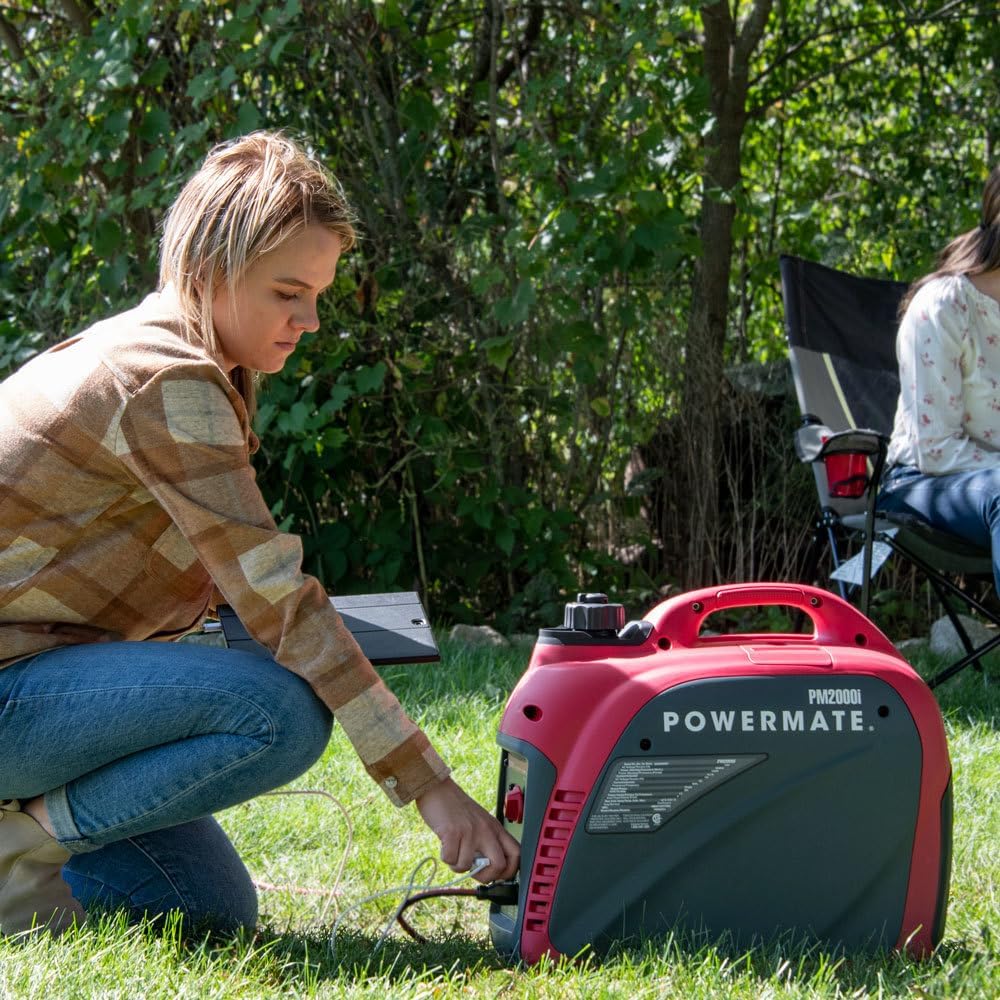
Figure 5.1: A person operating the Powermate PM2000i generator in an outdoor setting. This demonstrates the typical use case for the portable generator, emphasizing its suitability for outdoor activities.
5.3. Stopping the Generator
- Disconnect all electrical devices from the generator outlets.
- Turn the POWERDIAL to the 'OFF' position.
- Allow the generator to cool down completely before storing or performing any maintenance.
6. Maintenance
Regular maintenance ensures the longevity and reliable performance of your generator.
6.1. Engine Oil Change
Change the engine oil after the first 20 hours of operation, and then every 50 hours or annually, whichever comes first. Refer to the 'Add Engine Oil' section for the procedure.
6.2. Air Filter Cleaning
Inspect the air filter every 50 hours or every 3 months. Clean or replace if dirty. A dirty air filter can reduce engine performance.
6.3. Spark Plug Inspection
Inspect the spark plug every 100 hours or every 6 months. Clean or replace if necessary. Ensure the gap is correct according to specifications.
6.4. Storage
If storing the generator for more than 30 days, drain the fuel tank and carburetor, or add a fuel stabilizer to prevent fuel degradation. Store in a clean, dry place.
7. Troubleshooting
This section addresses common issues you might encounter with your PM2000i generator.
| Problem | Possible Cause | Solution |
|---|---|---|
| Engine will not start | No fuel Low oil level POWERDIAL in wrong position Dirty spark plug | Add fresh fuel Add engine oil Set POWERDIAL to 'COLD START' Clean or replace spark plug |
| No power output | Overload Circuit breaker tripped Loose connections | Reduce load Reset circuit breaker Check and secure connections |
| Engine runs rough | Stale fuel Dirty air filter Incorrect spark plug gap | Drain and refill with fresh fuel Clean or replace air filter Adjust or replace spark plug |
| Excessive noise | Loose components Muffler damage | Check and tighten all fasteners Inspect muffler for damage; contact service |
8. Specifications
| Feature | Specification |
|---|---|
| Brand | Powermate |
| Model Name | PM2000i |
| Item Model Number | P0080501 |
| Wattage (Starting) | 2000 Watts |
| Wattage (Running) | 1700 Watts |
| Fuel Type | Gasoline |
| Power Source | Electric |
| Item Weight | 46.6 Pounds |
| Product Dimensions (L x W x H) | 19.7" x 11.4" x 17.9" |
| Engine Type | 4 Stroke |
| Engine Displacement | 80 Cubic Centimeters |
| Tank Volume | 1.2 Gallons |
| Runtime | 11 hours (at 25% load) |
| Total Power Outlets | 3 (AC 120V, DC 12V) |
| Frequency | 60 Hz |
| Ignition System Type | Recoil Start |
| Color | Red/Black |
| Material | Metal and plastic components |
9. Warranty and Support
9.1. Protection Plans
Extended protection plans may be available for your Powermate PM2000i generator. These plans offer additional coverage beyond the standard manufacturer's warranty. Options may include:
- 3-Year Protection Plan
- 4-Year Protection Plan
- Complete Protect (monthly subscription covering multiple eligible purchases)
Please refer to your purchase documentation or contact your retailer for specific details on available protection plans and their terms and conditions.
9.2. Customer Support
For technical assistance, parts, or warranty claims, please contact Powermate customer support. Have your model number (PM2000i or P0080501) and serial number ready when contacting support.
You can typically find contact information on the Powermate official website or within the included owner's manual.
Related documentsPM2000i


Ask a question about this manual
Ask about setup, troubleshooting, compatibility, parts, safety, or missing instructions. Manuals+ will review the question and use this page’s manual context to help answer it.