
PopBloom MH50BR
Contents
PopBloom Shannon 54 LED Aquarium Light User Manual
Model: MH50BR
1. Introduction
This manual provides detailed instructions for the installation, operation, and maintenance of your PopBloom Shannon 54 LED Aquarium Light. This full-spectrum LED light is designed to support coral growth and enhance the environment of saltwater fish tanks through programmable timer controls and remote operation.

Image 1.1: The PopBloom Shannon 54 LED Aquarium Light, showcasing its multi-color LED array, a remote control, and examples of vibrant corals and marine life it supports.
2. Safety Information
- Always disconnect power before performing any maintenance or installation.
- Do not operate the light if the power cord or plug is damaged.
- Ensure the light is securely mounted to prevent accidental falls into the aquarium.
- This product is designed for indoor use only and should not be exposed to direct water spray or submersion.
- Keep out of reach of children and pets.
- Do not look directly into the LED lights when they are on, as this may cause eye strain.
3. Package Contents
Verify that all items are present in the package:
- PopBloom Shannon 54 LED Aquarium Light
- Remote Control
- Hanging Kit (2 sets)
- Power Adapter
- User Manual (this document)
4. Setup and Installation
4.1 Product Dimensions

Image 4.1: The light measures 21.3 inches (54 cm) in length, 4.7 inches (12 cm) in width, and 1.4 inches (3.6 cm) in height, featuring an ultra-thin design suitable for various setups.
4.2 Mounting Options
The PopBloom Shannon 54 LED Aquarium Light offers versatile installation methods:
- Hanging Installation: Use the provided hanging kit. Each light includes two sets of hanging wires, allowing for a total length of 80cm and a hanging height of 40cm. Ensure the light is suspended securely above the aquarium.
- Lid/Cover Fit: The ultra-thin design allows the light to fit inside most aquarium covers or lids.
- Bar/Bracket Mounting: The light can be nailed or secured to existing bars or brackets above the tank.
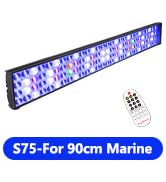
Image 4.2: Visual examples demonstrating the hanging installation method and how the light can be integrated into an aquarium lid or cover.
4.3 Power Connection
- Connect the power adapter to the light fixture.
- Plug the power adapter into a suitable electrical outlet.
5. Operating Instructions
5.1 Remote Control Overview
The PopBloom Shannon 54 LED Aquarium Light is operated using the included remote control. Familiarize yourself with the remote's buttons and functions:
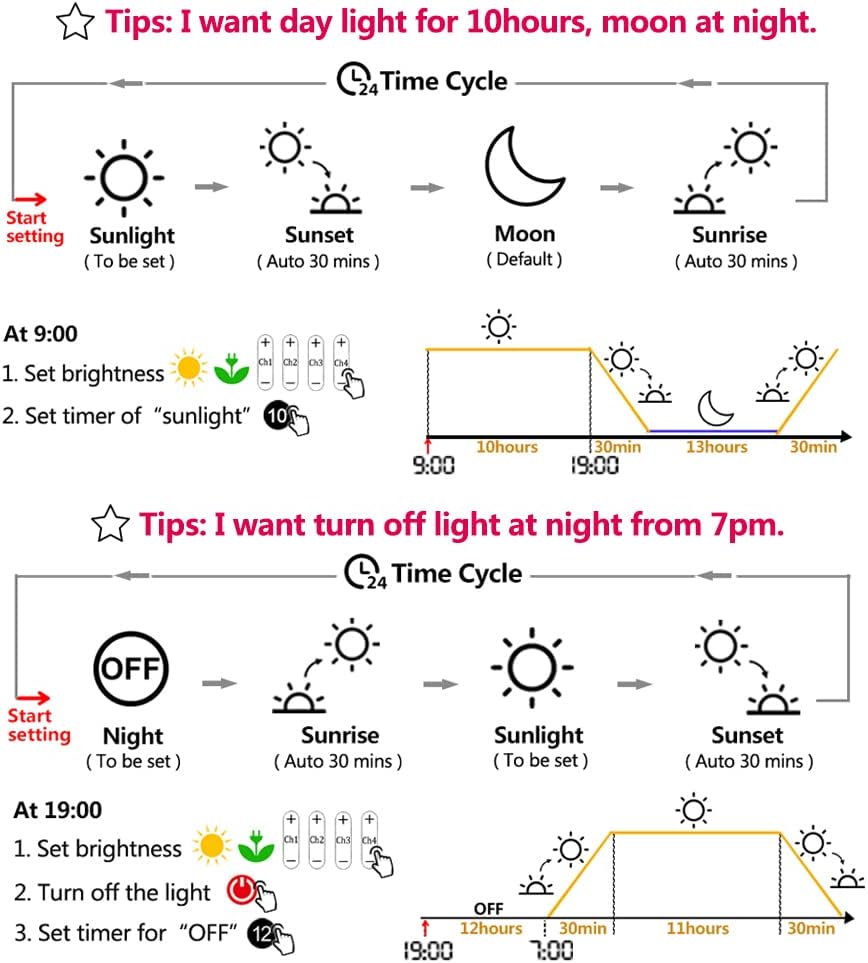
Image 5.1: The remote control features buttons for preset brightness (Full, ECON, Moon, Turn off), running time (Day-night Cycle, Sunrise, Moonlights), and individual dimming for 4 channels (Ch1, Ch2, Ch3, Ch4).
5.2 Channel Control and Spectrum
The light features 4 independent channels, allowing for customization of the light spectrum and intensity:
| Channel | LEDs | Wattage | Function |
|---|---|---|---|
| Channel 1 | White | 11 W | 12000K White |
| Channel 2 | Purple | 8 W | Moonlight |
| Channel 3 | Blue | 32 W | REEF GROW Blue |
| Channel 4 | Red/Green/Yellow | 12 W | Vivid Color |
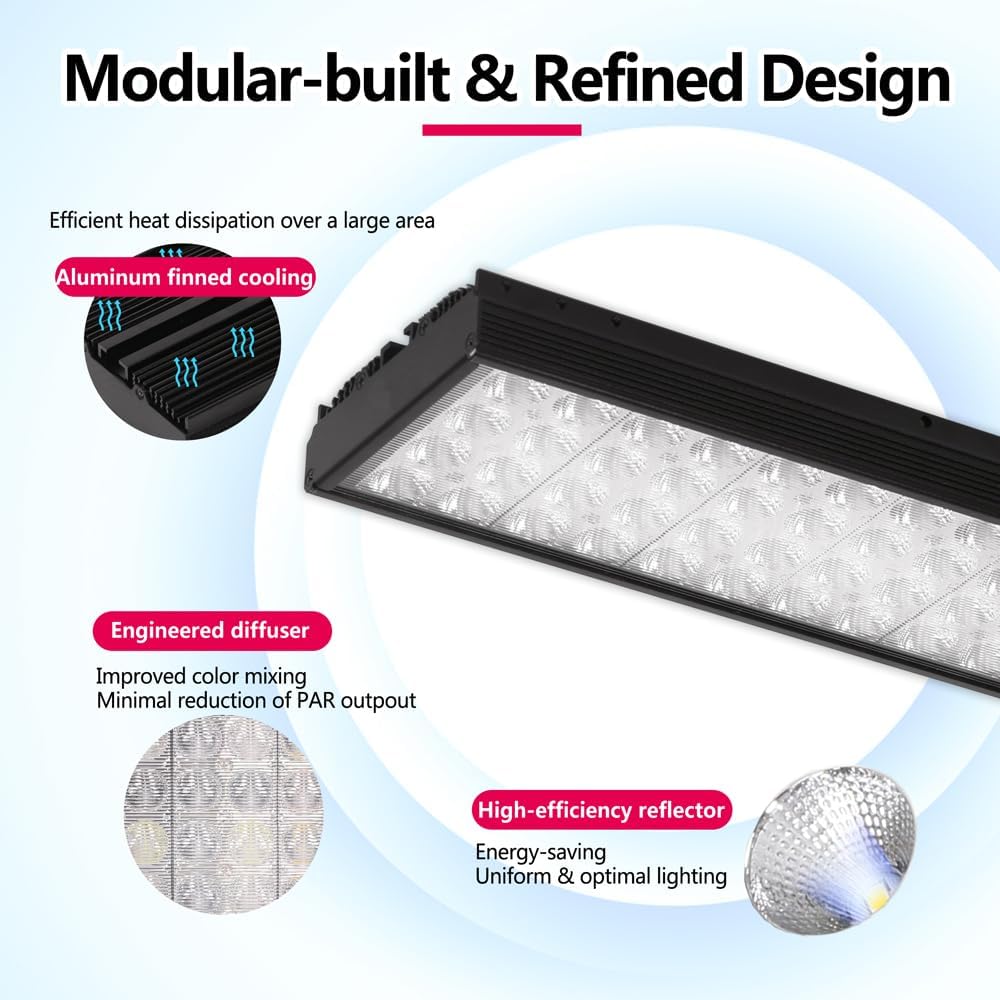
Image 5.2: The full spectrum output is achieved through 4 distinct channels, each contributing to optimal coral growth and coloration.
5.3 Setting Time Cycles (24-Hour Auto-Running)
The light supports programmable 24-hour cycles including sunrise, sunset, and moonlight phases. Use the remote control to set your desired schedule.
Example 1: Setting Daylight and Moonlight
To set daylight for 10 hours starting at 9:00 AM, followed by moonlight at night:
- At 9:00 AM, set the desired brightness for the 'Sunlight' phase using the channel dimming buttons (Ch1-Ch4).
- Press the 'Sunlight' button on the remote.
- Press the '10' button under 'Running Time' to set the duration to 10 hours.

Image 5.3: This diagram shows the process for setting a 10-hour daylight period starting at 9:00, followed by an automatic 30-minute sunset, a 13-hour moonlight period, and a 30-minute sunrise.
Example 2: Setting No Light at Night
To turn off the light at 7:00 PM and have it turn on at 7:00 AM:
- At 7:00 PM, press the 'Turn off' button on the remote.
- Press the '12' button under 'Running Time' to set the duration for the 'OFF' period (12 hours).

Image 5.4: This diagram illustrates setting the light to turn off at 7:00 PM for 12 hours, followed by an automatic 30-minute sunrise, 11 hours of sunlight, and a 30-minute sunset.
6. Maintenance
6.1 Cleaning
Regularly clean the light fixture to ensure optimal performance. Use a soft, dry cloth to wipe the exterior. Do not use abrasive cleaners or immerse the unit in water.
6.2 Heat Dissipation
The PopBloom Shannon 54 features upgraded aluminum heat sinks for efficient heat dissipation without a fan, ensuring silent operation. Ensure that the heat sinks are not obstructed to maintain proper airflow and prevent overheating.

Image 6.1: The aluminum finned cooling system is designed for efficient heat dissipation, contributing to the light's fanless and silent operation.
7. Troubleshooting
- Light not turning on: Check power connections and ensure the remote control batteries are functional.
- Remote control not responding: Ensure there are no obstructions between the remote and the light. Replace remote batteries if necessary.
- Inconsistent light output: Verify that all channels are set correctly and that the light is not in a programmed transition phase (sunrise/sunset).
- Overheating: Ensure the heat sinks are clean and unobstructed.
8. Specifications
| Feature | Specification |
|---|---|
| Model Number | MH50BR |
| Brand | PopBloom |
| Dimensions (L x W x H) | 21.3" x 4.7" x 1.4" (54cm x 12cm x 3.6cm) |
| Item Weight | 4.36 pounds |
| Material | Aluminum |
| Light Source Type | LED |
| Wattage | 60 Watts (Total) |
| Power Source | Corded Electric |
| Control Method | Remote Control |
| Special Features | Full Spectrum, Dimmable, Timer Control (Sunrise & Sunset, 24-hour cycle) |
| Mounting Type | Hanging |
| UPC | 791342632744 |

Image 8.1: Key specifications including light dimensions, 60 watts power consumption, 500 µMol peak PAR at the water surface, and 140 µMol peak PAR at 24 inches depth, along with a spectral distribution graph.
9. Warranty and Support
For warranty information or technical support, please contact PopBloom customer service through the retailer where the product was purchased or visit the official PopBloom website. Keep your purchase receipt as proof of purchase.
Documents and downloads
Ask a question about this manual
Ask about setup, troubleshooting, compatibility, parts, safety, or missing instructions. Manuals+ will review the question and use this page’s manual context to help answer it.