
1. Introduction
Thank you for choosing the S7 CUT50 Plasma Cutter. This manual provides essential information for the safe and efficient operation, setup, maintenance, and troubleshooting of your new plasma cutting machine. Please read this manual thoroughly before operating the equipment to ensure proper use and to prevent injury or damage.
The S7 CUT50 is a powerful and portable plasma cutter designed for both professional and DIY applications. It features a 65A output, high-frequency non-touch pilot arc starting, and dual voltage capability (110V/220V), allowing for clean cuts on various metals including carbon steel, stainless steel, and aluminum.
2. Safety Information
Plasma cutting involves high voltage, high temperature, and compressed air. Always follow safety precautions to prevent electric shock, burns, fire, and other injuries.
- Electric Shock Hazard: Ensure the machine is properly grounded. Do not operate in wet conditions. Wear dry gloves and protective clothing.
- Fumes and Gases: Ensure adequate ventilation. Avoid inhaling fumes. Use a respirator if necessary.
- Arc Rays: Protect eyes and skin from arc rays. Wear a welding helmet with appropriate shade, protective clothing, and gloves.
- Fire and Explosion: Keep flammable materials away from the cutting area. Have a fire extinguisher readily available.
- Hot Parts: Allow the torch and workpiece to cool before handling.
- Compressed Air: Ensure air lines are securely connected. Do not exceed recommended air pressure.
- Overheat Protection: The machine is equipped with overheat protection. If the machine stops, allow it to cool down before resuming operation.
- Maintenance: Disconnect power before performing any maintenance or changing consumables.
3. Product Overview and Components
The S7 CUT50 Plasma Cutter comes with the main unit and several essential accessories. Familiarize yourself with each component before operation.

Figure 3.1: S7 CUT50 Plasma Cutter and included accessories. This image shows the main plasma cutter unit, plasma torch, ground clamp, air pressure regulator, air hose, and various consumables.

Figure 3.2: Labeled components of the S7 CUT50 Plasma Cutter kit.
3.1 Main Unit Features
- Digital Display: Shows current amperage setting.
- Current Adjustment Knob: For precise control of cutting amperage (20A to 65A).
- Air Pressure Gauge: Displays incoming air pressure.
- Built-in Air Pressure Regulator: Manages air flow for optimal cutting.
- Pilot Arc: Non-touch arc starting for extended electrode life and cutting through rusty/painted surfaces.
- Dual Voltage: Operates on both 110V and 220V power supplies.
- IGBT Technology: For stable and efficient performance.

Figure 3.3: Front panel of the S7 CUT50 Plasma Cutter, highlighting High Frequency, Pilot Arc, IGBT Technology, 50/60Hz, and Dual Voltage capabilities.
3.2 Dimensions

Figure 3.4: Physical dimensions of the S7 CUT50 Plasma Cutter, showing approximate measurements of 16 inches (40.6 cm) in length, 6 inches (15.2 cm) in width, and 10 inches (25.4 cm) in height.
3.3 Consumables
The plasma torch requires specific consumables for optimal performance. These include the nozzle, electrode, swirl ring, and shield cup. The orifice size of the nozzle tip is 1.3mm.

Figure 3.5: Detailed dimensions of plasma cutter consumables, including the nozzle, electrode, and shield cup. The nozzle tip orifice is 1.3mm.
4. Setup
Follow these steps to set up your S7 CUT50 Plasma Cutter for operation.
- Placement: Place the plasma cutter on a stable, level surface with adequate ventilation. Ensure there is enough space around the unit for air circulation.
- Power Connection:
- For 220V operation, connect the power cord directly to a compatible 220V outlet.
- For 110V operation, use the provided 220V to 110V adapter to connect the power cord to a 110V outlet. Ensure the outlet can provide sufficient amperage.
- Air Compressor Connection:
- Connect your air compressor to the air inlet on the rear of the plasma cutter. The unit has a built-in air pressure regulator.
- Adjust the air pressure using the regulator knob to the recommended operating pressure (typically 60-70 PSI for cutting). The gauge on the front panel will display the pressure.

Figure 4.1: Rear view of the S7 CUT50 Plasma Cutter showing the built-in air pressure regulator and air inlet connection. No additional installation is required for the regulator.
- Torch Connection: Connect the plasma torch cable to the designated port on the front panel of the machine. Ensure it is securely fastened.
- Ground Clamp Connection: Attach the ground clamp cable to the appropriate terminal on the front panel. Securely clamp the ground clamp to the workpiece or work table, ensuring good electrical contact.
- Install Consumables: Ensure the correct nozzle, electrode, swirl ring, and shield cup are properly installed in the plasma torch.
5. Operating Instructions
Once the setup is complete, you can begin plasma cutting. Always wear appropriate personal protective equipment (PPE) including a welding helmet, gloves, and protective clothing.
- Turn On: Flip the power switch on the rear of the machine to the "ON" position. The digital display on the front panel will illuminate.
- Adjust Amperage: Use the current adjustment knob to set the desired cutting amperage. The digital display will show the selected amperage. Refer to the cutting chart (if available, or general guidelines) for recommended settings based on material type and thickness.
- Prepare Workpiece: Ensure the workpiece is clean and free of rust, paint, or other contaminants for best results. Secure the ground clamp firmly to the workpiece or a conductive work surface.
- Initiate Arc: Position the torch nozzle approximately 1/8 inch to 1/4 inch above the starting point of the cut. Press the trigger on the torch to initiate the pilot arc. The non-touch pilot arc allows for easy starting without direct contact with the workpiece.
- Begin Cutting: Once the pilot arc is established, slowly move the torch across the material along the desired cut line. Maintain a consistent speed and standoff distance for a clean cut. Observe the molten metal exiting the bottom of the cut (dross) to ensure full penetration.
- Cutting Capabilities: The S7 CUT50 is capable of cutting various materials, including:
- Carbon Steel
- Iron
- Alloy Steel
- Copper
- Aluminum
- Stainless Steel
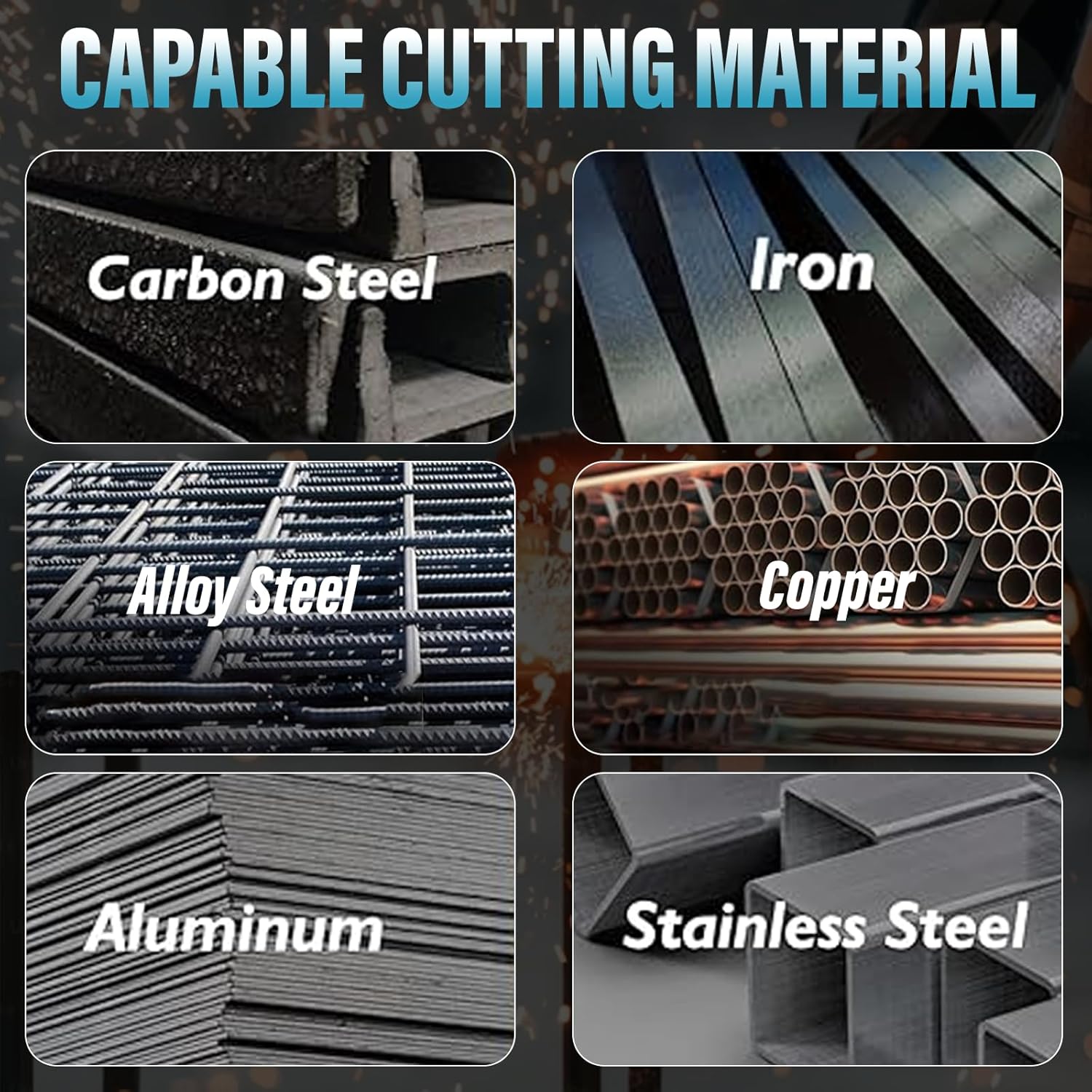
Figure 5.1: Examples of materials that can be cut with the S7 CUT50 Plasma Cutter, including Carbon Steel, Iron, Alloy Steel, Copper, Aluminum, and Stainless Steel.
The machine can achieve a 1/2 inch clean cut and a 3/4 inch maximum cut on suitable materials.
- Post-Flow: After releasing the trigger, the machine will continue to flow air for a short period (post-flow) to cool the torch and extend consumable life. Do not disconnect the torch during post-flow.
- Turn Off: When finished, turn off the machine using the power switch. Disconnect the power cord and air supply.
6. Maintenance
Regular maintenance ensures the longevity and optimal performance of your plasma cutter. Always disconnect power before performing maintenance.
- Consumable Replacement:
- Inspect the nozzle and electrode regularly for wear. Replace them when the orifice becomes enlarged or the electrode tip is significantly pitted.
- Ensure the swirl ring is clean and not damaged, as it is crucial for proper gas flow.
- Replace the shield cup if it is cracked or excessively worn.
- Air Filter/Regulator Maintenance:
- Periodically check the water trap on the air pressure regulator. Drain any accumulated moisture by opening the drain valve.
- Clean or replace the air filter element if it becomes clogged or dirty to ensure a clean and dry air supply to the torch.
- General Cleaning:
- Keep the machine clean and free of dust and metal particles. Use compressed air to blow out internal components periodically, ensuring the machine is unplugged.
- Inspect all cables and connections for damage. Replace any worn or damaged parts immediately.
7. Troubleshooting
This section provides solutions to common issues you might encounter.
| Problem | Possible Cause | Solution |
|---|---|---|
| Machine does not power on. | No power supply; Power switch off; Blown fuse/tripped breaker. | Check power cord connection; Ensure power switch is ON; Check building's circuit breaker or machine's internal fuse. |
| No arc or weak arc. | Poor ground connection; Worn consumables; Insufficient air pressure; Torch not connected properly. | Ensure ground clamp has good contact; Replace nozzle/electrode; Adjust air pressure to recommended PSI; Re-seat torch connection. |
| Poor cut quality (rough, wide kerf, dross). | Incorrect amperage setting; Incorrect cutting speed; Worn consumables; Incorrect standoff distance; Contaminated air supply. | Adjust amperage for material thickness; Adjust cutting speed; Replace consumables; Maintain consistent standoff; Drain water trap/check air filter. |
| Overheat indicator on. | Exceeded duty cycle; Insufficient ventilation. | Allow machine to cool down; Ensure adequate airflow around the unit. |
8. Specifications
| Feature | Detail |
|---|---|
| Model Number | CUT50 |
| Input Voltage | 110V/220V AC |
| Output Current | 20A - 65A |
| Clean Cut Thickness | Up to 1/2 inch (12mm) |
| Max Cut Thickness | Up to 3/4 inch (19mm) |
| Product Dimensions | 16 x 6 x 10 inches |
| Item Weight | 22.2 Pounds |
| Arc Starting | Pilot Arc (Non-Touch) |
| Technology | IGBT Inverter |
| Manufacturer | win-win |
9. Warranty and Support
For warranty information, technical support, or service inquiries, please contact S7 customer service. Keep your purchase receipt as proof of purchase.
Please note: This manual does not contain specific video embedding instructions as no relevant seller-created video content was identified in the provided product data that met the embedding criteria.