
1. Introduction
This manual provides detailed instructions for the proper setup, operation, and maintenance of the Seco-Larm SK-939T2-GNUQ 2-Buttons 3-Channels Pendant RF Transmitter. Please read this manual thoroughly before using the device to ensure safe and efficient operation.
2. Product Overview and Features
The Seco-Larm SK-939T2-GNUQ is a compact and durable 2-button, 3-channel pendant radio frequency (RF) transmitter designed for various security and access control applications. It offers reliable performance with advanced security features.
Key Features:
- High Security: Over 68 billion possible codes to prevent unauthorized access.
- Transmission Indicator: An LED illuminates only when buttons are pressed, confirming signal transmission.
- Extended Range: Operates effectively up to 500 feet (152 meters) in open air.
- Weatherproof Design: Rated IP66 for protection against dust and powerful water jets, suitable for outdoor use.
- Anti-scan Protection: Enhances security by preventing code scanning attempts.
- Compatibility: Works with all 433.92MHz SECO-LARM receivers.
- Compact Size: Slimline design with dimensions of 1.25 x 2.18 x 0.31 inches.
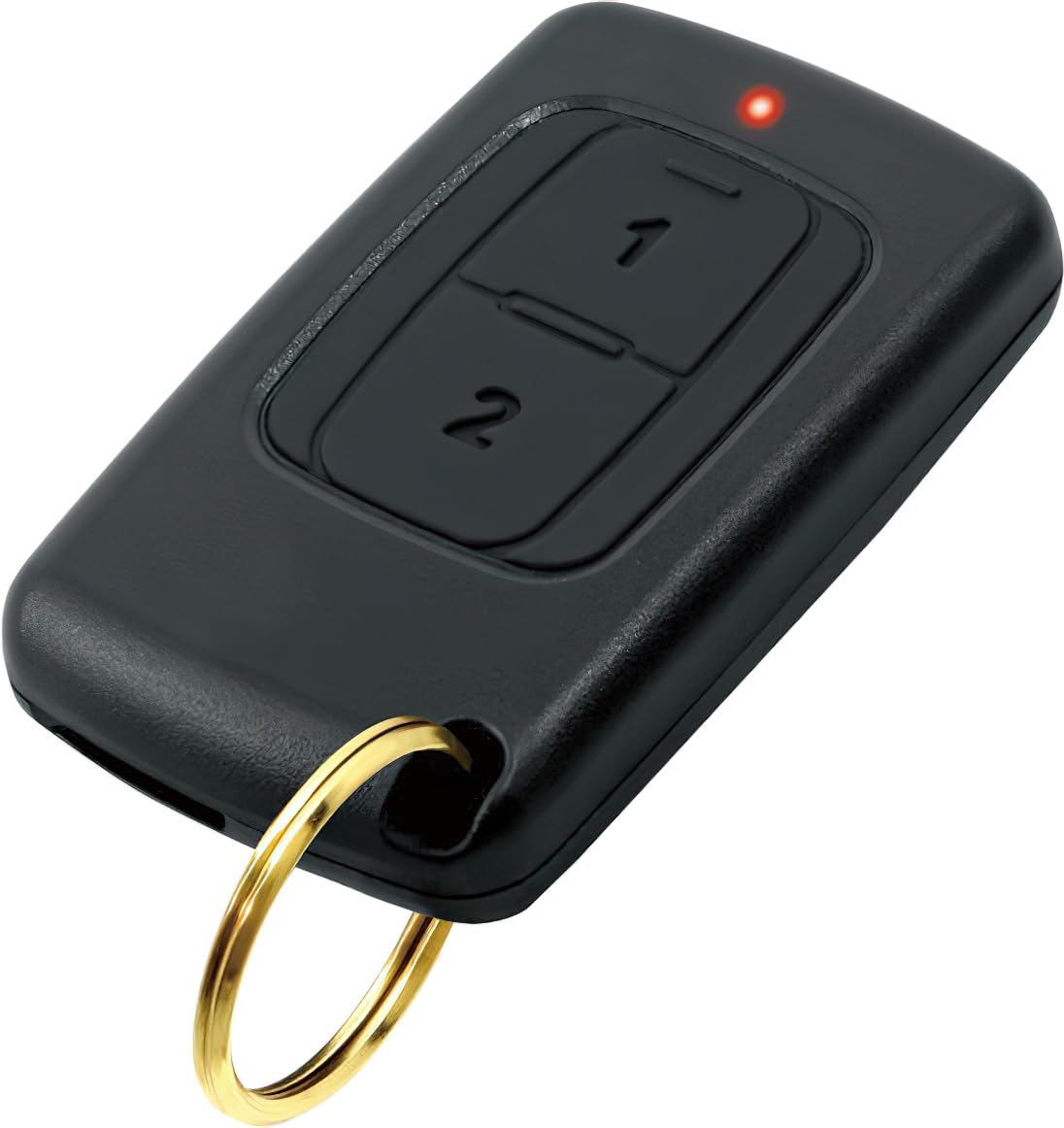
Figure 1: Seco-Larm SK-939T2-GNUQ Pendant RF Transmitter. This image shows the compact, black transmitter with two buttons.
3. Setup and Pairing
The SK-939T2-GNUQ transmitter is designed to be paired with compatible Seco-Larm 433.92MHz receivers. The pairing process typically involves setting the receiver into a learning mode and then activating the transmitter.
Pairing Instructions (General):
- Prepare the Receiver: Refer to your specific Seco-Larm receiver's manual for instructions on how to put it into "learn" or "programming" mode. This usually involves pressing a learn button on the receiver.
- Activate Transmitter: While the receiver is in learn mode, press and hold one of the buttons on the SK-939T2-GNUQ transmitter. The LED indicator on the transmitter should illuminate, confirming transmission.
- Confirm Pairing: The receiver will typically provide an indication (e.g., a beep, LED flash) once the transmitter is successfully learned. Release the transmitter button.
- Test Operation: After pairing, test the transmitter's functionality by pressing the programmed button to ensure it activates the intended device connected to the receiver.
Note: For detailed and specific pairing instructions, always consult the user manual of your Seco-Larm 433.92MHz receiver, as procedures may vary slightly between models.
4. Operation
Operating the SK-939T2-GNUQ transmitter is straightforward. It features two buttons, each capable of controlling different channels or functions depending on how it is programmed with your receiver.
Basic Operation:
- Button Press: To transmit a signal, simply press and hold the desired button on the transmitter.
- LED Indicator: The built-in LED will light up when a button is pressed, indicating that a signal is being transmitted. If the LED does not light up, the battery may be low or depleted.
- Range: Ensure you are within the operational range of up to 500 feet (152 meters) from the receiver for reliable signal transmission. Environmental factors and obstructions can affect range.
The transmitter supports 3 channels, meaning it can be programmed to control up to three different functions or devices via its two buttons (e.g., Button 1 for Channel 1, Button 2 for Channel 2, and both buttons pressed simultaneously for Channel 3, depending on receiver capabilities).
5. Maintenance
The SK-939T2-GNUQ transmitter requires minimal maintenance due to its durable and weatherproof design. Regular checks and battery replacement are the primary maintenance tasks.
Battery Replacement:
The transmitter is powered by a single 3V lithium coin cell battery (e.g., CR2032). When the LED indicator becomes dim or fails to light up during button presses, it is time to replace the battery.
- Open Casing: Carefully open the transmitter casing. This usually involves prying open the two halves using a small flat-head screwdriver in the designated notch.
- Remove Old Battery: Gently remove the old coin cell battery from its holder.
- Insert New Battery: Insert a new 3V CR2032 lithium coin cell battery, ensuring the positive (+) side faces upwards (as indicated by markings inside the casing).
- Close Casing: Carefully snap the two halves of the casing back together, ensuring a secure and tight seal to maintain its weatherproof integrity.
- Test: Press a button to confirm the LED illuminates brightly.
Caution: Dispose of old batteries responsibly according to local regulations. Keep batteries out of reach of children.
Cleaning:
Wipe the transmitter with a soft, damp cloth as needed. Do not use harsh chemicals or abrasive cleaners, as these can damage the casing or internal components.
6. Troubleshooting
If you encounter issues with your SK-939T2-GNUQ transmitter, refer to the following common troubleshooting steps:
| Problem | Possible Cause | Solution |
|---|---|---|
| Transmitter LED does not light up. | Depleted or incorrectly installed battery. | Replace the battery (3V CR2032) and ensure it is inserted with correct polarity. |
| Receiver does not respond to transmitter. |
|
|
| Reduced operating range. |
|
|
7. Specifications
| Feature | Specification |
|---|---|
| Model Number | SK-939T2-GNUQ |
| RF Frequency | 433.92MHz |
| Number of Buttons | 2 |
| Number of Channels | 3 |
| Coding Combinations | Over 68 billion possible codes |
| Operating Range | Up to 500ft (152m) line of sight |
| Weatherproof Rating | IP66 |
| Battery Type | 3V Lithium Coin Cell (CR2032) |
| Dimensions (H x W x D) | 1.25 x 2.18 x 0.31 inches (31.75 x 55.37 x 7.87 mm) |
| Weight | 6.4 ounces (181.4 grams) |
8. Warranty and Support
Seco-Larm products are backed by a limited warranty. For specific warranty terms and conditions, please refer to the warranty card included with your product or visit the official Seco-Larm website. For technical support, troubleshooting assistance beyond this manual, or to inquire about replacement parts, please contact Seco-Larm customer service directly.
Seco-Larm Contact Information:
- Website: www.seco-larm.com
- Phone: Refer to the website for regional contact numbers.
- Email: Refer to the website for support email addresses.
Please have your model number (SK-939T2-GNUQ) and purchase date available when contacting support.


