
Introduction
This manual provides comprehensive instructions for the installation, operation, and maintenance of your XTRONS Android Car Overhead Player, model CM179A. Please read this manual thoroughly before using the product to ensure proper function and safety.
Key Features
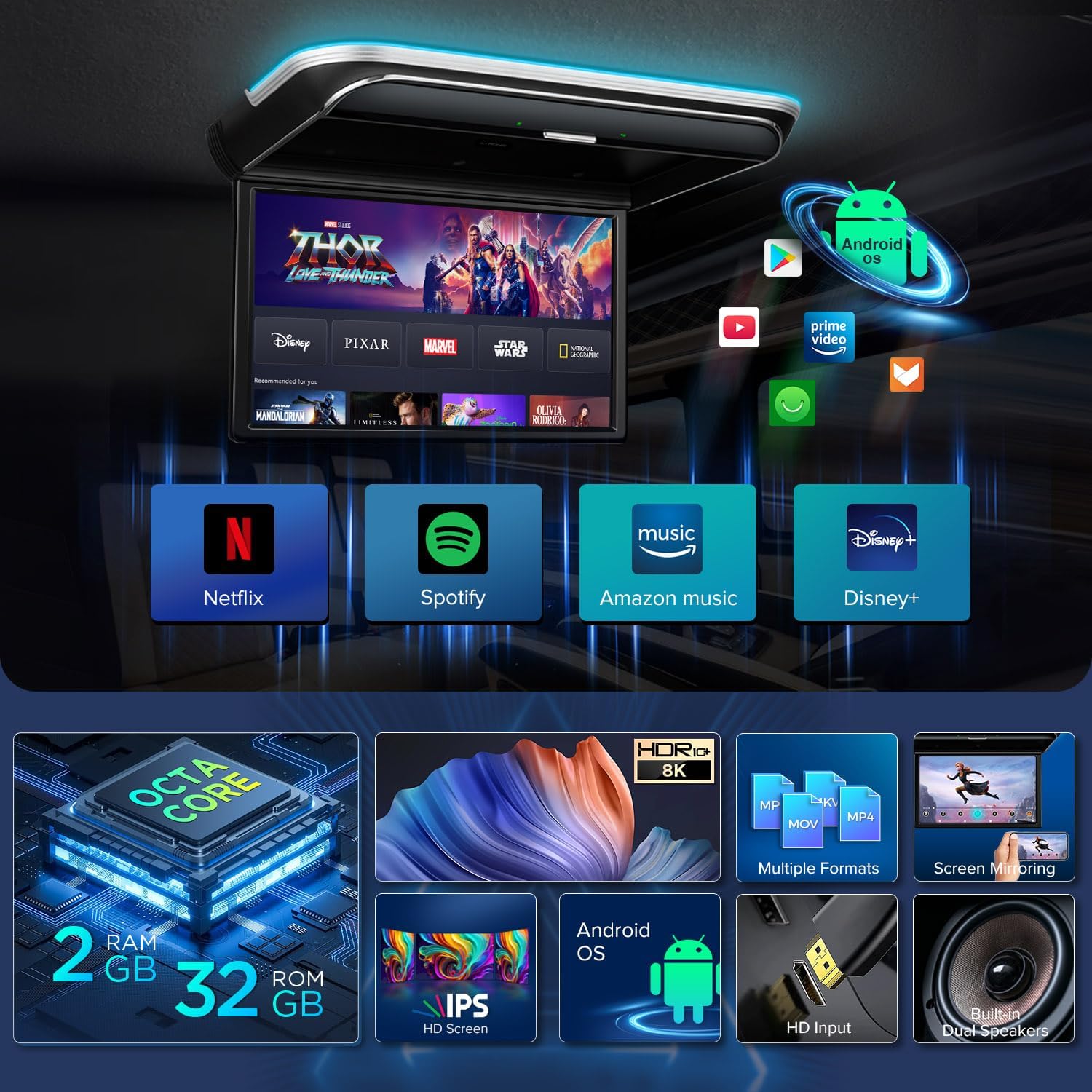
- Android Operating System: Equipped with Android 9.0 Pie OS, Octa Core CPU, 2GB RAM, and 32GB ROM for app compatibility and performance.
- 17.3-inch FHD IPS Screen: Large digital display with HDR10+ Technology for immersive viewing, sharp images, and wide viewing angles.
- 8K Video Support: Smooth playback of 8K, 4K, 2K, and 1080P video formats. Compatible with MP4, AVI, MKV, WMV, MPG, MPEG, MOV, RM, RMVB, DAT, FLV, MP3, WMA, WAV, AAC, APE, FLAC, JPG, JPEG, BMP, PNG.
- Versatile Connectivity: Includes Screen Mirroring (Android 8.0+ and iOS 9.0+), HDMI input, USB port, and AV input for connecting various external devices.
- Audio Output Options: Features built-in stereo speakers, Bluetooth audio transmission, and IR headphone support (2 Black IR Headphones included).
- Built-in WiFi: Enables quick data speeds for downloading apps, streaming videos, and more.
Included Components
The following items are included with your XTRONS Android Car Overhead Player CM179A:
- 1 x XTRONS Android Car Overhead Player (CM179A)
- 2 x Black IR Headphones (DWH005)
- 1 x Remote Control
- 1 x Power Cable
- 6 x Mounting Nuts
- 1 x User Manual

This image displays the main unit, remote control, power cable, mounting nuts, and user manual. It also illustrates the general installation steps.
Setup and Installation
Professional installation is recommended for this product. Ensure the vehicle's battery is disconnected before beginning installation.
- Install Mounting Bracket: Securely install the provided mounting bracket to the car roof. Ensure it is centered and stable.
- Fix Car Roof Player: Attach the car roof player to the installed bracket using the provided screws.
- Connect Power Cable: Connect the power cable to the unit and the vehicle's power supply. Refer to the wiring diagram for correct connections.
The diagram shows how to install the mounting bracket to the car roof, fix the player to the bracket, and connect the power cable.

This diagram illustrates the connections for B+, ACC, GND, Door Control (+/-), Audio Left/Right Input, Video Input 1/2.
This video provides a visual walkthrough of the installation process, demonstrating how to mount the unit and connect the wiring. While the model shown may vary slightly, the general steps are applicable.
Operation
Power On/Off and Screen Adjustment
The unit powers on when the vehicle's ignition is on. The screen can be manually adjusted for optimal viewing angles. Virtual touch buttons are located on the unit for direct control.

The unit features automatic lighting control that activates when the car door opens and colorful aura lighting for ambient effects.
Android System and Apps
The CM179A runs on Android 9.0 Pie, offering access to a wide range of applications from the Play Store. Connect to Wi-Fi or a mobile hotspot to stream content from platforms like Netflix, YouTube, Prime Video, and Hulu.
This image displays the Android home screen with icons for music, video, YouTube, settings, file manager, and other applications.
Media Playback
The unit supports 8K video playback, ensuring smooth and high-quality viewing for various media formats including MP4, AVI, MKV, WMV, MPG, MPEG, MOV, RM, RMVB, DAT, FLV, MP3, WMA, WAV, AAC, APE, FLAC, JPG, JPEG, BMP, and PNG.
Screen Mirroring
Wirelessly mirror content from your Android (8.0 and above) or iOS (9.0 and above) smartphone directly to the overhead player. This allows for sharing photos, videos, and games without downloading additional apps.

This image shows a smartphone mirroring its display to the XTRONS overhead monitor, highlighting compatibility with both iOS and Android devices.
External Device Connectivity
Utilize the HDMI, USB, and AV inputs to connect external devices such as game consoles, cameras, video recorders, or other car entertainment systems. The USB port supports flash drives for local media playback.

This image details the various input and output ports available on the unit for connecting external devices and transmitting audio.
Audio Output
Sound can be output through the built-in stereo speakers, via Bluetooth to compatible headphones, or through IR headphones (included). An FM transmitter function is also available to send audio to your car's FM radio.
Maintenance
To ensure the longevity and optimal performance of your XTRONS Android Car Overhead Player, follow these general maintenance guidelines:
- Cleaning: Use a soft, dry cloth to clean the screen and exterior surfaces. Avoid abrasive cleaners or solvents.
- Temperature: Avoid exposing the unit to extreme temperatures, both hot and cold, for extended periods.
- Power: Ensure the unit is properly powered off when the vehicle is not in use to prevent battery drain.
- Software Updates: Periodically check for and install any available software updates to improve performance and add new features.
Troubleshooting
- Unit does not power on: Check all power connections (B+, ACC, GND) and ensure they are secure. Verify the vehicle's battery is charged.
- No display/blank screen: Confirm the correct video input source is selected. Check HDMI/AV connections.
- No sound or distorted audio: Verify audio output settings. Check speaker connections, Bluetooth pairing, or IR headphone functionality. Ensure FM transmitter is correctly tuned if in use.
- Lagging or choppy video playback: Ensure the media file is not corrupted. For streaming, check Wi-Fi signal strength.
- Apps not working correctly (e.g., YouTube): Ensure the unit is connected to the internet. Check for app updates or reinstall the app.
- Remote control not responding: Check battery in the remote. Ensure no obstructions between the remote and the unit's IR receiver.
Specifications
| Feature | Detail |
|---|---|
| Brand | XTRONS |
| Model | CM179A |
| Screen Size | 17.3 Inches |
| Display Type | IPS LCD |
| Resolution | FHD (1920x1080) |
| Operating System | Android 9.0 Pie |
| Processor | Octa Core CPU |
| RAM | 2GB |
| ROM | 32GB |
| Video Support | Up to 8K |
| Connectivity | HDMI, USB, AV In, Wi-Fi, Bluetooth, IR |
| Color | Black |
| Item Weight | 12.25 pounds |
Warranty and Support
For warranty information or technical support, please contact XTRONS directly. You can typically find contact details on the XTRONS official website or through your purchase platform. Ensure you have your product model number (CM179A) and proof of purchase available when contacting support.

This image shows a prompt to contact XTRONS for questions, indicating the seller's name and a link to ask a question.