
Introduction
This manual provides comprehensive instructions for the OLCLSS Elite Wireless Pro Controller. Designed for an enhanced gaming experience, this controller is compatible with Nintendo Switch, Switch Lite, and Switch OLED consoles. It integrates advanced features such as a 6-axis gyro sensor, customizable turbo functions, NFC Amiibo support, and dual vibration motors to provide precise control and immersive feedback.

Image: The OLCLSS Elite Wireless Pro Controller, featuring a white body with mint green and light blue accents on the joysticks, D-pad, action buttons, and grips.
Key Features
- Broad Compatibility: Works seamlessly with Nintendo Switch, Switch Lite, and Switch OLED models.
- Customizable Turbo Function: Offers three adjustable turbo speeds (high, normal, slow) for rapid input.
- Immersive Dual Vibration: Equipped with dual motors providing four levels of vibration intensity (0%, 30%, 70%, 100%) for realistic feedback.
- Precise 6-Axis Gyro Sensor: Enhances control and accuracy in games requiring motion sensing.
- NFC Amiibo Support: Allows for scanning Amiibo figures to unlock in-game content.
- Extended Battery Life: Features a built-in 620mAh lithium battery, providing 10-12 hours of playtime on a 2-3 hour charge.
- Wide Connectivity Range: Maintains a stable wireless connection up to 10 meters (32.8 feet).
Setup Instructions
1. Initial Pairing with Nintendo Switch
- Ensure your Nintendo Switch console is powered on and updated to the latest system software.
- From the HOME Menu, select "Controllers" > "Change Grip/Order".
- On the OLCLSS Pro Controller, press and hold the small "Sync" button located on the top edge between the shoulder buttons for approximately 3-5 seconds. The indicator lights on the bottom of the controller will begin to flash.
- Once the controller is detected by the Switch, the player indicator light(s) on the controller will illuminate steadily, indicating a successful connection.
- Press the "A" button on the controller to confirm.

Image: The OLCLSS Pro Controller shown alongside Nintendo Switch, Switch Lite, and Switch OLED consoles, illustrating its broad compatibility.
2. Reconnecting the Controller
After initial pairing, you can quickly reconnect the controller:
- To wake up the console and controller, simply press the "HOME" button on the controller. The controller will automatically attempt to reconnect to the last paired Switch console.
Operating Instructions
1. Turbo Function
The Turbo function allows for rapid, repeated presses of a button with a single hold. This controller supports three turbo speeds.
- Activating Turbo: Hold down the "T" (Turbo) button, then press any of the A/B/X/Y buttons to activate turbo mode for that specific button.
- Adjusting Turbo Speed: While holding the "T" button, move the Right 3D joystick up or down to cycle through the three turbo speeds: high, normal, and low.
- Deactivating Turbo: Hold down the "T" button, then press the A/B/X/Y button again to deactivate turbo mode for that button.

Image: An illustration demonstrating the Turbo function, showing the 'T' button combined with action buttons to enable rapid fire, and joystick movement to adjust speed.
2. Dual Vibration Adjustment
The controller features dual motors with adjustable vibration intensity.
- To adjust vibration intensity, press and hold the "Vibration" button (often represented by a small motor icon) and use the D-pad up/down to cycle through 0%, 30%, 70%, and 100% intensity levels.

Image: The controller highlighting its dual vibration motors and NFC function, with Amiibo figures shown nearby.
3. 6-Axis Gyro Sensor
The built-in 6-axis gyro sensor provides precise motion control for compatible games.
- This feature is automatically active in games that support motion controls, allowing for intuitive aiming, steering, and movement based on the controller's orientation.

Image: The controller illustrating its 6-axis somatosensor, showing how it translates physical movements into in-game actions like sensing direction, speed, and motion.
4. NFC Function (Amiibo Support)
The controller includes an NFC reader for Amiibo figures.
- To use an Amiibo, place the Amiibo figure on the NFC touchpoint of the controller (usually near the center logo) when prompted by a compatible game.
Battery Information and Charging
The controller is equipped with a 620mAh lithium battery.
- Charging Time: A full charge typically takes 2-3 hours.
- Playtime: Provides approximately 10-12 hours of continuous gameplay on a full charge.
- Low Voltage Warning: The controller features a low voltage warning function to alert you when the battery is running low.
- Charging: Connect the controller to a USB-C power source using the provided cable. The indicator lights will show charging status.
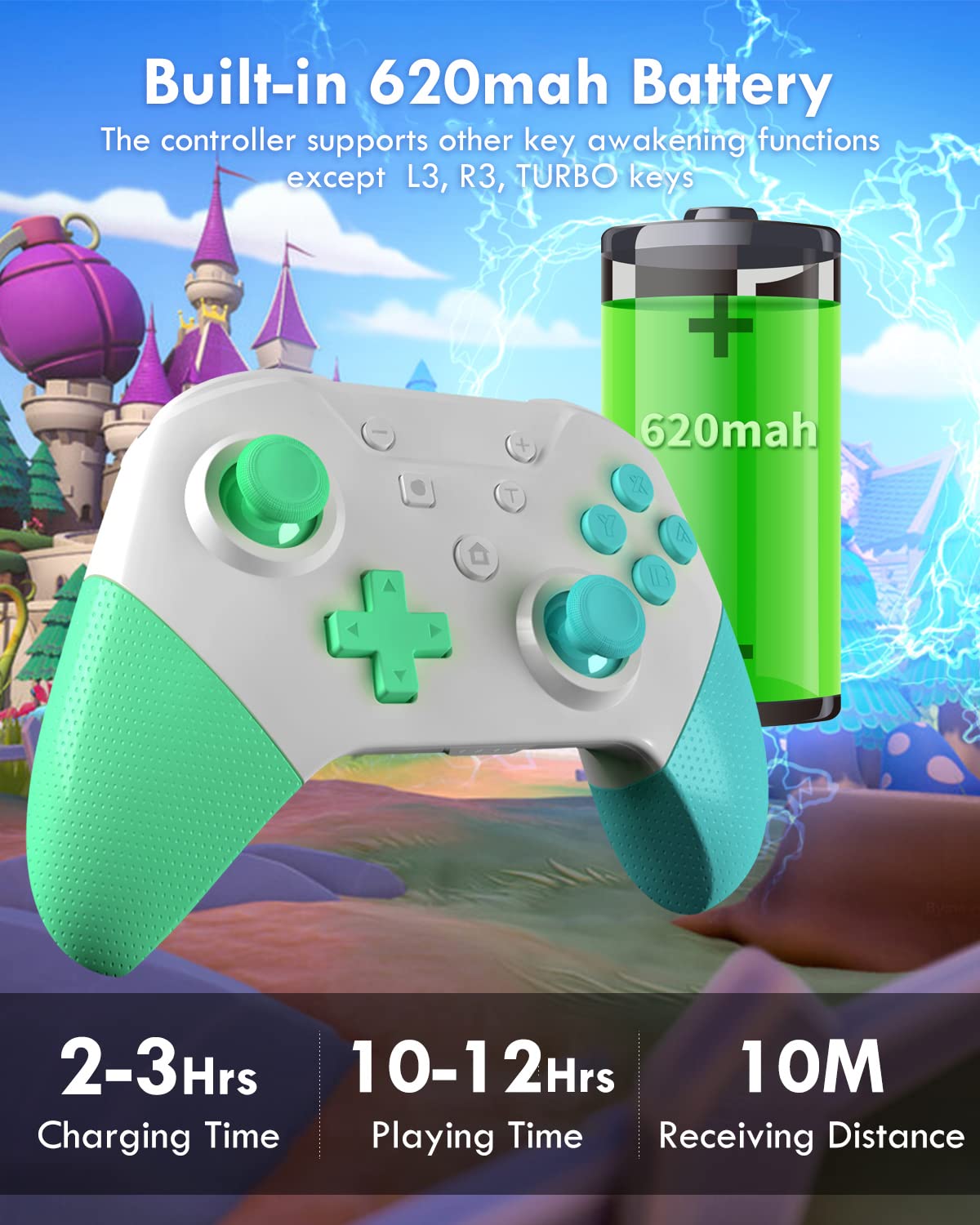
Image: The controller with an overlay showing its 620mAh battery, 2-3 hours charging time, 10-12 hours playing time, and 10m receiving distance.
Maintenance
- Keep the controller clean by wiping it with a soft, dry cloth. Avoid using harsh chemicals or abrasive materials.
- Store the controller in a cool, dry place away from direct sunlight and extreme temperatures.
- Avoid dropping the controller or subjecting it to strong impacts, as this can damage internal components.
- Do not attempt to disassemble or repair the controller yourself, as this may void the warranty.
Troubleshooting
- Controller Not Pairing:
- Ensure the Switch console is updated and in "Change Grip/Order" mode.
- Verify the controller is charged.
- Try restarting both the Switch and the controller.
- If issues persist, try deleting the controller from the Switch's "Controller Settings" and re-pairing.
- Input Lag or Disconnections:
- Ensure you are within the 10-meter (32.8 feet) operating range.
- Minimize interference from other wireless devices.
- Ensure the controller is fully charged.
- Buttons or Joysticks Not Responding:
- Check for physical obstructions or debris around the buttons/joysticks.
- Ensure the controller is properly paired and charged.
- If a specific button or joystick is consistently unresponsive, contact customer support.
- Vibration Issues:
- Check the vibration intensity settings as described in the "Dual Vibration Adjustment" section.
- Ensure the game you are playing supports vibration feedback.
Specifications
| Feature | Detail |
|---|---|
| Model Number | Elite |
| Brand | OLCLSS |
| Compatibility | Nintendo Switch, Switch Lite, Switch OLED |
| Battery Capacity | 620mAh Lithium Metal |
| Charging Time | 2-3 hours |
| Playtime | 10-12 hours |
| Connectivity Range | Up to 10 meters (32.8 feet) |
| Special Features | 6-Axis Gyro Sensor, Turbo Function, Dual Vibration, NFC Amiibo Support |
| Item Weight | 11.3 ounces |
| Package Dimensions | 6.26 x 5.67 x 2.72 inches |
Warranty and Support
OLCLSS offers a lifetime warranty for this product. For any issues, repairs, or replacements, please contact OLCLSS customer service. They are committed to providing support and ensuring customer satisfaction.
For further assistance, please visit the OLCLSS Store on Amazon.