1. Introduction
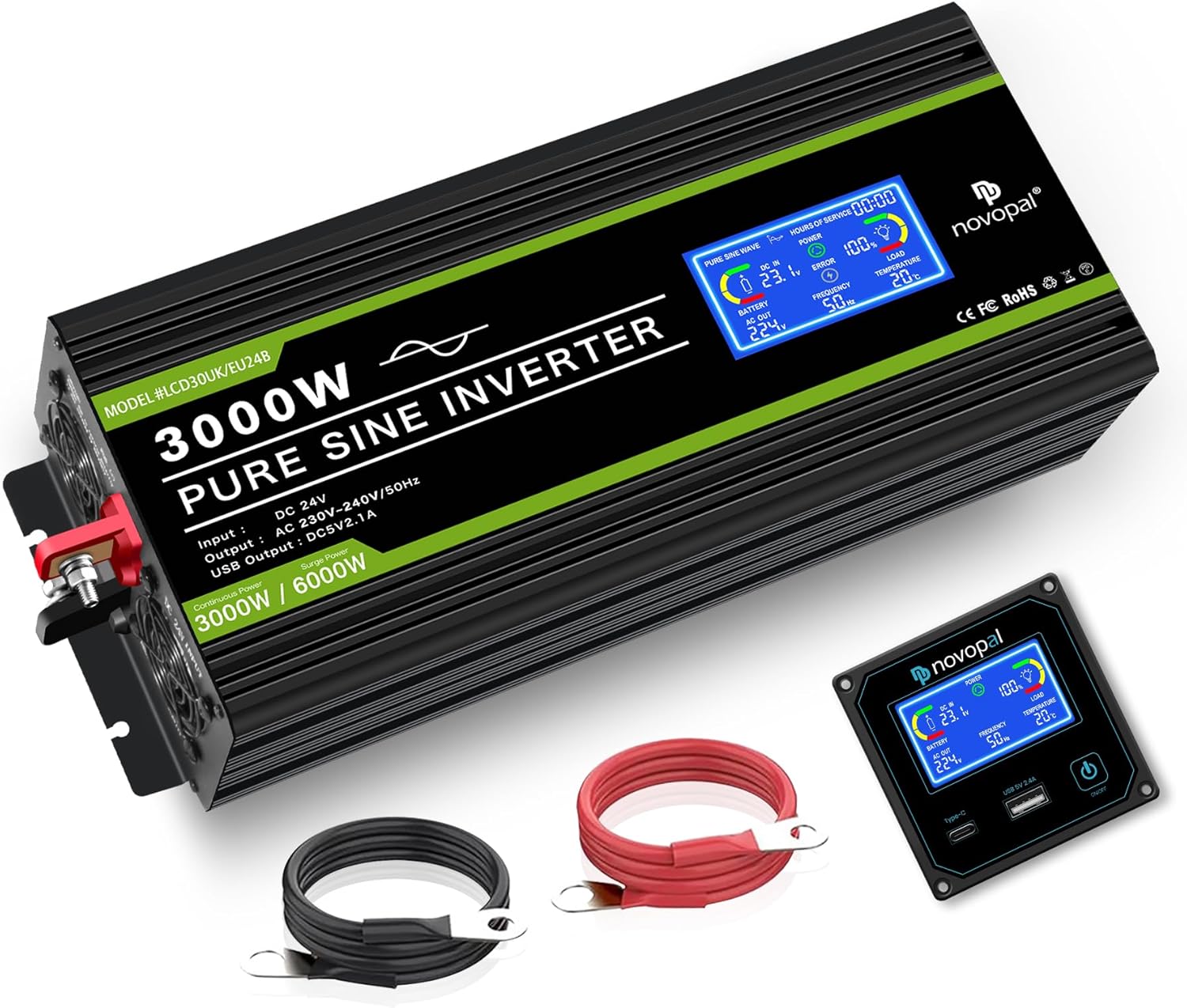
This manual provides essential information for the safe and efficient operation of your NOVOPAL DLCD3000PEU24 3000W Pure Sine Wave Power Inverter. Please read these instructions carefully before installation and use to ensure proper functionality and safety.
Safety Information
- Ensure proper ventilation around the inverter. Do not block air vents.
- Do not expose the inverter to water, rain, or excessive moisture.
- Connect the inverter to a 24V DC power source only. Verify battery voltage before connection.
- Do not reverse polarity during battery connection. Incorrect polarity will damage the inverter.
- Keep the inverter away from flammable materials and gases.
- Disconnect all power sources before performing any maintenance or cleaning.
- This device contains no user-serviceable parts. Refer servicing to qualified personnel.
2. Product Overview
Key Features
- Pure Sine Wave Output: Converts 24V DC to stable 220V/230V AC, suitable for sensitive electronics.
- High Power Capacity: Provides 3000 Watts of continuous power and 6000 Watts of peak surge capacity.
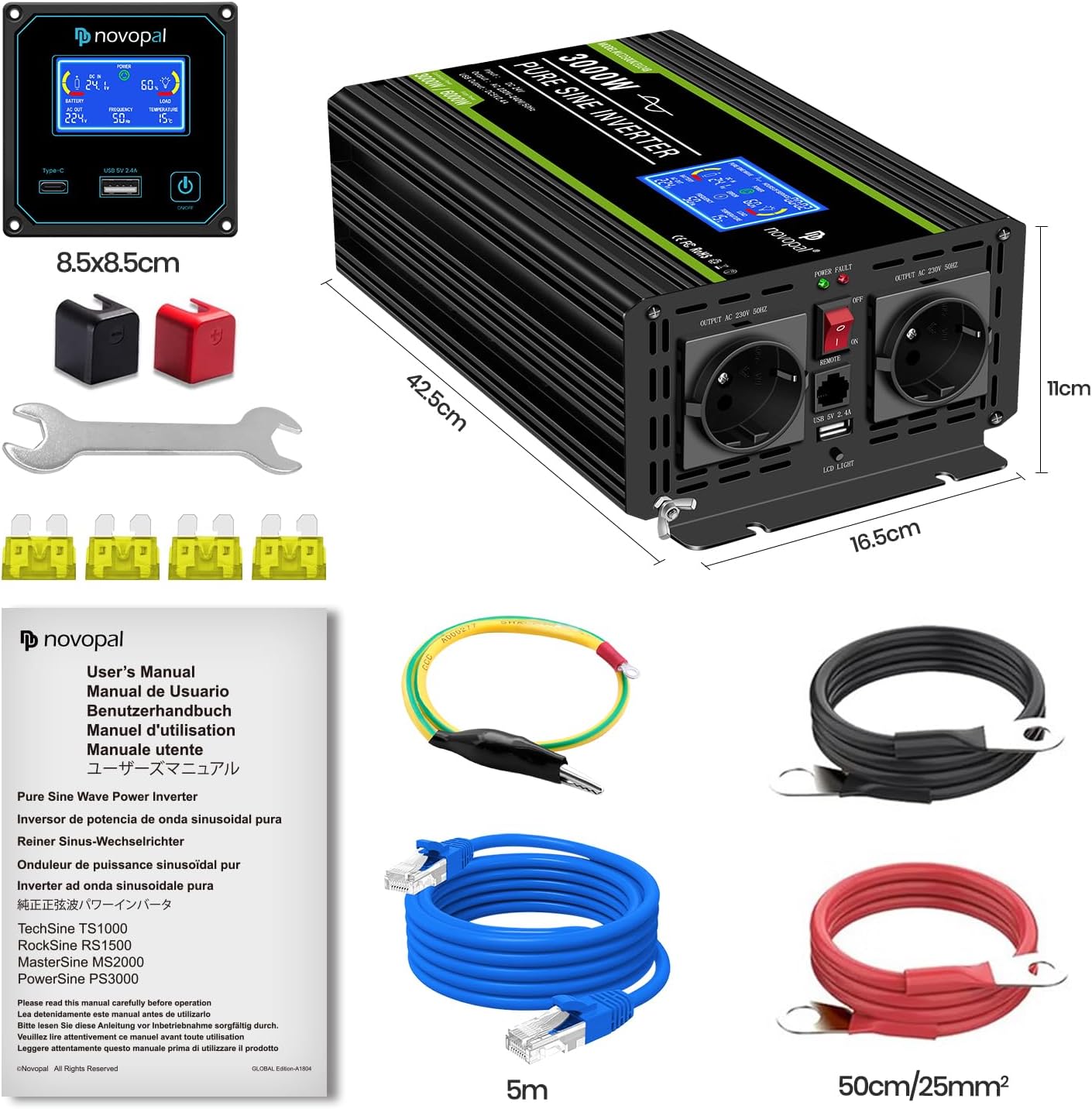
- Versatile Output Ports: Features two standard AC outlets and one 2.1A USB port for charging devices.
- Wired Remote Control: Includes a 5-meter wired remote control for convenient power management from a distance.
- Comprehensive LCD Display: Real-time monitoring of input voltage, output voltage, battery level, load status, frequency, operating temperature, and error codes.
- Multi-Protection System: Integrated safeguards against overload, over-voltage, under-voltage, over-temperature, and short-circuit conditions.
- Intelligent Cooling: Equipped with an intelligent and silent cooling fan system that activates based on internal temperature or power load.
- Durable Construction: Housed in a robust aluminum alloy casing for enhanced protection.
Package Contents
- 1x NOVOPAL DLCD3000PEU24 3000W Pure Sine Wave Power Inverter
- 1x Wired Remote Control (5 meters)
- 1x Set of Battery Connection Cables (Red for positive, Black for negative)
- 1x Ground Cable (GND)
- 1x User Manual (English and French)
- Additional Fuses (Note: Fuses are integrated within the unit; no external installation required)
3. Setup and Installation
Connecting the Inverter
Placement: Choose a dry, well-ventilated area for the inverter. Ensure there is sufficient space (at least 15 cm) around the unit for proper airflow and cooling. Avoid direct sunlight or heat sources.
Battery Connection: Connect the red battery cable to the positive (+) terminal of your 24V DC battery and to the positive (+) terminal on the inverter. Connect the black battery cable to the negative (-) terminal of your battery and to the negative (-) terminal on the inverter. Ensure all connections are tight and secure to prevent arcing and power loss.
Grounding: Connect the ground cable (GND) from the inverter's grounding screw to a proper earth ground point. This is crucial for safety.
Remote Control Connection: Plug the 5-meter remote control cable into the designated RJ45 port on the inverter.
Initial Power On: After all connections are secure, switch on the inverter using the main power switch. The LCD display should illuminate, indicating the inverter is operational.
Important Safety Notes:
- Incorrect polarity connection will damage the inverter and void the warranty. Double-check all connections before powering on.
- Ensure the battery capacity is sufficient for the inverter's power rating. For the 3000W model, a recommended battery capacity is 180AH (24V) to support sustained operation.


4. Operating Instructions
Using the Inverter
Power On: Ensure the inverter is correctly connected to the battery. Press the main power switch on the inverter or use the remote control to turn it on.
Connecting Appliances: Plug your AC appliances into the inverter's AC outlets. For USB charging, use the 2.1A USB port. Ensure the total power consumption of connected devices does not exceed 3000W.
Monitoring: Observe the LCD display for real-time operational data such as input voltage, output voltage, load percentage, and temperature. This helps in managing power usage and identifying potential issues.
Power Off: When finished, switch off the inverter using the main power switch or the remote control. Disconnect appliances before prolonged storage or when the inverter is not in use.
Remote Control Operation
The wired remote control allows for convenient operation and monitoring from a distance of up to 5 meters.
Long Press: Press and hold the ON/OFF button on the remote control for approximately 3 seconds to power the inverter ON or OFF.
Short Press: A short press of the ON/OFF button will toggle the LCD screen ON or OFF, saving power when continuous monitoring is not required.


5. Maintenance
Cleaning: Periodically clean the exterior of the inverter with a dry, soft cloth. Ensure ventilation openings and cooling fans are free from dust, dirt, and debris to maintain optimal airflow.
Connection Check: Regularly inspect battery cable connections and the grounding connection to ensure they remain tight, secure, and free from corrosion. Loose connections can lead to power loss or overheating.
Ventilation: Ensure the cooling fans are not obstructed. The intelligent cooling fan system activates automatically when the internal temperature exceeds 45°C or the inverter power load exceeds 40%. Proper ventilation is critical for preventing overheating.
Storage: If storing the inverter for an extended period, disconnect it completely from the battery and store it in a cool, dry, and well-ventilated place, away from direct sunlight and extreme temperatures.

6. Troubleshooting
The LCD display and remote control provide error codes to assist in identifying and resolving common issues. Refer to the table below for guidance.
| Code | Description | Possible Cause | Solution |
|---|---|---|---|
| 01 | Overload | Connected appliances exceed the inverter's continuous power rating (3000W) or surge capacity (6000W). | Reduce the total load by disconnecting some appliances. Restart the inverter. |
| 02 | Under-Voltage | Battery voltage is too low (below 21V for a 24V system). | Recharge the battery. Check battery connections for looseness or corrosion. |
| 03 | Over-Temperature or Short-Circuit | Inverter is overheating due to poor ventilation or excessive load, or a short circuit is detected in the AC output. | Ensure adequate ventilation. Reduce load. Check AC output for short circuits. Allow inverter to cool down before restarting. |
| 04 | Over-Voltage | Battery voltage is too high (above 30V for a 24V system). | Check the charging system for the battery. Ensure correct battery type and charging voltage. |

7. Specifications
| Feature | Detail |
|---|---|
| Model Number | DLCD3000PEU24 |
| Brand | NOVOPAL |
| Input Voltage | 24 Volts DC |
| Output Voltage | 220V / 230V AC |
| Continuous Power | 3000 Watts |
| Peak Power | 6000 Watts |
| Output Waveform | Pure Sine Wave (THD < 5%) |
| USB Output | 5V 2.1A |
| Recommended Battery Capacity | 180 Amp-hours (for 24V system) |
| Dimensions (L x W x H) | 42 cm x 16.5 cm x 10 cm |
| Power Source | Battery Powered, Solar Powered (with compatible solar charge controller) |
| Manufacturer | NOVOPAL |
| Country of Origin | China |

8. Warranty and Support
The NOVOPAL DLCD3000PEU24 inverter comes with a 1-year warranty against manufacturer defects from the date of purchase.
Warranty Coverage: This warranty covers defects in materials and workmanship under normal use. It does not cover damage caused by improper installation, misuse, abuse, accidents, unauthorized repairs, or natural disasters.
Technical Support: For technical assistance, troubleshooting guidance, or to initiate a warranty claim, please contact NOVOPAL customer service. Refer to the contact information provided in the original product packaging or on the official NOVOPAL website. Please have your purchase receipt and product model number ready when contacting support.
Spare Parts: Information regarding the availability of spare parts is not explicitly provided. Software updates are not applicable for this device.
9. Applications
The NOVOPAL DLCD3000PEU24 Pure Sine Wave Inverter is designed for a wide range of applications, providing reliable AC power from a 24V DC source for various needs.
Vehicles: Ideal for cars, trucks, recreational vehicles (RVs), and boats to power various electronics and small appliances while on the move.
Outdoor Activities: Perfect for camping, picnics, tailgating, and other outdoor events where access to grid power is unavailable.
Home/Office Backup: Can serve as a reliable backup power source for essential devices during power outages or in off-grid setups.
Sensitive Electronics: The pure sine wave output ensures safe operation and extends the lifespan of sensitive equipment such as laptops, cameras, medical devices, and audio equipment.
High-Power Appliances: Capable of running power tools, microwave ovens, coffee machines, small refrigerators, and other high-wattage devices within its specified power limits.


