
1. Introduction
The Douk Audio L1 Mini Stereo Line Level Booster Amplifier is designed to increase the output level of various low-volume audio sources. It provides up to 20dB of adjustable gain, making it suitable for driving amplifiers or speakers that require a stronger input signal. Its compact design and versatile input/output options ensure broad compatibility with home audio systems, portable devices, and professional setups.
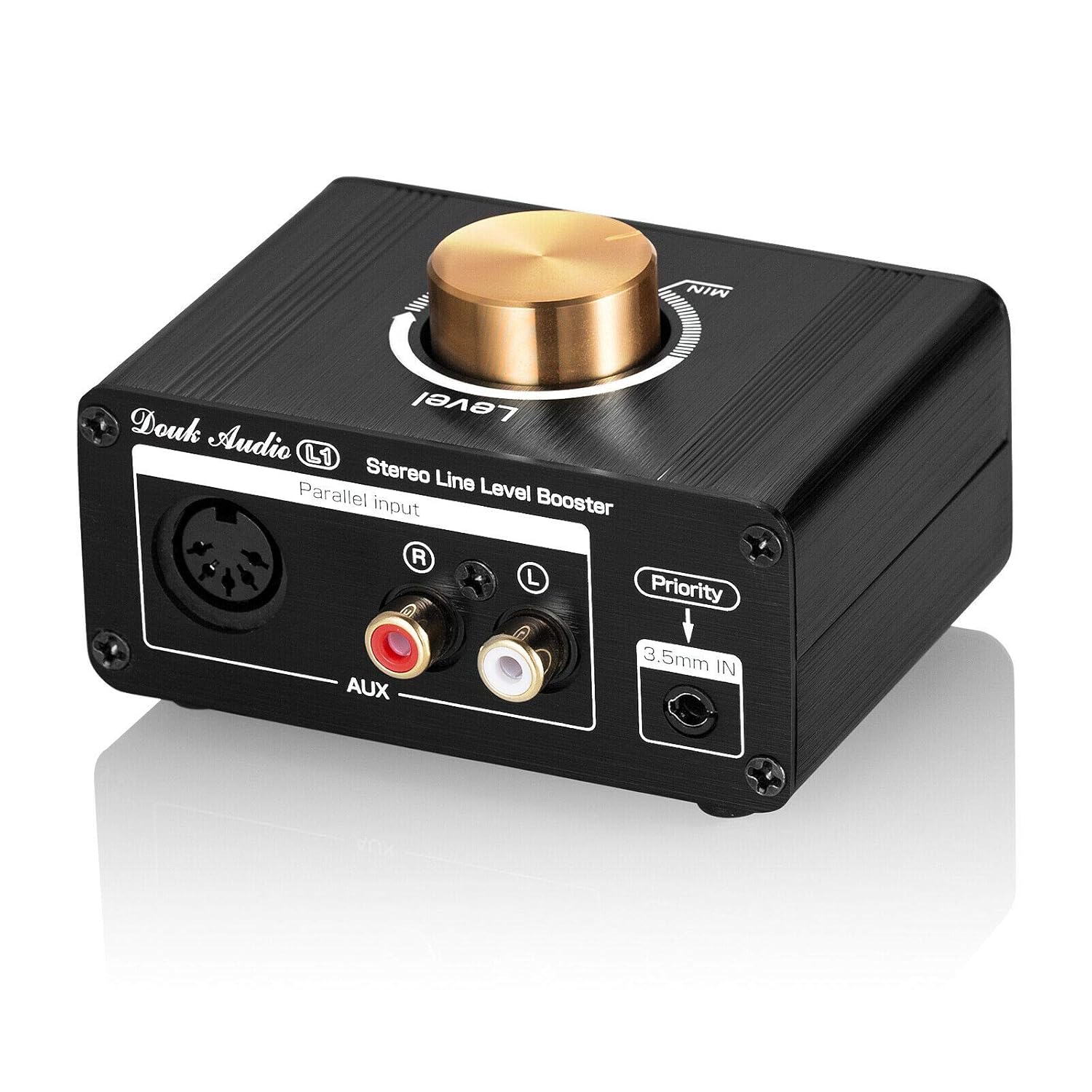
This image shows the compact black metal casing of the Douk Audio L1 booster, featuring a prominent gold volume knob on top. The front panel displays a 5-DIN input, stereo RCA inputs (red for right, white for left), and a 3.5mm auxiliary input labeled 'Priority'.
2. Key Features
- Multiple input/output interfaces: Includes 3.5mm AUX, stereo RCA, and 5-DIN inputs, along with stereo RCA and 5-DIN outputs. This allows compatibility with various low-volume audio sources such as iPods, iPads, phones, TVs, MP3 players, portable CD players, computers, and video game consoles.
- Built-in amplification and voltage boost circuit: Features adjustable gain to optimize matching with different audio sources. Supports a DC 5-24V wide input voltage, enabling shared power supply with amplifiers. The L1 operates at a high voltage of 26V internally to provide ±12.5V high output amplitude and a maximum 20dB high gain.
- Unique design and HiFi clear sound: Incorporates a double-sided PCB design and a NE5532P op amp with a pluggable socket, allowing for op amp customization. A high-quality sealed potentiometer ensures wide frequency bandwidth and excellent dynamic response, resulting in smooth, natural, and delicate sound with ultra-low distortion.
- Miniature size with exquisite appearance: The compact, all-metal design provides durability and shields electronics from electromagnetic interference, reducing noise. Its size and functionality make it suitable for various applications, including home stereo systems, mixers, speaker setups, karaoke, audio recording, parties, and live events.
3. What's in the Box
- 1 x L1 Booster Unit
- 1 x USB to DC Cable
- 1 x 3.5mm to RCA Cable
- 1 x 2:2 RCA Cable

An image showing the contents of the Douk Audio L1 package: the L1 booster unit, a USB to DC cable, a 3.5mm to RCA cable, and a 2:2 RCA cable.
4. Setup and Connections
Follow these steps to connect your Douk Audio L1 booster to your audio system:
- Power Connection: Connect the provided USB to DC cable to the DC 5-24V input port on the rear of the L1 unit. Connect the USB end to a compatible USB power source (e.g., a USB wall adapter, computer USB port, or power bank). The unit supports a wide input voltage range of 5-24V DC.
- Input Source Connection: Choose one of the following input methods for your audio source:
- 3.5mm AUX Input: For devices with a 3.5mm audio output (e.g., smartphones, tablets, MP3 players), connect a 3.5mm audio cable to the 'Priority 3.5mm IN' port on the front panel. Note: This input takes priority over RCA and 5-DIN inputs.
- Stereo RCA Inputs: For devices with RCA stereo outputs (e.g., CD players, DVD players, some TVs), connect RCA cables to the 'AUX' RCA input ports (red for right, white for left) on the front panel.
- 5-DIN Input: For devices with a 5-DIN audio output, connect the appropriate cable to the 5-DIN input port on the front panel.
- Output to Amplifier/Speakers: Connect the L1's output to your amplifier or active speakers using one of the following methods:
- Stereo RCA Outputs: Connect RCA cables from the 'TO AMP' RCA output ports (red for right, white for left) on the rear panel to the input of your amplifier or active speakers.
- 5-DIN Output: Connect a 5-DIN cable from the 5-DIN output port on the rear panel to the input of your amplifier or active speakers.
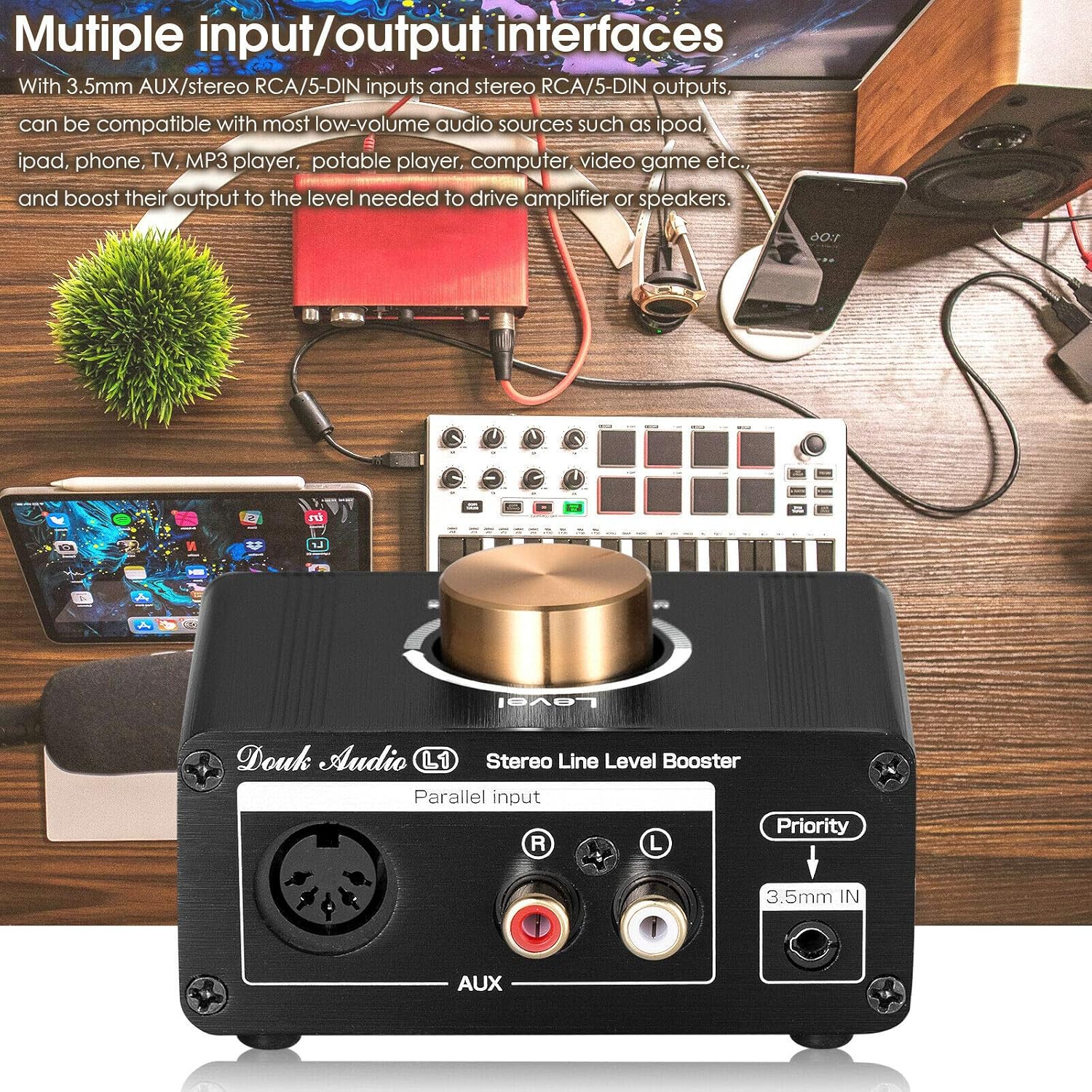
A close-up front view of the Douk Audio L1 booster, highlighting its various input options: a 5-DIN connector, stereo RCA inputs, and a 3.5mm auxiliary input. The text overlay emphasizes its compatibility with various audio sources like iPods, phones, and TVs.

Diagram illustrating typical connection for source matching, such as connecting a phone or TV to the L1 and then to an amplifier/receiver.

Diagram showing the L1 connected in series with a phono preamplifier, from a turntable to the phono preamp, then to the L1, and finally to an amplifier/receiver.

Diagram illustrating the L1's use for level control or long cable runs, with a CD/DVD audio source connected to the L1, and then to an amplifier/receiver.
5. Operating Instructions
Once connected, operating the Douk Audio L1 is straightforward:
- Power On/Off: The unit powers on automatically when connected to a power source. There is no separate power switch.
- Volume/Gain Control: Use the large gold knob on the top panel to adjust the output level. Rotate clockwise to increase the gain (up to 20dB) and counter-clockwise to decrease it. Start with the knob at a lower setting (MIN) and gradually increase to avoid sudden loud sounds.
- Input Priority: The 3.5mm AUX input on the front panel has priority. If a device is connected to the 3.5mm input, signals from the RCA and 5-DIN inputs will be overridden. To use RCA or 5-DIN inputs, ensure nothing is plugged into the 3.5mm AUX port.

The rear panel of the Douk Audio L1 booster, displaying the DC 5-24V power input, stereo RCA outputs labeled 'TO AMP', and a 5-DIN output. The image also shows the volume knob on top and text indicating its adjustable 20dB high gain and voltage boost circuit.
6. Maintenance
To ensure the longevity and optimal performance of your Douk Audio L1 booster, follow these maintenance guidelines:
- Cleaning: Use a soft, dry cloth to clean the exterior of the unit. Avoid using harsh chemicals, solvents, or abrasive cleaners, as these can damage the finish.
- Environment: Place the unit in a well-ventilated area, away from direct sunlight, heat sources, and excessive moisture. Do not expose it to water or other liquids.
- Connections: Periodically check all cable connections to ensure they are secure and free from dust or corrosion.
- Storage: If storing the unit for an extended period, disconnect it from the power supply and store it in a cool, dry place.
7. Troubleshooting
If you encounter issues with your Douk Audio L1, refer to the following troubleshooting steps:
- No Sound or Low Output:
- Ensure the unit is properly powered (DC 5-24V).
- Verify all audio cables are securely connected to both the L1 and your source/destination devices.
- Check the volume/gain knob on the L1; ensure it is not set to minimum.
- Confirm that the correct input is selected (if using 3.5mm AUX, ensure no other inputs are active).
- Test with a different audio source or cables to rule out external component issues.
- Humming or Noise:
- This often indicates a ground loop issue. Try powering the L1 from a different outlet or USB power source.
- Ensure the L1 is placed away from unshielded cables, high-voltage devices, or other sources of electromagnetic interference.
- Consider using a ground loop isolator between your audio source and the L1, or between the L1 and your amplifier, to eliminate hum.
- Check the quality of your audio cables; poorly shielded cables can introduce noise.
- Distortion at High Volume:
- Reduce the gain level on the L1. The maximum 20dB gain might be too high for your specific setup or source signal.
- Ensure the input signal from your source device is not already distorted.
- Check the input sensitivity of your amplifier or active speakers; they might be overdriven.
- Unit Not Powering On:
- Verify the power adapter is functioning correctly and providing 5-24V DC.
- Ensure the USB to DC cable is not damaged and is properly connected.
8. Specifications
| Specification | Value |
|---|---|
| Model Number | XZ-L1 |
| Package Dimensions | 5.12 x 3.78 x 3.31 inches |
| Item Weight | 11.99 ounces |
| Voltage (Internal Working) | 26 Volts (DC) |
| Maximum Supply Voltage (External) | 24 Volts (DC) |
| Minimum Supply Voltage (External) | 5 Volts (DC) |
| Mounting Type | Surface Mount |
| Manufacturer | Douk Audio |

A comparison chart detailing the specifications of the Douk Audio L1 against generic 'Others' boosters. It highlights the L1's 20dB gain, +/-12.5V max output amplitude, DC 5-24V input voltage, DC 26V working voltage, change-able NE5532P op amp, mini size, and price.
9. Warranty and Support
For warranty information, technical support, or any inquiries regarding your Douk Audio L1 Mini Stereo Line Level Booster Amplifier, please refer to the official Douk Audio website or contact their customer service directly.
You can also visit the Douk Audio Store on Amazon for additional product information and support resources.