
Introduction
This manual provides detailed instructions for the installation, operation, and maintenance of your TUOB G01 Fingerprint Cabinet Lock. Please read this manual thoroughly before installation and use to ensure proper function and longevity of the product.
Product Overview
The TUOB G01 is a smart keyless biometric lock designed for cabinets and drawers, offering secure access via fingerprint recognition. It features a durable zinc alloy construction and is USB rechargeable.
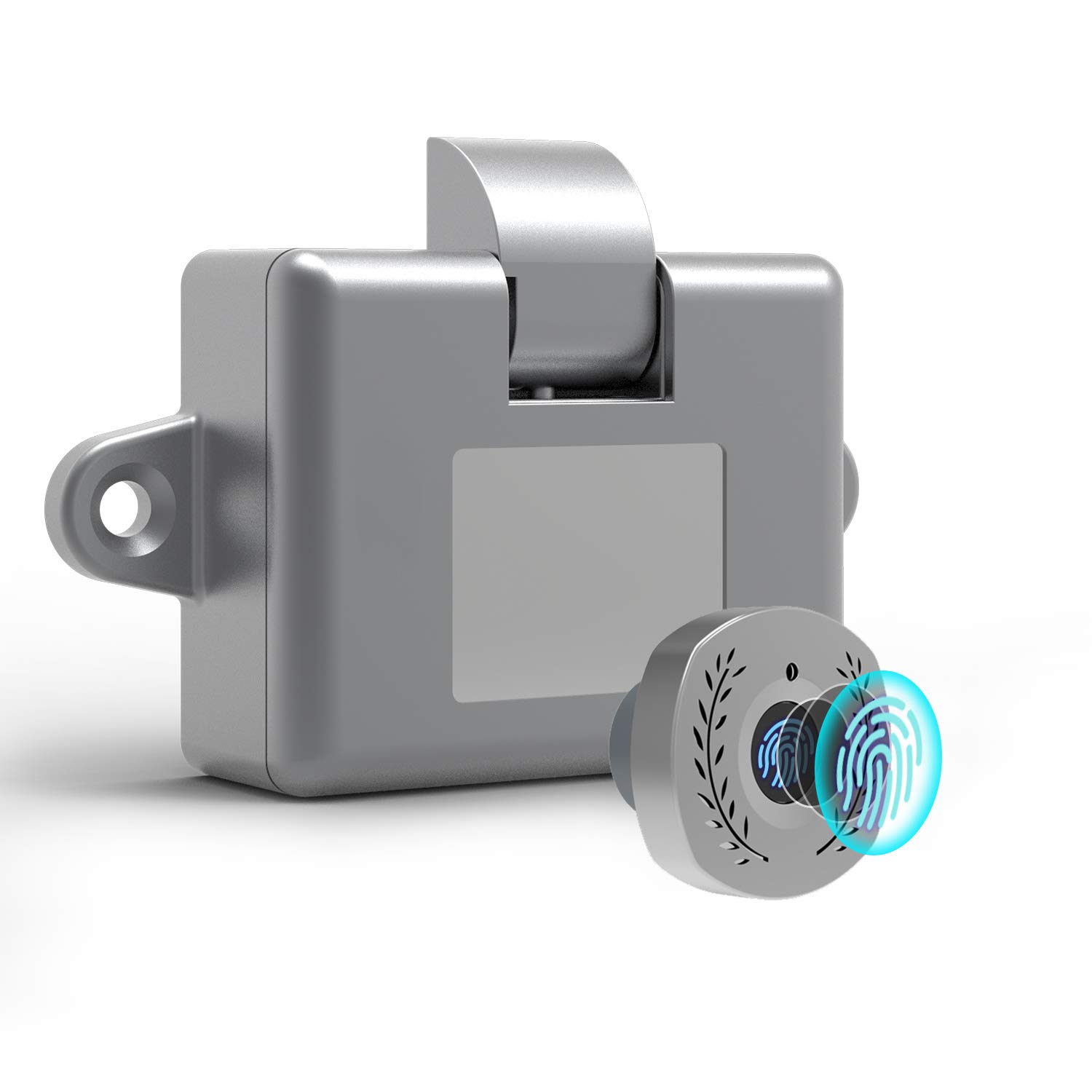
Image Description: This image shows the circular fingerprint panel of the TUOB G01 lock, featuring a blue fingerprint icon and decorative elements. It represents the primary interface for biometric access.
Key Features:
- Keyless Biometric Access
- Quick Unlock (0.5 seconds)
- USB Rechargeable
- Durable Zinc Alloy Construction
- Suitable for various wooden cabinets and drawers
Components:
The TUOB G01 Fingerprint Cabinet Lock system includes the following main components:

Image Description: This diagram illustrates the main parts of the lock system. It shows the circular fingerprint panel, a fixed plate that connects the panel to the lock body, and the lock body itself with a movable lock catch. Other parts like screws, drilling templates, ruler, 3M glue, and adhesive are also included for installation.
- Panel: The circular part with the fingerprint sensor.
- Fixed Plate: Connects the Panel to the Lock Body.
- Lock Body: The main locking mechanism.
- Lock Catch: The part that secures the cabinet/drawer.
- Other Parts: Screws, drilling templates, ruler, 3M glue, adhesive.

Image Description: This image features the TUOB G01 lock installed on a wooden drawer, with text highlighting its construction from sturdy eco zinc alloy, ensuring safety and reliability.
Setup and Installation
Before Installation:
Ensure your cabinet or drawer material is suitable for drilling and mounting. Gather necessary tools such as a drill, screwdriver, and pencil.
Installation Steps:
- Determine Placement: Choose a suitable location on your cabinet or drawer for the fingerprint panel. Mark the center point for drilling.
- Drill Holes: Use the provided drilling template to accurately drill the necessary holes for the panel and the fixed plate.
- Mount Panel: Insert the panel into the drilled hole from the outside of the cabinet/drawer. Secure it with the fixed plate and screws from the inside.
- Mount Lock Body: Position the lock body on the inside of the cabinet/drawer, aligning it with the fixed plate and ensuring the lock catch can properly engage. Secure the lock body with screws.
- Install Lock Catch: Attach the lock catch to the cabinet frame or the inside of the drawer opening, ensuring it aligns perfectly with the lock body when the cabinet/drawer is closed.
- Test Fit: Close the cabinet/drawer and ensure the lock mechanism engages smoothly.

Image Description: This image displays the TUOB G01 lock integrated into different furniture pieces, including a bedroom nightstand, a dresser, and office filing cabinets, demonstrating its versatility for various applications.
Initial Setup and Fingerprint Registration:
The lock requires an initial fingerprint registration to set up the administrator. The first fingerprint registered will automatically be the administrator fingerprint.
- Power On: Ensure the lock is charged. Press and hold the fingerprint sensor until a blue light appears.
- Register Administrator Fingerprint: Place your finger on the sensor. The blue light will flash. Lift and place your finger repeatedly (typically 5-10 times) from different angles until a green light confirms successful registration. This is your administrator fingerprint.
- Add User Fingerprints: To add additional user fingerprints (up to 20 total), use the administrator fingerprint to unlock the device. While unlocked, press and hold the sensor until the blue light flashes. Then, have the new user place their finger on the sensor repeatedly until a green light confirms registration.
- Delete Fingerprints: To delete all registered fingerprints, use the administrator fingerprint to unlock the device. While unlocked, press and hold the sensor for approximately 10 seconds until a red light flashes, then release. All fingerprints will be deleted.
Operating Instructions
Unlocking the Lock:
To unlock the cabinet or drawer, simply place a registered finger on the fingerprint sensor. The lock will unlock within 0.5 seconds, indicated by a green light and an audible click.

Image Description: This image focuses on the fingerprint panel, emphasizing its biometric technology for quick, keyless access. It also notes that the device is APP FREE and USB rechargeable.
Charging the Lock:
The TUOB G01 lock is USB rechargeable. When the battery is low, the indicator light will flash red. Connect a standard USB cable to the charging port on the lock panel and to a 5V USB power source (e.g., computer, USB adapter). The light will turn blue during charging and turn off when fully charged.

Image Description: This image displays the internal components of the lock, including the main lock mechanism and the external fingerprint panel. A close-up highlights the USB charging port on the panel and indicates the use of semiconductor fingerprint detection technology. An emergency power supply icon is also visible.
In case of a completely drained battery, an emergency power supply can be connected via the USB port to temporarily power the lock and allow unlocking.
Maintenance
- Cleaning: Wipe the fingerprint sensor and lock body with a soft, dry cloth. Avoid using abrasive cleaners or solvents, as these can damage the finish or electronic components.
- Battery Life: Recharge the lock regularly to ensure optimal performance. A full charge typically provides several months of use, depending on frequency.
- Environmental Conditions: Avoid exposing the lock to extreme temperatures, humidity, or direct water contact.
Troubleshooting
| Problem | Possible Cause | Solution |
|---|---|---|
| Lock does not unlock with registered fingerprint. | Finger not placed correctly; sensor dirty; fingerprint not fully registered; low battery. | Ensure finger covers the sensor completely. Clean the sensor. Re-register the fingerprint, ensuring multiple angles are captured. Charge the lock. |
| Indicator light flashes red. | Low battery. | Connect the lock to a USB power source for charging. |
| Cannot register new fingerprints. | Not using administrator fingerprint; memory full (max 20 fingerprints). | Ensure you are using the administrator fingerprint to initiate registration. If memory is full, delete existing fingerprints before adding new ones. |
| Lock does not respond. | Completely drained battery; internal malfunction. | Connect to an emergency USB power supply. If still unresponsive, contact customer support. |
Specifications
- Brand: TUOB
- Model: G01
- Lock Type: Biometric Fingerprint Lock
- Material: Zinc Alloy
- Special Features: Rechargeable, Fingerprint Access, Smart Lock
- Unlock Speed: Approximately 0.5 seconds
- Fingerprint Capacity: Up to 20 fingerprints
- Power Supply: USB Rechargeable (5V)
- UPC: 880336619233
Safety Information
- Do not attempt to disassemble or modify the lock, as this may void the warranty and cause damage.
- Keep the fingerprint sensor clean and dry for optimal performance.
- This product is designed for indoor use. Avoid exposure to water or extreme weather conditions.
- Keep out of reach of children to prevent unauthorized access or tampering.
Warranty and Support
For warranty information or technical support, please refer to the product packaging or contact TUOB customer service directly. Please have your model number (G01) and purchase details ready when contacting support.
Contact Information: Please refer to the manufacturer's official website or your purchase documentation for the most up-to-date contact details.