
NUU S6003L
NUU X6 Plus User Manual
Model: S6003L
Introduction
This manual provides comprehensive instructions for the NUU X6 Plus smartphone, model S6003L. It covers setup, operation, maintenance, and troubleshooting to ensure optimal performance and user experience. The NUU X6 Plus is an unlocked Android smartphone designed for reliable communication and multimedia use.

Image: The NUU X6 Plus smartphone, showcasing its sleek black design from both front and back perspectives.
Setup
1. Unboxing and Initial Inspection
Carefully remove all items from the packaging. Verify that the following components are present:
- NUU X6 Plus Smartphone
- Power Adapter
- USB Cable
- SIM Tray Ejector Tool
2. Inserting SIM Card and MicroSD Card
Locate the SIM tray on the side of the device. Use the provided SIM tray ejector tool to open the tray. Insert your Nano-SIM card(s) and/or a microSD card (up to 64GB, sold separately) into the designated slots. Ensure the cards are correctly oriented as indicated on the tray. Close the tray securely.

Image: An illustration highlighting the internal memory components of the NUU X6 Plus, including support for microSD cards up to 64GB, 3GB RAM, and 32GB internal storage.
3. Charging the Battery
Connect the USB cable to the phone's USB Type-C port and the power adapter. Plug the power adapter into a wall outlet. The phone features a 5000 mAh Lithium Polymer battery. Allow approximately 4 hours for a full charge before first use.
4. Powering On and Initial Setup
Press and hold the Power button until the NUU logo appears. Follow the on-screen prompts to complete the initial setup, including language selection, Wi-Fi connection, Google account sign-in, and security settings (fingerprint, facial recognition, or PIN/pattern).
Operating
1. Navigating the Android 10 Interface
The NUU X6 Plus runs on Android 10.0. Utilize gestures or the navigation bar at the bottom of the screen to navigate. Swipe up from the bottom to go home, swipe up and hold for recent apps, and swipe from the left or right edge to go back.

Image: The NUU X6 Plus display showing the Android 10 logo, indicating its operating system.
2. Making Calls and Sending Messages
Tap the Phone icon to access the dialer. Enter a number or select a contact to make a call. For messaging, tap the Messages icon to compose and send SMS/MMS messages.
3. Camera Usage
The NUU X6 Plus features a 13MP rear camera and a front camera. Open the Camera app to capture photos and videos. Tap the shutter button to take a picture. Switch between photo and video modes as needed.
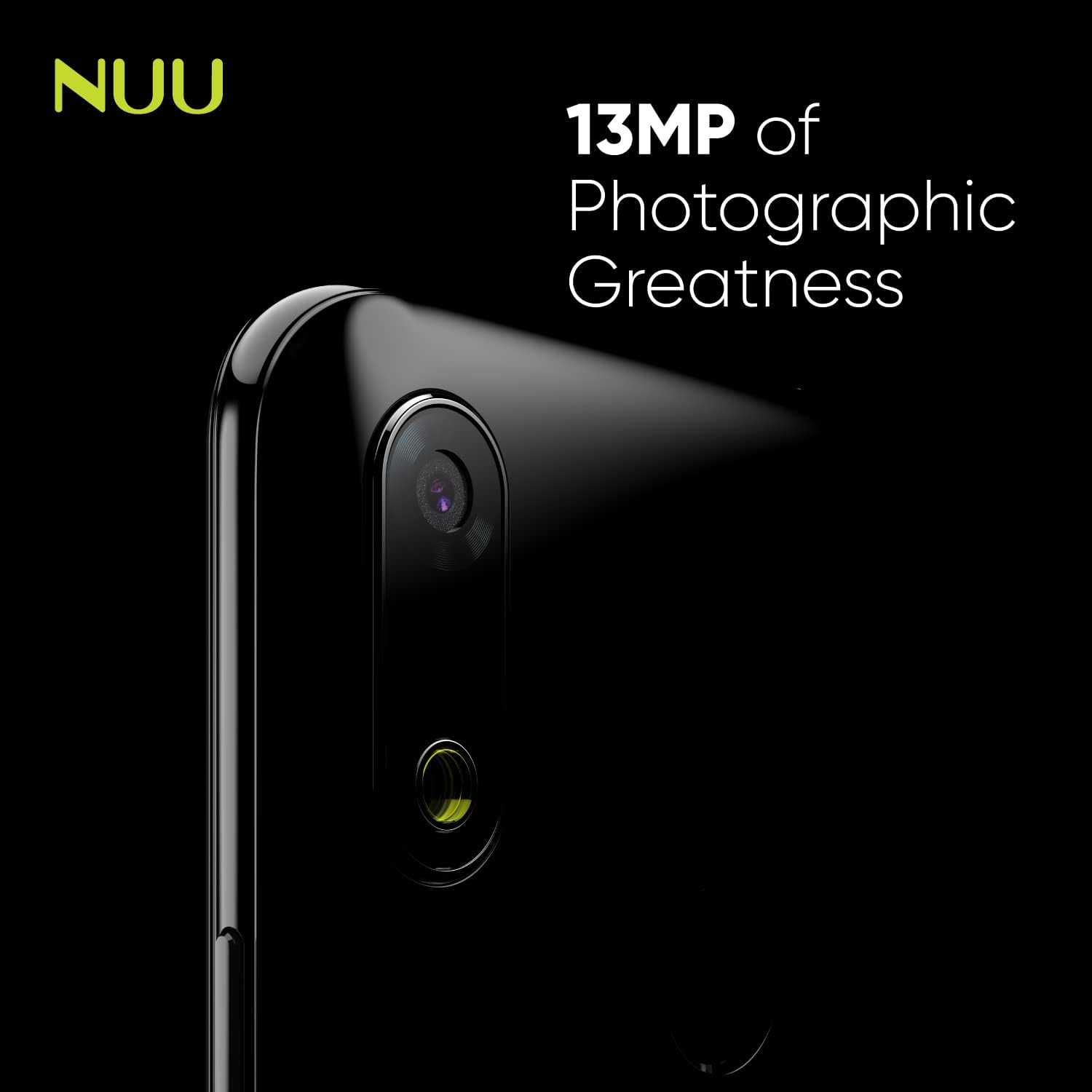
Image: A close-up view of the NUU X6 Plus's 13MP rear camera, emphasizing its photographic capabilities.
4. Connectivity
The device supports 4G cellular technology, Wi-Fi, and Bluetooth 5.0. Access these settings from the Quick Settings panel (swipe down from the top of the screen) or through the main Settings app.

Image: Icons representing the modern connectivity features of the NUU X6 Plus, including USB Type-C, Bluetooth 5.0, and Wi-Fi 5.
5. Display Features
The NUU X6 Plus features a 6.1-inch HD+ display with a resolution of 1280 x 720 pixels and a drop notch design for an immersive viewing experience.

Image: A visual representation of the NUU X6 Plus's immersive display, highlighting its 6.1-inch HD+ screen, 1560 x 720 resolution, and drop notch design.
6. Performance Overview
The NUU X6 Plus is equipped with 3GB RAM and 32GB internal storage, expandable via microSD card, providing sufficient performance for daily tasks and applications.
Video: A short promotional video showcasing the key features and performance aspects of the NUU X6 Plus smartphone.
Maintenance
1. Software Updates
Regularly check for and install system updates to ensure your device has the latest security patches and performance improvements. Go to Settings > System > System update.
2. Cleaning the Device
Use a soft, lint-free cloth to clean the screen and body of the phone. Avoid using harsh chemicals or abrasive materials that could damage the finish.
3. Battery Care
To prolong battery life, avoid exposing the phone to extreme temperatures. It is recommended to keep the battery charge between 20% and 80% for optimal longevity. The battery is user-replaceable, allowing for easy replacement when degradation occurs.
4. Storage Management
Periodically clear unnecessary files and applications to free up storage space. You can manage storage in Settings > Storage.
Troubleshooting
Common Issues and Solutions:
- Phone not turning on: Ensure the battery is charged. Connect the phone to the power adapter and wait a few minutes before attempting to power on again.
- Apps crashing or freezing: Close the problematic app and reopen it. If the issue persists, restart the phone. Consider clearing the app's cache or reinstalling it.
- Poor call quality or no signal: Check your SIM card insertion. Ensure you are within network coverage. If using an unlocked phone, verify compatibility with your carrier's network bands.
- Battery draining quickly: Reduce screen brightness, disable unused features like Wi-Fi or Bluetooth when not in use, and close background apps.
- Storage full: Delete old photos, videos, and unused apps. Move large files to a microSD card if installed.
For more complex issues, refer to the official NUU Mobile support website or contact customer service.
Specifications
| Feature | Detail |
|---|---|
| Model Number | S6003L |
| Operating System | Android 10.0 |
| Display Size | 6.1 Inches |
| Display Resolution | 1280 x 720 (HD+) |
| RAM | 3 GB |
| Internal Storage | 32 GB |
| Expandable Storage | Up to 64GB via microSD (not included) |
| Rear Camera | 13 MP |
| Battery Capacity | 5000 mAh Lithium Polymer |
| Connectivity | 4G Cellular, Wi-Fi, Bluetooth 5.0, GPS |
| Charging Port | USB Type-C |
| Dimensions | 6.25 x 2.9 x 0.25 inches |
| Weight | 13.7 ounces |
| Color | Black |
| Included in Box | Power Adapter, USB Cable, SIM Tray Ejector |
Warranty and Support
Warranty Information
Specific warranty details for the NUU X6 Plus are typically provided with your purchase documentation or can be found on the official NUU Mobile website. Please retain your proof of purchase for warranty claims.
Customer Support
For technical assistance, product inquiries, or warranty service, please visit the official NUU Mobile support page. You can often find FAQs, troubleshooting guides, and contact information for customer service there.
Official NUU Mobile Store: NUU Mobile Store on Amazon
Related documentsS6003L


Ask a question about this manual
Ask about setup, troubleshooting, compatibility, parts, safety, or missing instructions. Manuals+ will review the question and use this page’s manual context to help answer it.