1. Introduction
The Link2Home LTHCAMPT is a versatile indoor WiFi camera designed for various surveillance needs, including baby monitoring, pet observation, elderly care, or general home security. It features pan and tilt functionality, two-way audio, night vision, and smart home integration.
2. What's in the Box
- Link2Home LTHCAMPT Camera
- USB Power Cable
- Power Adapter (not explicitly listed but implied for USB cable)
- Mounting Accessories (if applicable, not explicitly listed but common for cameras)
- User Manual (this document)
3. Setup
Follow these steps for easy installation and initial setup of your Link2Home camera:
- Power Connection: Plug the USB power cable into the camera and connect it to a power source.
- App Download: Download the 'Link2Home Pro' application from your device's app store (available for Android and iOS).
- Account Creation: Open the app and create a new user account or log in if you already have one.
- Add Device: Follow the in-app instructions to add your new camera. This typically involves scanning a QR code displayed on your phone screen with the camera lens to connect it to your home Wi-Fi network (2.4GHz Wi-Fi required). No separate hub is needed.
- Placement: Position the camera in your desired indoor location. The camera can be placed on a flat surface or mounted to a ceiling.
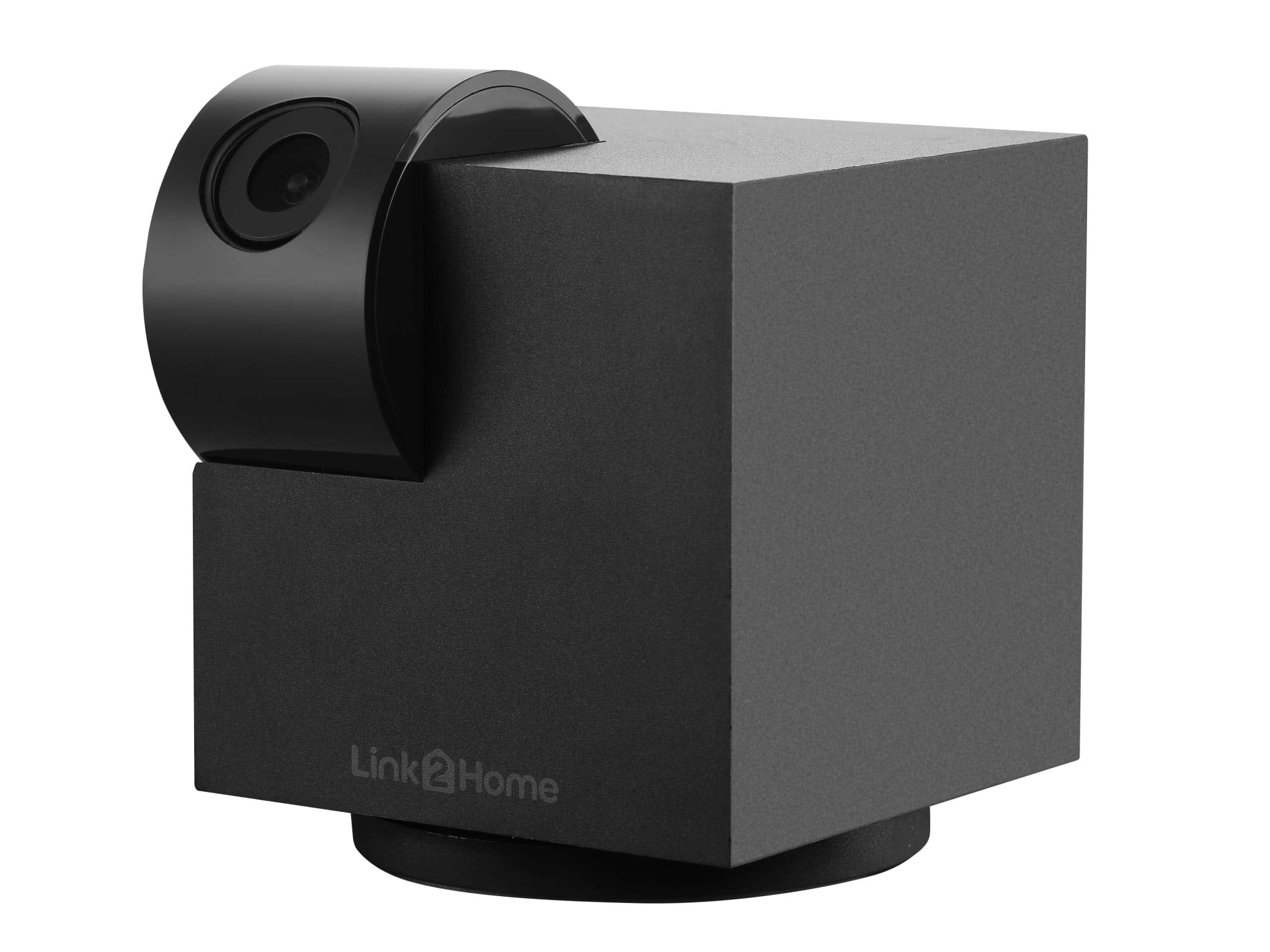
Image 1: The Link2Home LTHCAMPT camera, a black cube-shaped device with a rotating cylindrical camera lens on top, featuring the 'Link2Home' logo on its base.
4. Operating Instructions
Once your camera is set up, you can utilize its features through the Link2Home Pro app or compatible voice assistants.
- Pan and Tilt Control: In the app's live view, slide your finger across the display screen or use the joystick control to rotate the camera 355° horizontally and tilt it from -75° to 75° vertically for a wide-angle view of the area.
- Two-Way Audio: Use the integrated microphone and speaker to communicate in real-time through the Link2Home Pro app. This allows you to speak to individuals near the camera or listen to ambient sounds.
- Motion and Sound Detection: The camera sends instant activity alerts to your device when motion or sound is detected. When an event occurs, the device records a still image to the app's message center for review. An optional micro SD card can be added to record 30-second video clips upon detection.
- HD Video and Night Vision: Stream 1080p content to your device. The camera provides a 100° wide-angle view with digital zoom capabilities. LED night vision sensors ensure clear visibility in low-light conditions or complete darkness.
- Voice Control: The camera is compatible with Amazon Alexa and Google Assistant, including Alexa Echo Show and Google Screen devices. You can access your camera feed and control certain functions using voice commands.
5. Maintenance
To ensure optimal performance and longevity of your camera, follow these maintenance guidelines:
- Cleaning: Gently wipe the camera lens and body with a soft, dry cloth. Avoid using harsh chemicals or abrasive materials that could damage the surface or lens.
- Environment: Keep the camera in a dry, indoor environment. Avoid exposing it to extreme temperatures, direct sunlight for prolonged periods, or high humidity. The operating temperature range is up to 50° Celsius.
- Firmware Updates: Regularly check the Link2Home Pro app for available firmware updates to ensure your camera has the latest features and security enhancements.
6. Troubleshooting
If you encounter issues with your camera, refer to the following common troubleshooting steps:
- Camera Not Connecting to Wi-Fi:
- Ensure your Wi-Fi network is 2.4GHz. The camera does not support 5GHz networks.
- Check that your Wi-Fi password is entered correctly in the app.
- Move the camera closer to your Wi-Fi router to improve signal strength.
- Restart your router and the camera.
- No Live View/Offline:
- Verify the camera is powered on and the power cable is securely connected.
- Check your internet connection.
- Restart the camera by unplugging and re-plugging it.
- Poor Video Quality:
- Ensure your Wi-Fi signal is strong.
- Clean the camera lens.
- Check your internet speed.
- Motion/Sound Alerts Not Working:
- Verify that motion/sound detection is enabled in the Link2Home Pro app settings for your camera.
- Check your phone's notification settings to ensure the app is allowed to send notifications.
7. Specifications
| Feature | Specification |
|---|---|
| Model | LTHCAMPT |
| Brand | Link2Home |
| Video Resolution | 1080p |
| Wireless Technology | Wi-Fi (2.4GHz) |
| Pan Angle | 355 Degrees |
| Tilt Angle | -75 to 75 Degrees |
| Viewing Angle | 100 Degrees |
| Special Features | Night Vision, Two-Way Audio, Motion Detection, Sound Detection, Voice Control (Alexa, Google) |
| Power Source | AC Power (via USB) |
| Voltage | 5 Volts |
| Power Consumption | 5.5 Watts |
| Dimensions (L x W x H) | 9 x 9 x 14.8 cm |
| Weight | 360 grams |
| Usage | Indoor |
| Effective Video Resolution | 1080 |
| Maximum Operating Temperature | 50 Degrees Celsius |
8. Warranty and Support
For warranty information, technical support, or further assistance, please refer to the official Link2Home website or contact their customer service directly. Keep your purchase receipt as proof of purchase.


