
Introduction
The 4smarts Powerbank Enterprise 2 is a high-capacity 20000 mAh portable charger designed to provide fast and efficient power to a wide range of electronic devices. With a total output of 130 watts and multiple charging ports, it supports various fast charging standards, including Power Delivery (PD), Qualcomm Quick Charge 3.0 (QC3.0), and Samsung Adaptive Fast Charge. This manual provides essential information for the safe and optimal use of your power bank.

Image: The 4smarts Powerbank Enterprise 2, highlighting its 130W output capability.
Setup
Initial Charging
Before first use, fully charge your 4smarts Powerbank Enterprise 2. For the fastest charging experience, use a 100W Power Delivery (PD) compatible wall charger and a USB-C to USB-C cable (sold separately). The power bank can be fully recharged in approximately 60 minutes with a 100W charger.
LED Indicators
The power bank features LED indicators to display the current charge level. Observe these lights to monitor the battery status during charging and discharging.
Operating Instructions
Charging the Power Bank
- Connect a compatible charging cable to either the USB-C1 or USB-C2 input port on the power bank. For optimal speed, use the USB-C1 port with a 100W PD charger.
- Alternatively, you can use the Micro USB input port with a compatible cable and charger.
- The LED indicators will illuminate to show the charging progress. All LEDs will be solid when fully charged.
Charging External Devices
The Powerbank Enterprise 2 offers multiple output ports to charge your devices:
- USB-C1 Output (PD/PPS): Up to 100W for fast charging laptops (e.g., MacBook Pro), tablets, and smartphones.
- USB-C2 Output (PD): Up to 30W for fast charging tablets and smartphones.
- USB-A Output (QC3.0): Up to 18W for devices supporting Qualcomm Quick Charge 3.0 or other standard charging protocols.
To charge a device:
- Connect your device to the appropriate output port on the power bank using a compatible charging cable.
- The power bank will automatically begin charging your device. If not, press the power button once to activate charging.
- You can charge multiple devices simultaneously. The total output is up to 130W (e.g., USB-C1 at 100W + USB-C2 at 30W). For safety, if the total output exceeds 130W, the power bank will regulate the output of each port accordingly.

Image: Diagram illustrating the various input and output ports of the power bank, including their respective wattages and functions (Micro USB input, USB-C1 input/output with PD/PPS, USB-C2 input/output with PD, and USB-A output with QC3.0).
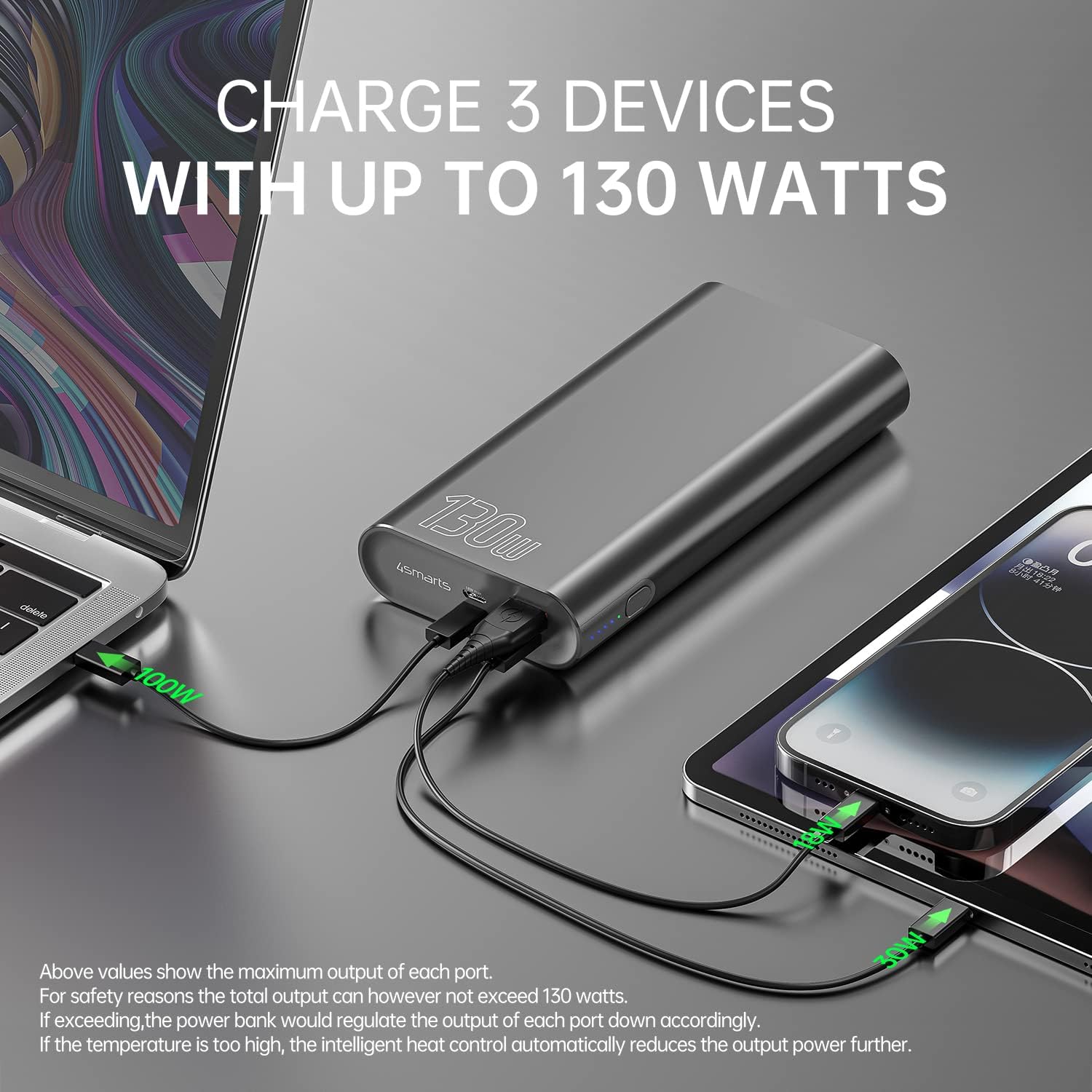
Image: The power bank connected and simultaneously charging a laptop and a tablet, demonstrating its multi-device charging capability.

Image: The power bank charging a MacBook Pro 16", illustrating 100W fast charging to reach 50% in 45 minutes.
Maintenance
- Cleaning: Use a soft, dry cloth to clean the power bank. Avoid using harsh chemicals or abrasive materials.
- Storage: Store the power bank in a cool, dry place away from direct sunlight, extreme temperatures, and humidity.
- Battery Care: To prolong battery life, fully charge the power bank at least once every three months if not in regular use. Avoid completely draining the battery for extended periods.
- Handling: Do not drop, puncture, or disassemble the power bank. This can damage the internal components and void the warranty.
Troubleshooting
- Power bank not charging: Ensure the charging cable and wall adapter are functioning correctly and are securely connected. For fastest charging, use a 100W PD charger with the USB-C1 port.
- Device not charging from power bank: Ensure the power bank has sufficient charge. Press the power button to activate output if necessary. Check that the cable connecting your device to the power bank is not damaged and is compatible.
- Slow charging: Verify that your device and cable support fast charging protocols (PD, QC3.0) and are connected to the appropriate high-output port (USB-C1 for up to 100W, USB-C2 for up to 30W, USB-A for up to 18W).
- Overheating: The power bank features intelligent heat control. If the temperature is too high, it will automatically reduce output power. Ensure proper ventilation during use.
The 4smarts Powerbank Enterprise 2 is equipped with multiple safety features, including overload protection, short circuit protection, intelligent charge shutdown, and deep discharge protection, to ensure safe operation.

Image: An internal diagram of the power bank, showcasing its certified safety features such as overload protection, short circuit protection, intelligent charge shutdown, and deep discharge protection.
Specifications
| Feature | Detail |
|---|---|
| Model Name | Powerbank Enterprise 2 |
| Item Model Number | 4S468747 |
| Battery Capacity | 20000 mAh |
| Battery Cell Composition | Lithium-ion (4 Tesla 21700 Li-ion cells) |
| Micro USB Input | DC 5V/2A, 9V/2A, 12V/1.5A (Max 18W) |
| USB-C1 Input/Output (PD/PPS) | DC 5V/3A, 9V/3A, 12V/3A, 15V/3A, 20V/5A (Max 100W) |
| USB-C2 Input/Output (PD) | DC 5V/3A, 9V/3A, 12V/3A, 15V/2A, 20V/1.5A (Max 30W) |
| USB-A Output (QC3.0) | DC 5V/3A, 9V/2A, 12V/1.5A (Max 18W) |
| Total Output | 130W (USB-C1 100W + USB-C2 30W) |
| Power Bank Charging Time | Approx. 60 minutes (with 100W AC charger and cable, sold separately) |
| Dimensions (L x W x H) | 15.2 x 7.5 x 2.5 cm (5.98 x 2.95 x 0.98 inches) |
| Item Weight | 515 grams (1.13 lbs) |
| Color | Black |
| Special Features | Fast Charging, Overload Protection, Short Circuit Protection, Deep Discharge Protection |
| Recommended Uses | iPhone, Laptop, Smartphone, Tablet |
Safety Information
- Do not expose the power bank to water, fire, or extreme temperatures.
- Avoid dropping or subjecting the power bank to strong impacts.
- Do not attempt to disassemble, repair, or modify the power bank.
- Keep out of reach of children.
- Use only original or certified compatible charging cables and adapters.
- Dispose of the power bank responsibly according to local regulations for electronic waste.
Warranty and Support
Warranty
The 4smarts Powerbank Enterprise 2 comes with a manufacturer's warranty. Please refer to the warranty card included in the product packaging or visit the official 4smarts website for detailed warranty terms and conditions specific to your region.
Customer Support
For technical assistance, troubleshooting, or any questions regarding your 4smarts Powerbank Enterprise 2, please contact 4smarts customer support. Contact information can typically be found on the official 4smarts website or in the product packaging.


