1. Introduction
This manual provides essential information for the safe and efficient operation of your new Samsung AI Control Washing Machine with Ecodoser. Please read it thoroughly before using the appliance and keep it for future reference.
Key Features:
- AI Control: Intelligent system that learns your washing habits and suggests optimal cycles.
- Ecodoser: Automatically dispenses the precise amount of detergent and softener for each load, lasting up to one month.
- EcoBubble Technology: Transforms detergent into bubbles for effective cleaning even in cold water, saving energy.
- Steam Wash: Releases a powerful steam jet from the drum bottom to remove stubborn dirt and 99.9% of bacteria and allergens.
- WiFi Connectivity: Control and monitor your washing machine remotely using the SmartThings app.
- Digital Inverter Motor: Ensures quiet operation, durability, and energy efficiency, backed by a 20-year warranty.
2. Safety Information
Always follow basic safety precautions when using electrical appliances to reduce the risk of fire, electric shock, or injury. This appliance is intended for household use only. Do not allow children to play with or operate the washing machine. Ensure the power cord is not damaged and that the appliance is properly grounded. Do not wash items that have been contaminated with flammable substances.
3. What's in the Box
Upon unpacking your Samsung washing machine, ensure all components are present:
- 1x Samsung AI Control Washing Machine with Ecodoser
- User Manual (this document)
- Water Inlet Hoses
- Drain Hose Guide
- Cap Wrench (for transport bolts)
4. Installation & Setup
4.1 Unpacking and Removing Transport Bolts
Carefully remove all packaging materials. Locate and remove the transport bolts from the rear of the washing machine using the provided cap wrench. Failure to remove these bolts will cause severe vibration and damage during operation.
4.2 Leveling the Washing Machine
Place the washing machine on a firm, level surface. Adjust the leveling feet until the appliance is stable and does not rock. Use a spirit level to ensure perfect alignment.
4.3 Water and Drain Connection
Connect the hot and cold water inlet hoses to the corresponding valves on the wall and the back of the washing machine. Ensure connections are tight to prevent leaks. Secure the drain hose to a standpipe or laundry tub, ensuring it is not kinked or blocked.
4.4 Power Connection
Plug the power cord into a grounded electrical outlet. Ensure the voltage and frequency match the specifications of your appliance.
4.5 Initial Calibration
After installation, perform an initial calibration cycle without laundry to ensure proper balance and operation. Refer to the detailed instructions in the full manual for specific steps.

Figure 1: Front view of the Samsung AI Control Washing Machine with Ecodoser, highlighting its dimensions (600mm width, 850mm height, 600mm depth) and key features like AI Control, Ecodoser, and Steam Wash.
5. Operating Instructions
5.1 Control Panel Overview
The washing machine features an intuitive control panel with a rotary selector and touch controls. The display shows selected programs, time remaining, and other relevant information. The AI Control learns your preferences for a personalized experience.
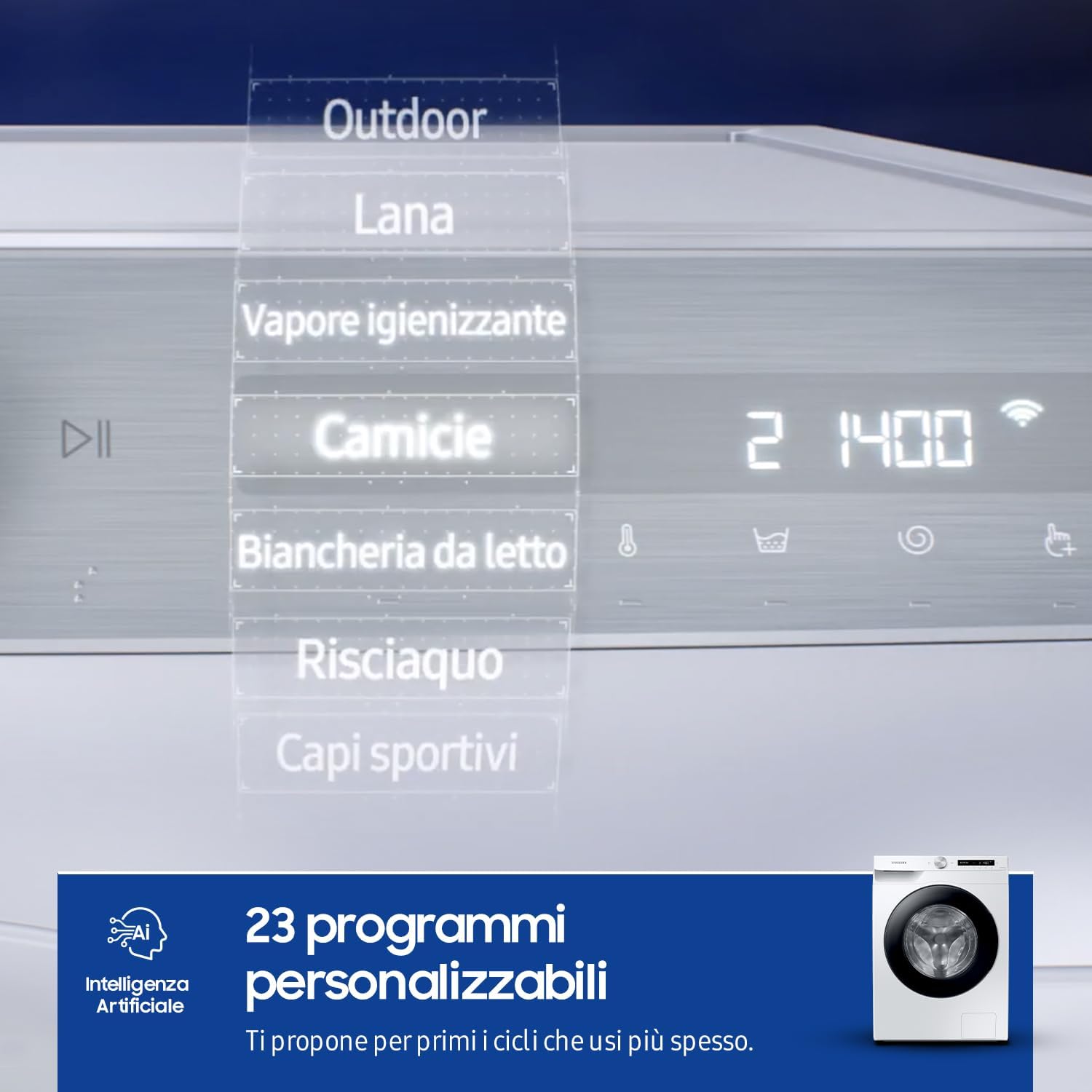
Figure 2: The control panel displaying various wash programs and settings.
5.2 Loading Laundry
Open the door and load laundry into the drum. Do not overload the machine; ensure there is enough space for clothes to tumble freely. Close the door firmly.
5.3 Adding Detergent and Softener (Ecodoser)
The Ecodoser system automatically dispenses the correct amount of liquid detergent and softener. Fill the respective compartments in the dispenser drawer. The machine's sensors will detect the load weight and water hardness to optimize usage. The Ecodoser can hold enough for up to one month of washing.
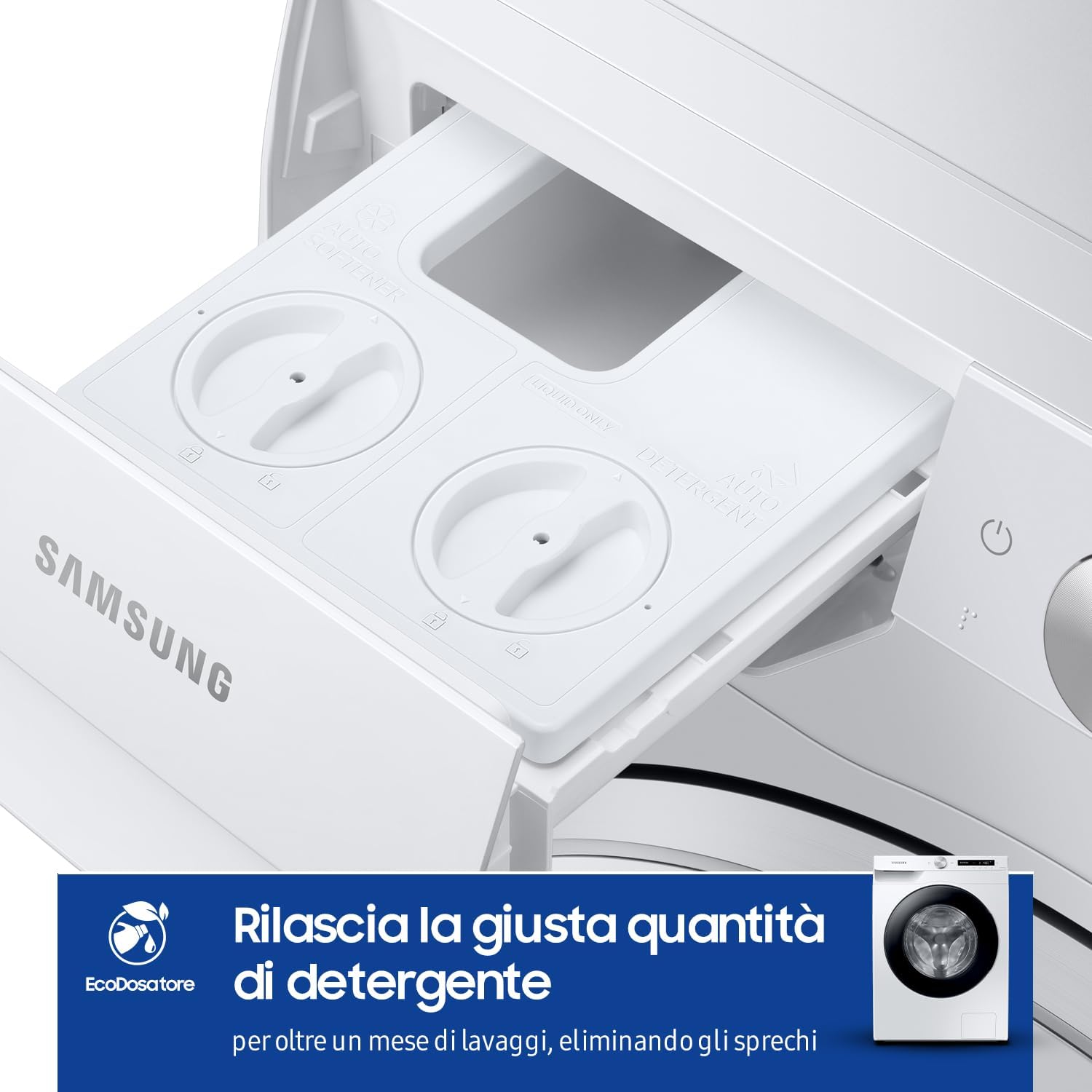
Figure 3: The Ecodoser drawer for automatic detergent and softener dispensing.
5.4 Selecting a Wash Cycle
Turn the rotary selector to choose your desired wash program. The AI Control feature will learn your most frequently used cycles and suggest them first. Available programs include Cotton, Synthetics, Delicates, Wool, Outdoor, Quick Wash, and more. You can customize temperature, spin speed, and rinse options.
5.5 Special Features: EcoBubble and Steam Wash
EcoBubble: This technology pre-mixes detergent with air and water to create bubbles that penetrate fabrics faster, allowing for effective cleaning at lower temperatures and reducing energy consumption.
Steam Wash: For a hygienic clean, select the Steam Wash cycle. A powerful jet of steam is released into the drum, helping to remove deep-seated dirt, 99.9% of bacteria, and common allergens from your clothes.
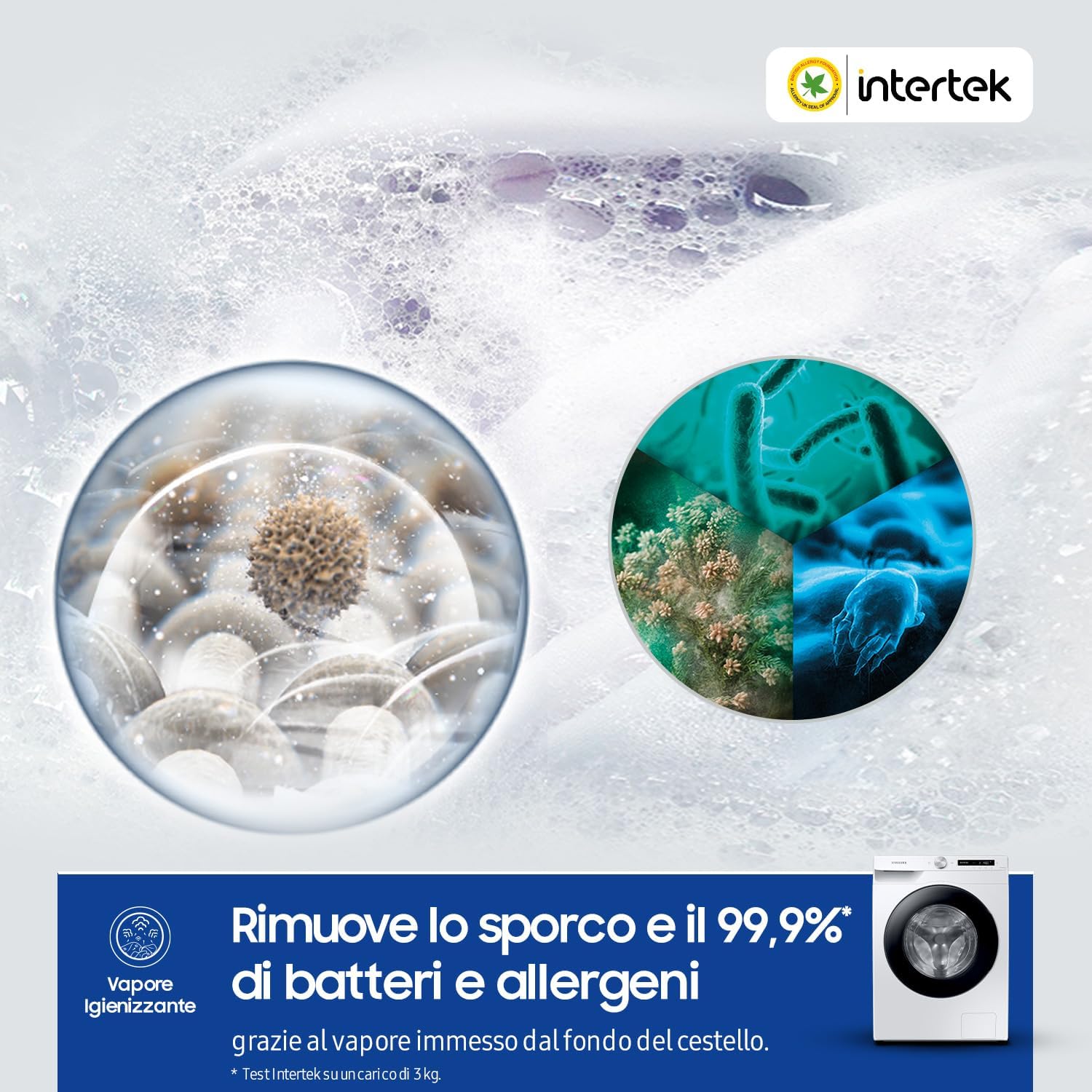
Figure 4: Visual representation of the Steam Wash function, illustrating its effectiveness against bacteria and allergens.
5.6 Starting a Cycle
Press the Start/Pause button to begin the selected wash cycle. The machine will automatically proceed through the washing, rinsing, and spinning phases.
5.7 SmartThings App Integration
Connect your washing machine to the Samsung SmartThings app via WiFi for enhanced control. You can start/stop cycles, receive notifications, and get recommendations for optimal washing based on your habits and even weather conditions.
Video 1: This video demonstrates the AI Control features, including personalized program suggestions, EcoBubble technology for efficient cleaning, and the Ecodoser for automatic detergent dispensing. It also shows the Smart Link function for seamless communication with a compatible dryer.
6. Maintenance
Regular maintenance ensures the longevity and optimal performance of your washing machine.
6.1 Cleaning the Ecodoser Drawer
Periodically remove and clean the Ecodoser drawer to prevent detergent buildup. Rinse it under running water and use a soft brush if necessary. Ensure it is completely dry before reinserting.
6.2 Eco Drum Clean Cycle
Run the Eco Drum Clean cycle regularly (e.g., once a month) to remove detergent residue and bacteria from the drum. This cycle uses hot water and high-speed spinning without any cleaning agents.
6.3 Cleaning the Debris Filter
The debris filter, located at the bottom front of the machine, should be cleaned periodically to prevent blockages. Open the cover, drain any residual water, and remove the filter. Clean it under running water and replace it securely.
6.4 Exterior Cleaning
Wipe the exterior of the washing machine with a soft, damp cloth. Avoid using abrasive cleaners or solvents that could damage the surface.

Figure 5: The washing machine's exterior, which should be cleaned regularly.
7. Troubleshooting
If you encounter issues with your washing machine, refer to the following common problems and solutions before contacting service.
7.1 Common Issues
- Machine does not start: Check if the power cord is plugged in, the door is closed properly, and the Start/Pause button has been pressed.
- No water supply: Ensure water taps are fully open and inlet hoses are not kinked or blocked.
- Excessive vibration/noise: Verify that transport bolts have been removed and the machine is level. Distribute laundry evenly in the drum.
- Water leakage: Check hose connections for tightness and ensure the drain hose is properly installed.
- Detergent residue: Clean the Ecodoser drawer and ensure you are using appropriate detergent for your water type.
7.2 Error Codes
The display may show error codes to indicate specific problems. Consult the full user manual for a comprehensive list of error codes and their corresponding solutions. For persistent issues, contact Samsung customer support.
8. Specifications
| Feature | Specification |
|---|---|
| Model Number | WW10T534DAW/S3 |
| Capacity | 10.5 Kilograms |
| Maximum Spin Speed | 1400 Revolutions per minute |
| Dimensions (W x D x H) | 60 x 60 x 85 cm |
| Weight | 76 Kilograms |
| Energy Consumption (Annual) | 175 Kilowatt hours per year |
| Voltage | 220 Volts |
| Control Type | Touch, Fully Automatic |
| Detergent Dispenser Options | Automatic dispenser for detergent and softener |
| Drum Material | Stainless Steel |
| Special Features | High efficiency, Automatic Dose, Active Steam |
| Color | White Body, Shiny Black Door |
9. Warranty and Support
9.1 Warranty Information
Your Samsung washing machine is covered by a standard manufacturer's warranty. The Digital Inverter Motor specifically comes with a 20-year warranty, ensuring long-term reliability. Please retain your proof of purchase for warranty claims. For detailed terms and conditions, refer to the warranty card included with your product or visit the official Samsung website.
9.2 Customer Support
For technical assistance, troubleshooting, or service requests, please contact Samsung Customer Support. You can find contact details on the Samsung website or in the documentation provided with your appliance.
- Online Support: Visit the Samsung official website for FAQs, manuals, and software updates.
- Phone Support: Refer to your regional Samsung support numbers.
- Service Center: Locate authorized Samsung service centers for in-person assistance.