Introduction
Thank you for choosing the GRIFEMA GA1001 4-Digit Combination Padlock. This padlock is designed for enhanced security and durability, featuring a robust zinc alloy construction and weatherproof capabilities. It is ideal for securing lockers, fences, garages, gates, storage cases, toolboxes, and sheds. This manual provides detailed instructions on how to set up, operate, and maintain your padlock.

Image: Two GRIFEMA GA1001 combination padlocks, showcasing their design and 4-digit dials.

Image: Detailed view of the padlock, emphasizing its strong chrome-plated steel shackle, quick-read combination window, and high-quality zinc alloy material.

Image: Visual comparison illustrating that a 4-digit combination lock offers 10,000 combinations, making it significantly more secure than a 3-digit lock.
Setup: Setting Your Combination
Your padlock comes with a factory preset combination of 0-0-0-0. To set your personal combination, follow these steps:
- Set the default combination (0-0-0-0) and pull up the shackle.
- Turn the shackle about 90 degrees to the code setting gap.
- Push the shackle down until the tiny pin is fully inside the gap.
- Keep the shackle in place and turn it to the code side window.
- Scroll the number dials to set your desired new code. Ensure the numbers are aligned with the indicators.
- Turn the shackle back until it pops up. Your new combination is now set. Remember your new combination as there is no master key to open the lock.

Image: Step-by-step visual guide on how to reset and set a new 4-digit combination for the padlock.
Operating Instructions
To open the padlock, align your set 4-digit combination with the indicators on the side of the lock, then pull up the shackle. To lock, simply push the shackle down and scramble the numbers to secure it. Always ensure the numbers are scrambled after locking to prevent unauthorized access.
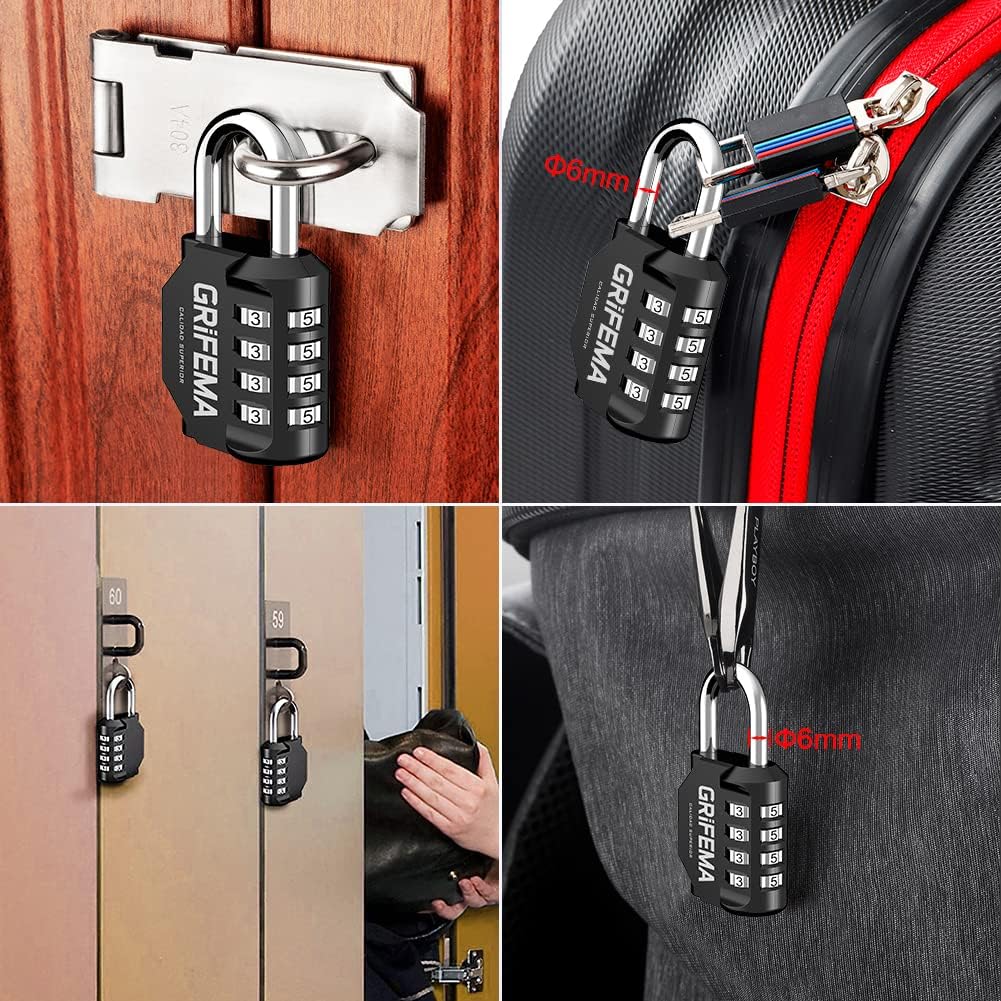
Image: Examples of the padlock's versatility, including securing a door, backpack, gym locker, and general luggage.
Maintenance
The GRIFEMA GA1001 padlock is constructed with durable zinc alloy and designed to be weatherproof, offering high resistance to cutting and hammering. To ensure its longevity and smooth operation:
- Regularly wipe the padlock with a clean, dry cloth to remove dirt and grime.
- For outdoor use, occasional lubrication of the shackle mechanism with a silicone-based lubricant can help maintain smooth operation and prevent corrosion.
- Avoid using harsh chemicals or abrasive cleaners, as these can damage the finish.
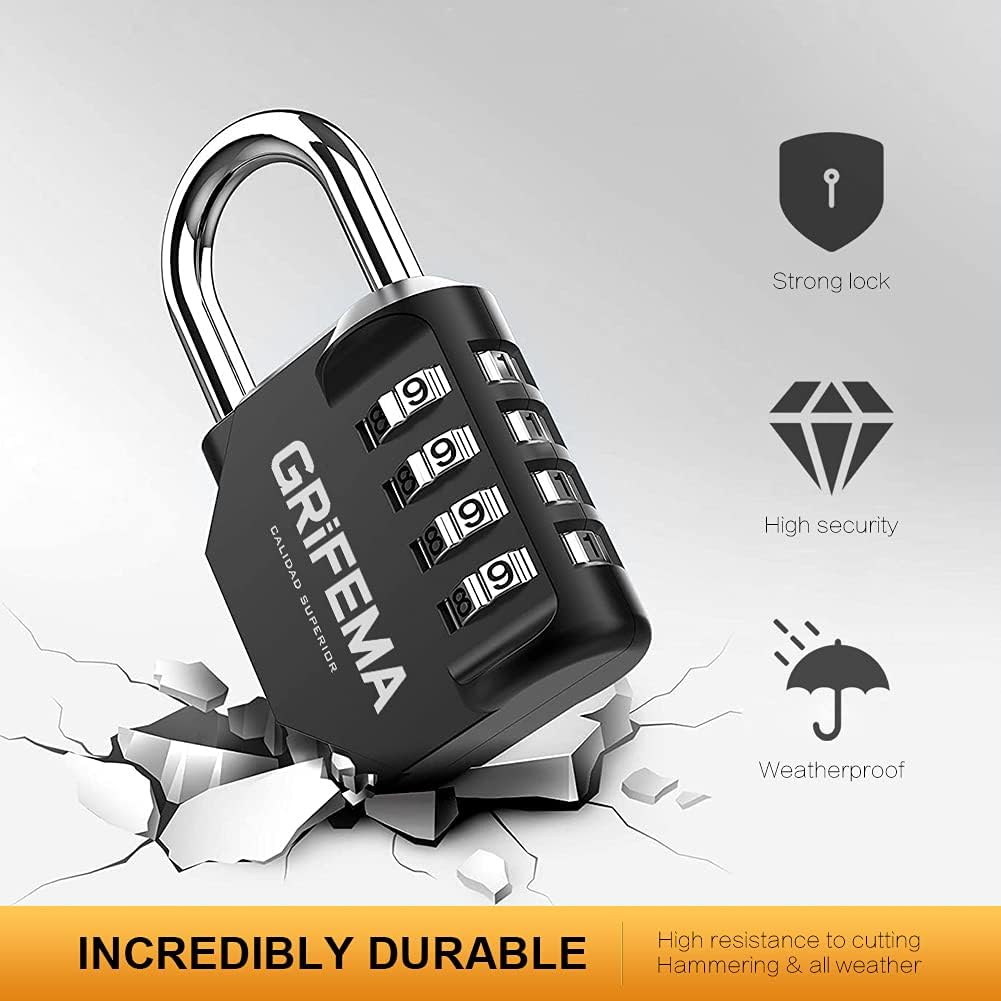
Image: Visual representation of the padlock's robust features, including its strong construction, high security, and weatherproof properties, capable of withstanding various conditions.
Troubleshooting
- Combination not opening: Double-check that all four digits are correctly aligned with the indicators. Ensure you are using the most recently set combination. If you have forgotten your combination, there is no way to reset it without knowing the current code.
- Shackle is stiff or stuck: Apply a small amount of lubricant (e.g., graphite powder or silicone spray) to the shackle mechanism and work it back and forth. Ensure no debris is obstructing the shackle.
- Dials are hard to turn: Clean the dials with a soft brush to remove any dust or dirt. A small amount of lubricant can also be applied to the dial mechanism if needed.
Product Specifications
| Feature | Detail |
|---|---|
| Brand | GRIFEMA |
| Model Name | GA1001 |
| Lock Type | Combination Lock |
| Material | Zinc Alloy |
| Color | Black |
| Item Dimensions (L x W x H) | 1.69 x 0.87 x 3.11 inches |
| Item Weight | 8.8 ounces (0.25 Kilograms) |
| Special Feature | Durability, Weatherproof |
| Number of Pieces | 2 (for 2-pack variant) |
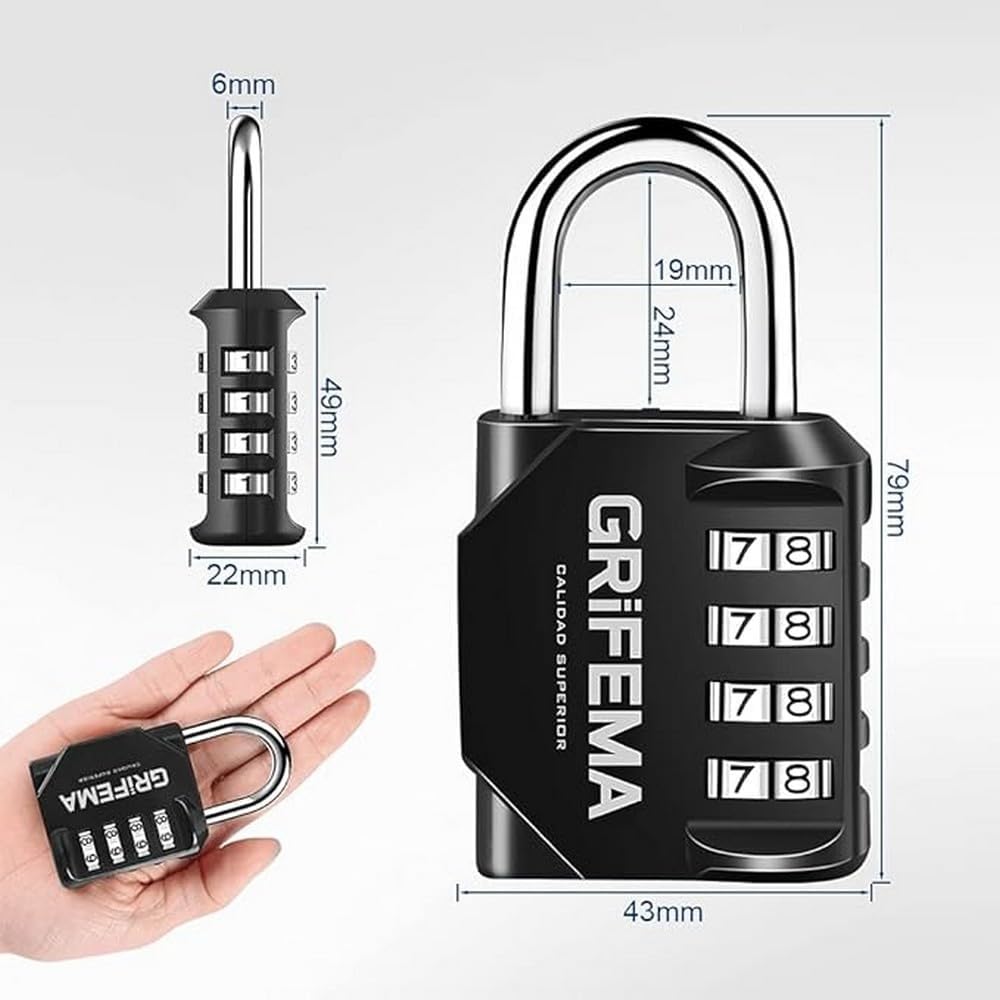
Image: Detailed dimensional drawing of the padlock, including overall height, width, shackle dimensions, and body thickness.
Warranty and Support
Specific warranty details are not provided in the product information. For any warranty claims, technical support, or further inquiries regarding your GRIFEMA GA1001 Combination Padlock, please contact GRIFEMA customer service directly through their official website or the retailer from whom you purchased the product. Keep your proof of purchase for any support requests.


