NIXON Ripley A1267 Analog and Digital Watch User Manual
Model: A1267
Introduction
This manual provides detailed instructions for the NIXON Ripley A1267 Analog and Digital Watch. It covers essential information regarding setup, operation of various modes, maintenance, and troubleshooting to ensure optimal performance and longevity of your timepiece.
Video: NIXON Ripley PU Analog Digital Watch Overview. This video provides a general overview of the NIXON Ripley watch, showcasing its design and basic functionalities.
Setup
Setting Analog Time
- Pull out the crown located on the left side of the watch. This will stop the second hand.
- Rotate the crown to adjust the hour and minute hands to the desired time.
- Once the analog time is set, push the crown back in to restart the second hand and resume timekeeping.
Setting Digital Time and Date
- Ensure the watch is not in 'City Mode' (where only analog time is displayed). Press the bottom-left button (Mode button) to cycle through modes until digital information is visible.
- Press and hold the bottom-left button (Mode button) for a few seconds until the 'HOUR' value starts blinking.
- Use the top-right button to increase the hour or the bottom-right button to decrease it. Ensure AM/PM is correctly set.
- Press the bottom-left button again to move to 'MINUTE' adjustment. Use the top-right/bottom-right buttons to set the minutes.
- Press the bottom-left button again to move to 'SECOND' adjustment. Use the top-right/bottom-right buttons to reset seconds to zero for precise synchronization.
- Continue pressing the bottom-left button to cycle through and set 'YEAR', 'MONTH', and 'DAY' using the top-right/bottom-right buttons for adjustment.
- After setting all values, press the bottom-left button one more time to exit the setting menu. The watch will automatically save the settings after 30 seconds of inactivity in the setting menu.
Video: Set Time & Date - Nixon Ripley. This video demonstrates the process of setting both the analog and digital time and date on your NIXON Ripley watch.
Operating Modes
The NIXON Ripley watch offers several operating modes to suit different needs:
City Mode
In City Mode, only the analog time is displayed, providing a clean and classic watch face. All digital functions are hidden for a minimalist aesthetic.
Time Mode
Press the bottom-left button (Mode button) once from City Mode to enter Time Mode. This mode displays the digital time, day, and date alongside the analog hands.
Adventure Mode
Press the Mode button again from Time Mode to enter Adventure Mode. This mode displays the altimeter reading, temperature, and a chronograph. The temperature and altimeter values can be toggled between Fahrenheit/Celsius and feet/meters respectively by pressing the top-right button. Note: The watch will automatically exit Adventure Mode after 12 hours to conserve battery.
Video: Adventure Mode - Nixon Ripley. This video demonstrates the features and functionality of the Adventure Mode, including altimeter and temperature readings.
Video: Quick look at Nixon Ripley watch. This video offers a quick demonstration of the various modes and displays available on the Nixon Ripley watch.
Chronograph Mode
From Adventure Mode, press the Mode button again to enter Chronograph Mode. This mode features a dual chronograph, allowing you to time two separate events simultaneously. Use the top-right button to start/stop the top chronograph and the bottom-right button to start/stop the bottom chronograph.
Alarm Mode
Press the Mode button again from Chronograph Mode to enter Alarm Mode. Here you can set and manage your alarms.
Backlight Function
The NIXON Ripley watch features a backlight for improved visibility in low-light conditions. To activate the backlight, press the top-left button. The backlight duration is fixed and cannot be adjusted.
Video: View Backlight on Nixon Ripley. This video demonstrates how to activate and view the backlight feature on the NIXON Ripley watch.
Key Features
- Dual Time Display: Analog 3-hand clock with digital time, temperature, and altitude readings.
- Versatile Modes: Includes City Mode (analog only), Time Mode (analog + digital time/date), Adventure Mode (altimeter, temperature, chronograph), and Alarm Mode.
- Durable Construction: Reinforced with shock-resistant construction and a stainless-steel top plate.
- Advanced Functions: Digital altimeter and temperature readouts, dual chronograph, day/date calendar, second timezone, and alarm.
- Easy Readability: 47mm watch face with clear digital screen and analog movement.
Product Images
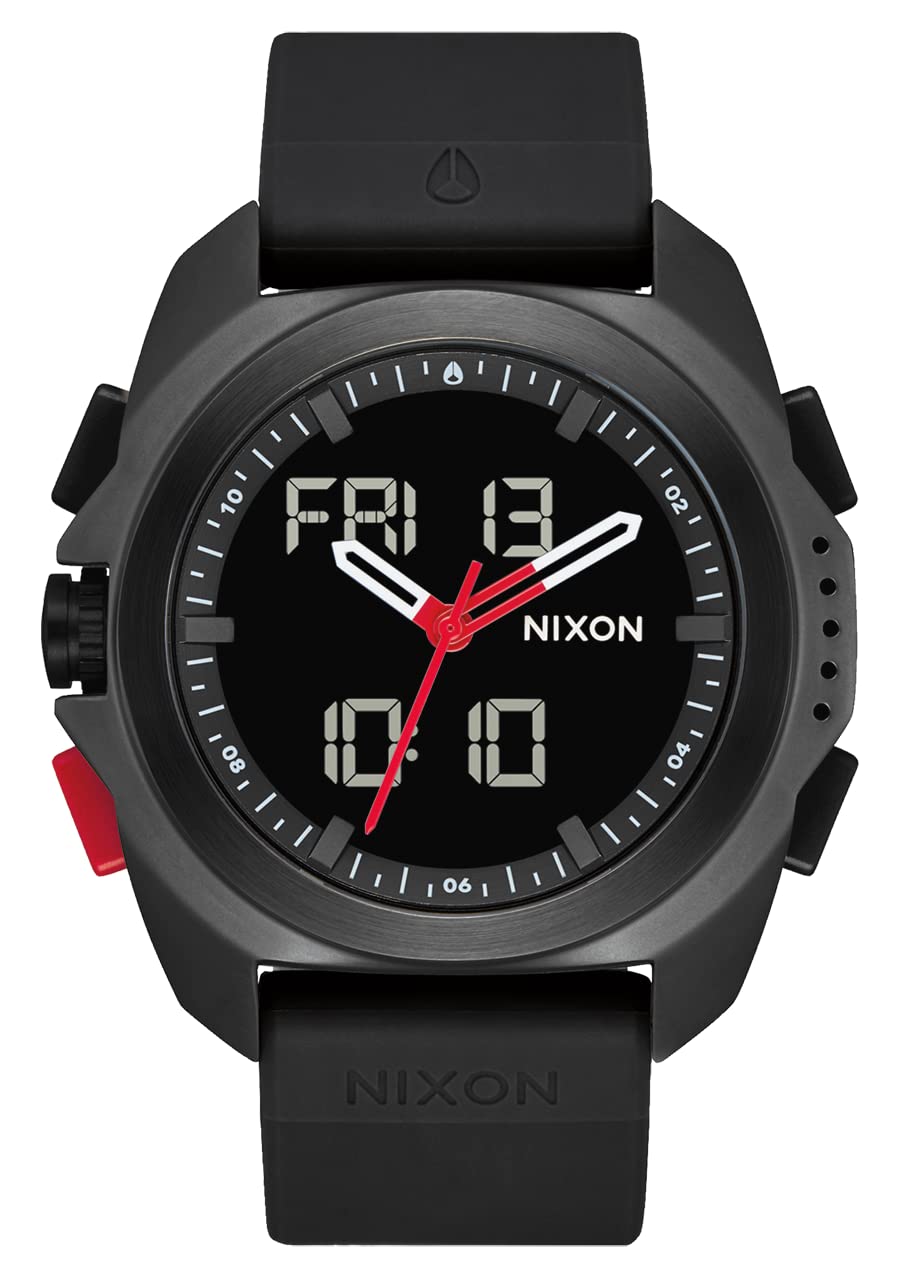
Front view of the NIXON Ripley A1267 watch, showcasing the analog and digital display.

Side view of the NIXON Ripley A1267 watch, highlighting the control buttons and crown.

Back view of the NIXON Ripley A1267 watch, showing the strap and case back.

Close-up of the NIXON Ripley A1267 watch case back, detailing engravings and button labels.
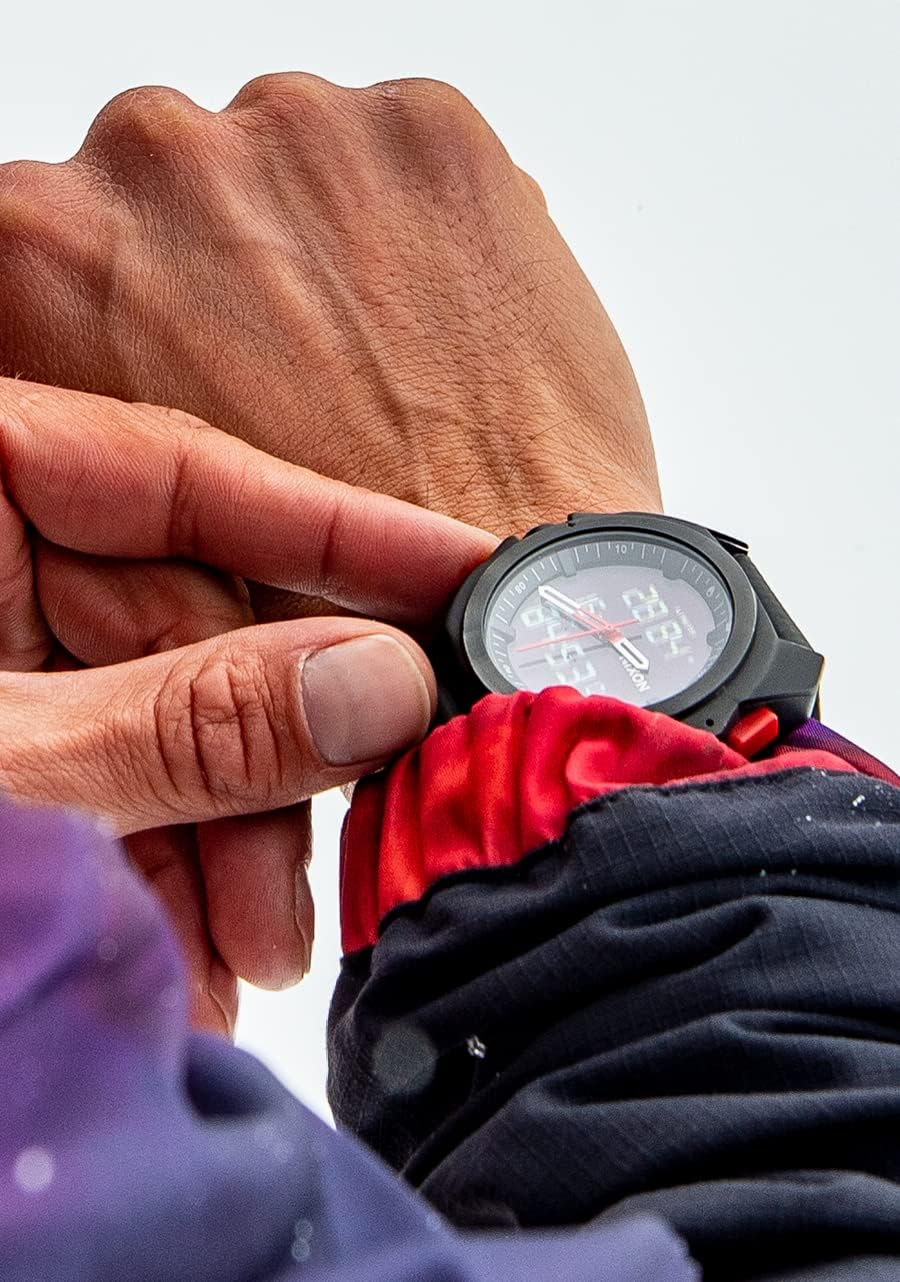
The NIXON Ripley A1267 watch worn on a wrist in an outdoor, snowy environment, demonstrating its adventure readiness.

A user adjusting the NIXON Ripley A1267 watch while worn on the wrist, showing interaction with the controls.
Specifications
| Feature | Detail |
|---|---|
| Item Model Number | A1267 |
| Brand | NIXON |
| Display Type | Analog-Digital |
| Case Material Type | Stainless Steel |
| Band Material Type | Rubber |
| Water Resistance Depth | 100 Meters |
| Waterproof Rating | IP68 |
| Metrics Measured | Altitude, Temperature |
| Additional Features | Stop-watch, Dual Chronograph, Day/Date Calendar, Second Timezone, Alarm |
| Screen Size | 23 Millimeters |
| Band Width | 23 Millimeters |
| Clasp Type | Buckle |
| Operating System | Android (Compatible) |
| Connectivity Technology | Bluetooth |
Maintenance
Cleaning
Regularly clean your watch with a soft, damp cloth. For the rubber band, mild soap and water can be used. Avoid harsh chemicals or abrasive materials that could damage the watch finish or strap.
Water Resistance
The NIXON Ripley A1267 is water-resistant up to 100 meters (IP68 rating). This makes it suitable for swimming and snorkeling, but not for high-impact water sports or deep-sea diving. Ensure the crown is fully pushed in before any water exposure. Avoid operating buttons underwater.
Battery Care
If the digital display or backlight becomes dim, it may indicate a low battery. Contact an authorized service center for battery replacement to maintain the watch's water resistance and functionality.
Troubleshooting
- Analog Hands Not Moving: Check if the crown is fully pushed in. If it is, the battery might be low or the movement requires service.
- Digital Display Blank/Dim: The battery may be low. Replace the battery at an authorized service center.
- Incorrect Time/Date: Refer to the 'Setting Analog Time' and 'Setting Digital Time and Date' sections to re-adjust.
- Inaccurate Altimeter/Temperature: Ensure the sensors are clean and not obstructed. Recalibrate if necessary (refer to specific instructions in the full product manual if available).
- Water Inside Watch: Immediately take the watch to an authorized service center. Do not attempt to open or dry it yourself, as this can cause further damage and void the warranty.
Warranty and Support
The NIXON Ripley A1267 watch is covered by a manufacturer's warranty. For specific warranty terms, duration, and to initiate a warranty claim or seek technical support, please refer to the official NIXON website or contact NIXON customer service directly. Keep your proof of purchase for warranty validation.
For additional support, visit the NIXON Store on Amazon.


