
1. Product Overview
The Live Fine 28-Day Automatic Pill Dispenser is designed to help organize, monitor, and dispense medications, vitamins, and supplements for up to four weeks. It features audio and visual alerts to prevent missed or double doses, making medication management easier for patients and caregivers.
This dispenser includes 28 spacious compartments, accommodating multiple pills per partition, reducing the need for frequent refills. It comes with 9 interchangeable dosage rings to customize dispensing schedules from 1 to 9 times daily. The upgraded LCD display provides clear time and alert information, with large buttons and numbers for ease of use, especially for seniors. A transparent, lockable cover with a manual key ensures security and prevents tampering or accidental spills. The smooth sliding retrieval window offers greater accessibility for users.
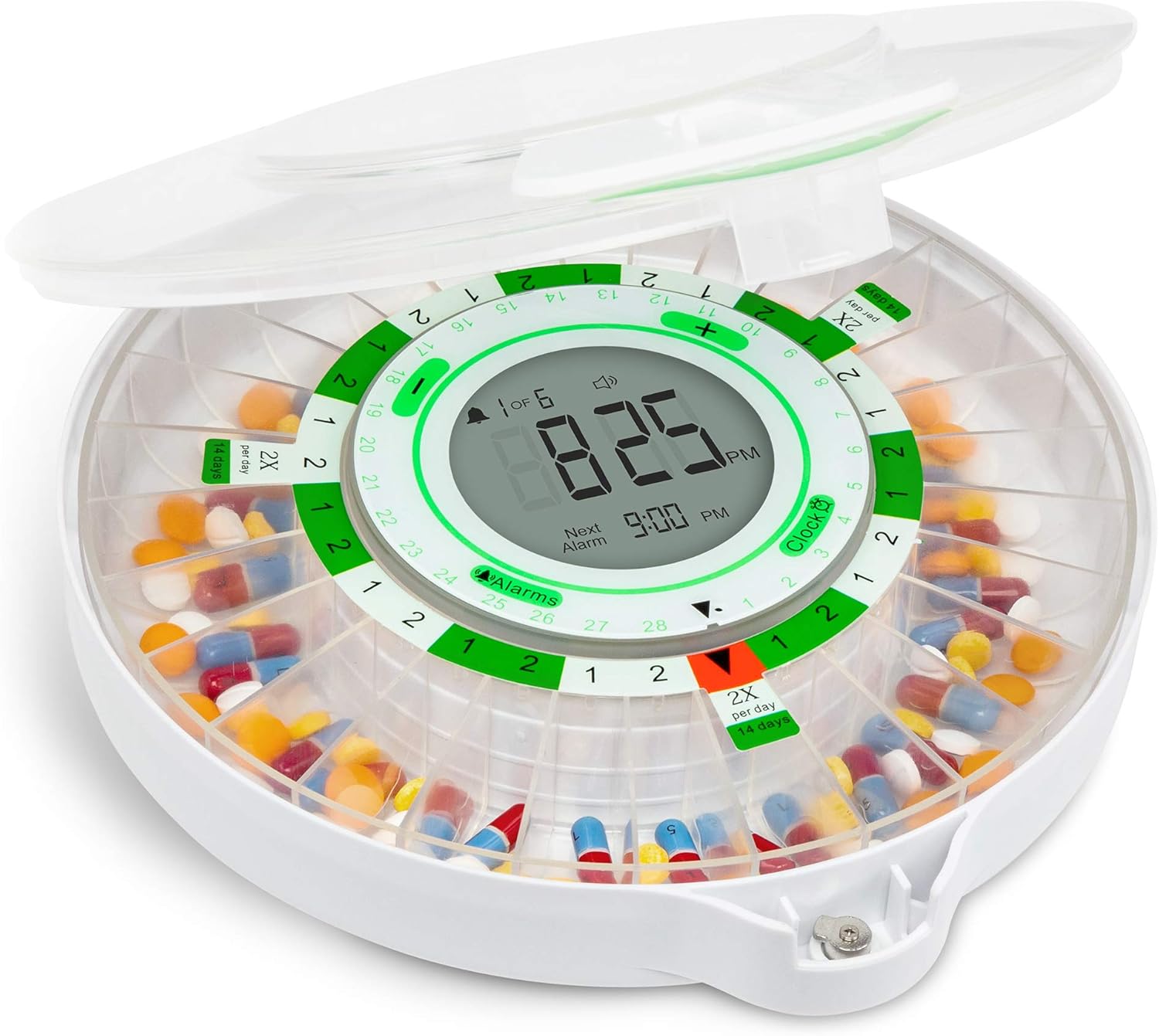
Figure 1: Live Fine 28-Day Automatic Pill Dispenser with Frosted Lid.
2. Setup Guide
2.1 Battery Installation
The dispenser operates on 4 AA batteries. To install, locate the battery compartment on the underside of the unit. Open the cover, insert the batteries according to the polarity indicators, and securely close the compartment.

Figure 2: Battery compartment on the underside of the dispenser.
2.2 Setting Time and Alarms
Use the easy-read LCD display and control buttons to adjust settings. It is crucial to set the time and alarms with the lid open to access the control buttons. The display shows current time, upcoming alarm, alert tone, volume control options, and battery indicator. You can program up to 9 alarms.

Figure 3: Easy-Read LCD Display and Control Panel.
2.3 Installing Dosage Rings
The dispenser comes with 9 interchangeable dosage rings. Select the ring that matches your desired dispensing frequency (e.g., 1x per day for 28 days, 2x per day for 14 days). Place the chosen ring onto the carousel, aligning it correctly with the compartments.

Figure 4: Interchangeable Dosage Rings.
2.4 Filling Compartments
Fill the 28 spacious compartments with your medications, vitamins, or supplements according to your prescribed schedule and the selected dosage ring. Ensure pills are placed neatly within each compartment to avoid obstruction.
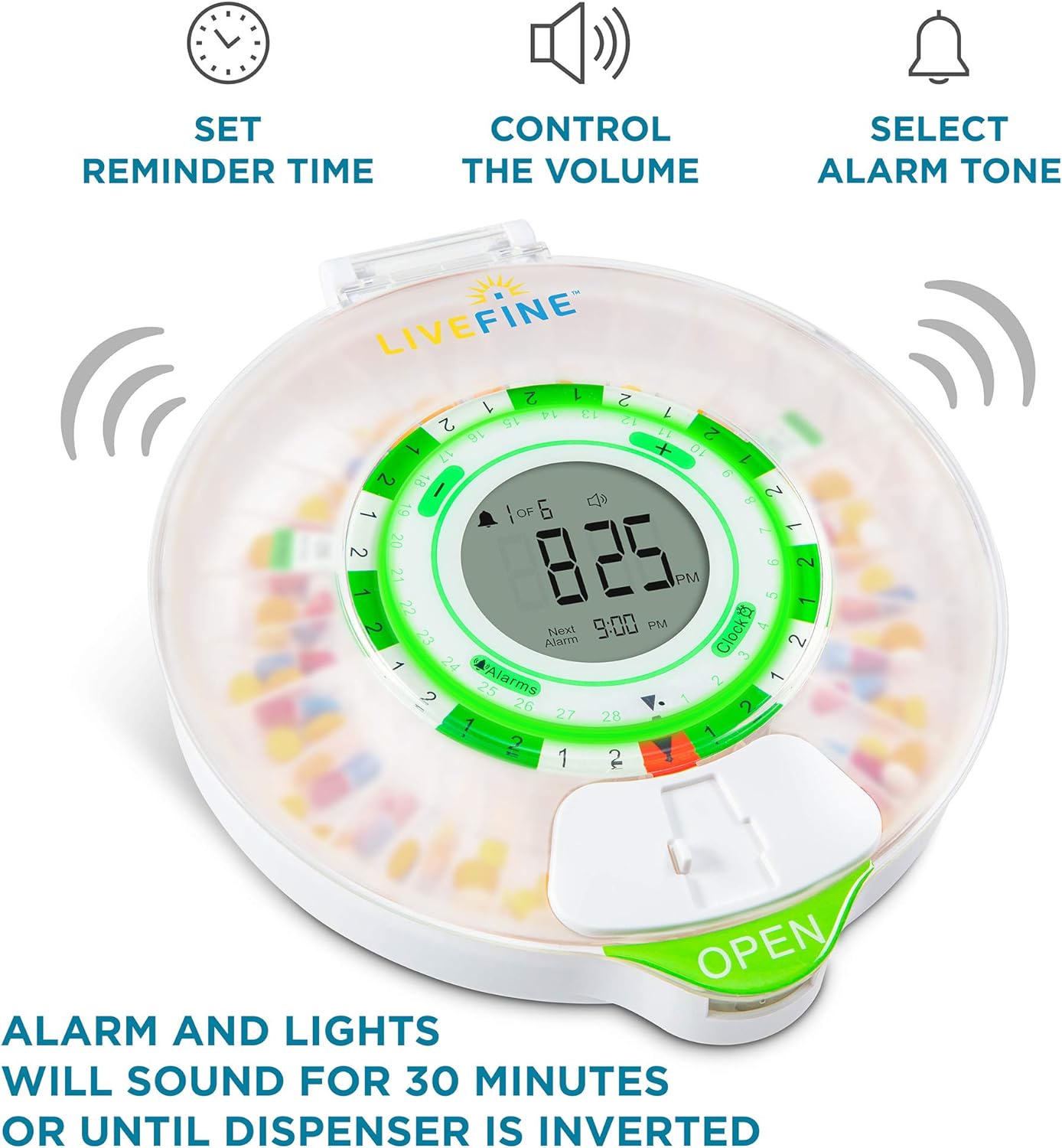
Figure 5: Filling the Pill Compartments.
3. Operating Instructions
3.1 Daily Dispensing
When it's time for your medication, the dispenser will activate audio and visual alerts (beeping and flashing lights) for up to 30 minutes. To dispense pills, open the sliding pill delivery door located on the side of the unit. Once the door is open, invert the unit to allow the pills from the current compartment to fall into your hand or a container. The alarm will cease once the unit is inverted and the pills are dispensed.

Figure 6: Pill Retrieval Process.
3.2 Security Features
The dispenser features a transparent locking cover and a manual key to prevent unauthorized access and accidental spills. Always ensure the lid is securely locked after filling or adjusting settings. The key provides an added layer of security, especially important in households with children or individuals who should not have unsupervised access to medication.

Figure 7: Key Lock and Secure Lid.
3.3 Official Product Video
Watch this official product video for a visual guide on setting up and operating your Live Fine Automatic Pill Dispenser.
Video 1: Automatic Pill Dispenser for Prescription Medication and Vitamins. This video demonstrates the features and usage of the dispenser, including setting alarms and dispensing pills.
4. Maintenance
To ensure optimal performance and hygiene, regularly clean your pill dispenser. Use a soft, damp cloth to wipe down the exterior. For the pill compartments, ensure they are empty before gently wiping them with a clean, dry cloth. Avoid using harsh chemicals or abrasive cleaners, as these can damage the plastic material. Keep the dispenser away from direct sunlight and extreme temperatures.
5. Troubleshooting
- Alarm or Time Setting Issues: If the buttons for setting the clock or alarms do not respond, ensure the dispenser lid is fully open. The control buttons are typically accessible only when the lid is in the open position for safety and to prevent accidental changes. Refer to the setup section for detailed instructions on programming.
- Pills Not Dispensing: Check that pills are not jammed or turned sideways within the compartments. Ensure the sliding retrieval window is fully open and the unit is inverted completely to allow pills to fall out.
- Alarm Not Sounding/Flashing: Verify that the batteries are correctly installed and have sufficient power. Check the volume settings on the LCD display to ensure the alarm is not set to silent.
- Lid Not Locking: Ensure the lid is properly aligned with the base and the locking mechanism is engaged. Use the provided key to secure the lid firmly.
6. Specifications
| Feature | Detail |
|---|---|
| Model Number | LVFNEPDF |
| Product Dimensions | 9.25 x 7.87 x 2.15 inches; 2.01 Pounds |
| Power Source | 4 AA batteries (required) |
| Material | Plastic |
| Special Feature | Automatic dispensing with audio/visual alerts |
| Lid Type | Frosted Lid |
7. Warranty and Support
For detailed warranty information and customer support, please refer to the official user manual provided with your product. A digital version of the user manual (PDF) is also available for download.
For further assistance or inquiries, please contact Live Fine customer service.