
1. Introduction to the K&F Concept CPL Filter
The K&F Concept 52mm Circular Polarizer (CPL) filter is designed to enhance your photography by managing light reflections and improving color saturation. This filter is made from high-quality Japan optical glass, ensuring clarity and durability.

Image: An illustration explaining the function and benefits of a CPL filter in photography.
Key Benefits:
- Reduce Glare and Reflections: Effectively minimizes reflections from non-metallic surfaces such as water, glass, and foliage.
- Enhance Color and Contrast: Deepens the intensity of blue skies and makes clouds more prominent, while also improving overall color saturation.
- Ultra-Slim Design: The 5mm aluminum alloy frame helps prevent vignetting (darkening at the corners) on wide-angle lenses.
- Multi-Layer Nanometer Coating: Reduces reflection and glare, contributing to higher light transmittance and lower reflectivity.
2. Installation Guide
Before installation, ensure your camera lens has a 52mm filter thread. This information is typically printed on the front of your lens, often indicated by a "ø" (diameter) symbol followed by the millimeter size.
- Identify Lens Thread Size: Locate the filter thread size on your camera lens. This filter is compatible with 52mm lenses.
- Align the Filter: Carefully align the K&F Concept CPL filter with the front thread of your lens.
- Gently Screw On: Rotate the filter clockwise until it is securely attached. Avoid overtightening to prevent damage to the filter or lens threads.
Video: Demonstration of attaching a CPL filter to a camera lens and its effect on reflections.

Image: The K&F Concept 52mm CPL filter shown with its retail packaging.
3. Operating Instructions
Once installed, the CPL filter can be rotated to achieve various polarizing effects. The outer ring of the filter rotates independently, allowing you to adjust the degree of polarization.
- Adjusting Polarization: Look through your camera's viewfinder or live view screen. Slowly rotate the outer ring of the CPL filter. You will observe changes in reflections and color saturation.
- Optimizing for Glare Reduction: Rotate the filter until reflections from water, glass, or other non-metallic surfaces are minimized or eliminated to your desired level.
- Enhancing Skies and Foliage: For deeper blue skies and richer green foliage, rotate the filter until the desired effect is visible. The strongest effect is typically achieved when shooting at a 90-degree angle to the sun.

Image: A side-by-side comparison demonstrating the effect of a CPL filter on water reflections, showing a clearer view into the water with the filter.
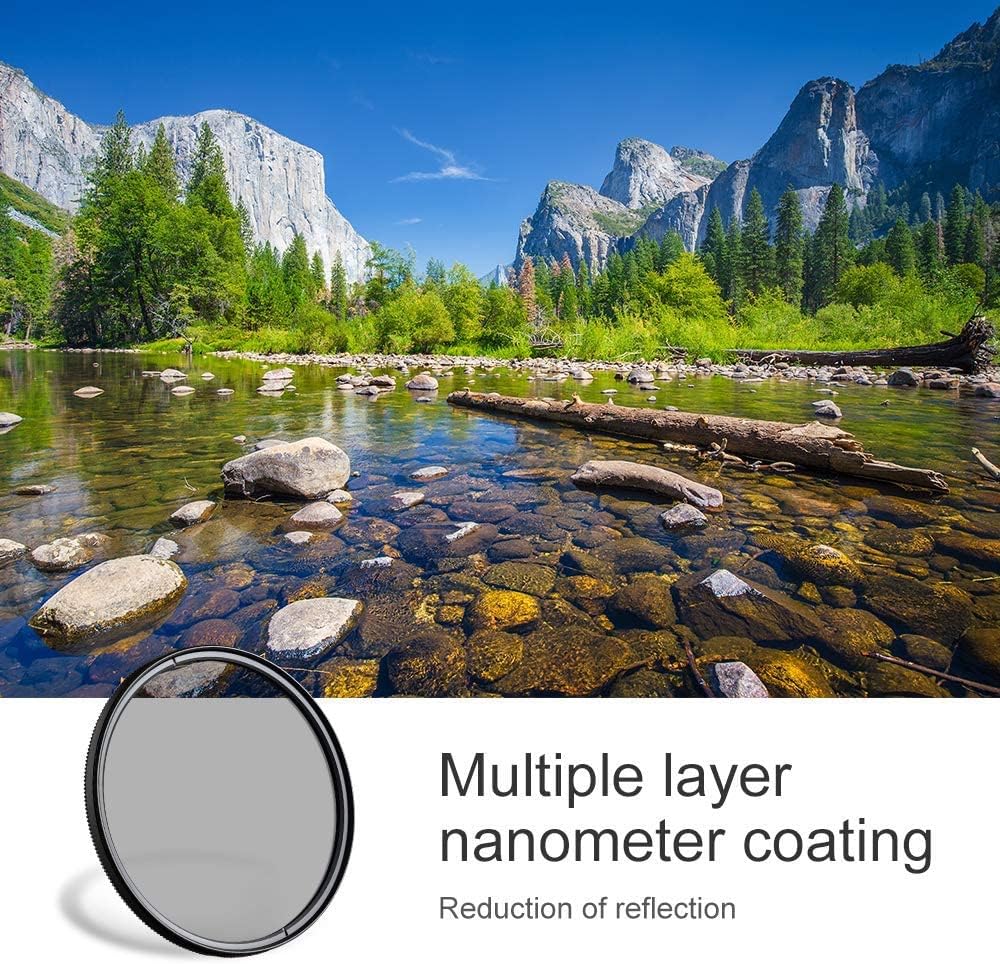
Image: A scenic landscape featuring a river and mountains, illustrating how a CPL filter enhances the blue of the sky and reduces reflections on the water surface.
4. Maintenance
Proper care and maintenance will extend the life and performance of your K&F Concept CPL filter.
- Cleaning: Use a soft, clean microfiber cloth specifically designed for optical surfaces. For stubborn smudges, a small amount of lens cleaning solution can be applied to the cloth (not directly to the filter).
- Storage: When not in use, store the filter in its protective case to prevent dust accumulation and scratches.
- Handling: Avoid touching the glass surface directly with your fingers to prevent oil and smudges.

Image: A detailed view of the CPL filter's frame, highlighting the CNC trapezoidal pattern designed for easy grip and rotation.
5. Troubleshooting
- Vignetting (Dark Corners): The K&F Concept CPL filter features an ultra-slim 5mm rim profile to minimize vignetting. If you experience dark corners, especially with wide-angle lenses, ensure the filter is correctly seated and consider if additional filters are stacked.
- Difficulty Rotating: If the filter is difficult to rotate, ensure it is clean and free of debris. Avoid forcing the rotation. The CNC non-slip design (trapezoidal pattern) is intended to provide increased friction for smooth adjustment.
- Unsatisfactory Polarization Effect: The polarizing effect is most pronounced when shooting at a 90-degree angle to the sun. Adjust your shooting angle relative to the light source and rotate the filter to find the optimal effect.

Image: An illustration comparing the effect of a thin-frame filter versus a standard filter, demonstrating how the thin design helps prevent vignetting.
6. Specifications
| Feature | Detail |
|---|---|
| Brand | K&F CONCEPT |
| Model Number | AN.KF01.1435 |
| Material | Japan Optical Glass |
| Photo Filter Thread Size | 52 Millimeters |
| Coating Description | Nano Coating |
| Photo Filter Effect Type | Polarizer |
| Water Resistance Level | Not Water Resistant |
| Product Dimensions | 2.05"L x 2.05"W |
| Item Weight | 2.22 ounces |
| UPC | 784110100231 |
7. Warranty and Support
For warranty information, technical support, or any inquiries regarding your K&F Concept 52mm Polarizer Filter, please refer to the official K&F Concept website or contact their customer service directly. Keep your purchase receipt for warranty claims.