
1. Introduction
This manual provides detailed instructions for the safe installation, operation, and maintenance of your DEWENWILS HPIP10A Plug-in Pendant Light. Please read this manual thoroughly before use and retain it for future reference.
2. Safety Information
To ensure safe operation, please observe the following precautions:
- Always disconnect power before installing, cleaning, or replacing the bulb.
- Do not exceed the maximum wattage specified for the bulb type (Incandescent: 60W, LED: 13W, CFL: 13W, Halogen: 43W).
- Ensure the light is securely mounted before use.
- This product is designed for indoor use only.
- Keep the cord away from heat sources, sharp edges, and moving parts.
- Do not operate the light with a damaged cord or plug.
3. Package Contents
Verify that all components are present in your package:
- 2 x Plug-in Pendant Lights
- 4 x Ceiling Hooks
- 4 x Wall Anchors
- 4 x Cord Clips
- 1 x User Manual (this document)

This image illustrates the various parts included in your package, such as the frosted shade, the plug-in cord with an integrated on/off switch, and the necessary hardware for installation like ceiling hooks, wall anchors, and cord clips.
4. Product Features
- Adjustable Height: Features a 15-foot cord for customizable hanging height.
- Convenient Switch: An on/off switch is located 5 feet from the plug for easy access.
- Modern Design: White frosted plastic shade with an 18 AWG brushed nickel wire and a 9.85-inch diameter.
- Durable Construction: Crafted for long-lasting performance.
- Bulb Compatibility: Supports E26 base bulbs including Incandescent (60W max), LED (13W max), CFL (13W max), and Halogen (43W max). Bulb not included.
- Energy Efficient: Designed to maximize energy efficiency.
This diagram provides key measurements of the pendant light, detailing the shade's diameter and height, the total 15-foot cord length, and the convenient placement of the on/off switch 5 feet from the plug.

This image highlights the ergonomic design of the pendant light, showing the on/off switch positioned 5 feet from the plug, allowing for comfortable operation without excessive bending.
5. Setup and Installation
Follow these steps to install your pendant light:
- Prepare the Area: Choose a desired location for your pendant light. Ensure the surface is suitable for mounting hooks.
- Install Ceiling Hooks: Use the provided ceiling hooks and wall anchors to secure the cord to the ceiling. Determine the desired hanging height and position of the light.
- Adjust Cord Length: The 15-foot cord allows for flexible height adjustment. Loop or secure excess cord using the provided cord clips to achieve your preferred length and aesthetic.
- Insert Bulb: Screw an E26 base bulb (not included) into the lamp holder. Refer to Section 4 for compatible bulb types and maximum wattages.
- Plug In: Insert the plug into a standard 120V wall outlet.

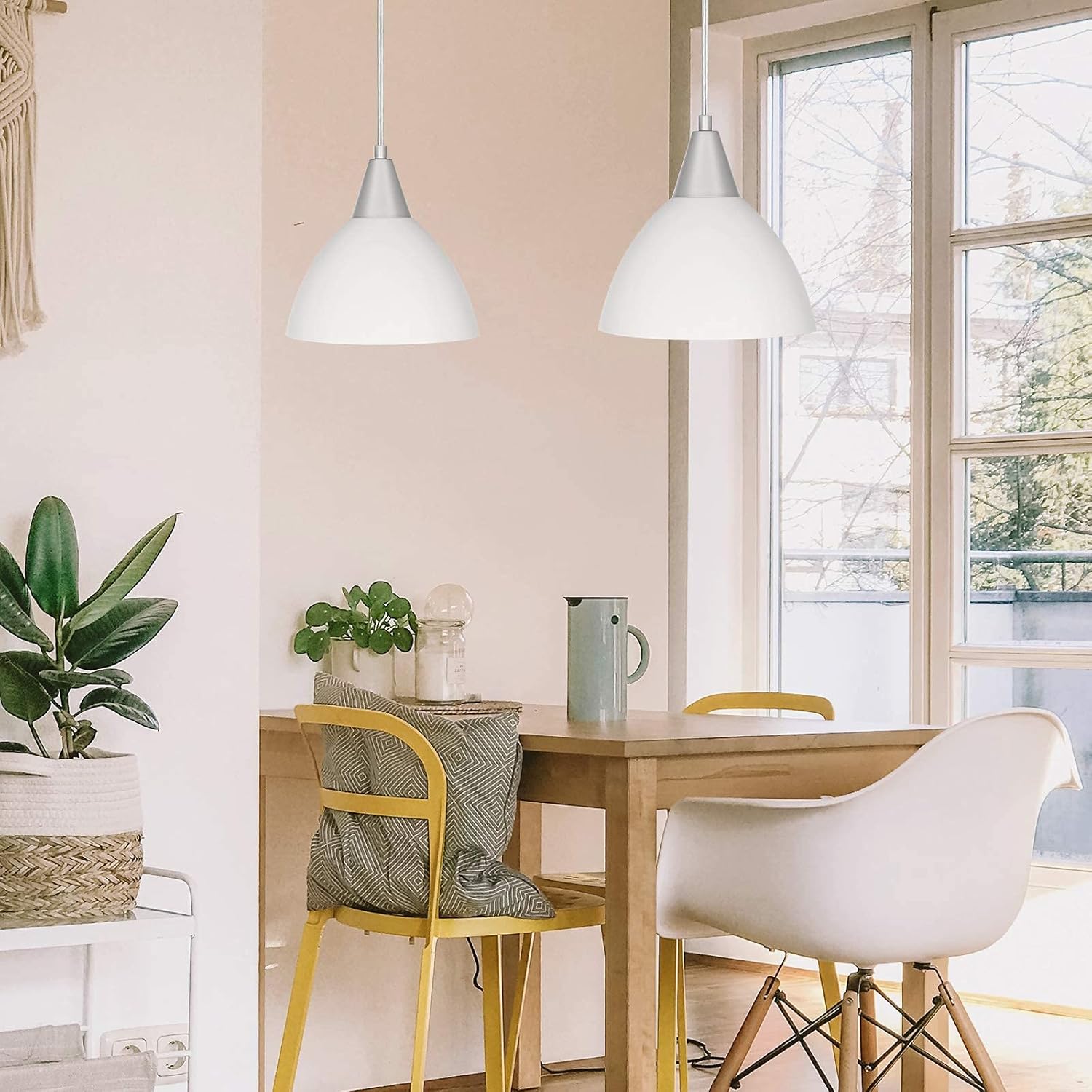
An example of the pendant lights installed in a dining room setting, demonstrating their aesthetic appeal and functional illumination over a table.
6. Operation
To operate the pendant light, locate the on/off switch on the cord, approximately 5 feet from the plug. Press the switch to turn the light on or off.

This graphic displays the range of bulb types compatible with the pendant light, such as LED, CFL, Incandescent (up to 60W), and Halogen (up to 43W), emphasizing that the bulb is not included.
7. Maintenance
Regular maintenance helps prolong the life of your pendant light:
- Cleaning: Ensure the light is unplugged before cleaning. Wipe the shade and cord with a soft, dry cloth. Do not use abrasive cleaners or solvents.
- Bulb Replacement: Always unplug the light and allow the bulb to cool completely before attempting to replace it. Screw in a new E26 base bulb, ensuring it meets the wattage requirements.
8. Troubleshooting
If you encounter issues with your pendant light, refer to the following common solutions:
- Light does not turn on:
- Check if the plug is securely inserted into the outlet.
- Verify that the on/off switch is in the 'on' position.
- Ensure the bulb is correctly screwed in and not burnt out. Replace if necessary.
- Test the outlet with another device to confirm it is receiving power.
- Light flickers:
- Ensure the bulb is screwed in tightly.
- Try a different bulb to rule out a faulty bulb.
9. Specifications
| Feature | Specification |
|---|---|
| Brand | DEWENWILS |
| Model Number | HPIP10A |
| Color | White |
| Material | Plastic |
| Product Dimensions | 9.05"L x 9.05"W x 8.66"H |
| Cord Length | 15 feet |
| Switch Type | Push Button (5 feet from plug) |
| Bulb Base | E26 |
| Max Wattage (Incandescent) | 60W |
| Max Wattage (LED/CFL) | 13W |
| Max Wattage (Halogen) | 43W |
| Voltage | 120 Volts |
| Indoor/Outdoor Usage | Indoor |
10. Warranty Information
This DEWENWILS product comes with a 1-year warranty from the date of purchase. Please retain your proof of purchase for warranty claims. The warranty covers defects in materials and workmanship under normal use.
11. Customer Support
For any questions, technical assistance, or warranty inquiries, please contact DEWENWILS customer support through the retailer's platform or the official DEWENWILS website. Please have your model number (HPIP10A) and purchase information ready.
