
Introduction
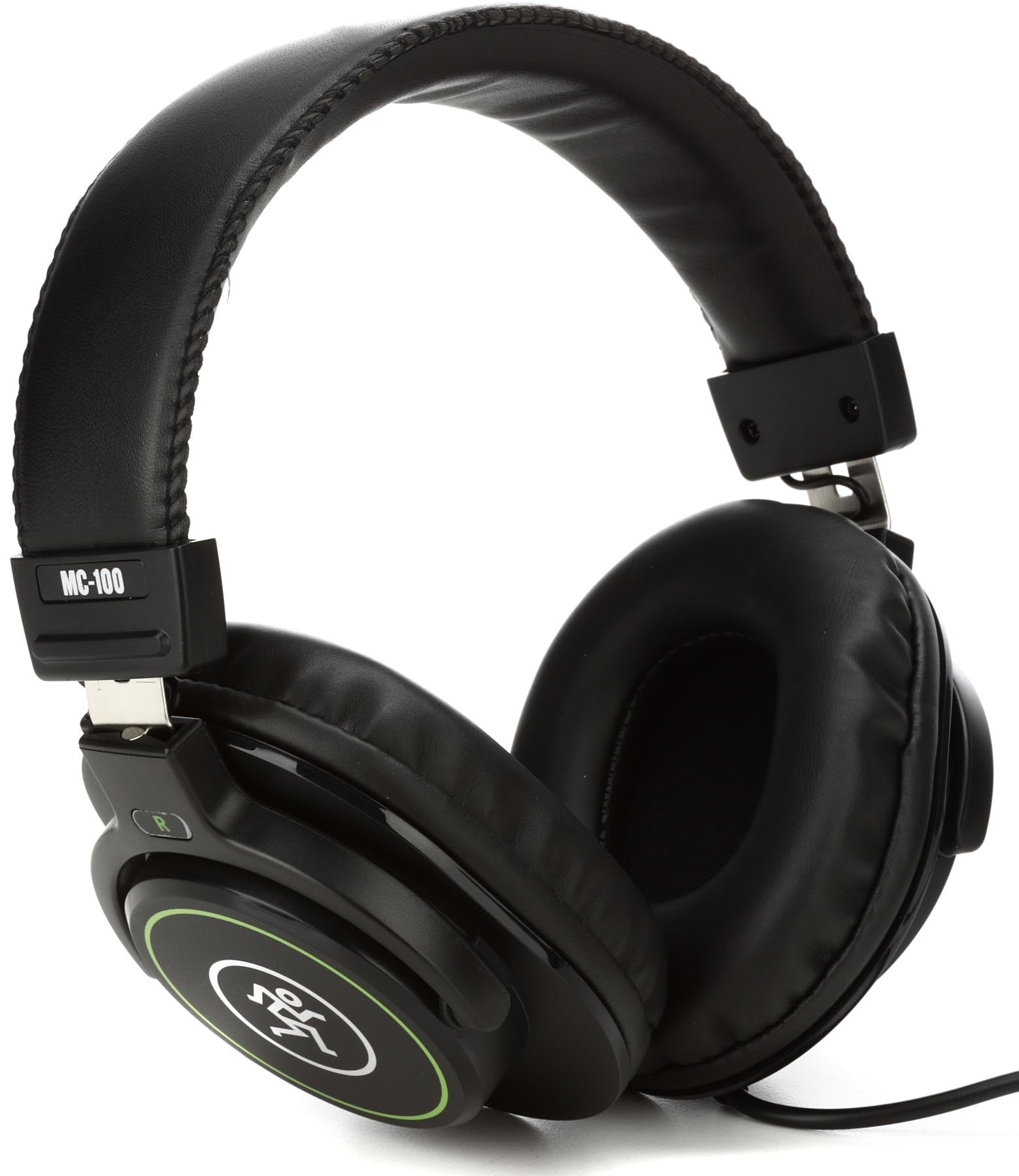
Thank you for choosing Mackie MC-100 Professional Closed-Back Headphones. These headphones are designed to deliver clear, balanced sound for studio monitoring, content creation, and personal listening. This manual provides essential information for proper setup, operation, maintenance, and troubleshooting to ensure optimal performance and longevity of your product.
Setup
1. Unpacking
- Carefully remove the MC-100 headphones from their packaging.
- Inspect the headphones and included cable for any signs of damage.
2. Connecting the Headphones
- Locate the 3.5mm audio jack on your audio device (e.g., laptop, audio interface, smartphone).
- Insert the 3.5mm connector of the headphone cable firmly into the audio jack.
- If your device requires a 6.35mm (1/4-inch) adapter, attach the appropriate adapter to the 3.5mm connector before plugging it into the device.
3. Adjusting for Comfort
For optimal sound isolation and comfort, adjust the headphones to fit your head properly.
- Headband Adjustment: Gently slide the earcups up or down along the headband until they rest comfortably over your ears and the headband sits securely on your head.
- Earcup Orientation: Ensure the earcups fully enclose your ears without excessive pressure. The soft ear pads are designed to conform to your ear shape.
This image shows a user wearing the Mackie MC-100 Professional Closed-Back Headphones, demonstrating their use in a studio environment with a sound mixing console.
Operating
1. Basic Listening
- Once connected, play audio from your source device.
- Start with a low volume level on your device and gradually increase it to a comfortable listening level.
2. Volume Control
The MC-100 headphones do not feature integrated volume controls. Adjust the audio output level directly from your connected device (e.g., computer, audio interface, smartphone).
3. Compatibility
These headphones are compatible with a wide range of devices featuring a 3.5mm or 6.35mm (with adapter) audio output. This includes laptops, desktop computers, audio interfaces, mixing consoles, and portable media players.
Maintenance
1. Cleaning
- Ear Pads: Gently wipe the ear pads with a soft, damp cloth. Avoid using harsh chemicals or abrasive cleaners. Allow them to air dry completely before use.
- Headband and Exterior: Use a dry, soft cloth to wipe down the headband and other exterior surfaces.
- Do not immerse the headphones in water or any cleaning solution.
2. Cable Care
- Avoid sharp bends or excessive pulling on the cable.
- When storing, coil the cable loosely to prevent tangling and damage.
3. Storage
Store your headphones in a clean, dry place away from extreme temperatures, humidity, and direct sunlight. Using a protective case (not included) can help prevent damage during transport.
Troubleshooting
1. No Sound
- Check Connections: Ensure the headphone cable is fully inserted into both the headphones and the audio source.
- Volume Level: Verify that the volume on your audio source device is turned up and not muted.
- Audio Source: Test the headphones with a different audio source or device to rule out an issue with the original source.
- Cable Integrity: Inspect the cable for any visible damage or kinks.
2. Distorted or Poor Sound Quality
- Volume Level: Reduce the volume on your audio source. Excessive volume can cause distortion.
- Audio Source Quality: Ensure the audio file or stream quality is high. Low-quality audio sources can sound poor through any headphones.
- Connections: Re-seat the cable connections to ensure they are secure.
3. Uncomfortable Fit
- Adjust Headband: Re-adjust the headband length to find a more comfortable position.
- Earcup Position: Ensure the earcups are centered over your ears and not pressing unevenly.
Specifications
| Brand | Mackie |
| Model Number | MC-100 |
| Ear Placement | Over Ear |
| Impedance | 32 Ohms |
| Sensitivity | 95 dB |
| Frequency Range | 15Hz - 22kHz |
| Connectivity Technology | Wired |
| Headphone Jack | 3.5 mm Jack |
| Item Weight | 0.93 Pounds |
| Style Name | Closed-Back |
Warranty Information
The Mackie MC-100 Professional Closed-Back Headphones come with a 1-year warranty covering electronics and drivers from the date of original purchase. This warranty covers manufacturing defects under normal use. For detailed warranty terms and conditions, please refer to the official Mackie website or contact customer support.
Support
For further assistance, technical support, or to access additional resources, please visit the official Mackie website. You can find FAQs, product registration, and contact information for customer service there.
Website: www.mackie.com