Introduction
This manual provides detailed instructions for the installation, operation, and maintenance of your Enbrighten Wireless LED Light Bar. Please read this manual thoroughly before using the product to ensure proper function and safety. This battery-operated LED utility light is designed to provide convenient illumination in various indoor spaces such as closets, pantries, utility rooms, and under cabinets.

Image: The Enbrighten Wireless LED Light Bar, a sleek white bar with multiple LED lights, viewed from an angle.
Safety Information
Please observe the following safety precautions to prevent injury or damage to the product:
- Do not expose the light bar to water or excessive moisture. This product is for indoor use only.
- Do not mix old and new batteries. Do not mix alkaline, standard (carbon-zinc), or rechargeable (nickel-cadmium) batteries.
- Ensure batteries are inserted with correct polarity (+/-). Incorrect insertion can cause damage.
- Remove batteries if the product is not going to be used for an extended period.
- Do not attempt to disassemble or modify the light bar. There are no user-serviceable parts inside.
- Keep out of reach of children.
Package Contents
Verify that all components are present before installation:
- 1 x Enbrighten Wireless LED Light Bar
- Mounting Screws (typically included)
- Double-sided Tape (typically included)
Note: 8 AA batteries are required for operation and are NOT included.
Features
The Enbrighten Wireless LED Light Bar offers several convenient features:
- Portable Lighting: Ideal for various indoor locations including kitchens, desks, workbenches, pantries, utility rooms, closets, under cabinets, attics, and garages.
- Bright Illumination: Delivers 150 lumens of ultra-bright, soft white light (4000K) to illuminate dark spaces effectively.
- Touch-Activated: Simple ON/OFF feature; just touch the metal contacts at the end of the light bar to control power.
- Battery-Operated: No wiring required for installation, offering cordless convenience.
- Easy Installation: Mounts using included screws, keyhole mounts, or double-sided tape.
- Long-lasting LEDs: Designed for durability and extended use.

Image: A graphic highlighting key features: Touch ON/OFF, No wiring, Bright white LEDs, 150 Lumens, and the requirement for 8 AA batteries (not included).
Setup
1. Battery Installation
- Locate the battery compartment cover on the back of the light bar.
- Slide or unclip the cover to open the compartment.
- Insert 8 AA batteries, ensuring correct polarity (+/-) as indicated inside the compartment.
- Replace the battery compartment cover securely.
2. Mounting Options
The light bar offers flexible mounting solutions:
- Screws: Use the provided screws to secure the light bar to a surface via the keyhole slots on the back.
- Keyhole Mounts: Align the keyhole slots on the back of the light bar with pre-drilled screws on your desired surface and slide into place.
- Double-Sided Tape: Apply the included double-sided tape to the back of the light bar and press firmly onto a clean, dry surface.
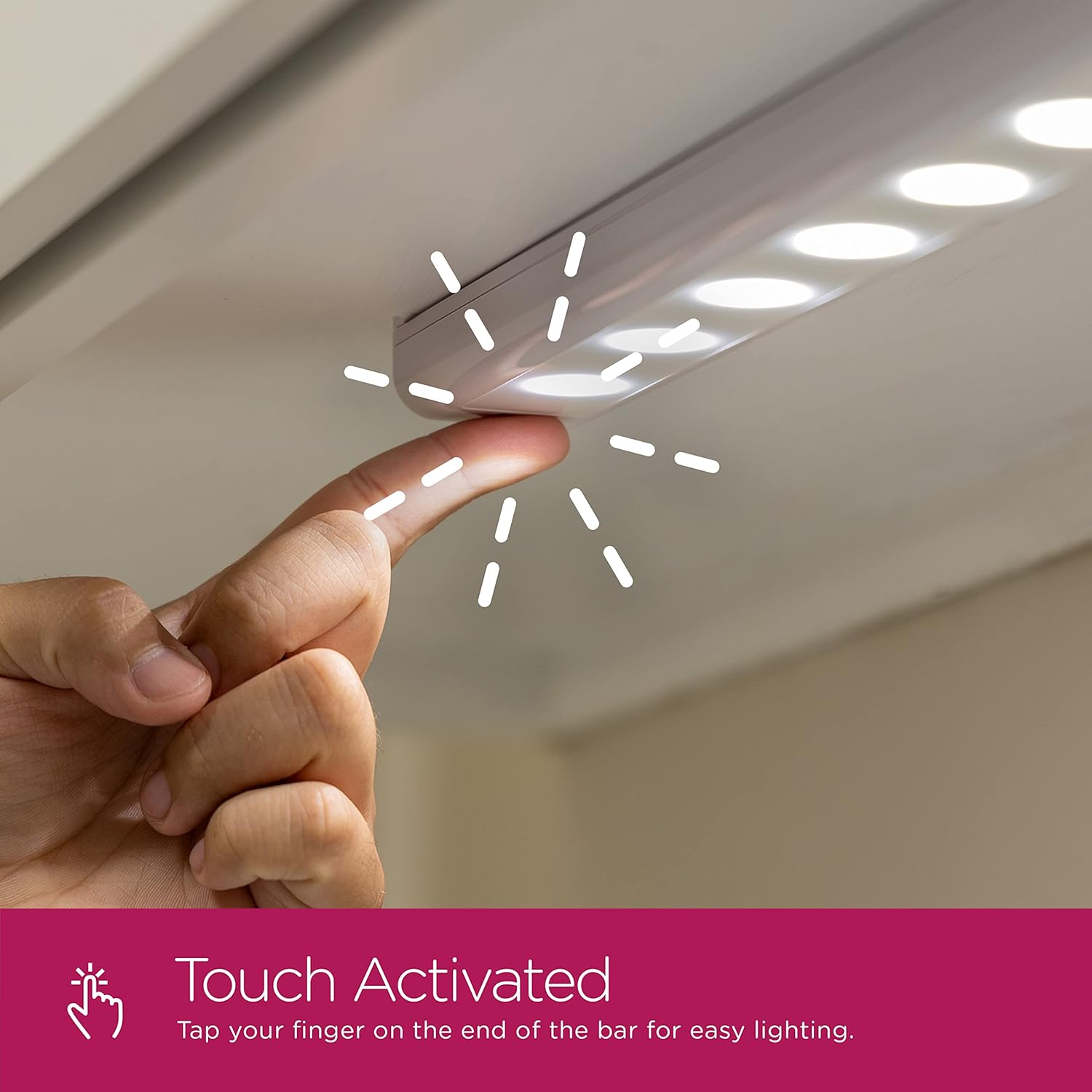
Image: A graphic illustrating the easy installation methods, showing a keyhole mount and hook-and-loop tape options.
Choose a mounting location that is clean, dry, and provides adequate space for the light bar. Ensure the surface is suitable for the chosen mounting method.
Operating
The Enbrighten Wireless LED Light Bar features simple touch-activated operation:
- To turn the light ON, gently touch the metal contacts located at either end of the light bar.
- To turn the light OFF, touch the metal contacts again.
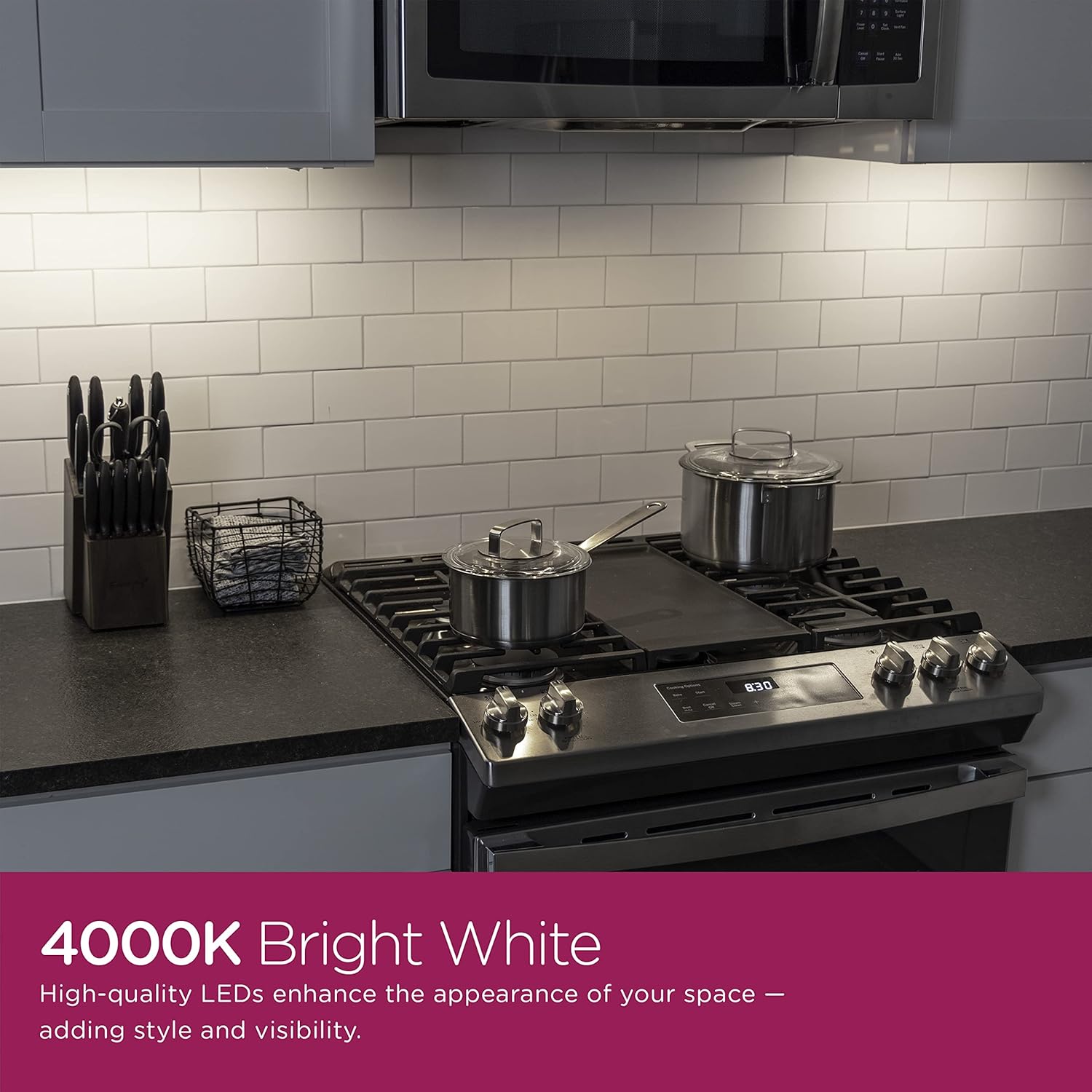
Image: A hand demonstrating the touch-activated feature by tapping a finger on the end of the light bar.

Image: The Enbrighten LED Light Bar installed under a cabinet, providing illumination in a laundry room setting.
Maintenance
Cleaning
To clean the light bar, wipe it gently with a soft, dry cloth. Do not use abrasive cleaners, solvents, or harsh chemicals, as these may damage the finish or internal components.
Battery Replacement
When the light begins to dim or fails to turn on, it is time to replace the batteries. Follow the battery installation steps outlined in the 'Setup' section to replace all 8 AA batteries with new ones.
Troubleshooting
| Problem | Possible Cause | Solution |
|---|---|---|
| Light does not turn on. | Batteries are dead or incorrectly installed. | Replace batteries, ensuring correct polarity. |
| Light is dim. | Batteries are low. | Replace all batteries with new ones. |
| Light flickers. | Loose battery connection or low batteries. | Check battery compartment for secure fit; replace batteries if necessary. |
| Touch activation is unresponsive. | Dirty contacts or internal issue. | Ensure metal contacts are clean and dry. If problem persists, contact customer support. |
Specifications
| Attribute | Value |
|---|---|
| Model Number | 52333-T1 |
| Brightness | 150 Lumens |
| Wattage | 3 watts |
| Light Source Type | LED |
| Light Color | Soft White (4000K) |
| Power Source | Battery Powered (8 AA batteries, not included) |
| Control Method | Touch |
| Material | Plastic, Metal |
| Dimensions (L x W x H) | 18.2 x 4.5 x 1.1 inches (approximate package dimensions) |
| Item Weight | 7.2 ounces |
| Indoor/Outdoor Usage | Indoor |

Image: A diagram showing the dimensions of the light bar: 18.00 inches in length, 2.00 inches in width, and 0.75 inches in depth.
Warranty and Support
This Enbrighten Wireless LED Light Bar comes with a 90-day limited warranty from the date of purchase. This warranty covers manufacturing defects and workmanship under normal use.
For warranty claims, technical support, or any questions regarding your product, please contact the manufacturer, Jasco Products Company, LLC, directly. Refer to the product packaging or the manufacturer's official website for the most current contact information.
Please retain your proof of purchase for warranty purposes.