1. Introduction
This manual provides essential information for the safe and effective operation of your VEVOR VFD 2.2KW Variable Frequency Drive. Please read these instructions carefully before installation, operation, or maintenance to ensure proper use and prevent damage or injury. This device is designed for controlling the speed of spindle motors and other industrial applications requiring precise motor speed regulation.
2. Safety Information
Always observe the following safety precautions to prevent electrical shock, fire, or damage to the equipment:
- Ensure the power supply is disconnected before any wiring or maintenance.
- Only qualified personnel should perform installation and wiring.
- Verify correct voltage and current ratings before connecting the VFD.
- Do not operate the VFD in wet or dusty environments.
- Ensure proper grounding of the unit.
- The VFD contains high voltage components even after power is disconnected. Allow sufficient time for capacitors to discharge before touching internal components.
The VFD is equipped with multiple protection features including overload, fuse, over-voltage, under-voltage, restart, stall, short-circuit, and over-heat protection to enhance safety during operation.

Image: Multiple Safeguards. This image illustrates the various protection mechanisms integrated into the VFD, including over-heat, fuse, and voltage protection, ensuring reliable and safe operation.

Image: Multiple Protection Types. This diagram details the comprehensive protection suite of the VFD, covering overload, overheat, voltage fluctuations, fuse, restart, short circuit, and missing phase protection.
3. Product Features
- Low-Noise Operation: Optimized PWM control technology and electromagnetic compatibility design reduce noise and electromagnetic interference.
- Multiple Protection: Includes overload, fuse, over-voltage (DC voltage >400V), under-voltage (DC voltage <200V), restart, stall, short-circuit, and over-heat protection.
- Smart Digital Display: User-friendly keyboard design with a clear digital display for intuitive operation. The detachable design allows for remote control.
- Powerful Performance: Offers high moment of force, high accuracy, both synchronization and non-synchronization capabilities, and a wide speed regulating range.
- Independent Cooling Air Duct: Designed to effectively prevent dust, water, and mist from affecting internal components, featuring high air volume and an easy-to-clean fan. Includes a built-in radiator to reduce surrounding temperature.
- Premium Drive Board: Utilizes high-speed CPU, high-efficiency clock chip, CPLD hardware, analog input buffer device, and 6 optocoupler input isolation for reliable performance.
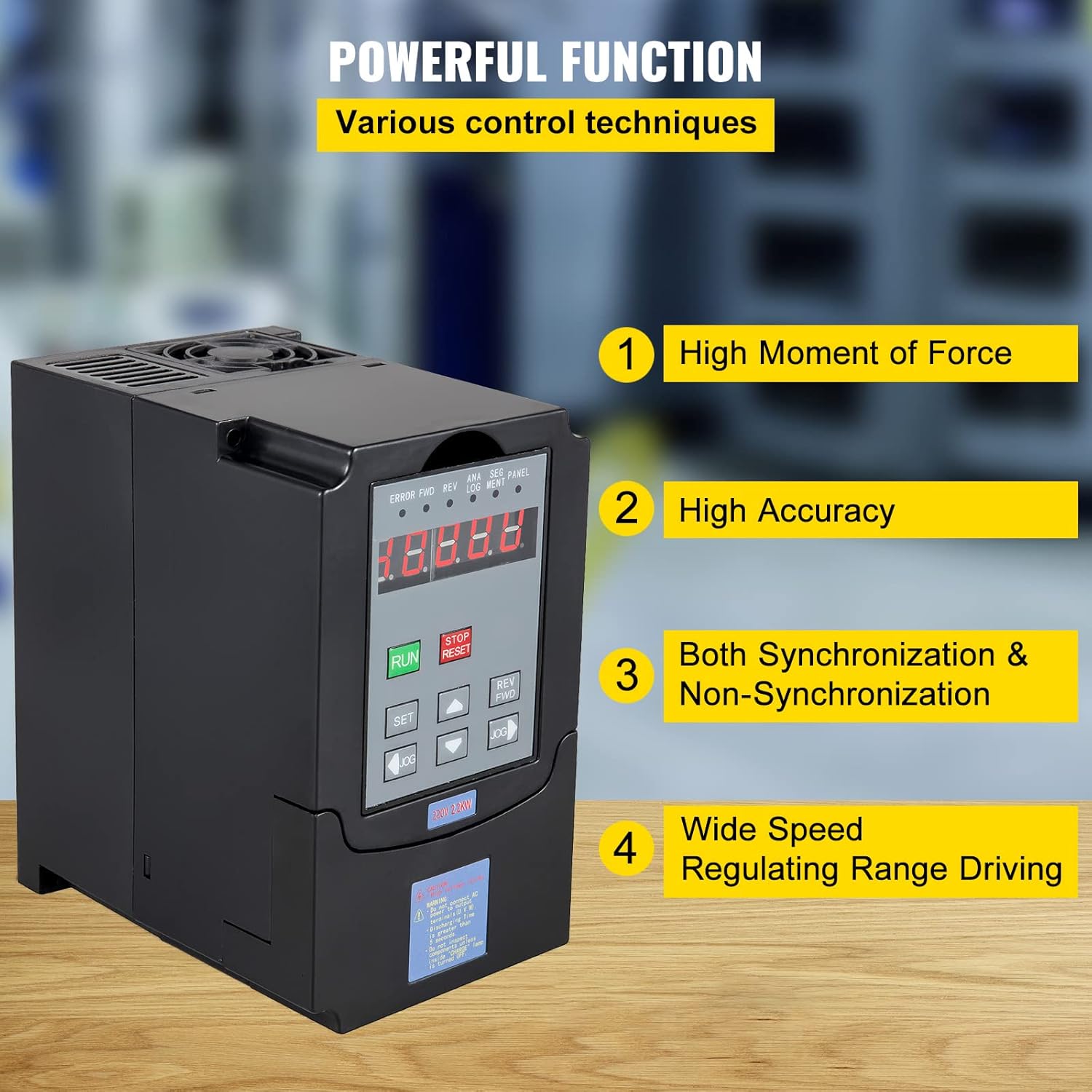
Image: Powerful Functions. This image highlights the key performance attributes of the VFD, including its high torque, precision, versatile synchronization modes, and broad speed control capabilities.

Image: Independent Cooling Air Duct. This visual demonstrates the VFD's cooling system, featuring an independent air duct, high-volume fan for easy cleaning, and a built-in radiator for effective heat dissipation.
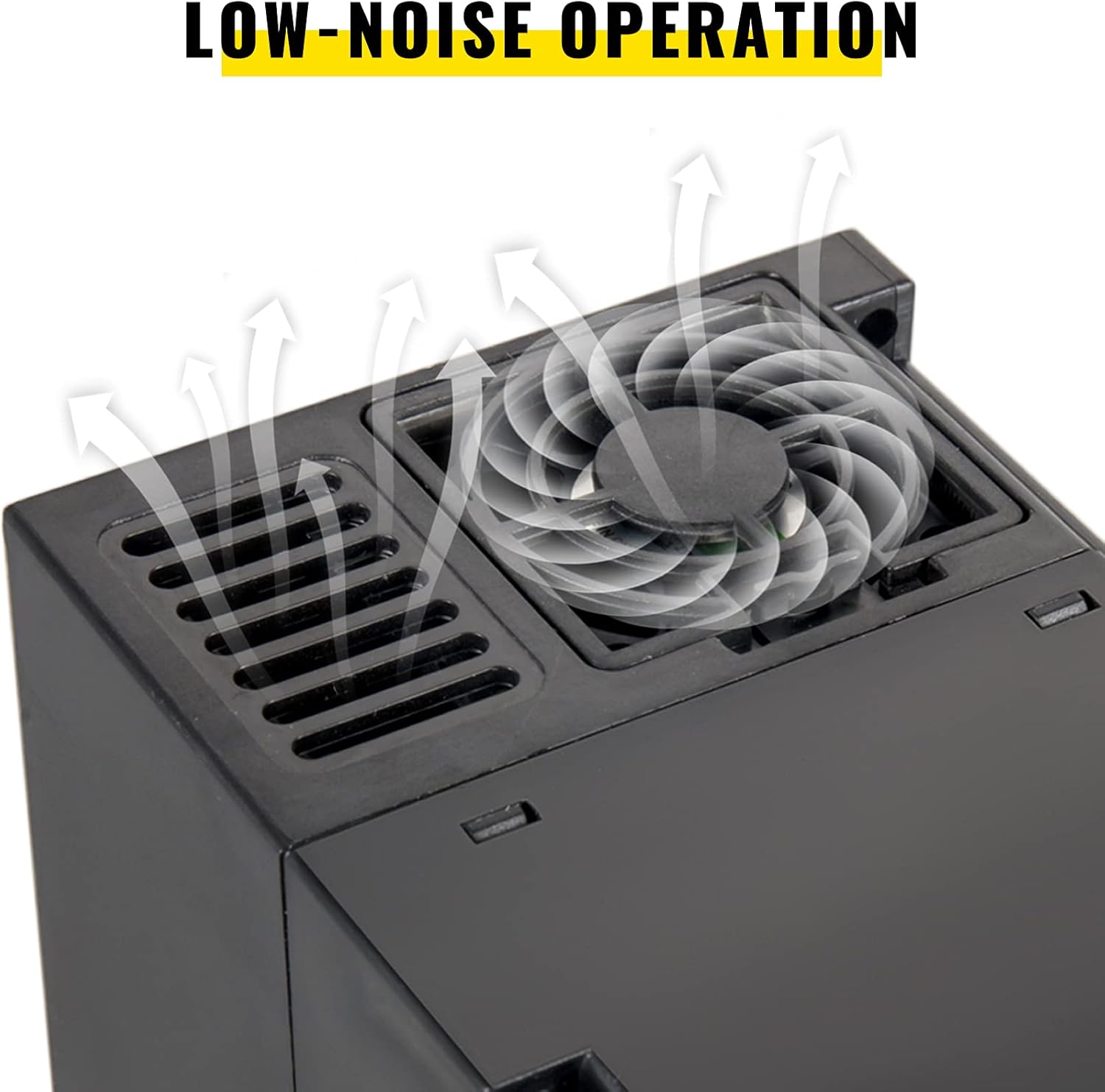
Image: Low-Noise Operation. A close-up view of the VFD's cooling fan, illustrating the design for quiet operation and efficient heat management.

Image: Premium Drive Board. This internal view showcases the advanced components of the VFD's drive board, including the high-speed CPU, clock chip, CPLD hardware, and optocoupler isolation for robust performance.
4. Product Specifications
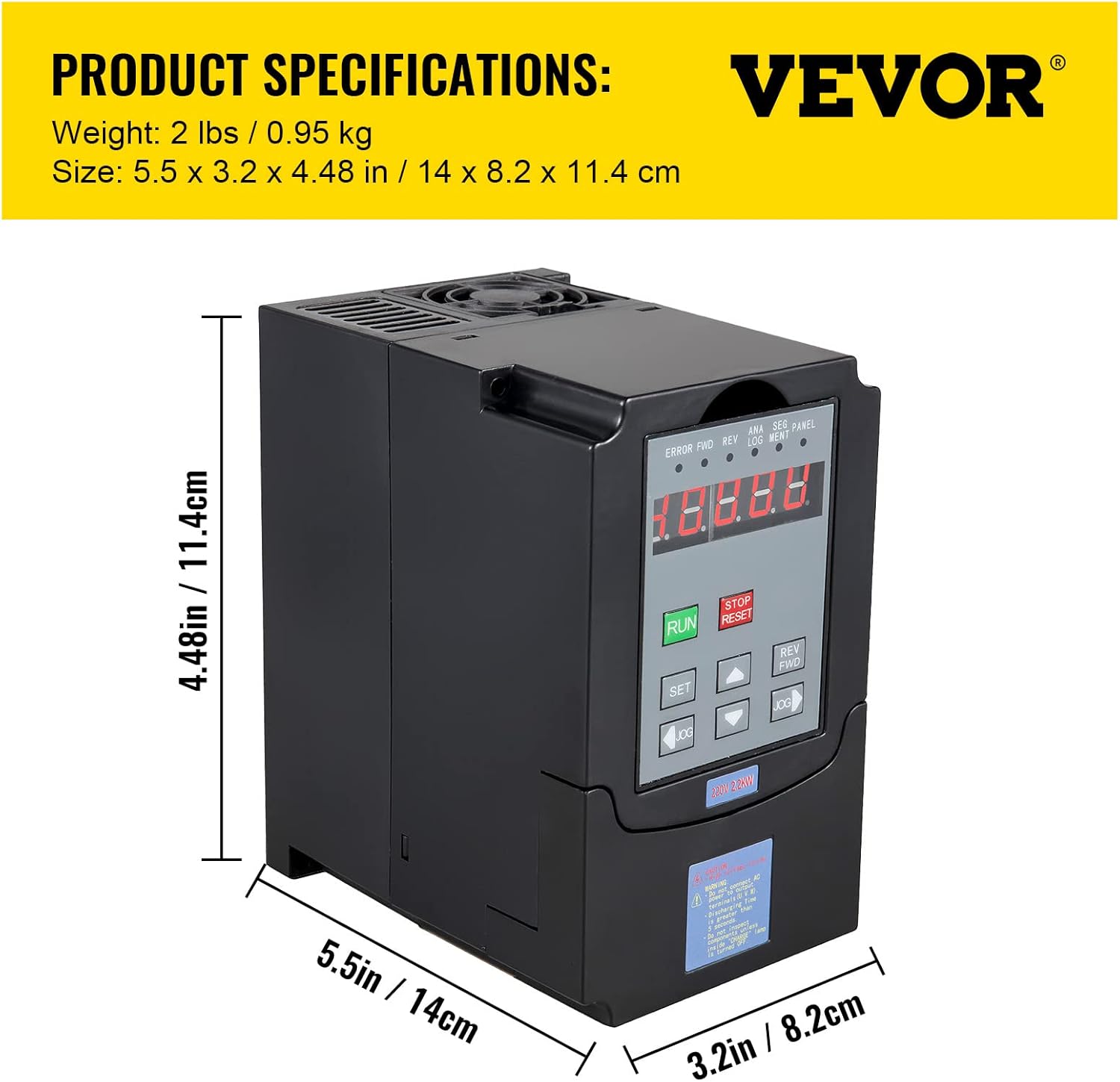
Image: Product Specifications. This image provides a visual representation of the VFD's physical dimensions and weight.
| Specification | Value |
|---|---|
| Manufacturer | VEVOR |
| Part Number | vfd 2.2 220v |
| Item Weight | 2.3 pounds (1.04 kg) |
| Product Dimensions | 7.5 x 7.1 x 5.1 inches (19.05 x 18.03 x 12.95 cm) |
| Item Model Number | CNC Motor Drive Controller |
| Size | 2.2KW |
| Color | Black |
| Style | 220V 2.2kw 3HP |
| Power Source | 220V |
| Voltage | 220 Volts |
| Wattage | 2.2 KW |
| Item Package Quantity | 1 |
| Included Components | 1 x VFD 2.2KW |
5. Setup and Installation
Proper installation is crucial for the VFD's performance and safety. Refer to the detailed wiring diagrams provided with your product packaging for specific connections. General steps include:
- Mounting: Securely mount the VFD in a well-ventilated area, away from direct sunlight, excessive heat, moisture, and corrosive gases. Ensure adequate space for heat dissipation.
- Power Input: Connect the 220V power supply to the designated input terminals. This VFD supports both 1-phase and 3-phase input, with 3-phase output. Ensure the input phase configuration matches your power supply.
- Motor Output: Connect the spindle motor to the VFD's output terminals (U, V, W). Ensure correct phase sequence.
- Grounding: Connect the VFD to a reliable earth ground.
- Control Wiring: If using external control signals (e.g., potentiometer for speed control, external start/stop buttons), connect them to the appropriate control terminals as per the wiring diagram.
- Initial Parameter Settings: Before first use, configure essential parameters such as motor rated frequency, rated voltage, and maximum output frequency according to your motor's specifications and application requirements.
6. Operating Instructions
The VFD features a user-friendly control panel for easy operation. The detachable panel allows for flexible placement.

Image: Separate Operation Panel. This image provides a detailed breakdown of the VFD's control panel, identifying each button and its primary function for intuitive operation.
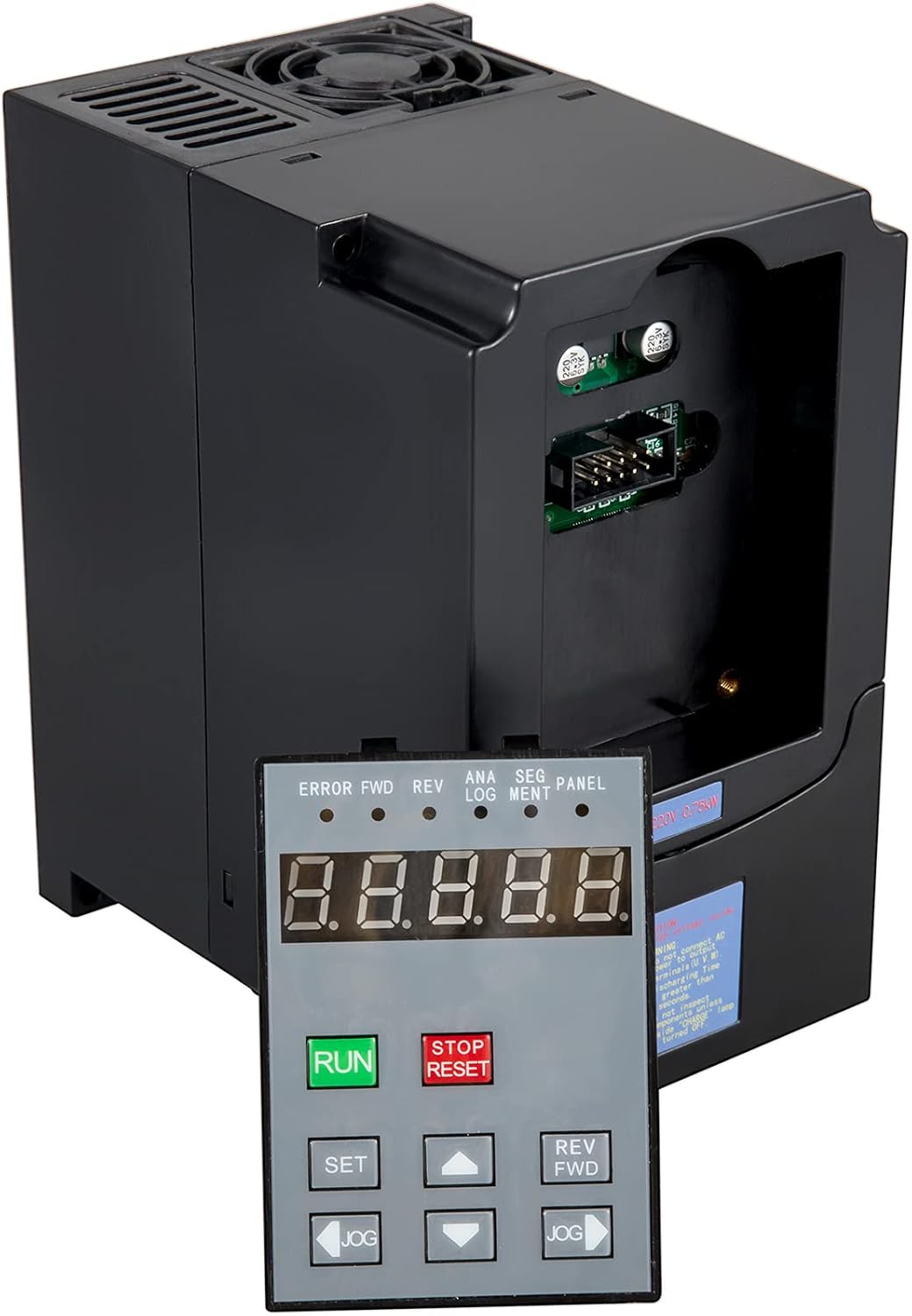
Image: VFD with Detached Control Panel. This image shows the VFD unit alongside its detachable control panel, highlighting the flexibility for remote operation.
Control Panel Functions:
- RUN Key: Initiates motor operation.
- STOP/RESET Button: Stops motor operation or resets fault alarms.
- SET Key: Enters parameter setting mode or confirms parameter changes.
- Up/Down Arrow Keys: Used to navigate through parameters or adjust values.
- REV/FWD Key: Changes the direction of motor rotation (Reverse/Forward).
- JOG Keys: Used for momentary forward or reverse operation, or for fine-tuning settings.
Basic Operation Steps:
- Power On: Apply power to the VFD. The digital display will illuminate.
- Set Frequency/Speed: Use the Up/Down arrow keys to adjust the desired output frequency (motor speed). Refer to the manual for specific parameter settings if external control is desired.
- Start Motor: Press the RUN key to start the motor.
- Change Direction: If needed, press the REV/FWD key to reverse the motor's direction.
- Stop Motor: Press the STOP/RESET button to stop the motor.
7. Maintenance
Regular maintenance ensures the longevity and optimal performance of your VFD.
- Cleaning: Periodically clean the VFD's exterior and cooling fan to prevent dust accumulation, which can hinder heat dissipation. Ensure power is disconnected before cleaning.
- Inspection: Regularly inspect wiring connections for tightness and signs of wear or damage.
- Environment: Maintain a clean, dry, and well-ventilated operating environment.
- Cooling System: The independent cooling air duct and built-in radiator are designed for efficient heat management. Ensure air vents are not obstructed.
8. Troubleshooting
The VFD is designed with multiple protection features to indicate and prevent operational issues. If the VFD displays an error code or behaves unexpectedly, refer to the following general guidance:
- Overload Protection: If an overload fault occurs, check the motor load and ensure it does not exceed the VFD's capacity. Reduce the load or check for mechanical issues with the motor.
- Over-Heat Protection: If an over-heat fault occurs, check the ambient temperature, ensure proper ventilation, and clean any dust from the cooling fan and heatsink.
- Over-Voltage/Under-Voltage Protection: Verify the input power supply voltage is within the specified range (220V). Fluctuations can trigger these protections.
- Short-Circuit Protection: If a short-circuit fault occurs, immediately disconnect power and inspect motor wiring and output terminals for any short circuits.
- Restart Protection: This feature prevents automatic restarts after a fault. Manual reset via the STOP/RESET button is typically required.
- Fuse Protection: If the VFD does not power on, check the internal fuse. Replacement should only be done by qualified personnel with the correct fuse type.
For specific error codes and detailed troubleshooting steps, consult the comprehensive manual provided with your product or contact VEVOR customer support.
9. Warranty and Support
The manufacturer's warranty description for this product is listed as "no". Please refer to your purchase documentation or retailer for any applicable return or service policies.
For technical assistance, questions regarding operation, or further support, please contact VEVOR customer service through their official channels. Ensure you have your product model number (CNC Motor Drive Controller) and any relevant purchase information available when seeking support.


