
1. Introduction
Thank you for choosing the LAICA VT3240 XPro Automatic Vacuum Sealer. This appliance is designed to preserve food efficiently by removing air from specially designed bags and containers, extending freshness up to 8 times longer than traditional storage methods. Please read this manual carefully before operating the device to ensure safe and optimal performance.
2. Safety Instructions
Always follow basic safety precautions when using electrical appliances to reduce the risk of fire, electric shock, and injury.
- Do not immerse the appliance, power cord, or plug in water or other liquids.
- Keep the appliance out of reach of children.
- Do not operate the appliance with a damaged cord or plug.
- Ensure the appliance is placed on a stable, flat, and dry surface.
- Do not use the appliance for purposes other than its intended use.
- Allow the appliance to cool down between consecutive sealing cycles to prevent overheating.
- Only use LAICA original bags and accessories or compatible alternatives designed for vacuum sealing.
3. Product Overview
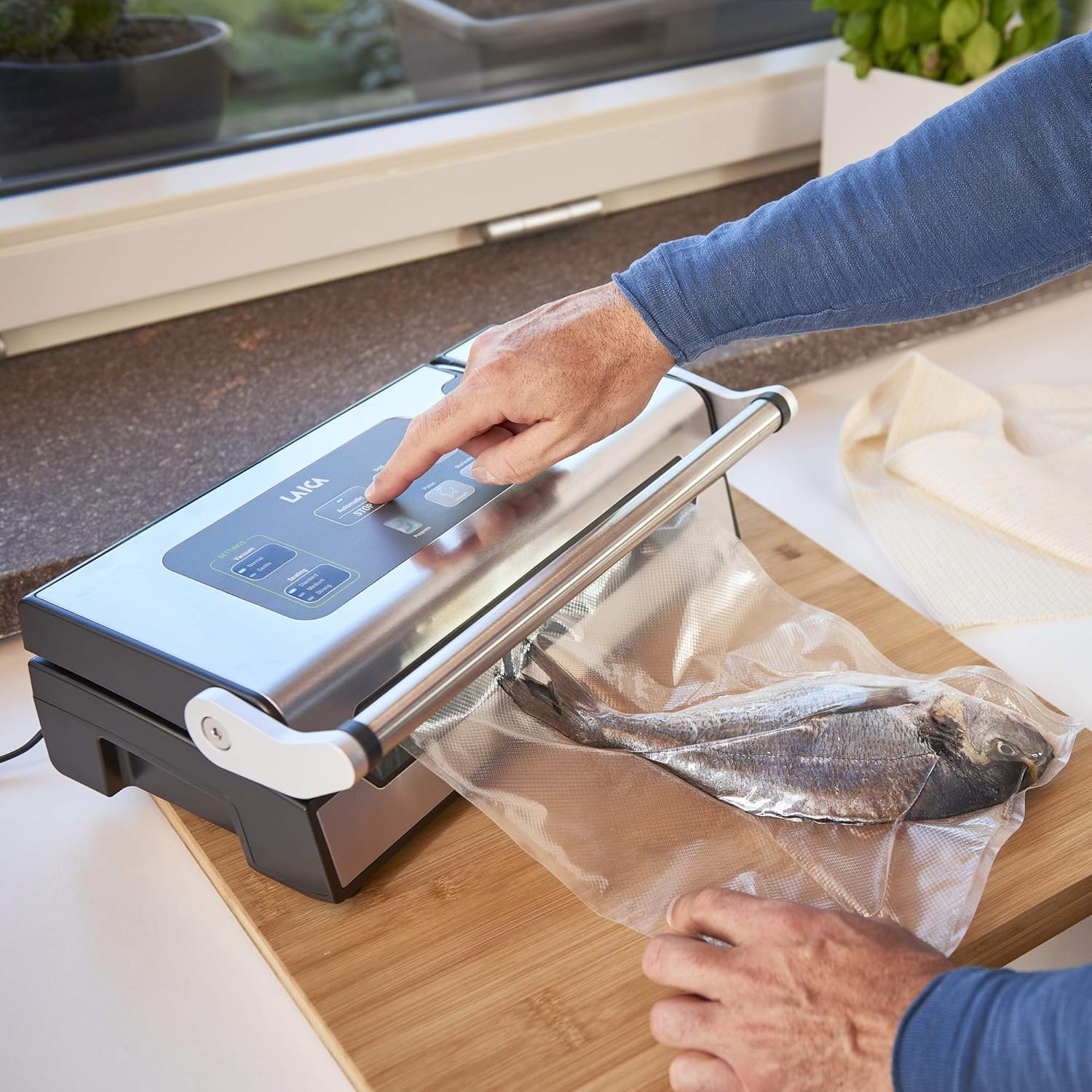
The LAICA VT3240 XPro is equipped with advanced features for efficient food preservation.
- Advanced Heat Sealing Machine: Offers triple sealing settings (standard, medium, strong) for optimal food preservation.
- Efficient Vacuum Sealer: Features a dual suction pump with a capacity of 22 L/min and adjustable suction power (normal, light). Capable of 100 consecutive automatic cycles.
- Versatile Functions: Includes partial vacuum, seal-only, quick marinating, and manual vacuum control.
- Double Sealing Bar: Ensures a secure vacuum seal.
- Integrated Universal Connector: For use with external vacuum containers.
- Removable Liquid Collection Tray: For easy cleaning.
- Progress Indicator: Provides status updates during operation.
- Roll Compartment with Bidirectional Cutter: Convenient storage and cutting of vacuum sealer rolls.

4. Setup
Follow these steps to set up your LAICA VT3240 XPro vacuum sealer:
- Position the device: Place the appliance on a flat, stable surface, ensuring sufficient space in front of it for operation.
- Connect power: Plug the power cord into the device, then into an electrical outlet.
- Prepare the bag: Insert the food to be packaged uniformly into the vacuum bag. Ensure the bag is at least 8 cm longer than the food to be preserved.
- Lift the lid: Open the lid of the vacuum sealer.

5. Operating Instructions
The VT3240 XPro offers various modes for different food preservation needs.
5.1. Vacuum and Seal
This is the standard mode for vacuum sealing food in bags.
- Place the open end of the bag into the vacuum channel.
- Close the lid firmly until it clicks into place.
- Select the desired vacuum power (Normal or Light) and sealing strength (Standard, Medium, Strong) if available.
- Press the 'Vacuum & Seal' button. The machine will automatically remove air and then seal the bag.
- Wait for the progress indicator to show completion, then open the lid and remove the sealed bag.

5.2. Seal Only
Use this function to seal bags without vacuuming, or to create custom-sized bags from a roll.
- Place the open end of the bag onto the sealing bar.
- Close the lid firmly.
- Press the 'Seal' button. The machine will create a heat seal.
- Wait for the indicator to show completion, then open the lid and remove the sealed bag.
5.3. Manual Vacuum Control
This mode allows you to control the vacuum process manually, ideal for delicate foods.
- Place the open end of the bag into the vacuum channel.
- Close the lid firmly.
- Press and hold the 'Manual Vacuum' button to start vacuuming.
- Release the button when the desired vacuum level is reached.
- Immediately press the 'Seal' button to seal the bag.
5.4. Quick Marinating Function
This function uses intermittent vacuum cycles to quickly marinate food in compatible vacuum containers.
- Place food and marinade into a LAICA vacuum container.
- Connect the universal connector hose from the vacuum sealer to the container's valve.
- Close the lid of the vacuum sealer.
- Press the 'Marinate' button. The machine will cycle through vacuum and release phases.
- Once the cycle is complete, disconnect the hose.

6. Maintenance and Cleaning
Regular cleaning ensures the longevity and hygiene of your vacuum sealer.
- Always unplug the appliance before cleaning.
- Wipe the exterior of the appliance with a damp cloth. Do not use abrasive cleaners.
- The removable liquid collection tray should be emptied and washed with warm, soapy water after each use, especially if liquids have been drawn into it.
- Clean the sealing bar and vacuum channel with a soft, damp cloth to remove any food residue.
- Ensure all parts are completely dry before storing or next use.
7. Troubleshooting
If you encounter issues with your LAICA VT3240 XPro, refer to the following common problems and solutions:
| Problem | Possible Cause | Solution |
|---|---|---|
| Appliance does not turn on | Not plugged in; Power outlet malfunction | Check power cord connection; Try a different outlet. |
| Vacuum pump runs but does not seal | Bag not correctly placed; Lid not fully closed; Sealing bar dirty | Ensure bag opening is flat in the vacuum channel; Press lid firmly until it clicks; Clean the sealing bar. |
| Air is not fully removed from the bag | Bag is leaking; Moisture in the vacuum channel; Food too bulky | Inspect bag for holes; Clean and dry the vacuum channel; Reposition food to allow air extraction. |
| Bag melts during sealing | Sealing time too long; Incorrect bag type | Use a lower sealing strength setting; Ensure you are using appropriate vacuum sealer bags. |
8. Specifications
- Brand: Laica
- Model: VT3240 XPro (PZ2011)
- Color: Steel
- Product Dimensions: 16.5 x 22.2 x 43.3 cm
- Wattage: 1000 watts
- Material: Steel
- Item Weight: 5.4 kg
- Vacuum Pump Capacity: 22 L/min
- Consecutive Cycles: Up to 100
- Sealing Settings: Standard, Medium, Strong
- Vacuum Power Settings: Normal, Light
- First Available: September 28, 2020
9. Warranty and Support
LAICA products are manufactured to the highest quality standards. For warranty information, product registration, or technical support, please refer to the official LAICA website or contact their customer service directly. Keep your proof of purchase for warranty claims.
For further assistance, please visit the LAICA Store on Amazon.


