1. Introduction
The NEEWER CB150 150W 5600K Dimmable LED Video Light is a professional-grade continuous output lighting solution designed for photography and videography. It features a powerful 150W LED bead, 5600K daylight color temperature, high CRI 97+, and 2.4G wireless remote control for versatile lighting setups. This manual provides essential information for safe and effective use of your new equipment.
2. Safety Instructions
- Always ensure the power supply is disconnected before installation, adjustment, or maintenance.
- Do not operate the light in wet conditions or near flammable materials to prevent electric shock or fire.
- Avoid direct eye exposure to the LED light source, as it can cause eye strain or damage.
- Ensure proper ventilation around the light to prevent overheating and prolong product lifespan.
- Use only the provided power cable and accessories. Unauthorized modifications may void the warranty and pose safety risks.
- Keep the device out of reach of children.
3. Package Contents
Verify that all items are present in your package:
- NEEWER CB150 LED Video Light Unit
- 2.4G Wireless Remote Control
- Standard Reflector (Light Funnel)
- Protective Cover
- Power Cable
- Instruction Manual

4. Product Overview
The NEEWER CB150 is a high-performance LED video light designed for consistent and accurate illumination. Key features include:
- Powerful 150W LED Bead: Provides stable and bright light output.
- 5600K Daylight Color Temperature: Ensures natural and consistent lighting.
- High CRI 97+ and TLCI 97+: Guarantees accurate color rendition for broadcast video, photography, and studio filmmaking.
- Bowens Mount: Compatible with a wide range of light modifiers such as softboxes, beauty dishes, and snoots.
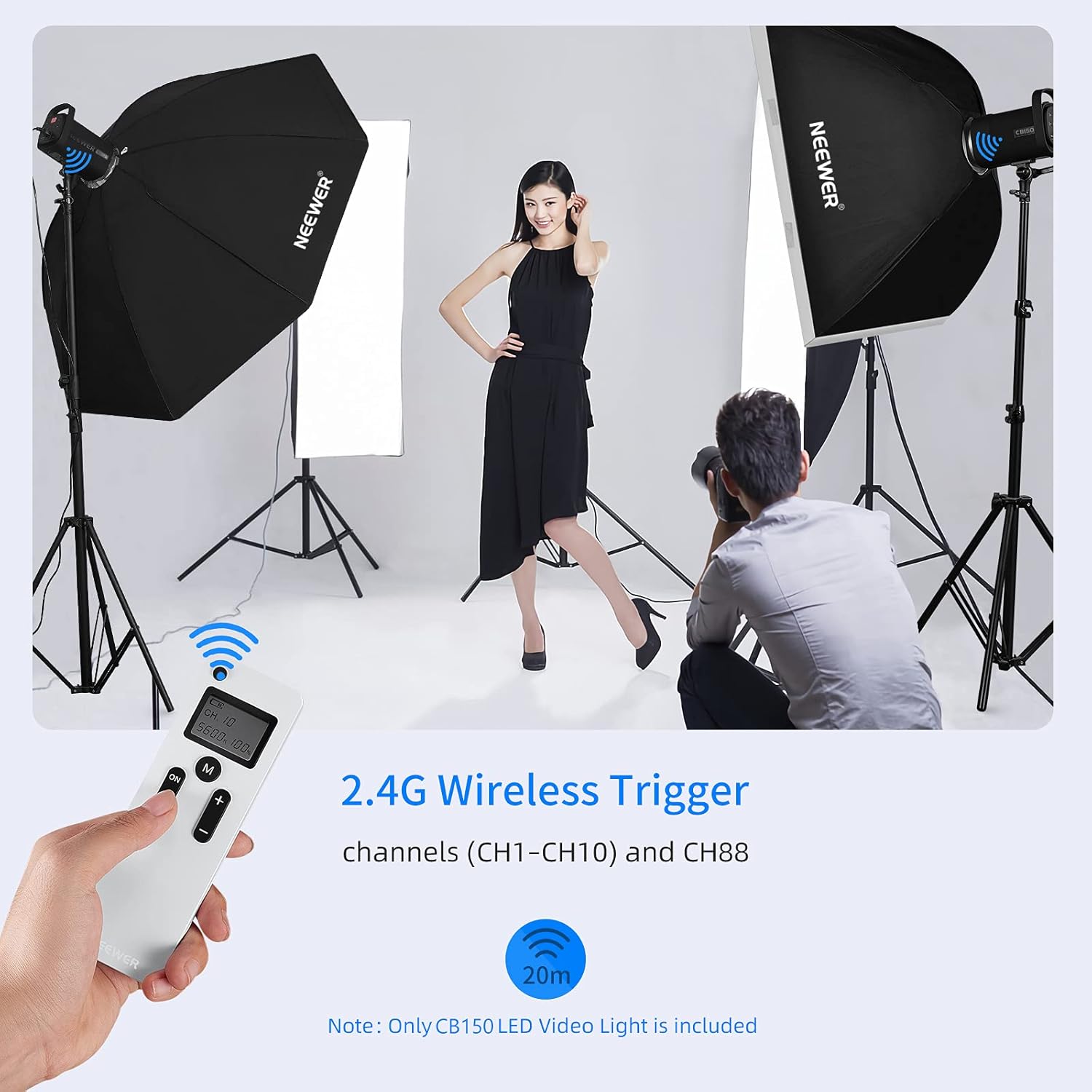
- 2.4G Wireless Remote Control: Allows adjustment of brightness and channels from up to 20 meters away.
- Ultra Silent Fan: Features smart temperature control for efficient heat dissipation with minimal noise.
- LCD Display: Large display panel shows key parameters like brightness, channel, and temperature.



Product Video Overview
5. Setup
- Unpack Components: Carefully remove all items from the packaging.
- Remove Protective Cover: Press the release button on the light unit and twist the protective cover counter-clockwise to remove it from the LED bead.
- Attach Reflector: Align the standard reflector (light funnel) with the Bowens mount on the light unit. Push it in and twist clockwise until it locks securely.
- Mount on Light Stand: Loosen the knob on the light unit's mounting bracket. Place the light unit onto a compatible light stand (not included) and tighten the knob to secure it. Adjust the angle as needed.
- Connect Power: Insert the power cable into the power input port on the back of the light unit. Plug the other end into a suitable power outlet.
6. Operating Instructions
Power On/Off
- Locate the power switch on the bottom of the light unit. Flip the switch to the 'ON' position to power on the light. The LCD display will illuminate.
- To power off, flip the switch to the 'OFF' position.
Adjusting Brightness
- Via Control Knob: Rotate the control knob on the back of the light unit to adjust brightness from 0% to 100%. The LCD display will show the current brightness percentage.
- Via 2.4G Wireless Remote: Use the '+' and '-' buttons on the remote control to adjust brightness. The remote allows for precise 1% increments.

Using the 2.4G Wireless Remote
- The remote control operates on 2.4G frequency and supports 10 channels (CH1-CH10) and a special channel CH88.
- Ensure the light unit and remote are set to the same channel for proper communication.
- Use the channel selection buttons on the remote to cycle through available channels.
- The remote can control the light from up to 20 meters away.
7. Maintenance
- Cleaning: Use a soft, dry cloth to clean the light unit. Do not use abrasive cleaners or solvents.
- Storage: When not in use, store the light in a cool, dry place, away from direct sunlight and moisture. Reattach the protective cover to the LED bead.
- Ventilation: Regularly check that the ventilation openings are clear of dust and debris to ensure proper heat dissipation.
8. Troubleshooting
| Problem | Possible Cause | Solution |
|---|---|---|
| Light does not turn on. | Power cable not connected properly; Power switch is off; Power outlet issue. | Check power cable connection; Ensure power switch is ON; Test with a different power outlet. |
| Remote control not working. | Remote batteries are low or depleted; Remote and light unit on different channels. | Replace remote batteries; Ensure both devices are set to the same channel (CH1-CH10 or CH88). |
| Light is overheating. | Blocked ventilation; Prolonged use at maximum power in a confined space. | Ensure ventilation openings are clear; Operate in a well-ventilated area; Reduce brightness if necessary. |
9. Specifications
| Feature | Detail |
|---|---|
| Brand | NEEWER |
| Model | CB150 (Item model number: 10098474) |
| Power Output | 150W |
| Color Temperature | 5600K (Daylight) |
| Color Rendering Index (CRI) | 97+ |
| Television Lighting Consistency Index (TLCI) | 97+ |
| Illuminance | 13000 Lux @ 1m |
| Brightness Adjustment | 0% - 100% |
| Wireless Control | 2.4G Wireless Remote (10 Channels + CH88) |
| Mount Type | Bowens Mount |
| Item Weight | 7.24 pounds |
| Package Dimensions | 16.1 x 10.35 x 8.39 inches |
| UPC | 191073055360 |
10. Warranty and Support
For detailed warranty information, product registration, and technical support, please visit the official NEEWER website or contact their customer service department. Keep your purchase receipt as proof of purchase for any warranty claims.


