1. Introduction
The RSHTECH 5-Port Powered USB Hub is designed to expand the USB 3.0 connectivity of your notebook, desktop computer, smart TV, or game console. It features four USB 3.0 data ports for high-speed data transfer and one dedicated USB fast charging port. This hub is engineered for efficiency and convenience, providing a reliable solution for managing multiple USB devices.
Each USB 3.0 data port supports data transfer speeds of up to 5Gbps, ensuring quick syncing of files. The dedicated fast charging port can deliver up to 2.4 amps, allowing for rapid charging of compatible mobile phones, tablets, and other devices.

Image 1.1: The RSHTECH 5-Port Powered USB Hub, showcasing its compact design, included power adapter, and USB 3.0 data cable.
2. Package Contents
Please verify that all items are present in the package:
- RSHTECH 5-Port USB Hub
- 12V/2A Power Adapter
- 100cm Long USB 3.0 A Male to B Male Cable
- User Manual (this document)

Image 2.1: Front of the product packaging for the RSHTECH 5-Port USB 3.0 Hub.
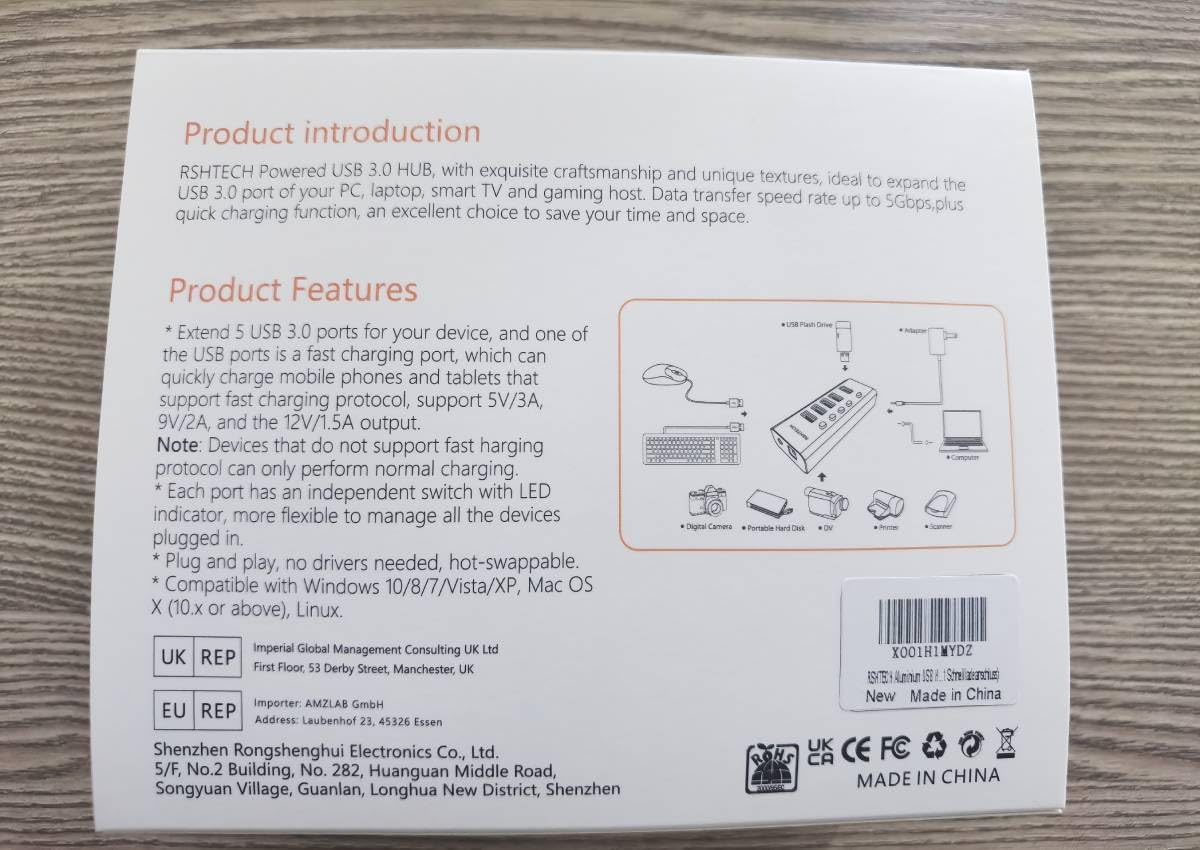
Image 2.2: Back of the product packaging, detailing product introduction and key features.
3. Features
- 4 USB 3.0 Data Ports: Provides instant expansion with four USB 3.0 ports, offering data transfer speeds up to 5Gbps. These ports are hot-swappable and plug-and-play compatible.
- 1 Quick Charge Port: A dedicated port designed for fast charging of mobile devices, delivering up to 2.4 amps. This port is for charging only and does not support data transfer.
- Premium Aluminum Alloy Design: Constructed from durable aluminum alloy, ensuring good heat dissipation and corrosion resistance for enhanced longevity.
- Individual On/Off Switches: Each USB 3.0 data port features an independent on/off switch and an LED indicator, allowing for easy control and monitoring of connected devices.
- Broad Compatibility: Compatible with a wide range of operating systems including Windows (XP/7/10), Mac OS, and Linux. No drivers are required for installation.
- External Power Supply: Includes a 12V/2A power adapter to ensure sufficient power delivery for all connected devices, supporting simultaneous data transfer and charging.

Image 3.1: The hub connected to a laptop, demonstrating its high-speed 5Gbps data transfer capability.

Image 3.2: The hub providing 24W of power to connected devices, such as a laptop and tablet.

Image 3.3: Illustration of the hub's broad compatibility with various USB devices, including mobile phones, tablets, digital cameras, USB drives, and external hard drives.
4. Setup Instructions
Follow these steps to set up your RSHTECH 5-Port Powered USB Hub:
- Connect the Power Adapter: Plug the included 12V/2A power adapter into the DC IN port on the back of the USB hub. Then, plug the power adapter into a standard wall outlet.
- Connect to Your Computer: Use the provided 100cm USB 3.0 A Male to B Male cable. Connect the USB-B end of the cable to the USB 3.0 IN port on the back of the hub. Connect the USB-A end of the cable to an available USB 3.0 port on your computer (laptop, desktop), smart TV, or game console.
- Power On: The hub is plug-and-play. Once connected, it should be recognized by your operating system automatically without the need for additional drivers.
- Connect USB Devices: You can now connect your USB devices (e.g., flash drives, external hard drives, keyboards, mice, charging cables) to the available USB 3.0 data ports or the fast charging port on the hub.

Image 4.1: Connection diagram illustrating the proper setup of the USB hub with its power adapter and data cable.
5. Operating Instructions
Operating the RSHTECH 5-Port Powered USB Hub is straightforward:
- Data Transfer: For data transfer, plug your USB 3.0 or USB 2.0 devices into any of the four blue USB 3.0 data ports. The blue LED indicator next to each port will illuminate when the port is active.
- Individual Port Control: Each data port has an independent on/off switch. Press the button next to the desired port to toggle its power and data connection. This allows you to disconnect devices without physically unplugging them.
- Fast Charging: The red USB port is dedicated solely for fast charging. Connect your mobile phone, tablet, or other compatible device to this port for rapid charging. This port does not support data transfer.
- Hot-Swapping: You can connect or disconnect USB devices from the hub while your computer is running without needing to restart.
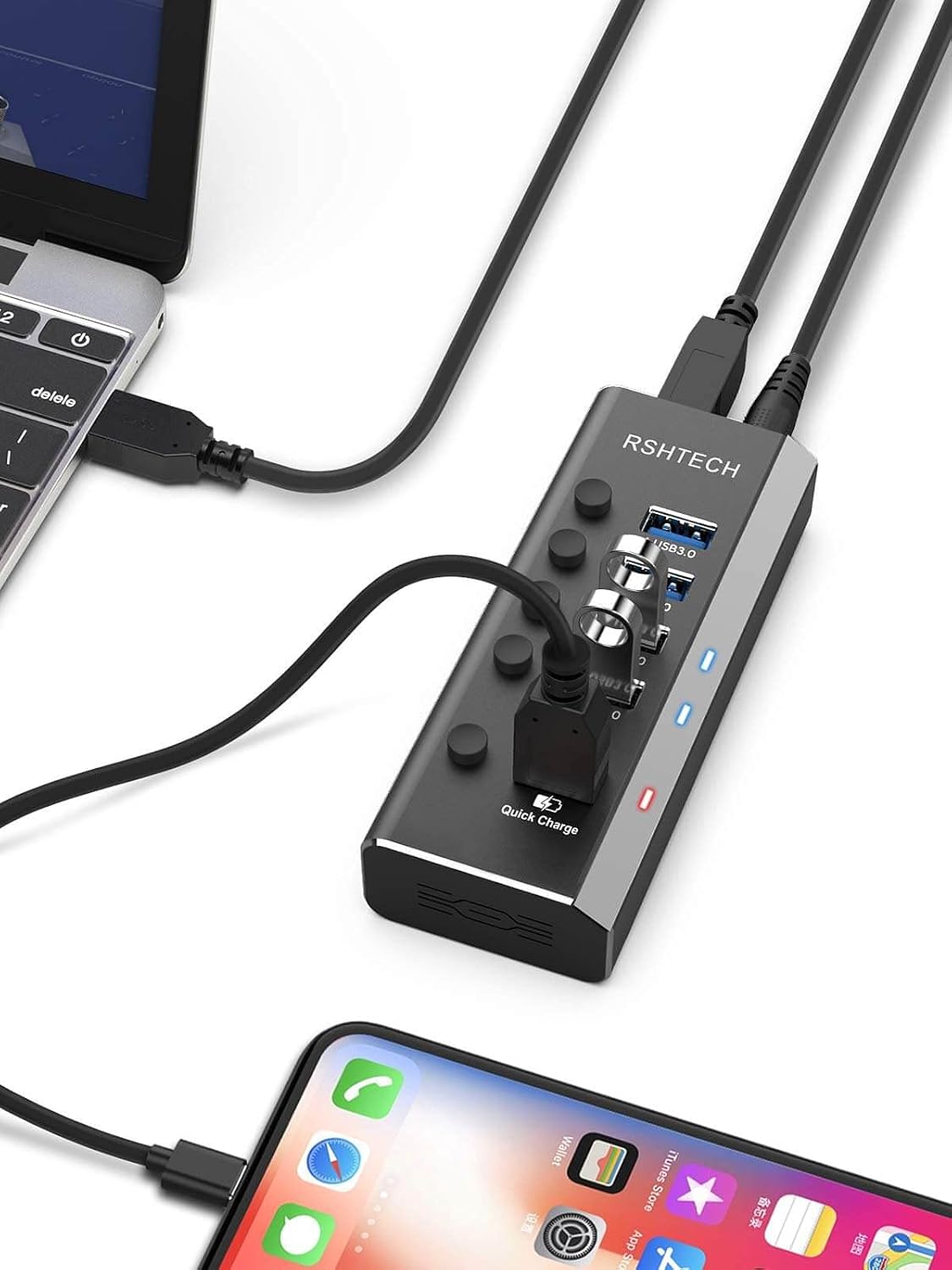
Image 5.1: The hub actively charging a smartphone via its dedicated fast charging port, connected to a laptop.
6. Maintenance
To ensure the longevity and optimal performance of your RSHTECH USB Hub, follow these maintenance guidelines:
- Cleaning: Use a soft, dry cloth to clean the exterior of the hub. Avoid using liquid cleaners, aerosols, or abrasive solvents, as these may damage the finish or internal components.
- Storage: When not in use for extended periods, store the hub in a cool, dry place away from direct sunlight and extreme temperatures.
- Handling: Handle the hub with care. Avoid dropping it or subjecting it to strong impacts, which could damage the internal circuitry or the aluminum casing.
- Ventilation: Ensure the hub is placed in an area with adequate ventilation to allow for proper heat dissipation, especially during prolonged use with multiple devices. The aluminum alloy housing is designed to aid in heat management.
7. Troubleshooting
If you encounter issues with your RSHTECH USB Hub, refer to the following common problems and solutions:
| Problem | Possible Cause | Solution |
|---|---|---|
| Hub not recognized by computer | Loose connection; insufficient power; faulty USB port on computer. | Ensure all cables (power adapter, USB data cable) are securely connected. Try connecting the hub to a different USB port on your computer. Verify the power adapter is plugged into a working outlet. |
| Connected device not working | Port switch off; device driver issue; device power requirements. | Press the individual on/off switch for the specific port to ensure it is active (LED should be on). Try connecting the device to a different port on the hub or directly to the computer. Ensure the device has necessary drivers installed on your computer. |
| Slow data transfer speeds | Device connected to USB 2.0 port (if applicable); cable quality; system load. | Ensure you are using a USB 3.0 device and it is connected to one of the blue USB 3.0 data ports. Use the provided high-quality USB 3.0 cable. Reduce the number of simultaneous high-bandwidth transfers. |
| Device not charging or charging slowly | Connected to data port instead of charging port; device not compatible with fast charging; insufficient power. | Ensure the device is connected to the dedicated red fast charging port. Verify the power adapter is securely connected and providing power. Some devices may not support fast charging standards. |
8. Specifications
| Attribute | Value |
|---|---|
| Model Number | RSH-A35 |
| Product Dimensions | 11.4 x 64 x 2.5 cm |
| Weight | 320 g |
| Brand | RSHTECH |
| Colour | Black |
| Hardware Interface | USB 3.0 |
| Data Transfer Rate | Up to 5Gbps (USB 3.0) |
| Charging Port Output | Up to 2.4A |
| Power Supply | 12V/2A Power Adapter |
| Special Features | Indicator Light, Fast Charging, Powered, Plug and Play, Individual On/Off Switches |
| Compatible Devices | Mouse, Keyboards, Hard Disk Drive, Card Readers, Digital Cameras, MP3 Players, Printers |
| Country of Origin | China |
9. Warranty and Support
RSHTECH products are designed for reliability and performance. For any product-related inquiries, technical support, or warranty claims, please refer to the contact information provided with your purchase or visit the official RSHTECH website. Please retain your proof of purchase for warranty purposes.
For additional support and product information, you may visit the RSHTECH Store on Amazon: RSHTECH Amazon Store.


