
XTRONS CM195HD+DWH006x2
XTRONS 19.5 Inch Car Overhead Player Instruction Manual
Model: CM195HD+DWH006x2
Introduction
This manual provides detailed instructions for the installation, operation, maintenance, and troubleshooting of your XTRONS 19.5 Inch Car Overhead Player. Please read this manual thoroughly before using the product to ensure proper functionality and safety.
Product Features
- 19.5-inch Super Large Digital Screen: Ideal for large vehicles, offering a 1600x900 resolution TFT display for vivid colors and high detail.
- Ultra Clear 1080P Video Playback: Supports smooth playback of full HD 1080P videos and various common formats (AVI, 3GP, MPG, MPEG, MP4, XVID, MP3, WMA, WAV, AAC, JPG, JPEG, BMP, PNG).
- HDMI / USB / AV Input Support: Allows connection of various devices for media sharing.
- Stylish Design & 170° Max Open Angle: Features virtual touch buttons that appear on power-on and a screen that can open up to 170 degrees for optimal viewing.
- Stereo Speakers / IR Sound Out: Built-in speakers provide clear audio, with options for IR headphone connection.
- Colourful Aura Lights: Multiple ambient light colors available.
- Automatic Lighting Control: Supports positive/negative door control for automatic light activation.
Package Contents
Please verify that all items are present in the package:
- 1 x XTRONS 19.5 Inch Car Overhead Player (CM195HD)
- 2 x White IR Headphones (DWH006x2)
- 1 x Remote Control
- 6 x Mounting Nuts
- 1 x User Manual (this document)

Image: Components included in the product package, showing the remote control, mounting nuts, and the user manual.
Safety Information
Always adhere to the following safety guidelines to prevent injury or damage to the unit:
- Do not attempt to disassemble or modify the unit.
- Ensure proper ventilation around the unit to prevent overheating.
- Keep the unit away from water, moisture, and extreme temperatures.
- Installation should be performed by a qualified professional to avoid electrical hazards.
- Securely mount the unit to prevent it from falling during vehicle movement.
Setup and Installation
1. Pre-Installation Check
Before beginning installation, ensure your vehicle's electrical system is compatible and that you have all necessary tools.
2. Mounting Location Selection
Choose a central location on the vehicle's roof that does not obstruct driver visibility or passenger movement. Ensure sufficient clearance for the screen to flip down completely (170° rotation).

Image: The 19.5-inch overhead player installed in a vehicle, demonstrating its large screen size suitable for various vehicle types.
3. Wiring Diagram
Refer to the following wiring diagram for correct electrical connections. It is highly recommended to have this step performed by a professional installer.
| No. | Connection | Description |
|---|---|---|
| 1 | B+ | Battery Positive (Constant 12V) |
| 2 | ACC | Accessory Power (Switched 12V) |
| 3 | GND | Ground Connection |
| 4 | Door Control - | Negative Door Trigger for Automatic Lighting |
| 5 | Door Control + | Positive Door Trigger for Automatic Lighting |
| 6 | Audio Left Input 1 | Audio Input Channel 1 (Left) |
| 7 | Audio Right Input 1 | Audio Input Channel 1 (Right) |
| 8 | Audio Right Input 2 | Audio Input Channel 2 (Right) |
| 9 | Audio Left Input 2 | Audio Input Channel 2 (Left) |
| 10 | Video Input 1 | Video Input Channel 1 |
| 11 | Video Input 2 | Video Input Channel 2 |

Image: Detailed wiring diagram illustrating the connections for power, audio, video, and door control.
Operating Instructions
1. Power On/Off
Press the power button on the unit or remote control to turn the device on or off. The virtual touch buttons will illuminate when the unit is powered on.

Image: The sleek design of the unit with virtual touch buttons visible when the power is on.
2. Screen Adjustment
The screen can be manually adjusted up to a 170-degree angle for optimal viewing from various seating positions within the vehicle.

Image: Illustration of the monitor's 170-degree rotatable angle for flexible viewing.
3. Media Playback
The unit supports various media inputs:
- USB Input: Insert a USB flash drive into the designated port to play supported audio and video files.
- HDMI Input: Connect HDMI-enabled devices (e.g., smartphones, gaming consoles, digital TV receivers) using an HDMI cable.
- AV Input: Use RCA cables to connect external AV sources like car head units or DVD players.

Image: The monitor displaying content mirrored from a smartphone, demonstrating video sharing capabilities. Note: An XTRONS HDTV05 adapter (not included) is required for wireless connection.
4. Sound Output Options
The unit offers multiple sound output methods:
- Built-in Stereo Speakers: Audio will play directly through the integrated speakers.
- IR Headphones: For private listening, connect compatible IR headphones (e.g., XTRONS DWH005, DWH006).
- FM Transmitter: Transmit audio to your vehicle's FM radio for playback through the car's sound system.

Image: Diagram illustrating the various sound output choices, including built-in speakers and IR headphone transmission.
5. Ambient Lighting Control
The unit features customizable ambient lighting. Use the remote control or unit buttons to select desired colors. If connected to the vehicle's door control wires, the lights can automatically turn on/off with the doors.
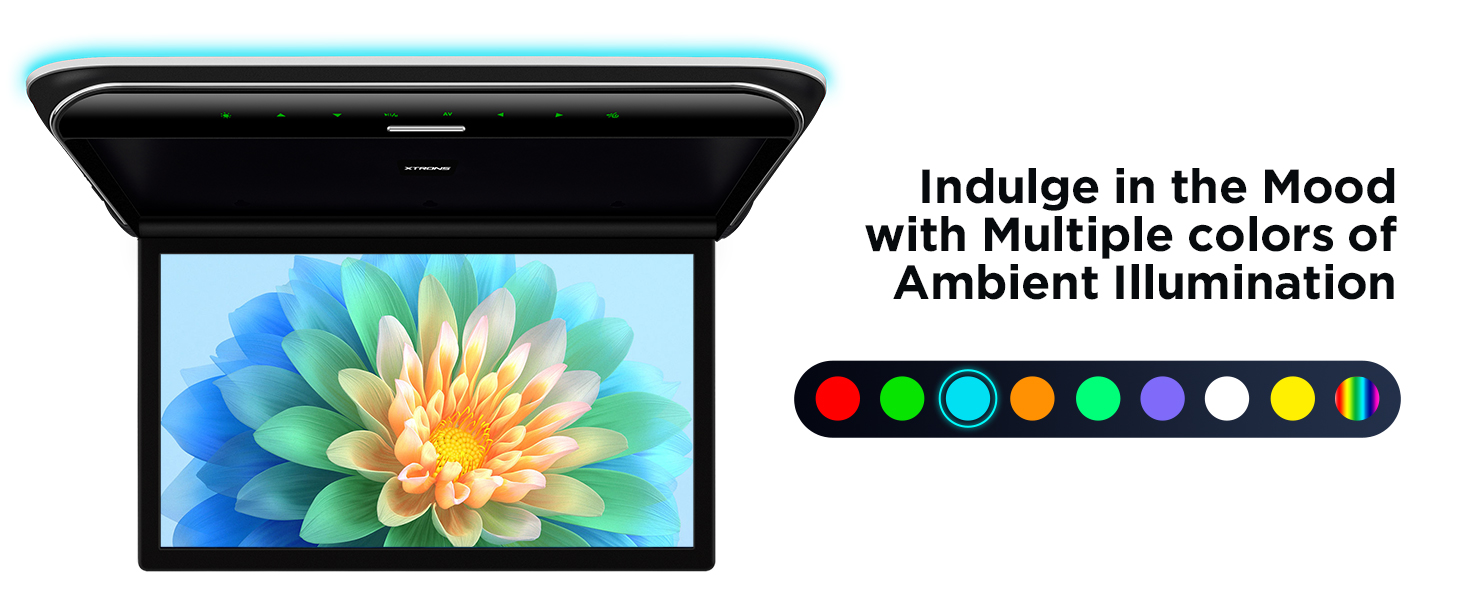
Image: The overhead monitor displaying a range of ambient illumination colors.
6. Remote Control Usage
The included remote control provides full functionality for navigating menus, adjusting settings, and controlling media playback. Ensure the remote has fresh batteries and a clear line of sight to the unit's IR receiver.
Maintenance
- Cleaning: Use a soft, dry cloth to clean the screen and unit exterior. Avoid abrasive cleaners or solvents.
- Dust Removal: Periodically remove dust from vents to ensure proper airflow and prevent overheating.
- Cable Inspection: Regularly check all cables for signs of wear or damage. Replace damaged cables immediately.
Troubleshooting
| Problem | Possible Cause | Solution |
|---|---|---|
| No Power | Loose power connection; Blown fuse; Vehicle battery low. | Check all power cables; Inspect and replace fuses if necessary; Check vehicle battery voltage. |
| No Video Signal | Incorrect input selected; Loose video cable; Incompatible video format. | Verify correct input source; Securely connect video cables; Ensure media format is supported (1080P max). |
| No Audio | Volume too low; Mute activated; Incorrect audio output selected; Loose audio cables. | Increase volume; Deactivate mute; Select correct audio output (speakers, IR, FM); Check audio cable connections. |
| Remote Control Not Working | Dead batteries; Obstruction between remote and unit; Remote sensor blocked. | Replace batteries; Remove obstructions; Ensure remote sensor is clear. |
Specifications
| Feature | Detail |
|---|---|
| Screen Size | 19.5 Inches |
| Display Type | LCD, TFT Digital Screen |
| Display Resolution | 1600 x 900 pixels |
| Video Playback | Supports 1080P Full HD |
| Supported Formats | AVI, 3GP, MPG, MPEG, MP4, XVID, MP3, WMA, WAV, AAC, JPG, JPEG, BMP, PNG |
| Inputs | HDMI, USB, AV (RCA) |
| Sound Output | Built-in Stereo Speakers, IR Transmitter, FM Transmitter |
| Open Angle | Up to 170 degrees |
| Item Weight | 13.82 pounds (approx. 6.27 kg) |
| Product Dimensions | 19.5 x 19.5 x 19.5 inches (approx. 49.5 x 49.5 x 49.5 cm) |
| Manufacturer | XTRONS |

Image: Dimensional drawing of the XTRONS CM195HD unit, showing measurements in millimeters.
Warranty and Support
Warranty Information
XTRONS provides a 1-year warranty for this car roof monitor. This warranty covers manufacturing defects and ensures the product meets quality standards. Please retain your proof of purchase for warranty claims.
Technical Support
For technical assistance, troubleshooting, or any product-related inquiries, please contact XTRONS customer support. You can typically reach them via the Amazon messaging system or through the official XTRONS website.
Note: When contacting support, please provide your product model (CM195HD+DWH006x2) and a detailed description of the issue.
Official Product Video
Video: Official product video for the XTRONS Car Overhead Player (CM195HD), showcasing its features, functions, and compatibility. This video provides a visual overview of the product's capabilities and design.
Related documentsCM195HD+DWH006x2

Ask a question about this manual
Ask about setup, troubleshooting, compatibility, parts, safety, or missing instructions. Manuals+ will review the question and use this page’s manual context to help answer it.