
1. Product Overview
The DIGITEN DHTC-1011 is a versatile plug-and-play temperature and humidity controller designed to maintain precise environmental conditions. It features dual relay outputs, allowing simultaneous control of heating/cooling and humidifying/dehumidifying devices. Its large LCD screen and simple 3-button interface ensure ease of use for various applications, including home brewing, fermentation, greenhouses, terrariums, and reptile enclosures.

Figure 1: DIGITEN DHTC-1011 Controller with its main components.
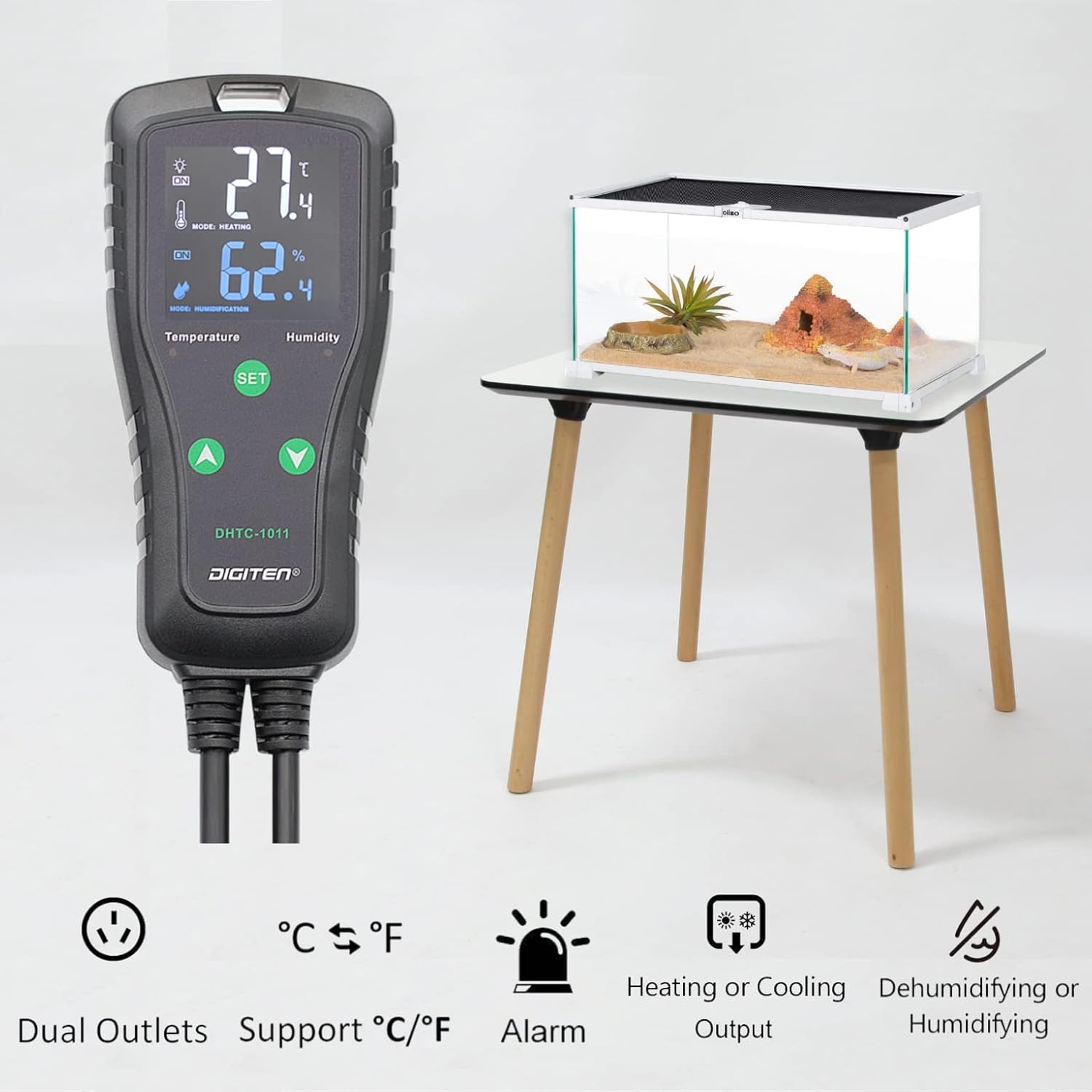
Figure 2: Key features of the DHTC-1011, including dual outlets and various control modes.
2. Setup and Installation
Follow these steps to set up your DHTC-1011 controller:
- Unpack the Device: Carefully remove the controller, sensor, and power cord from the packaging.
- Connect the Sensor: Plug the sensitive temperature and humidity probe into the designated port on the top of the controller. Ensure it is securely connected.
- Position the Sensor: Place the sensor in the environment where you wish to monitor and control temperature and humidity. Ensure it is not directly exposed to heat sources, cold drafts, or excessive moisture that could affect readings.
- Connect Appliances: Plug your heating/cooling device into the 'TEMPERATURE' outlet and your humidifying/dehumidifying device into the 'HUMIDITY' outlet on the power strip.
- Power On: Plug the controller's main power cord into a standard electrical outlet. The LCD screen will illuminate, displaying current temperature and humidity readings.
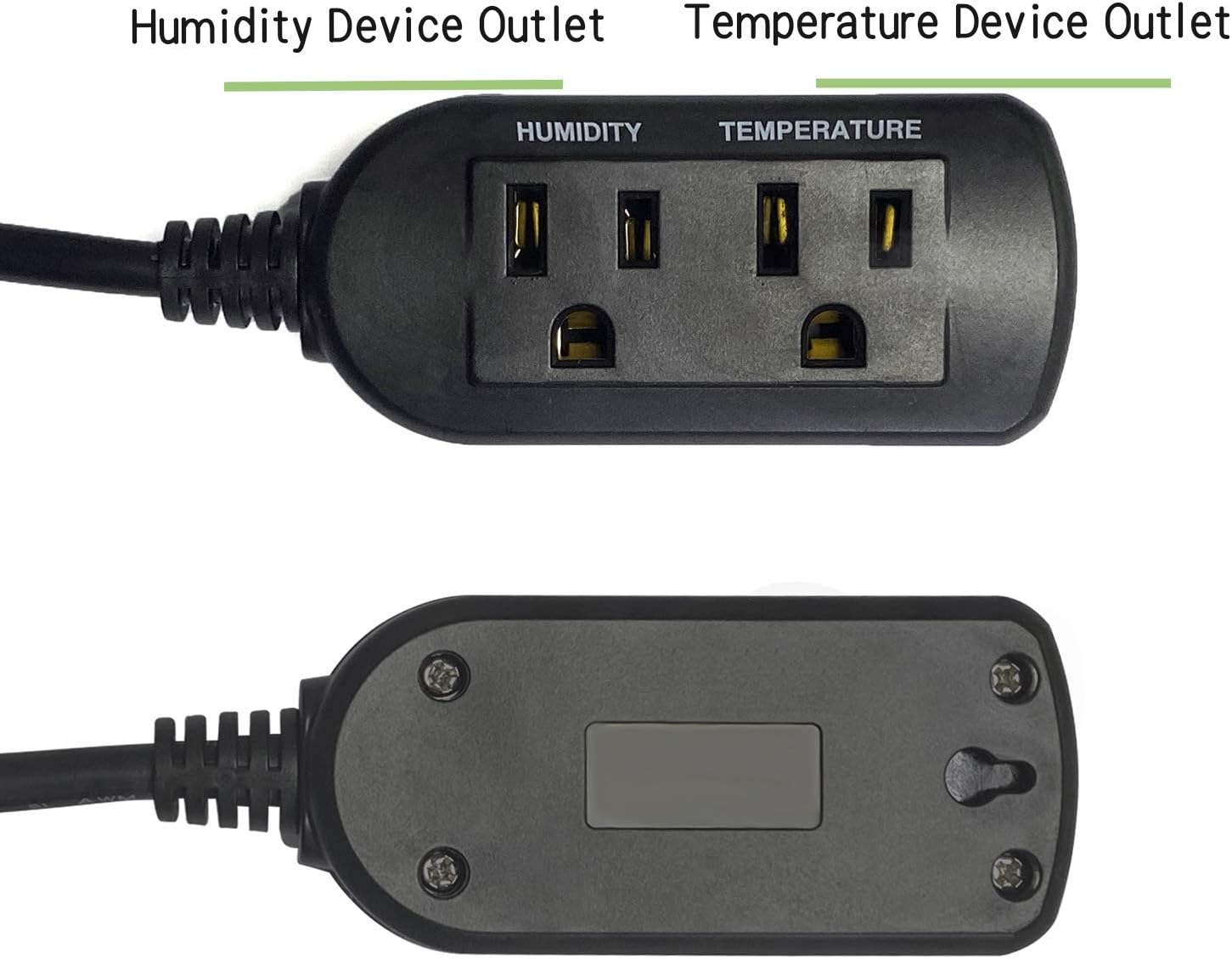
Figure 3: Connecting the sensitive temperature and humidity probe.
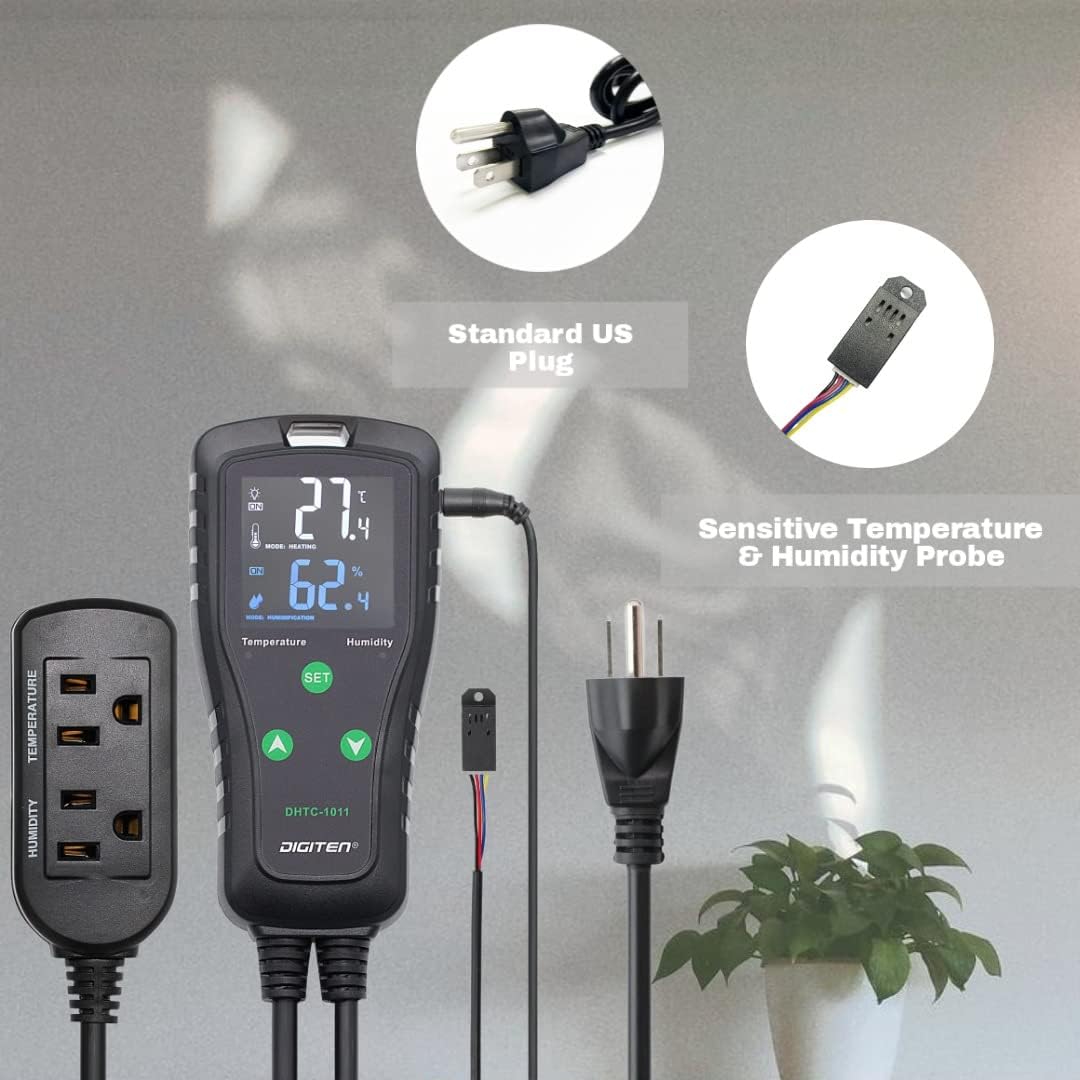
Figure 4: Dual outlets for temperature and humidity control.
3. Operating Instructions
The DHTC-1011 offers intuitive controls for setting your desired environmental parameters.
3.1. Basic Operation
- The large LCD screen displays the current temperature and humidity.
- The 'SET' button is used to enter programming mode.
- The 'Up' and 'Down' arrow buttons are used to adjust values and navigate through settings.
3.2. Setting Temperature and Humidity
- Press and hold the 'SET' button for 3 seconds to enter the temperature setting mode. The temperature display will flash.
- Use the 'Up' and 'Down' arrows to set your desired temperature.
- Press 'SET' again to confirm the temperature and move to the humidity setting mode. The humidity display will flash.
- Use the 'Up' and 'Down' arrows to set your desired humidity.
- Press 'SET' one more time to confirm the humidity and exit programming mode. The settings will be saved automatically.
3.3. Advanced Settings
The controller supports various advanced settings for precise control:
- Temperature Unit Selection: Easily switch between Celsius (℃) and Fahrenheit (℉) display. Refer to the detailed manual for specific button combinations.
- Calibration: Calibrate the temperature and humidity readings if necessary to match external reference instruments.
- Compressor Delay: Set a delay for cooling devices to protect the compressor from frequent on/off cycles.
- High/Low Alarms: Configure high or low temperature and humidity alarms to alert you when conditions fall outside your desired range.
- Saving Settings: The device is designed to save your original setting values in case of accidental power-off, ensuring continuity of operation.

Figure 5: Example setup showing the controller in use with a humidifier and an enclosure.
4. Maintenance
Proper maintenance ensures the longevity and accuracy of your DHTC-1011 controller:
- Cleaning: Wipe the controller and sensor with a soft, dry cloth. Do not use abrasive cleaners or immerse the unit in water.
- Sensor Care: Keep the sensor clean and free from dust or debris. Avoid bending or damaging the sensor cable.
- Storage: If storing the device for an extended period, disconnect it from power and store it in a cool, dry place.
5. Troubleshooting
If you encounter issues with your DHTC-1011, refer to the following common troubleshooting tips:
- Device Not Powering On: Ensure the power cord is securely plugged into a live electrical outlet. Check the outlet with another device to confirm it has power.
- Inaccurate Readings: Verify the sensor is clean and properly connected. If readings appear consistently off, consider performing a calibration as described in the advanced settings section.
- Connected Appliance Not Activating: Check that the appliance is correctly plugged into the 'TEMPERATURE' or 'HUMIDITY' outlet and that the controller's settings (set point, differential) are configured to trigger the appliance. Ensure the appliance itself is functional.
- Controller Beeping: A continuous beeping sound typically indicates an alarm condition (e.g., temperature or humidity outside the set range). Check the display for alarm indicators and adjust conditions or settings as needed.
- Settings Not Saving: The DHTC-1011 is designed to save settings automatically upon exiting programming mode. Ensure you press 'SET' to confirm changes before unplugging the device.
For persistent issues, please contact DIGITEN customer support.
6. Specifications
| Feature | Specification |
|---|---|
| Model Number | DHTC-1011 |
| Brand | DIGITEN |
| Input Voltage | 100-240VAC, 50/60Hz |
| Output Voltage | 100-240VAC, 50/60Hz |
| Max Current | 10A |
| Max Output Load (110V) | 1100W |
| Max Output Load (220V) | 2200W |
| Temperature Control Range | -40℉ to 248℉ (-40℃ to 120℃) |
| Humidity Control Range | 1%RH to 100%RH |
| Display Type | LCD |
| Item Weight | 15.2 ounces |
| Package Dimensions | 8.1 x 8.1 x 1.7 inches |
7. Warranty and Support
7.1. Warranty Information
DIGITEN provides a one-year warranty term for any product quality problems. Please retain your proof of purchase for warranty claims.
7.2. Customer Support
For technical assistance, troubleshooting beyond this manual, or warranty inquiries, please contact DIGITEN customer support through the official DIGITEN store on Amazon or their official website. Provide your product model number (DHTC-1011) and a detailed description of the issue for efficient service.


