
Introduction
This manual provides essential information for the safe and effective operation of your Homedics 5-in-1 UV-C Air Purifier. Please read all instructions carefully before use and retain this manual for future reference.
The Homedics 5-in-1 UV-C Air Purifier is designed to improve indoor air quality by reducing airborne particles and odors in spaces up to 1,659 sq. ft. It features a multi-stage filtration system including a prefilter, HEPA-type filter, carbon odor filter, UV-C technology, and an optional ionizer.
Product Overview and Package Contents
The Homedics 5-in-1 UV-C Air Purifier combines multiple air purification technologies into one unit. Key features include 360-degree filtration and customizable settings.

Image: Homedics 5-in-1 UV-C Air Purifier, black model, showcasing its cylindrical design and control panel.
What's in the Box:
- (1) Extra Large Homedics 5-in-1 Air Purifier
- (1) HEPA-type filter with built-in prefilter and carbon odor filter
- (3) Essential oil pads
- (1) Remote control
- (1) Quick start guide
Setup
- Unpack: Carefully remove the air purifier from its packaging.
- Filter Installation: The HEPA-type filter with integrated prefilter and carbon odor filter is typically pre-installed. Ensure it is securely in place. Refer to the 'Maintenance' section for filter access.
- Essential Oil Pads: Locate the essential oil tray. Insert one of the provided essential oil pads into the tray. You may add a few drops of essential oil (sold separately) to the pad if desired.
- Placement: Place the air purifier on a firm, level surface. Ensure there is adequate space around the unit (at least 6 inches) for proper air circulation. Avoid placing it near heat sources or in direct sunlight.
- Power Connection: Plug the power cord into a standard electrical outlet.
Operating Instructions
The air purifier features convenient touch controls on the top panel and can also be operated via the included remote control.

Image: Detailed view of the control panel with icons for power, fan speed, UV-C, ionizer, and timer.
- Power On/Off: Press the Power button to turn the unit on or off.
- Fan Speed Settings: Press the Fan Speed button repeatedly to cycle through 5 available speed settings (1-5). Higher speeds provide faster air purification.
- UV-C Function: Press the UV-C button to activate or deactivate the UV-C light, which aids in reducing airborne bacteria and viruses.
- Ionizer Function: Press the Ionizer button to turn the air ionizer on or off. The ionizer enhances purification by helping to clump small particles together.
- Timer Function: Press the Timer button to set an auto-off timer for 2, 4, 8, or 12 hours. The unit will automatically shut off after the selected duration.
- Night-Light: The unit features an optional night-light. Press the Night-Light button to turn it on or off.
- Automatic Particle Sensor: When in Auto mode (if available, typically indicated by an 'A' or 'Auto' setting), the built-in particle sensor will automatically adjust the fan speed based on the detected indoor air quality.
- Remote Control: The included remote control provides access to all functions of the air purifier for convenient operation from a distance.

Image: A user adjusting settings on the air purifier, illustrating its customizable programming and remote control functionality.
Maintenance
Regular maintenance ensures optimal performance and extends the lifespan of your air purifier.
- Filter Replacement: The HEPA-type filter should be replaced approximately every 12 months, depending on usage and air quality. A filter indicator light on the control panel will typically illuminate when replacement is needed. To replace:
- Unplug the unit.
- Remove the back cover or base as per the quick start guide to access the filter compartment.
- Remove the old filter and dispose of it.
- Insert a new Homedics replacement filter, ensuring it is correctly oriented.
- Replace the cover/base and plug in the unit. Reset the filter indicator if necessary (refer to quick start guide for specific instructions).
- Cleaning the Exterior: Wipe the exterior surfaces with a soft, dry cloth. Do not use abrasive cleaners or solvents.
- Essential Oil Pad Maintenance: Replace essential oil pads when they no longer diffuse scent or become discolored.

Image: A HEPA-type filter, illustrating the component responsible for capturing airborne particles.
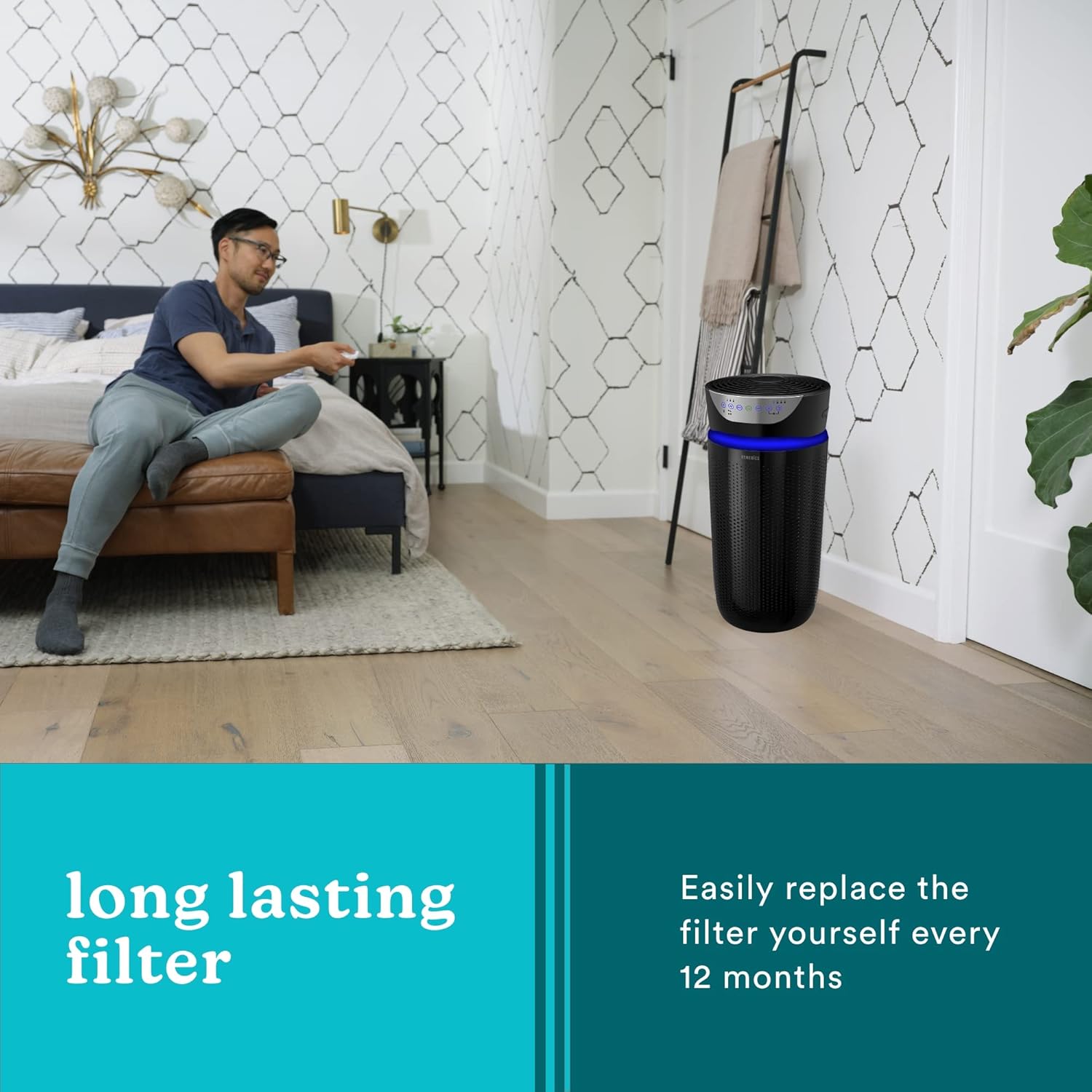
Image: The air purifier in a bedroom setting, emphasizing the convenience of its long-lasting filter that requires replacement approximately every 12 months.
Troubleshooting
If you experience issues with your air purifier, consult the following common troubleshooting steps:
- Unit not turning on: Ensure the power cord is securely plugged into a working electrical outlet. Check if the power button has been pressed.
- Reduced airflow or purification: Check if the filter needs replacement. A clogged filter can significantly reduce performance. Ensure air intake and output vents are not obstructed.
- Unusual noise: Verify that the unit is placed on a stable, level surface. Check for any foreign objects inside the unit or around the fan.
- No scent from essential oils: Ensure an essential oil pad is in the tray and that essential oil has been applied.
For further assistance, refer to the quick start guide or contact Homedics customer support.
Specifications
| Brand | Homedics |
| Model Number | AP-T |
| Color | Black |
| Product Dimensions | 10.12"D x 10.12"W x 25.24"H |
| Floor Area Coverage | Up to 1,659 sq. ft. (based on 1 air change per hour) / 343 sq. ft. (based on 4.8 air changes per hour) |
| Noise Level | 55 Decibels |
| Particle Retention Size | 0.3 Micrometer |
| Controller Type | Remote Control |
| Special Feature | Programmable, UV-C, Ionizer, Essential Oil Tray, Night-Light |
| Item Weight | 6.6 pounds |
| UPC | 031262098474 |
Warranty and Support
Your Homedics 5-in-1 UV-C Air Purifier comes with a 1-Year Limited Warranty from the date of purchase. This warranty covers defects in material and workmanship under normal use.
For warranty claims, technical support, or replacement parts (such as filters and essential oil pads), please contact Homedics customer service. Contact information can typically be found in the quick start guide or on the official Homedics website.
Manufacturer: HoMedics USA
For more information, you may visit the Homedics official website.

Image: Product label with UPC and regulatory details.