
1. Introduction
This manual provides detailed instructions for the Riwbox XBT-780 Bluetooth Over-Ear Headphones. Please read this manual thoroughly before using the product to ensure proper operation and to maximize your listening experience.
Package Contents:
- 1x Riwbox XBT-780 Bluetooth Headset
- 1x 3.5mm Audio Cable
- 1x USB Charging Cable
- 1x User Manual (this document)
2. Safety Information
- Do not expose the headphones to extreme temperatures, humidity, or corrosive environments.
- Avoid dropping or subjecting the headphones to strong impacts.
- Do not disassemble or attempt to repair the headphones yourself. This may void the warranty and cause damage.
- Keep the headphones away from water and other liquids.
- Listen at moderate volume levels to prevent hearing damage. Prolonged exposure to loud sounds can cause permanent hearing loss.
- Ensure the driver software of the receiving adapter is fully updated when connected to a PC or laptop.
- A separate Bluetooth adapter is required when connecting to a TV.
3. Product Overview and Controls
Familiarize yourself with the various parts and controls of your Riwbox XBT-780 headphones.

Figure 3.1: Riwbox XBT-780 Headphones with control buttons and microphone highlighted. The controls typically include power on/off, volume up/down, track skip, and a multi-function button for calls.
Key Controls:
- Power Button: Press and hold to power on/off. Also used for answering/ending calls.
- Volume Up/Next Track: Short press for volume up, long press for next track.
- Volume Down/Previous Track: Short press for volume down, long press for previous track.
- Microphone: Built-in for hands-free calls.
- 3.5mm Audio Jack: For wired connection.
- USB Charging Port: For charging the internal battery.
4. Setup
4.1 Initial Charging
Before first-time use, fully charge your Riwbox XBT-780 headphones. Use the provided USB charging cable to connect the headphones to a USB power source (e.g., computer USB port, wall adapter).

Figure 4.1: Illustration of the 500mAh battery capacity and estimated charging times for the Riwbox XBT-780 headphones. Charging typically takes 2-3 hours.
- A red indicator light typically signifies charging.
- The light will turn off or change color (e.g., blue) when fully charged.
- Charging time is approximately 2-3 hours.
4.2 Powering On/Off
- To Power On: Press and hold the Power button for approximately 3 seconds until the indicator light flashes.
- To Power Off: Press and hold the Power button for approximately 3 seconds until the indicator light turns off.
4.3 Bluetooth Pairing
To connect your headphones wirelessly to a device:
- Ensure the headphones are fully charged and powered off.
- Press and hold the Power button for about 5-7 seconds until the indicator light flashes red and blue alternately, indicating pairing mode.
- On your device (smartphone, tablet, PC), enable Bluetooth and search for available devices.
- Select "XBT-780" from the list of found devices.
- Once connected, the indicator light on the headphones will typically flash blue slowly or remain solid blue.
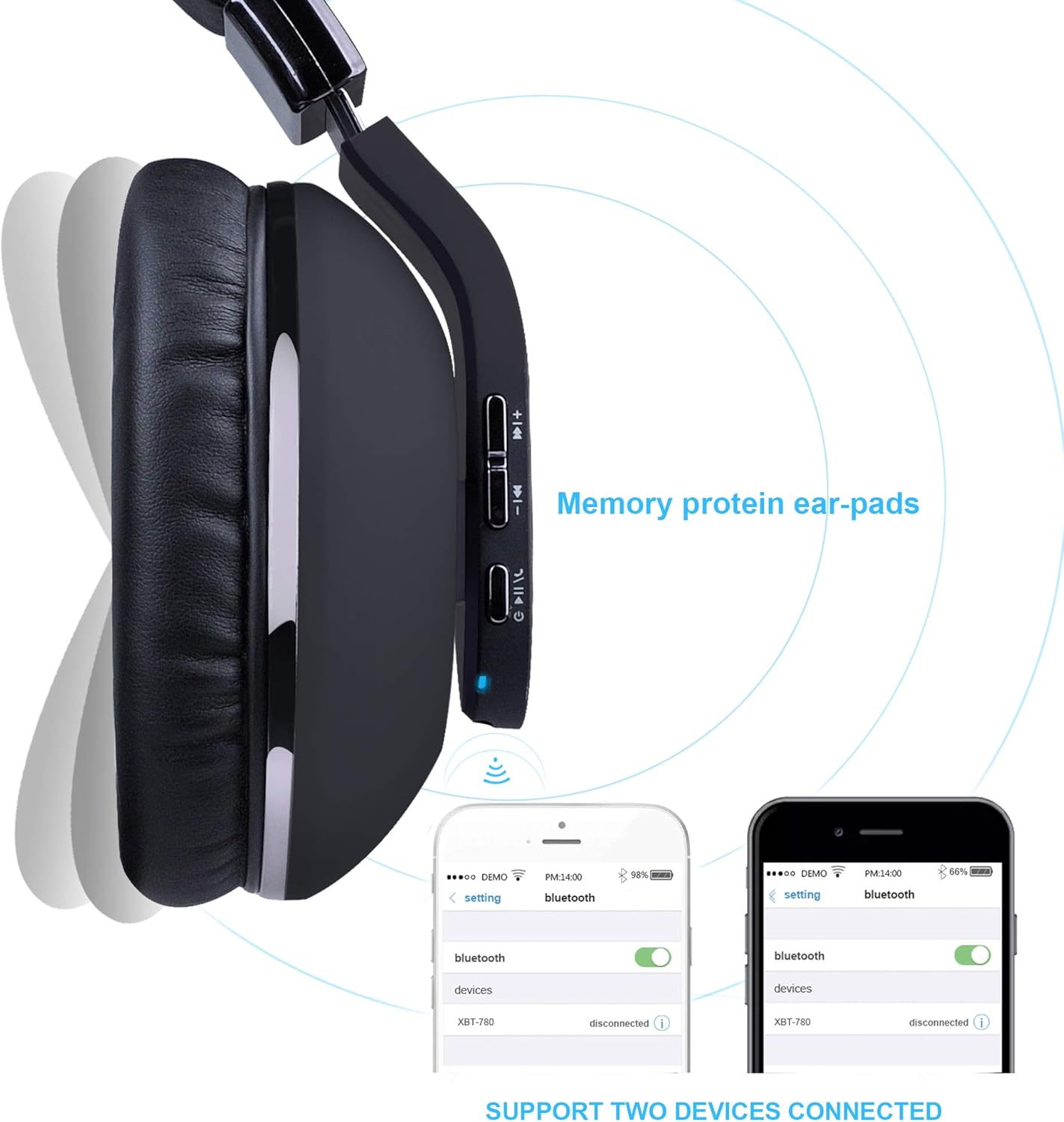
Figure 4.2: The Riwbox XBT-780 headphones support connection to two devices simultaneously, allowing for seamless switching between audio sources.
Note: The XBT-780 headphones are compatible with all Bluetooth-enabled devices. For PC or laptop connections, ensure your Bluetooth adapter drivers are updated. A separate Bluetooth adapter is required for TV connections.

Figure 4.3: The headphones utilize Bluetooth 5.0 technology for a stable and efficient wireless connection, offering features like enhanced bass and noise isolation.
4.4 Wired Connection (Auxiliary Mode)
If the battery is exhausted or you prefer a wired connection, use the included 3.5mm audio cable:
- Plug one end of the 3.5mm audio cable into the audio jack on the headphones.
- Plug the other end into the 3.5mm audio output jack of your device (e.g., smartphone, MP3 player, computer, TV).
- The headphones will function as passive wired headphones, and the internal battery will not be used.
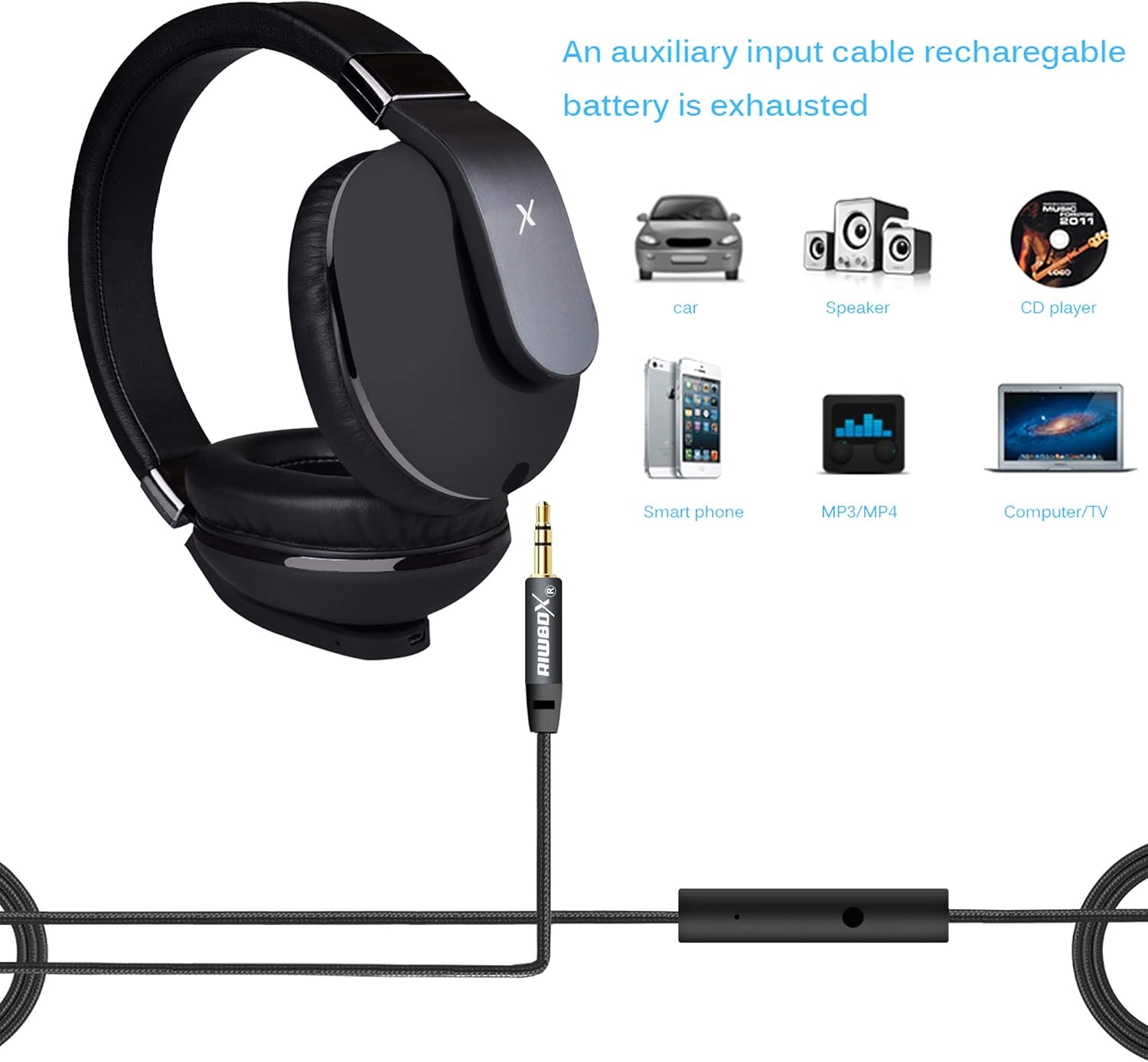
Figure 4.4: The auxiliary input cable allows for continued use even when the headphone battery is depleted, connecting to devices like smartphones, computers, and car audio systems.
5. Operating Instructions
5.1 Music Playback (Bluetooth Mode)
- Play/Pause: Short press the Power button.
- Volume Up: Short press the "Volume Up" button.
- Volume Down: Short press the "Volume Down" button.
- Next Track: Long press the "Volume Up" button.
- Previous Track: Long press the "Volume Down" button.
5.2 Call Management (Bluetooth Mode)
The built-in microphone allows for hands-free calling.
- Answer Call: Short press the Power button when a call comes in.
- End Call: Short press the Power button during a call.
- Reject Call: Long press the Power button when a call comes in.
- Redial Last Number: Double-press the Power button.
Figure 5.1: The integrated microphone offers high sound quality and multi-function switching for clear, hands-free communication.
6. Maintenance
- Cleaning: Use a soft, dry cloth to clean the headphones. Do not use abrasive cleaners or solvents.
- Storage: When not in use, store the headphones in a cool, dry place, away from direct sunlight and extreme temperatures.
- Battery Care:
- If the headset is left unused for over two weeks, please recharge it periodically to maintain battery health.
- Avoid fully discharging the battery frequently.
- Ear Comfort: Take off the headphones every 1-2 hours to allow your ears to relax and prevent discomfort.
7. Troubleshooting
| Problem | Possible Cause | Solution |
|---|---|---|
| Headphones do not power on. | Low battery. | Charge the headphones fully using the provided USB cable. |
| Cannot pair with device. | Headphones not in pairing mode; Bluetooth off on device; device too far. |
|
| No sound in Bluetooth mode. | Volume too low; incorrect audio output selected; device not connected. |
|
| No sound in wired mode. | 3.5mm cable not fully inserted; cable damaged; device volume too low. |
|
| Poor sound quality. | Weak Bluetooth signal; audio source quality; ear pad fit. |
|
If you encounter issues not listed here or the suggested solutions do not resolve the problem, please refer to the support section for further assistance.
8. Specifications
| Feature | Detail |
|---|---|
| Model | XBT-780 |
| Brand | Riwbox |
| Connectivity Technology | Bluetooth (Wireless), 3.5mm Jack (Wired) |
| Bluetooth Version | 5.0 |
| Wireless Range | Up to 33 feet (10 meters) |
| Battery Capacity | 500mAh Lithium Polymer |
| Music/Talking Time | 18-24 hours (continuous wireless playback) |
| Charging Time | 2-3 hours |
| Charging Voltage | 5V |
| Speaker Size | 50mm |
| Microphone | Built-in |
| Ear Placement | Over-Ear |
| Weight | 0.51 Kilograms (510g) |
| Dimensions | 20 x 19.5 x 9 cm |
| Included Components | Headset, 3.5mm Audio Cable, USB Charging Cable |
9. Warranty and Support
Riwbox products are designed and manufactured to the highest quality standards. For information regarding warranty coverage, please refer to the warranty card included with your purchase or visit the official Riwbox website.
If you require technical support or have questions about your Riwbox XBT-780 headphones, please contact Riwbox customer service through their official channels. Details can typically be found on the product packaging or the brand's website.
When contacting support, please have your product model (XBT-780) and purchase information readily available.
