
Introduction
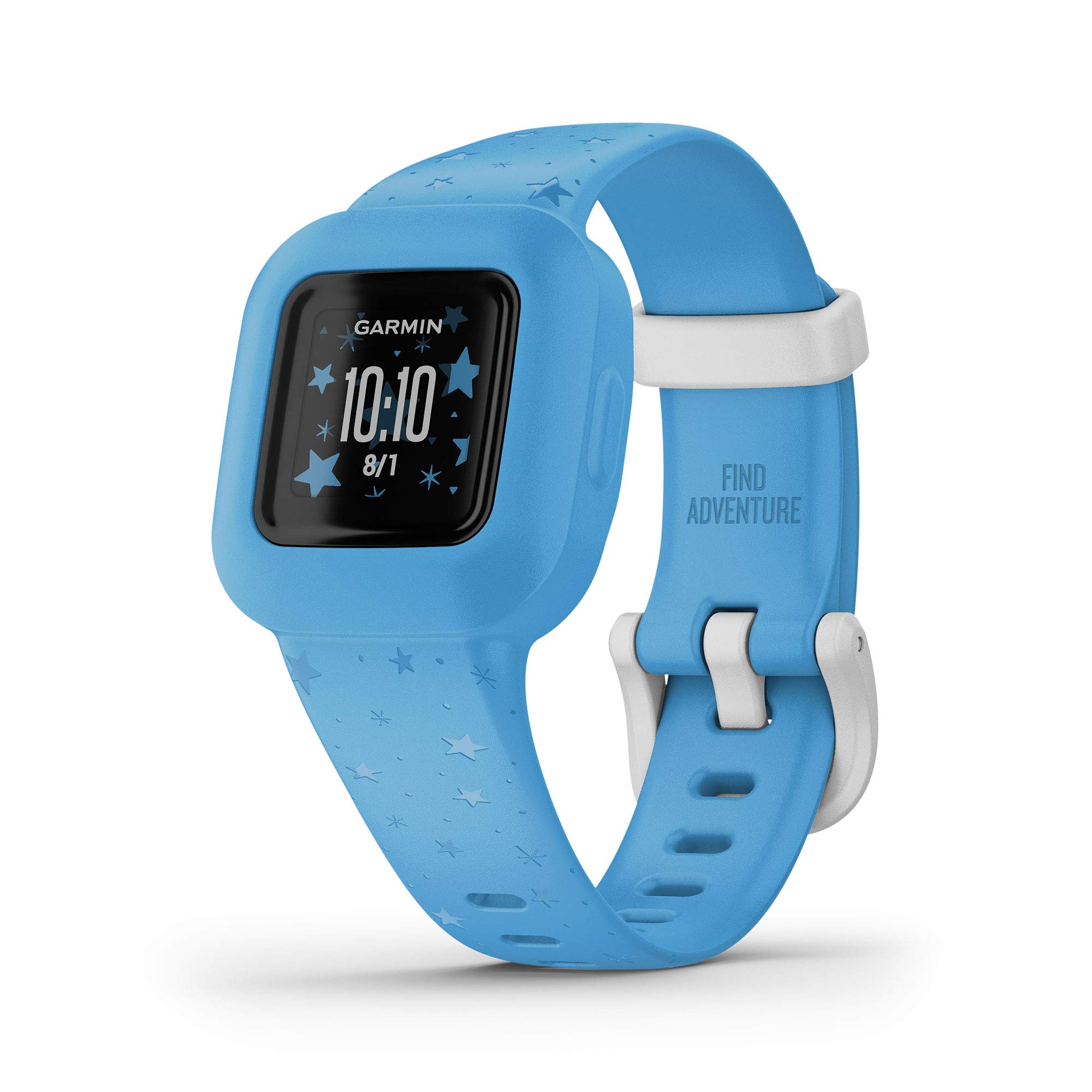
The Garmin vivofit jr. 3 is a durable, swim-friendly fitness tracker designed for children. It features a colorful display with multiple watch face options and a parent-replaceable battery that provides up to 1 year of battery life, eliminating the need for frequent recharging. This device offers an interactive app experience that encourages kids to achieve daily activity goals, unlocking educational globe-trotting adventures and mini-games. Parents can utilize the companion Garmin Jr. app on a compatible smartphone to monitor steps, estimated sleep, and active minutes, as well as manage chores, set timers, and provide rewards for positive behavior. The vivofit jr. 3 also includes timed activity tracking and an ICE (In Case of Emergency) widget for quick access to contact information.
Setup
- Unpack the Device: Ensure all components are present: the vivofit jr. 3 device, adjustable band, and documentation.
- Battery Installation: The device comes with a pre-installed CR2 battery. This battery is parent-replaceable and offers up to 1 year of battery life.
- Download the Garmin Jr. App: On a compatible smartphone, download and install the Garmin Jr. app from your device's app store.
- Pair the Device: Open the Garmin Jr. app and follow the on-screen instructions to pair your vivofit jr. 3 with your smartphone via Bluetooth. This connection is essential for syncing data and managing settings.
- Create Child Profiles: Within the app, create profiles for your children. You can customize watch faces and themes for each child.
- Set Up Emergency Contacts: Utilize the ICE (In Case of Emergency) widget within the app to input emergency contact information. This information can be quickly accessed directly from the vivofit jr. 3 device if needed.

Operating the Device
The vivofit jr. 3 is designed for simple operation, primarily through a single button interface and the companion Garmin Jr. app.
Device Navigation
- Single Button Control: Press the button on the device to cycle through different screens, including time, date, steps, active minutes, and other features.
- Customizable Watch Faces: Choose from various watch face options directly from the Garmin Jr. app to personalize the device's display.
Activity Tracking
- Steps and Active Minutes: The device automatically tracks your child's steps and active minutes throughout the day. The goal is to achieve 60 minutes of daily recommended activity.
- Estimated Sleep Tracking: The vivofit jr. 3 monitors estimated sleep patterns, which can be viewed in the Garmin Jr. app.
- Timed Activities: Initiate timed activities directly from the device to track estimated steps and distance during specific playtimes or sports. Data from these activities is saved and viewable in the app.
Interactive App Experience
- App Adventures: By completing 60 minutes of daily activity, kids unlock educational globe-trotting app adventures, quizzes, and mini-games within the Garmin Jr. app.
- Chore Management: Parents can use the Garmin Jr. app to assign tasks, schedule alerts, and set alarms for their children. Completion of chores can be rewarded with virtual coins.
- Rewards System: Virtual coins earned through activity and chores can be redeemed for agreed-upon rewards set by parents in the app.
- Toe-to-Toe Challenges: Kids can sync with nearby friends (who also have a vivofit jr. 2 or 3) to compete in friendly step competitions.
- Kid Mode: Enable Kid Mode in the Garmin Jr. app to give your child limited access to monitor their own chores and view their latest mission in their app adventure.


Maintenance
- Cleaning: Garmin wearables must be cleaned regularly to prevent the buildup of sweat and other particles or residue. Use a soft, damp cloth to wipe the device and band. Avoid harsh chemicals.
- Battery Replacement: The vivofit jr. 3 uses a parent-replaceable CR2 battery. When the battery life indicator shows low power, replace the battery according to the instructions in the full product manual.
- Swim-Friendly Design: The device is swim-friendly, meaning it can be worn during swimming and showering. However, it is recommended to dry the device and your child's wrist after water exposure to prevent skin irritation.
Troubleshooting
- Dim Display: If the display appears dim, press and hold the device button to temporarily brighten the screen. Ensure the device is not in a low-power mode.
- Watch Piece Dislodging: Ensure the vivofit jr. 3 module is securely fitted into the adjustable band. Regularly check the band for wear and tear that might affect its ability to hold the module. Replacement bands are available.
- Syncing Issues: If the device is not syncing with the Garmin Jr. app, ensure Bluetooth is enabled on your smartphone and the device is within range. Try restarting both the device and the app, then attempt to re-sync.
- Battery Life: The battery is designed to last up to 1 year. If battery life is significantly shorter, ensure the device is not constantly searching for a Bluetooth connection or frequently activating the backlight. Replace the CR2 battery if necessary.
Specifications
| Product Dimensions | 3.94 x 3.94 x 3.94 inches |
| Item Weight | 0.882 ounces |
| ASIN | B08JWZ5WY2 |
| Item Model Number | 010-02441-22 |
| Batteries | 1 CR2 batteries required (included) |
| Operating System | Android, iOS |
| Connectivity Technologies | Bluetooth |
| GPS | No GPS |
| Special Features | Alarm Clock, Pedometer, Sleep Monitor, Time Display |
| Color | Blue Stars |
| Manufacturer | Garmin |
| Standing Screen Display Size | 0.7 Inches |
| What's in the Box | vívofit® jr. 3, adjustable band and Documentation |
Warranty and Support
The Garmin vivofit jr. 3 comes with a standard manufacturer's warranty. For detailed warranty information, product support, or to access additional resources, please visit the official Garmin support website or refer to the documentation included with your device.