
1. Introduction and Overview
The RoyPow C86 Portable Charger is a versatile power bank designed to provide reliable power for a wide range of electronic devices. Featuring multiple output ports, including USB-C Power Delivery, USB-A Quick Charge, standard USB-A, 12V DC, and a 12V cigarette lighter socket, it offers flexible charging solutions for laptops, smartphones, tablets, car accessories, and more. Its compact design and high capacity make it suitable for travel, camping, and emergency use.

Image 1.1: The RoyPow C86 Portable Charger, a compact black power bank with multiple ports on top, including USB-C, USB-A, and a 12V cigarette lighter socket.
2. Package Contents
Please verify that all items listed below are included in your package:
- 1 x RoyPow C86 Portable Power Bank
- 1 x 3-in-1 Charging Cable
- 1 x DC Cable
- 1 x USB-A to USB-C Cable
- 1 x USB-C to USB-C Cable
- 1 x User Manual (this document)
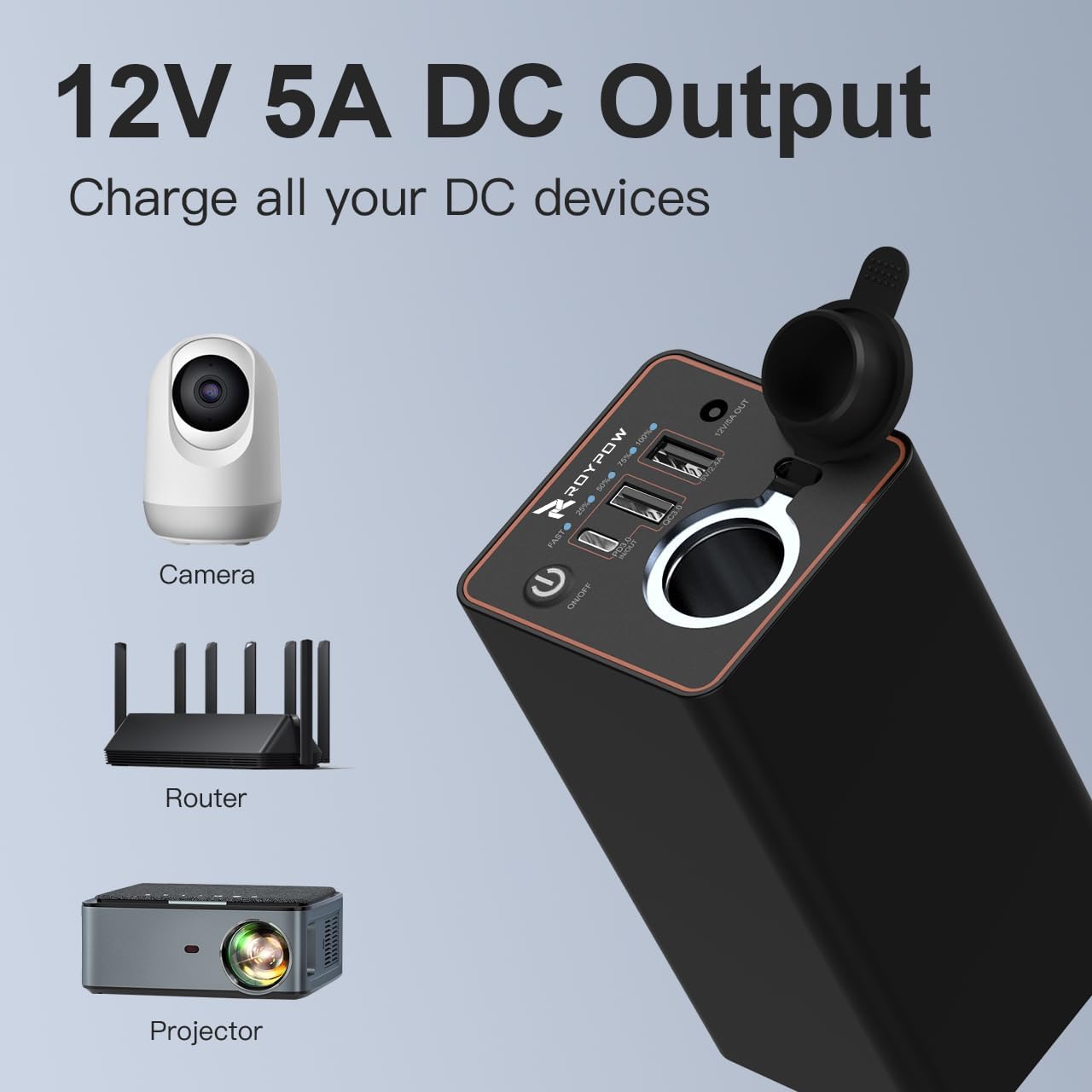
Image 2.1: Contents of the RoyPow C86 package, including the power bank, various charging cables, a carrying pouch, and the user manual.
3. Product Features
The RoyPow C86 Portable Charger offers a comprehensive set of features for efficient and safe power delivery:
- Multiple Output Ports: Equipped with 5 distinct output ports to cater to various devices:
- USB-C PD (Power Delivery) 30W Output
- USB-A QC 3.0 (Quick Charge) 18W Output
- Standard USB-A 12W Output
- 12V DC 5A Output
- 12V Cigarette Lighter Socket (up to 120W)
- High Capacity: Features a 23400mAh (3.7V) / 7800mAh (11.1V) battery, providing ample power for extended use.
- Fast Charging: Supports fast charging protocols for compatible devices, significantly reducing charging times.
- Safety Protections: Built-in safeguards protect against overcharge, overvoltage, overcurrent, and short-circuits, ensuring device safety.

Image 3.1: Diagram illustrating the five charging ports of the RoyPow C86, showing compatibility with laptops, tablets, phones, action cameras, UAVs, and Nintendo Switch via USB ports, and various car accessories via 12V outputs. Note: Not for 12V air pumps.

Image 3.2: Visual representation of the fast charging capability, showing an iPhone 12 charging to 50% in 30 minutes using the USB-C PD port.

Image 3.3: Examples of device charges possible with the 23400mAh capacity: iPhone 11 Pro Max (3.0 charges), Galaxy S10 (4.0 charges), iPad Pro 11 (2.0 charges), MacBook Air (1.5 charges).
4. Setup: Charging the Power Bank
Before using your RoyPow C86 Portable Charger for the first time, it is recommended to fully charge it. The power bank can be charged via its USB-C input port.
- Connect one end of the provided USB-C to USB-C cable (or USB-A to USB-C cable) to the USB-C PD IN/OUT port on the power bank.
- Connect the other end of the cable to a compatible USB wall charger (not included) or a computer's USB port. For fastest charging, use a 30W or higher USB-C PD charger.
- The LED indicators on the power bank will illuminate to show the charging status. A full charge is indicated when all LEDs are solid.
Charging time will vary depending on the power source used.
5. Operating Instructions: Using the Output Ports
The RoyPow C86 offers multiple ways to charge your devices:
5.1. USB-C PD and USB-A Ports (PD, QC3.0, 5V/2.4A)
- Connect your device to the appropriate USB-C or USB-A port using a compatible charging cable.
- The power bank will automatically detect your device and begin charging.
- The USB-C PD port is ideal for laptops (e.g., MacBook Air), iPads, iPhones, and Nintendo Switch.
- The USB-A QC 3.0 port provides fast charging for compatible Android devices (e.g., Galaxy, Google Pixel).
- The standard USB-A port is suitable for other USB-powered devices.
5.2. 12V DC 5A Output
- Use the provided DC cable to connect your 12V DC-powered device to the 12V/5A OUT port.
- This port is suitable for devices such as CCTV cameras, routers, 12V speakers, and LED strips.

Image 5.1: The 12V 5A DC output port of the RoyPow C86, shown powering a camera, router, and projector.
5.3. 12V Cigarette Lighter Socket
- Open the protective cover of the 12V cigarette lighter socket.
- Insert your 12V car accessory (up to 120W) into the socket.
- This port is ideal for car refrigerators, car fans, car humidifiers, car recorders, and small air compressors.
- Important: This port is NOT recommended for 12V air pumps that exceed 120W or have high surge current demands.

Image 5.2: The 12V cigarette lighter socket on the RoyPow C86, demonstrating its use with various car accessories like a car recorder, humidifier, fan, refrigerator, and air compressor.
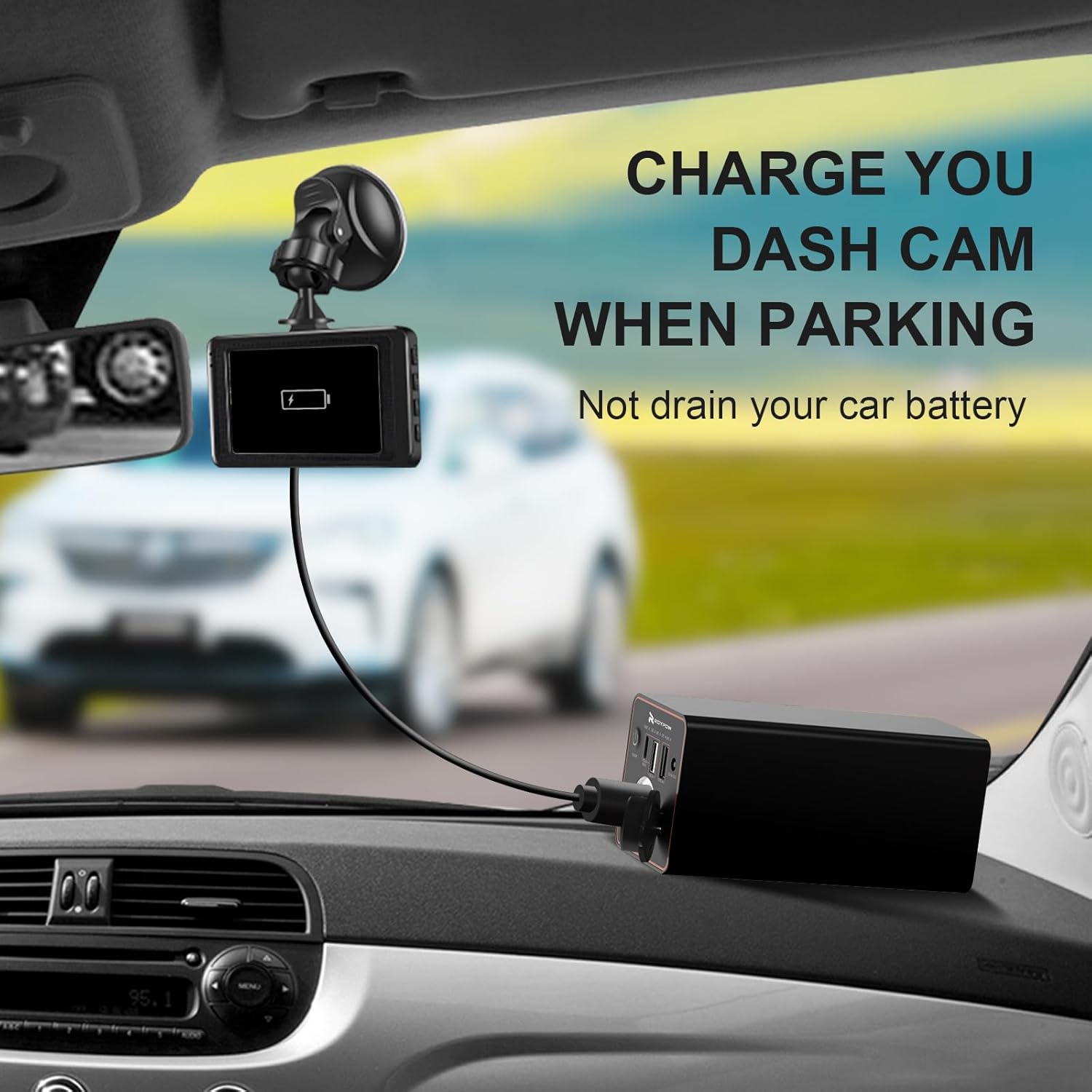
Image 5.3: The RoyPow C86 charging a dash cam while a car is parked, illustrating its utility for continuous monitoring without draining the car's battery.

Image 5.4: The RoyPow C86 connected to various devices, highlighting its broad compatibility with MacBooks, iPhones, iPads, Nintendo Switch (via PD port), Galaxy, Google Pixel (via QC port), and car accessories (via 12V ports).
6. Safety Information
To ensure safe operation and prolong the lifespan of your RoyPow C86 Portable Charger, please adhere to the following safety guidelines:
- Avoid Extreme Conditions: Do not expose the power bank to extreme temperatures (hot or cold), direct sunlight, or high humidity.
- Water and Moisture: Keep the device away from water and other liquids. Do not operate with wet hands.
- Physical Damage: Avoid dropping, puncturing, or disassembling the power bank. Any physical damage can compromise its safety and functionality.
- Proper Ventilation: Ensure adequate ventilation when charging or discharging to prevent overheating.
- Children and Pets: Keep the power bank out of reach of children and pets.
- Disposal: Dispose of the power bank according to local regulations for electronic waste. Do not dispose of it in household trash.
- Overload Protection: The power bank is equipped with intelligent protection against overcharge, overvoltage, overcurrent, and short-circuits. However, avoid connecting devices that exceed the specified output limits.
7. Troubleshooting
If you encounter issues with your RoyPow C86 Portable Charger, refer to the following common troubleshooting steps:
7.1. Power Bank Not Charging
- Ensure the charging cable is securely connected to both the power bank's USB-C input port and the wall charger.
- Verify that the wall charger is functioning correctly and plugged into a live power outlet.
- Try using a different USB-C cable and/or wall charger to rule out faulty accessories.
7.2. Device Not Charging from Power Bank
- Check if the power bank has sufficient charge. The LED indicators should show at least one solid light.
- Ensure the charging cable connecting your device to the power bank is securely plugged in at both ends.
- Confirm that your device's charging cable is not damaged and is compatible with the power bank's output port.
- Try a different output port on the power bank.
- Verify that your device is compatible with the output voltage and current of the selected port.
7.3. Power Bank Overheating
- If the power bank feels excessively hot, disconnect all devices and the charging input immediately.
- Allow the power bank to cool down in a well-ventilated area.
- Ensure you are not using the power bank in direct sunlight or a confined space.
- If overheating persists, discontinue use and contact customer support.
8. Specifications
| Feature | Specification |
|---|---|
| Brand | RoyPow |
| Model Name | C86 |
| Battery Capacity | 23400 mAh (3.7V) / 7800 mAh (11.1V) |
| Battery Composition | Lithium |
| USB-C PD Output | 30W |
| USB-A QC 3.0 Output | 18W |
| USB-A Output | 12W |
| 12V DC Output | 5A |
| 12V Cigarette Lighter Output | Up to 120W (12V, 10A) |
| Total Power Input | 30W |
| Voltage | 12 Volts (DC output) |
| Special Feature | Fast Charging |
| Recommended Uses | Laptop, Smartphone, Tablet, Car Accessories |
| Item Weight | 629.36 Grams |
9. Warranty and Support
The RoyPow C86 Portable Charger comes with an 18-month warranty from the date of purchase. This warranty covers manufacturing defects and issues arising from normal use.
If you experience any problems with your product or have questions not covered in this manual, please contact RoyPow customer support. Our professional customer service team is available to assist you.
Please retain your proof of purchase for warranty claims.
