1. Introduction
Thank you for purchasing the PURE CLEAN Robotic Vacuum Cleaner Model PUCRC25PLUS.9. This device is designed to provide efficient and automated cleaning for various floor types, including hardwood, linoleum, tile, and low-pile carpets. This manual contains important information regarding the safe use, operation, and maintenance of your robotic vacuum cleaner. Please read it thoroughly before using the product and retain it for future reference.

Image 1.1: Top view of the PURE CLEAN Robotic Vacuum Cleaner.
2. Safety Instructions
- Read all instructions before operating the appliance.
- Do not allow children to operate the vacuum cleaner. Supervise children and pets when the appliance is in use.
- Use only the provided power adapter for charging.
- Do not use the appliance on wet surfaces or to pick up liquids.
- Keep hair, loose clothing, fingers, and all parts of the body away from openings and moving parts.
- Do not pick up large objects, sharp objects, or burning/smoking materials.
- Ensure the dustbin and filters are correctly installed before operation.
- Store the appliance indoors in a cool, dry place.
3. Package Contents
Verify that all items are present in the box:
- PURE CLEAN Robotic Vacuum Cleaner
- Rechargeable Battery (pre-installed or separate)
- US Plug/Power Adapter
- (2) Mop Cloths
- (1) Mop Plate
- (2) Pairs Side Brushes (4 brushes total)
- (2) Primary Filters

Image 3.1: Illustration of the items included in the product packaging.
4. Product Overview
The PURE CLEAN Robotic Vacuum Cleaner features a low-profile design for cleaning under furniture, dual rotating side brushes, and smart navigation sensors.
4.1 Key Components
- Main Unit: Houses the motor, battery, and dustbin.
- Side Brushes: Collect debris from edges and corners.
- Dustbin: Collects dirt and debris.
- Filters: Trap fine dust particles.
- Bumper Sensors: Detect obstacles to prevent collisions.
- Anti-Fall Sensors: Prevent the unit from falling down stairs or ledges.

Image 4.1: The robotic vacuum cleaner utilizing its smart front bumper sensors to navigate around furniture.

Image 4.2: The robotic vacuum cleaner demonstrating its smart navigation sensors for anti-drop and anti-collision.
5. Setup
5.1 Charging the Battery
- Locate the charging port on the side of the robotic vacuum cleaner.
- Connect the power adapter to the charging port and plug the adapter into a wall outlet.
- The indicator light on the vacuum will illuminate to show charging status. A full charge typically takes 2.5-3 hours.
- Ensure the vacuum is fully charged before its first use to maximize battery life.

Image 5.1: The robotic vacuum cleaner connected to its charger, indicating a fast charging time and 90 minutes of cleaning operation.
5.2 Installing Side Brushes
- Turn the robotic vacuum cleaner upside down.
- Align the side brushes with the designated posts on the bottom of the unit.
- Press firmly until each brush clicks into place.
6. Operating Instructions
6.1 Starting and Stopping Cleaning
- Ensure the robotic vacuum is fully charged and placed on the floor.
- Press the power button located on the top of the unit to begin cleaning. The vacuum will automatically start its cleaning cycle.
- To pause or stop cleaning, press the power button again.
6.2 Cleaning Modes and Navigation
The PURE CLEAN Robotic Vacuum Cleaner features self-programmed cleaning path navigation. It will automatically adjust its cleaning path based on its environment, utilizing bumper and anti-fall sensors to avoid obstacles and drops. It is designed to clean various floor types effectively.

Image 6.1: The robotic vacuum cleaner demonstrating its multi-surface cleaning capability on carpet, hardwood, and tile.
7. Maintenance
Regular maintenance ensures optimal performance and extends the lifespan of your robotic vacuum cleaner.
7.1 Emptying the Dustbin
- Press the dustbin release button or lift the cover to access the dustbin.
- Carefully remove the dustbin from the unit.
- Open the dustbin lid and empty its contents into a trash receptacle.
- Rinse the dustbin with water if necessary, ensuring it is completely dry before reinstallation.

Image 7.1: A hand demonstrating the process of easily emptying the 0.2L dustbin.
7.2 Cleaning Filters
- Remove the filters from the dustbin.
- Tap the filters gently over a trash can to remove loose debris.
- If heavily soiled, rinse the filters under running water. Allow them to air dry completely for at least 24 hours before reinserting.
- Replace filters every 1-3 months depending on usage.
7.3 Cleaning Side Brushes
- Remove the side brushes by gently pulling them upwards.
- Remove any hair or debris tangled around the brushes.
- Reinstall the brushes, ensuring they click into place.

Image 7.2: The robotic vacuum cleaner's dual rotating brushes effectively sweeping dirt and debris.
7.4 Cleaning Sensors
Wipe the bumper sensors and anti-fall sensors on the bottom of the unit with a clean, dry cloth to ensure they remain free of dust and debris.
8. Troubleshooting
| Problem | Possible Cause | Solution |
|---|---|---|
| Vacuum does not turn on. | Battery is low or depleted. | Charge the vacuum for 2.5-3 hours. |
| Vacuum stops unexpectedly. | Battery is low. Obstacle detected. | Recharge the vacuum. Clear any obstructions around the unit. |
| Poor cleaning performance. | Dustbin is full. Filters are clogged. Side brushes are tangled. | Empty the dustbin. Clean or replace filters. Clean side brushes. |
| Vacuum gets stuck frequently. | Too many obstacles. Sensors are dirty. | Clear the cleaning area of excessive clutter. Clean all sensors. |
| Vacuum does not charge. | Power adapter not connected properly. Faulty adapter. | Ensure the adapter is securely plugged into the vacuum and wall outlet. Contact support if the adapter is suspected to be faulty. |
9. Specifications
| Feature | Specification |
|---|---|
| Model Name | Pure Clean |
| Model Number | PUCRC25PLUS.9 |
| Construction Material | ABS, POM |
| Dust Bin Capacity | 0.2 Liters |
| Average Charge Time | 2.5-3 Hours |
| Vacuum Operation Run-Time | 90 Minutes |
| Battery Type | 11.1V Li-ion, 1500mAh - 16.65Wh |
| Unit Average Power | 15W |
| Power Supply | 120/240V, 13V Power Adapter |
| Low Noise Level | 65 dB |
| Power Cable Length | 5.02 ft. |
| Dimensions (L x W x H) | 11.02'' x 11.02'' x 2.95'' inches |
| Item Weight | 4.77 pounds |
| Control Method | App (Note: Product description mentions one-button operation, while specifications mention App control. For this manual, we prioritize direct operation as described in features.) |
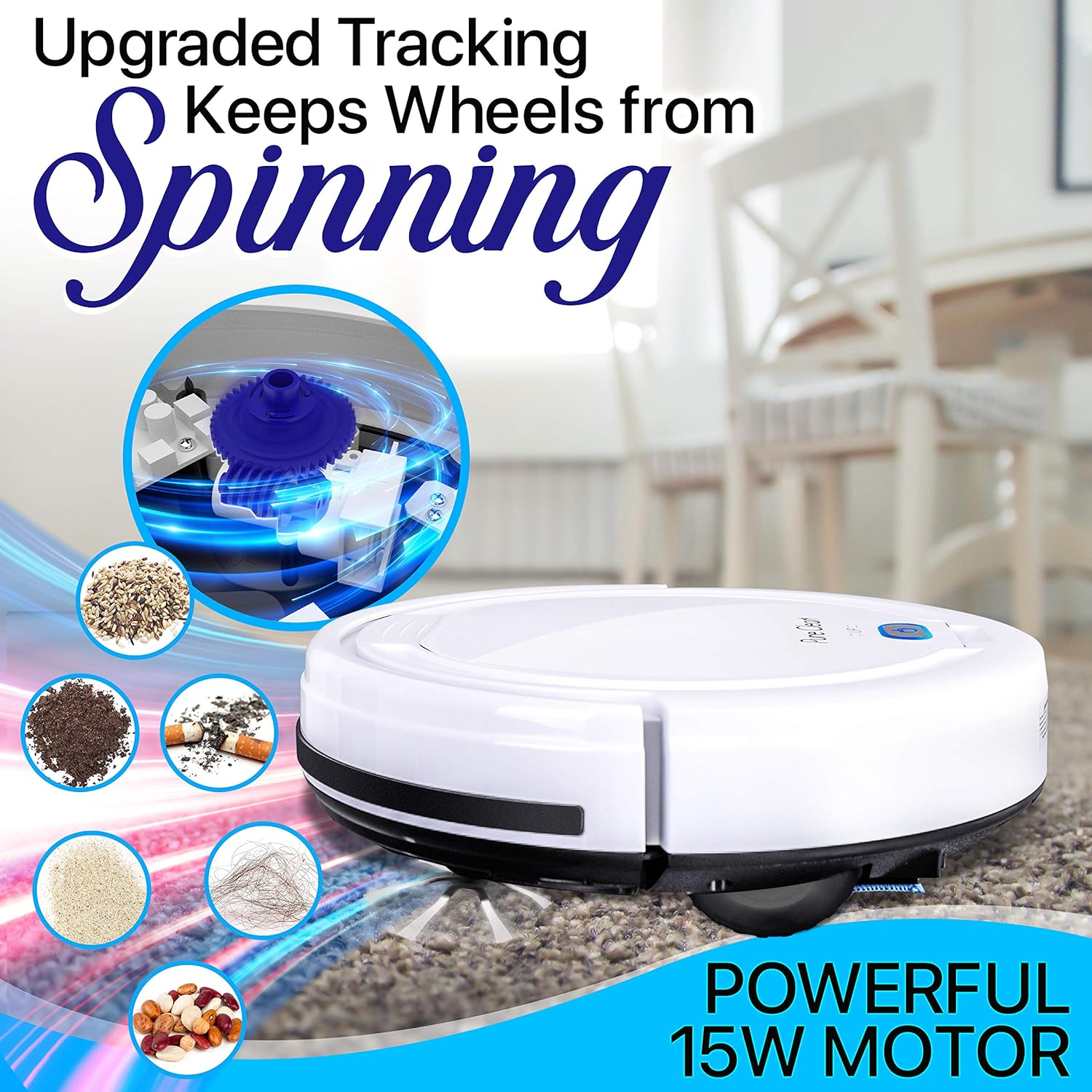
Image 9.1: An internal view highlighting the powerful 15W motor of the robotic vacuum cleaner.
10. Warranty and Support
10.1 Warranty Information
Please refer to the warranty card included with your product for specific warranty terms and conditions. Typically, PURE CLEAN products come with a limited manufacturer's warranty covering defects in materials and workmanship from the date of purchase. This warranty does not cover damage caused by misuse, accident, unauthorized modifications, or normal wear and tear.
10.2 Customer Support
For technical assistance, troubleshooting, or warranty inquiries, please contact PURE CLEAN customer support. Contact information can usually be found on the product packaging or the official PURE CLEAN website.
Website: www.pureclean.com (Example link, please refer to actual product for correct URL)
Email: support@pureclean.com (Example email)
Phone: 1-800-XXX-XXXX (Example phone number)


