
1. Introduction
The TENS 3002 PLUS is an advanced electrostimulator designed for both pain relief (TENS) and muscle stimulation (EMS). This device offers a non-pharmacological approach to managing various types of pain and enhancing muscle performance. It features 5 pre-set TENS programs for analgesia, 5 pre-set EMS programs for muscle stimulation, and 4 user-configurable programs, allowing for personalized treatment.
Common applications include relief from neck pain, lower back pain, backache, hip pain, sciatica, knee pain, shoulder pain, epicondylitis, migraine, and arthritis. Please read this manual thoroughly before using the device to ensure safe and effective operation.
2. Important Safety Information
Before using the TENS 3002 PLUS, it is crucial to understand and follow all safety precautions. Failure to do so may result in injury or damage to the device.
- Consult a Physician: Always consult with a healthcare professional before using any electrostimulation device, especially if you have pre-existing medical conditions, are pregnant, or have a pacemaker.
- Do Not Immerse: Never immerse the device in water or any other liquid.
- Avoid Excessive Heat: Do not place the equipment near sources of excessive heat.
- Battery Removal: Remove the batteries if the device will not be used for an extended period to prevent leakage and damage.
- Electrode Placement: Do not place electrodes over the heart, on the head, on open wounds, or on areas of skin irritation.
- Children and Pets: Keep the device out of reach of children and pets.
- Driving/Operating Machinery: Do not use the device while driving, operating machinery, or during any activity where involuntary muscle contractions could put you at risk.
- Read Product Label: Always read the label, warnings, and instructions provided on the product packaging before use.
3. Package Contents
The TENS 3002 PLUS package includes the following items:
- 1x TENS 3002 PLUS Electrostimulator Device
- 1x Set of Electrode Cables (2mm)
- 4x Self-adhesive Electrodes (40 x 40 mm)
- 2x AA 1.5V Batteries
- 1x Instruction Manual
- 1x Storage Case

Figure 3.1: TENS 3002 PLUS device and included accessories.
This image displays the complete package contents: the main electrostimulator unit, a set of electrode cables, four square self-adhesive electrodes, two AA batteries, and a black zippered storage case.
4. Product Overview
The TENS 3002 PLUS is a compact and user-friendly device. Familiarize yourself with its components and controls.
4.1 Device Components

Figure 4.1: Front view of the TENS 3002 PLUS device.
This image shows the front of the TENS 3002 PLUS unit, highlighting its digital display screen and the array of control buttons below it. The screen displays frequency (Hz), pulse width (µs), program number, and intensity levels for two channels (Level 1 and Level 2).
- LCD Display: Shows program number, intensity levels, frequency, pulse width, and treatment time.
- Power Button (ⓘ): Turns the device on/off.
- Program Button (Prog): Selects between pre-set and user-defined programs.
- Menu Buttons: Navigates through settings and parameters.
- Intensity Adjustment Buttons (+ / -): Increases or decreases stimulation intensity for each channel (Level 1 and Level 2).
- Pause/Play Button (⏸): Pauses or resumes the current program.
- Lock Button (🔒): Locks the screen to prevent accidental changes during treatment.
- Electrode Ports: Connect the electrode cables to these ports.
4.2 Back of Device

Figure 4.2: Back view of the TENS 3002 PLUS device with belt clip.
This image shows the rear side of the TENS 3002 PLUS unit, featuring a sturdy belt clip for convenient portability during use. The battery compartment is also visible.
5. Setup
5.1 Battery Installation
- Locate the battery compartment on the back of the device.
- Slide open the battery cover.
- Insert two AA 1.5V batteries, ensuring correct polarity (+/-).
- Close the battery cover securely.
5.2 Connecting Electrodes
- Ensure the device is turned off before connecting electrodes.
- Connect the electrode cables to the output ports on the top of the device.
- Attach the self-adhesive electrodes to the ends of the electrode cables.
- Peel off the protective film from the electrodes and apply them to clean, dry skin in the desired treatment area. Ensure good contact with the skin.

Figure 5.1: Example of electrode placement for neck and upper back pain relief.
This image illustrates the proper application of self-adhesive electrodes to the neck and upper back area, demonstrating a common use case for pain relief programs.
6. Operating Instructions
6.1 Turning On/Off
- To turn on: Press and hold the Power button (ⓘ) until the display lights up.
- To turn off: Press and hold the Power button (ⓘ) until the display turns off.
6.2 Program Selection
The TENS 3002 PLUS offers a variety of programs:
- 5 TENS Programs: For pain relief (analgesia).
- 5 EMS Programs: For muscle stimulation and strengthening.
- 4 User-Configurable Programs: Allows you to set your own parameters.
- After turning on the device, press the Prog button to cycle through the available programs.
- The program number will be displayed on the LCD screen.
- Use the Menu buttons to adjust specific parameters within user-configurable programs if desired.
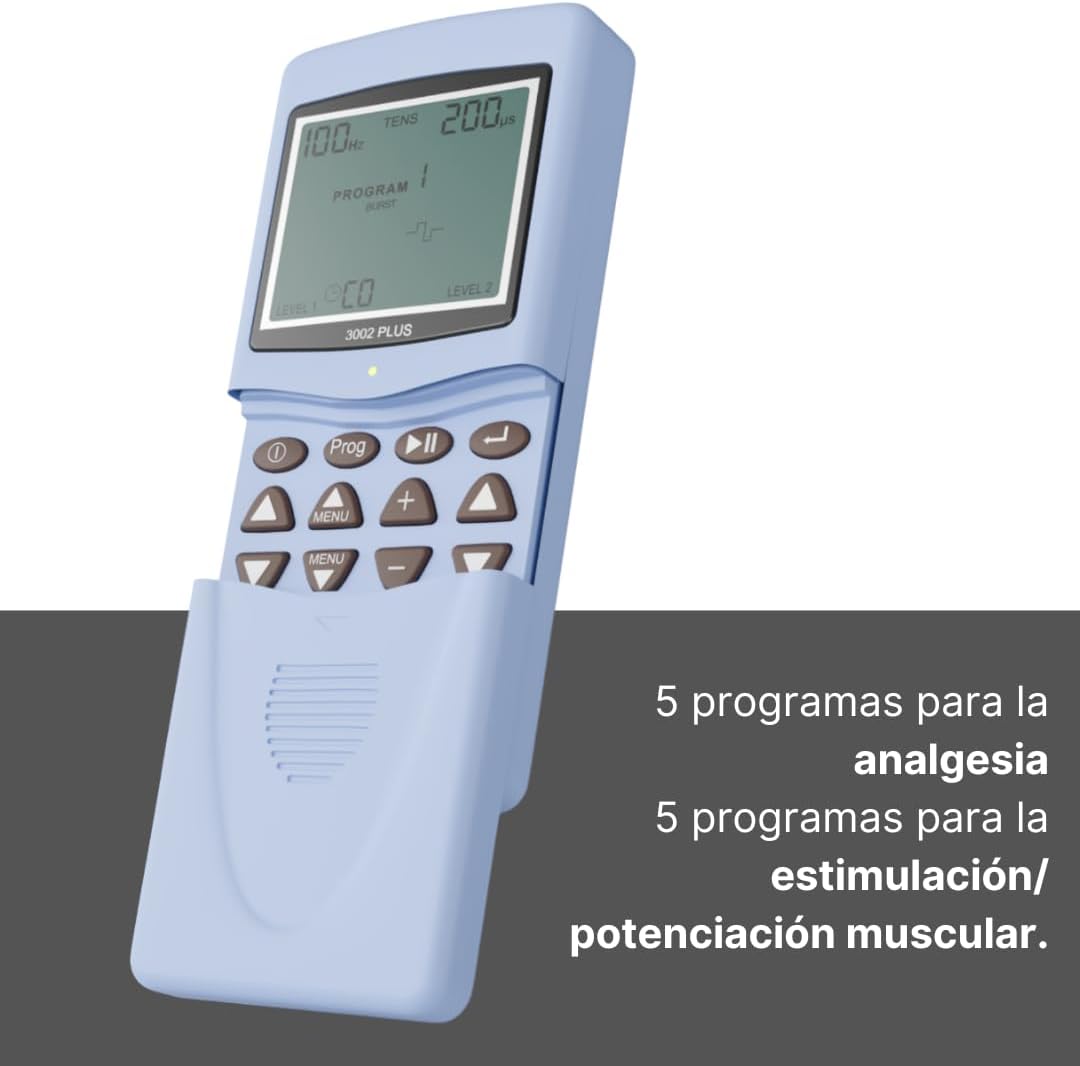
Figure 6.1: Device screen showing program selection.
This image highlights the device's display, indicating the current program settings. The accompanying text emphasizes the availability of 5 programs for analgesia (TENS) and 5 programs for muscle stimulation/potentiating (EMS).
6.3 Adjusting Intensity
The device has two independent channels (Level 1 and Level 2) for intensity adjustment.
- Once a program is selected and electrodes are applied, press the + button for Level 1 or Level 2 to gradually increase the intensity.
- Press the - button for Level 1 or Level 2 to decrease the intensity.
- Adjust the intensity to a comfortable level where you feel a strong but non-painful muscle contraction or tingling sensation.
- Do not increase intensity to a painful level.
6.4 Locking the Screen
To prevent accidental changes during treatment, you can lock the screen:
- Press the Lock button (🔒) to activate the screen lock.
- Press it again to unlock.
7. Maintenance
7.1 Cleaning the Device
- Turn off the device and disconnect all cables before cleaning.
- Wipe the device with a soft, slightly damp cloth. Do not use abrasive cleaners or immerse the device in water.
- Ensure the device is completely dry before storing or next use.
7.2 Electrode Care
- After each use, reattach the protective film to the electrodes to maintain their adhesive quality.
- Store electrodes in a cool, dry place.
- Replace electrodes when they lose their adhesiveness or if they become damaged.
7.3 Storage
- Store the device and accessories in the provided storage case.
- If storing for an extended period, remove the batteries from the device.
- Keep the device away from direct sunlight, extreme temperatures, and high humidity.
8. Troubleshooting
If you experience issues with your TENS 3002 PLUS, refer to the following common problems and solutions:
| Problem | Possible Cause | Solution |
|---|---|---|
| Device does not turn on. |
|
|
| No sensation or weak sensation. |
|
|
| Sensation is uncomfortable or painful. |
|
|
9. Specifications
| Feature | Detail |
|---|---|
| Model | 3002PLUS |
| Brand | TENS |
| Product Dimensions | 9.3 x 6 x 15.5 cm |
| Weight | 348 grams (including batteries) |
| Power Source | 2 x AA 1.5V Batteries (included) |
| Programs | 5 TENS (Analgesia), 5 EMS (Muscle Stimulation), 4 User-Configurable |
| Electrodes | 4x 40x40mm self-adhesive electrodes |
| Manufacturer | SALE & SERVICE SL |
| Country of Origin | China |
10. Warranty and Support
For warranty information and customer support, please refer to the documentation included in your product package or contact the manufacturer directly. The manufacturer is SALE & SERVICE SL.
Always retain your proof of purchase for warranty claims.


