1. Introduction
This manual provides essential information for the safe and efficient use of your OUKITEL WP5 Pro rugged smartphone. Please read this manual thoroughly before operating the device to ensure proper functionality and to prevent damage.

Image 1.1: Front and back view of the OUKITEL WP5 Pro Rugged Smartphone.
2. Setup
2.1. Package Contents
Ensure all items are present in your package:
- OUKITEL WP5 Pro Smartphone
- USB Cable
- Power Adapter
- User Manual (this document)
2.2. SIM Card and Micro SD Card Installation
The OUKITEL WP5 Pro supports dual Nano SIM cards or one Nano SIM card and one Micro SD card for expanded storage up to 256GB.
- Locate the protective case on the side of the phone.
- Use the provided pin to gently open the small hole on the protective case.
- Carefully pull out the SIM card tray.
- Place your Nano SIM card(s) and/or Micro SD card into the designated slots on the tray. Ensure correct orientation.
- Gently push the tray back into the phone until it is fully seated and the protective case is closed.
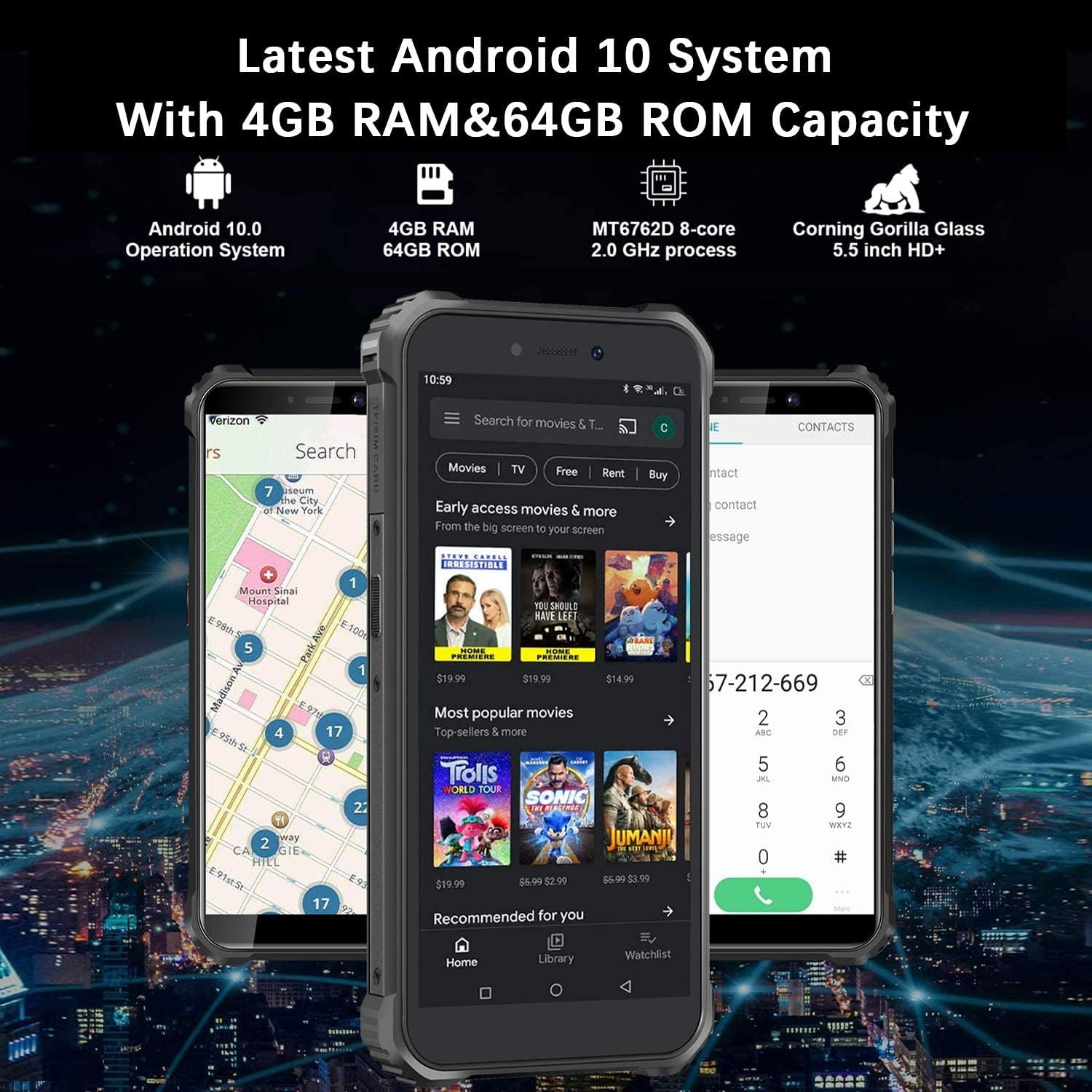
Image 2.1: Instructions for inserting Nano SIM and Micro SD cards.
2.3. Initial Power On and Network Compatibility
Press and hold the power button until the OUKITEL logo appears. Follow the on-screen instructions to complete the initial setup.
The OUKITEL WP5 Pro is an unlocked 4G LTE GSM smartphone. Please note its specific carrier compatibility:
- Supported Carriers: T-Mobile, MetroPCS, Mint Mobile.
- Unsupported Carriers: New AT&T, CRICKET, Verizon, Sprint, Boost Mobile, Straight Talk, U.S. Cellular.
Supported Frequency Bands:
- 2G: GSM B2/B3/B5/B8
- 3G (WCDM): 1/2/4/5/8
- 4G (FDD): 2/4/5/7/12/17/28a/28b
Always confirm with your carrier before purchasing to ensure compatibility.

Image 2.2: Network carrier compatibility overview.
3. Operating the Device
3.1. Android 10 Operating System
The OUKITEL WP5 Pro runs on a pure Android 10.0 system, offering a streamlined and user-friendly experience. It features a MediaTek MT6762D Octa-core 2.0 GHz processor, 4GB RAM, and 64GB ROM (expandable up to 256GB via Micro SD card).
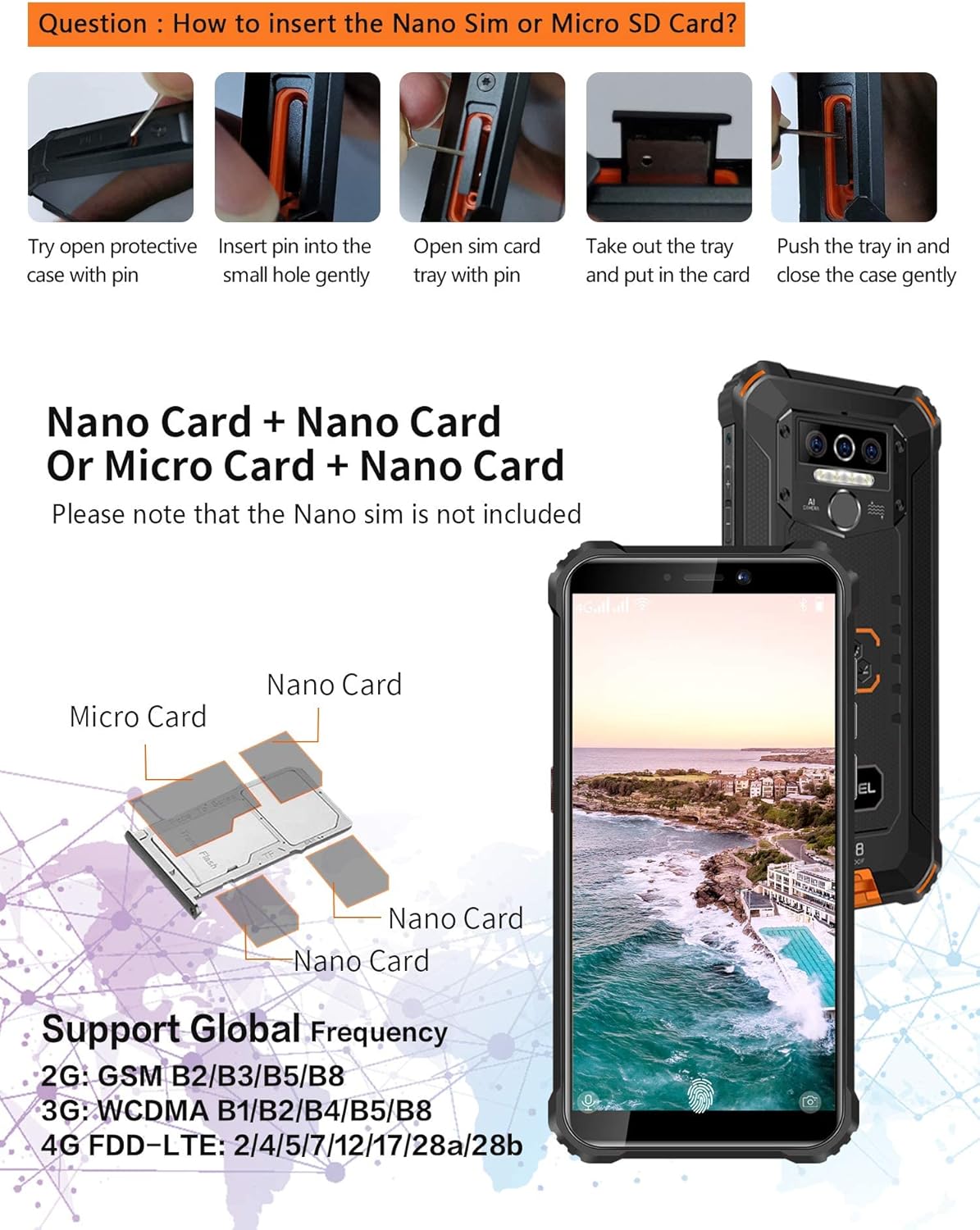
Image 3.1: Android 10 system and memory capacity.
3.2. Battery and Charging
The device is equipped with an 8000mAh battery, designed for extended usage. It can also function as a power bank to charge other devices using an OTG cable (not included).
- Talk Time: Up to 42 hours
- Standby Time: Up to 615 hours
Use the provided USB cable and power adapter for optimal charging. Avoid using damaged cables or chargers.

Image 3.2: Battery capacity and estimated usage times.
3.3. Camera Features
The OUKITEL WP5 Pro features a triple-lens rear camera for capturing photos and videos.
3.4. Rugged Features and Outdoor Tools
The WP5 Pro is designed for durability and outdoor use, meeting IP68 and IP69K standards. It is waterproof up to 1.5 meters for 30 minutes and resistant to 99% of dust. The phone is constructed with Corning Gorilla Glass and FPC+TPU+GF material for enhanced drop and shock resistance. It operates normally in temperatures ranging from -55°C to 70°C (-67°F to 158°F).
The device includes several outdoor tools and features 4 LED flashes for illumination.
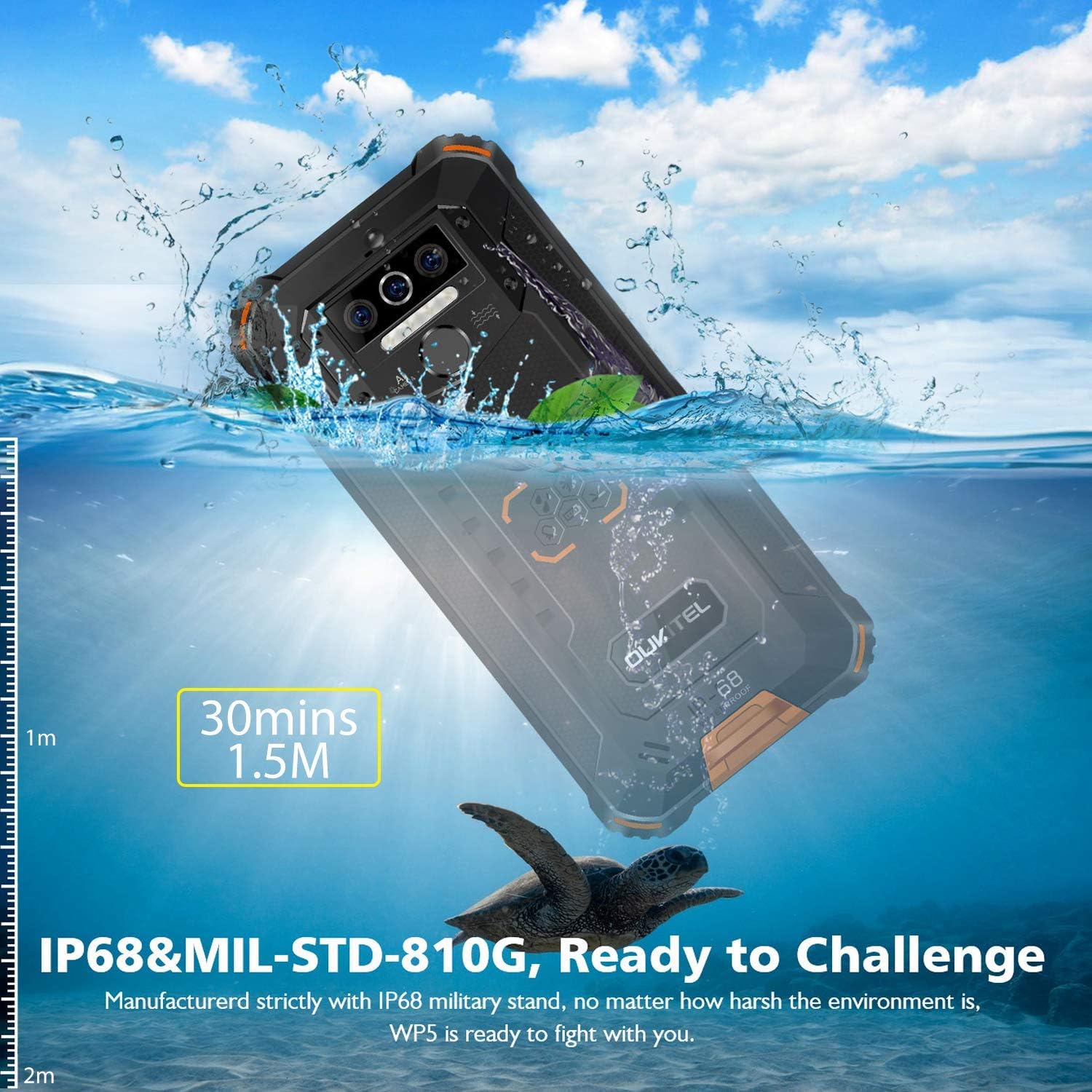
Image 3.3: OUKITEL WP5 Pro demonstrating its IP68 waterproof capabilities.

Image 3.4: Rugged features and integrated outdoor tools.
3.5. Custom Buttons
The WP5 Pro features custom buttons that can be configured for quick access to functions such as the flashlight, camera, or SOS emergency calls.
3.6. Face ID and Fingerprint Unlock
The device supports both Face ID and fingerprint recognition for secure unlocking.
3.7. Product Overview Video
Video 3.1: An official product video showcasing the OUKITEL WP5 Pro's features and rugged design.
4. Maintenance
4.1. Cleaning
To clean your OUKITEL WP5 Pro, use a soft, damp cloth. Avoid using harsh chemicals or abrasive materials, as these can damage the device's rugged coating and screen. Ensure all ports are closed before cleaning with moisture.
4.2. Battery Care
To prolong battery life:
- Avoid extreme temperatures.
- Do not fully discharge the battery frequently.
- Use only the original charger or certified compatible accessories.
4.3. Software Updates
Regularly check for and install software updates to ensure optimal performance, security, and access to new features. Updates can typically be found in the device's settings menu under "System" or "About phone."
5. Troubleshooting
5.1. Device Not Powering On
- Ensure the battery is charged. Connect the device to the charger for at least 30 minutes.
- Press and hold the power button for 10-15 seconds to perform a forced restart.
5.2. Network Connectivity Issues
- Verify that your SIM card is correctly inserted and activated.
- Check your network settings (Settings > Network & internet > Mobile network).
- Ensure your carrier is compatible with the OUKITEL WP5 Pro (refer to Section 2.3).
- Restart the device.
5.3. Screen Unresponsive or Frozen
- Perform a forced restart by holding the power button.
- If the issue persists, consider a factory reset (note: this will erase all data).
5.4. Factory Reset
A factory reset will restore your phone to its original settings and erase all data. Back up important data before proceeding.
- Go to Settings > System > Reset options.
- Select "Erase all data (factory reset)".
- Confirm your choice and enter your PIN/password if prompted.
6. Specifications
| Feature | Specification |
|---|---|
| Model Name | WP5 Pro |
| Brand | OUKITEL |
| Operating System | Android 10.0 |
| RAM | 4 GB |
| Memory Storage Capacity | 64 GB (expandable up to 256GB) |
| CPU Speed | 2 GHz (MediaTek MT6762D Octa-core) |
| Screen Size | 5.5 Inches |
| Resolution | 720 x 1440 (HD+) |
| Battery Capacity | 8000 Milliamp Hours |
| Phone Talk Time | 42 Hours |
| Phone Standby Time (with data) | 615 Hours |
| Wireless Communication Technologies | Cellular |
| Cellular Technology | 4G |
| Connectivity Technologies | USB |
| GPS | True |
| Display Technology | LED |
| Human Interface Input | Buttons |
| Other Camera Features | Front |
| Audio Jack | 3.5 mm (adapter required) |
| Form Factor | Smartphone |
| Color | Orange |
| Item Weight | 0.141 ounces |
| Manufacturer | OUKITEL |
| Date First Available | September 22, 2020 |
7. Warranty Information
Your OUKITEL WP5 Pro smartphone is covered by a manufacturer's warranty. Please refer to the warranty card included in your product packaging for specific terms, conditions, and duration of coverage. Keep your proof of purchase for warranty claims.
8. Customer Support
For technical assistance, troubleshooting, or further inquiries regarding your OUKITEL WP5 Pro, please visit the official OUKITEL website or contact their customer service department. Contact details can typically be found on the manufacturer's website or in your product packaging.


