Product Overview
The Aluratek Bluetooth 5.0 Wireless Stereo Headset (Model ABHS02F) provides a high-fidelity audio experience with the convenience of wireless connectivity. Designed for comfort during extended use, it features a boom microphone for clear communication, active noise cancellation for reduced distractions, and long battery life. This headset is compatible with various devices including PCs, laptops, MacBooks, tablets, and smartphones, making it ideal for phone calls, music listening, and online meetings.

The Aluratek Bluetooth 5.0 Wireless Stereo Headset, featuring an adjustable headband and a flexible boom microphone.

The headset can be folded for compact storage and portability.

A user wearing the headset while participating in a video conference, demonstrating its use for clear communication.

A child using the headset with a computer, highlighting its suitability for distance learning or entertainment.
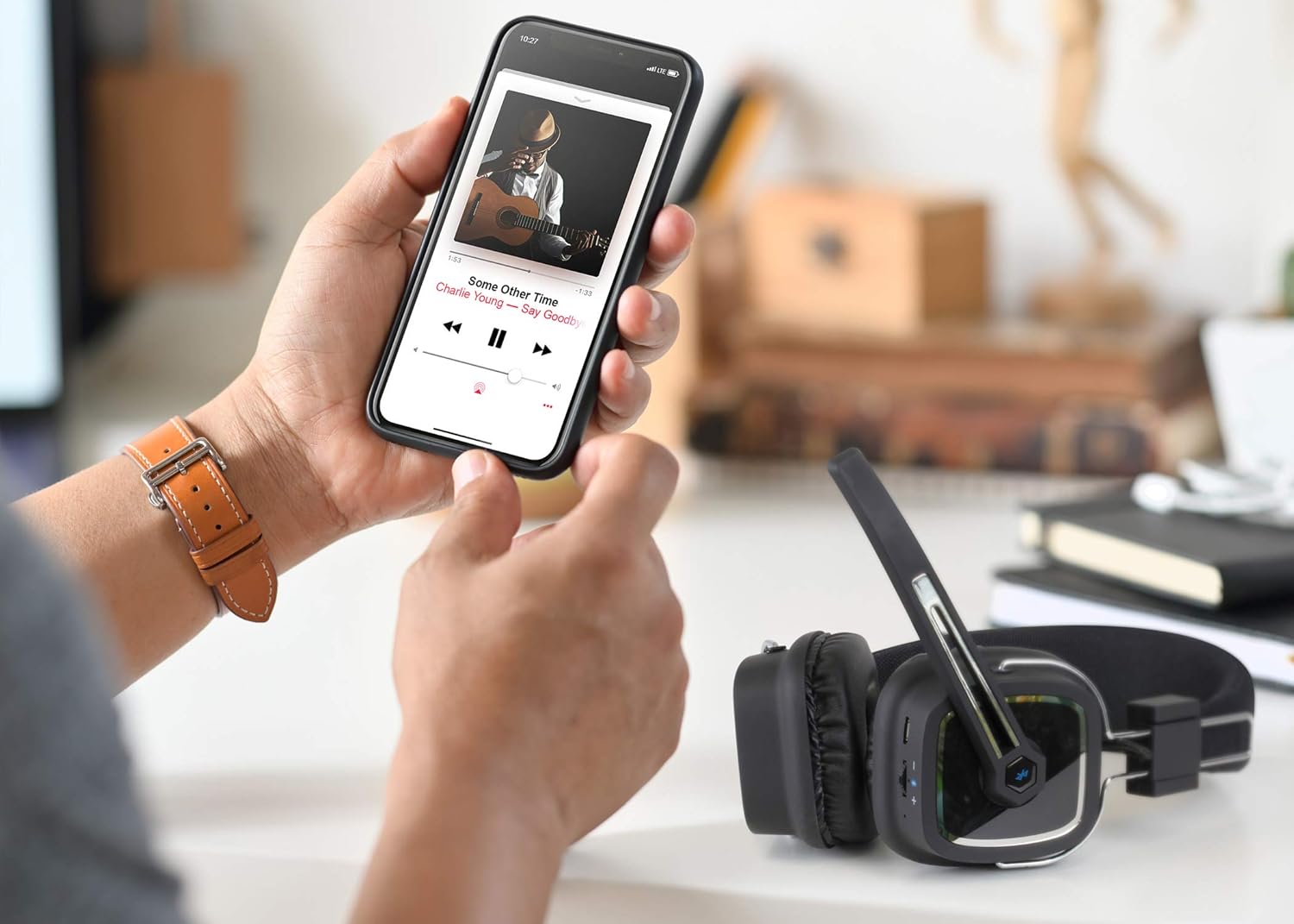
The headset positioned near a smartphone, illustrating its compatibility for wireless music streaming.

A woman smiling while wearing the headset, indicating comfort and enjoyment during use.

A detailed side view of the headset, highlighting the control buttons and ports.

The headset connected to a laptop, demonstrating its wired connectivity option.
Package Contents
Ensure all items are present in the package:
- Aluratek Bluetooth 5.0 Wireless Stereo Headset (ABHS02F)
- USB Charging Cable
- 3.5mm Audio Cable
- Quick Start Guide
Controls and Indicators
Familiarize yourself with the controls and indicators on your Aluratek Bluetooth Headset:
- Power Button: Press and hold to power on/off. Short press for play/pause, answer/end calls.
- Volume Up (+): Short press to increase volume. Long press for next track.
- Volume Down (-): Short press to decrease volume. Long press for previous track.
- Microphone: Adjustable boom microphone for voice input.
- LED Indicator: Displays power status, pairing mode, and charging status.
- Micro USB Charging Port: For connecting the USB charging cable.
- 3.5mm Audio Jack: For wired connection to audio devices.
Setup
Charging the Headset
Before first use, fully charge the headset. A full charge typically takes approximately 2-3 hours.
- Connect the micro USB end of the charging cable to the headset's charging port.
- Connect the USB-A end of the charging cable to a USB power adapter (not included) or a computer's USB port.
- The LED indicator will glow red during charging and turn off or blue when fully charged.
Pairing with a Bluetooth Device
Follow these steps to pair your headset with a Bluetooth-enabled device:
- Ensure the headset is powered off.
- Press and hold the Power button for approximately 5-7 seconds until the LED indicator flashes red and blue alternately. This indicates the headset is in pairing mode.
- On your Bluetooth device (smartphone, tablet, laptop), enable Bluetooth and search for available devices.
- Select "ABHS02F" from the list of found devices.
- Once successfully paired, the LED indicator on the headset will flash blue slowly or turn solid blue.
Wired Connection
The headset can also be used with a wired connection, which is useful if the battery is depleted or for devices without Bluetooth.
- Connect one end of the 3.5mm audio cable to the headset's 3.5mm audio jack.
- Connect the other end of the 3.5mm audio cable to the audio output jack of your device.
- The headset will function as a wired headphone, and the battery is not required for this mode.
Operating Instructions
Power On/Off
- Power On: Press and hold the Power button for 3 seconds until the LED flashes blue.
- Power Off: Press and hold the Power button for 3 seconds until the LED flashes red and then turns off.
Music Playback
- Play/Pause: Short press the Power button.
- Volume Up: Short press the "+" button.
- Volume Down: Short press the "-" button.
- Next Track: Long press the "+" button.
- Previous Track: Long press the "-" button.
Call Management
- Answer/End Call: Short press the Power button during an incoming call.
- Reject Call: Press and hold the Power button for 2 seconds during an incoming call.
- Redial Last Number: Double-press the Power button.
- Mute Microphone: The boom microphone can be physically adjusted away from your mouth to mute, or check your device's software settings for a digital mute option.
Noise Cancellation
The headset features active noise cancellation (ANC) to reduce ambient noise.
- Activate ANC: Locate the ANC switch (if present, refer to product diagram) and slide it to the ON position.
- Deactivate ANC: Slide the ANC switch to the OFF position.
Maintenance
Proper care and maintenance will ensure the longevity of your headset:
- Cleaning: Use a soft, dry cloth to clean the headset. Do not use abrasive cleaners or solvents.
- Storage: Store the headset in a cool, dry place away from direct sunlight and extreme temperatures. When not in use for extended periods, fold the headset for compact storage.
- Battery Care: To preserve battery life, avoid fully discharging the battery frequently. Charge the headset regularly, even if not in use, to maintain battery health.
- Avoid Moisture: Do not expose the headset to water or excessive moisture.
Troubleshooting
| Problem | Possible Cause | Solution |
|---|---|---|
| Headset does not power on. | Battery is low or depleted. | Charge the headset fully using the provided USB cable. |
| Cannot pair with Bluetooth device. | Headset not in pairing mode. Bluetooth on device is off. Device is too far from headset. | Ensure headset is flashing red/blue. Enable Bluetooth on your device. Move headset closer to the device (within 10 meters). |
| No sound or poor sound quality. | Volume too low. Headset not properly connected/paired. Interference. Incorrect audio output selected on device. | Increase volume on headset and device. Re-pair the headset or check wired connection. Move away from other wireless devices. Ensure "ABHS02F" is selected as the audio output. |
| Microphone not working. | Microphone muted. Incorrect input device selected. | Check if the microphone is physically positioned correctly. Ensure "ABHS02F" is selected as the input device in your computer/device settings. |
Specifications
| Feature | Detail |
|---|---|
| Model Name | ABHS02F |
| Connectivity Technology | Bluetooth, Wired (3.5mm) |
| Wireless Communication Technology | Bluetooth 5.0 |
| Bluetooth Range | Up to 10 Meters (33 feet) |
| Frequency Response | 20 Hz - 20,000 Hz |
| Ear Placement | Over Ear |
| Noise Control | Active Noise Cancellation |
| Microphone | Boom Microphone |
| Battery Type | Lithium Polymer (included) |
| Item Weight | 6 Ounces (approx. 170g) |
| Product Dimensions | 8.6 x 7.5 x 3 inches |
| Compatible Devices | PC, Laptop, MacBook, Tablets, Smartphones |
Warranty and Support
Aluratek products are designed for reliability and performance. This product comes with a limited warranty. For detailed warranty information, technical support, and frequently asked questions, please visit the official Aluratek website or contact their customer service department.
Official Website: www.aluratek.com
For direct support, please refer to the contact information provided on the Aluratek website.