
1. Introduction
This instruction manual provides detailed guidance for the proper use and maintenance of your TELESIN Dome Port, model GP-DMP-T09. This accessory is designed for underwater photography with GoPro Hero 9 and Hero 10 Black cameras, enabling unique split-level shots and enhanced underwater clarity.
Please read this manual thoroughly before operating the device to ensure optimal performance and longevity.
2. Product Overview
2.1 Components
The TELESIN Dome Port GP-DMP-T09 package typically includes the following components:
- Waterproof Dome Port
- Waterproof Housing Case (integrated with dome)
- Floating Hand Grip (Handle Grip)
- Pistol Trigger
- Anti-Fog Inserts
- Cleaning Material
- Strap
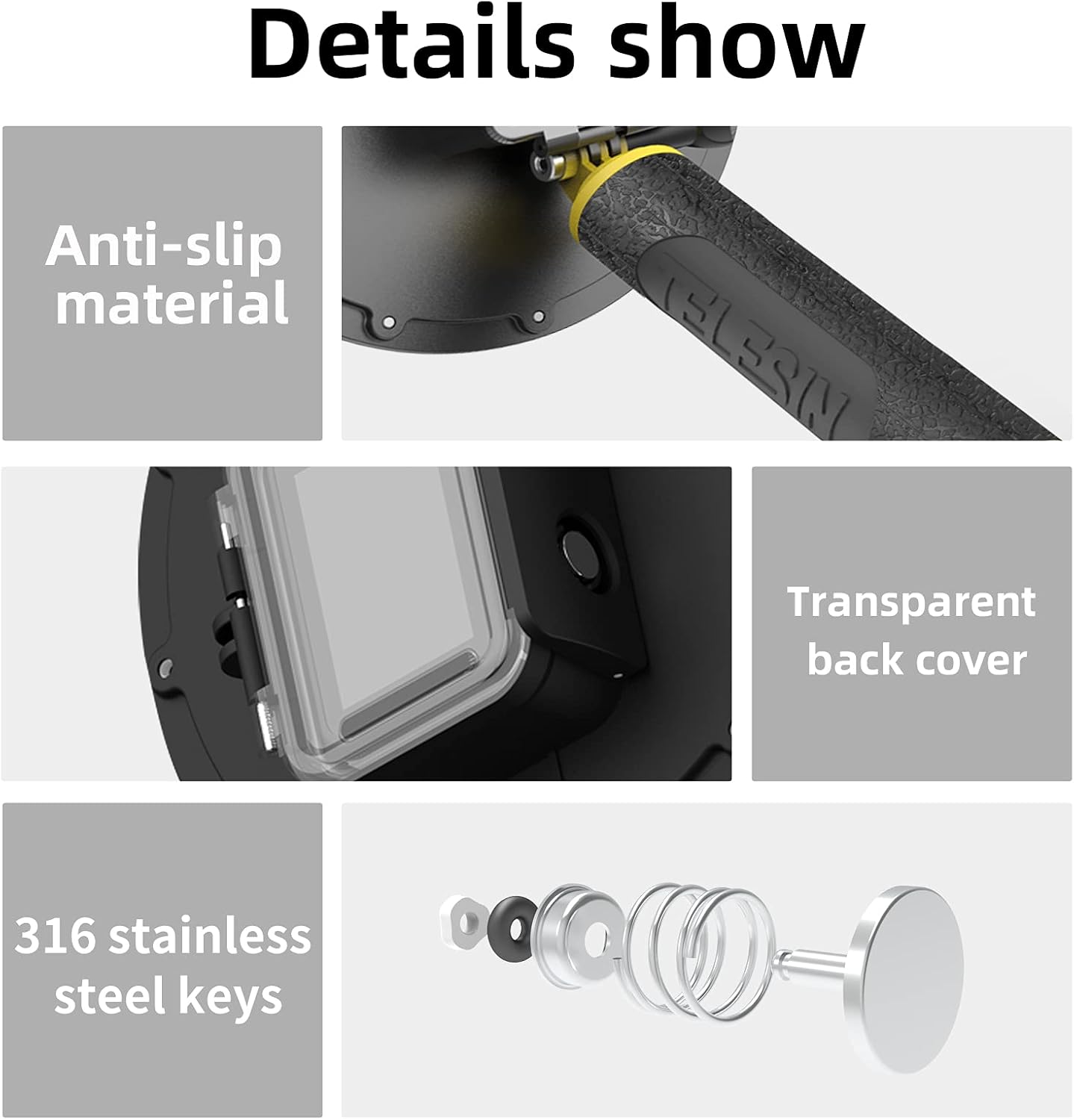
Figure 2.1: Detailed view of the TELESIN Dome Port components, highlighting the anti-slip grip, transparent back cover, and durable stainless steel keys.
2.2 Key Features
- Superior Optical Performance: Specifically designed for GoPro Hero 9 and Hero 10 Black for high-quality underwater photography.
- Split-Level Photography: Enables capturing distortion-free photos both above and below the water surface simultaneously.
- High Light Transmission: Constructed from German Plexiglas for 93% light transmission, ensuring clear picture quality.
- Waterproof Design: Rated waterproof up to 30 meters (98 feet) depth.
- Multi-purpose Buoyancy Rod: The included hand grip can be used as a counterweight or a buoyancy bar, offering adjustable buoyancy for different shooting scenarios.
- Durable Construction: Features anti-slip material on the grip and 316 stainless steel keys for corrosion resistance.

Figure 2.2: The TELESIN Dome Port capturing a split-level image, demonstrating its primary function for unique underwater and overwater perspectives.

Figure 2.3: The dome port's high light transmission, made from German Plexiglas, ensures clear and vibrant image quality.

Figure 2.4: The dome port is designed to be waterproof up to 30 meters, allowing for deep underwater photography.

Figure 2.5: The multi-purpose buoyancy rod allows for adjustable buoyancy, adapting to various underwater shooting needs.
3. Setup Instructions
Follow these steps to properly set up your TELESIN Dome Port with your GoPro camera:
- Prepare Your GoPro: Ensure your GoPro Hero 9 or Hero 10 Black camera is clean and free of debris.
- Insert Anti-Fog Inserts: Place the provided anti-fog inserts into the waterproof housing case to prevent condensation.
- Install GoPro into Housing: Carefully open the integrated waterproof housing case and insert your GoPro camera. Ensure the camera is seated correctly and the housing door is securely latched. Verify that all seals are clean and properly seated to prevent water leakage.
- Attach Hand Grip: Securely attach the floating hand grip to the bottom of the dome port assembly. The hand grip also functions as a buoyancy rod.
- Perform a Water Test (Optional but Recommended): Before attaching your camera, you may perform a water test with just the dome port and housing to confirm its waterproof integrity. Submerge the empty assembly in shallow water for a few minutes and check for any signs of leakage.
4. Operating Instructions
To achieve the best results with your TELESIN Dome Port, consider the following operational guidelines:
- Split-Level Shots: For the iconic "half-above, half-below" water line shots, position the dome so that approximately half of the dome is submerged. This creates a clear demarcation between the underwater and above-water scenes.
- Water Conditions: The best results for split-level shots are achieved in calm water conditions. Wavy conditions can make it challenging to maintain a stable waterline and may result in water drops on the dome.
- Pistol Trigger Use: If your model includes a pistol trigger, use it to easily activate the camera's shutter button for quick photo or video capture.
- Buoyancy Control: Utilize the floating hand grip to manage the buoyancy of the dome port. It can help keep the dome stable at the desired water level.
- Preventing Water Drops: To minimize water droplets on the dome's surface above water, consider applying an anti-goutte (rain repellent) product to the exterior of the dome before use.

Figure 4.1: Optimal positioning for split-level shots, demonstrating the 70mm water line for the best view.
5. Maintenance
Proper maintenance ensures the longevity and performance of your TELESIN Dome Port:
- Rinse After Use: After each use in saltwater or chlorinated water, thoroughly rinse the entire dome port assembly with fresh water. This prevents salt and chemical buildup that can damage seals and materials.
- Clean the Dome: Use the provided cleaning material or a soft, lint-free cloth to gently wipe the dome surface. Avoid abrasive materials that can scratch the Plexiglas.
- Inspect Seals: Regularly inspect the O-rings and seals for any signs of wear, cracks, or debris. Ensure they are clean and properly lubricated (if applicable, check product specifications for lubricant recommendations).
- Protect the Dome: The acrylic dome can scratch easily. Always handle with care and store the dome port in a protective bag or case when not in use. Avoid placing it face down on rough surfaces.
- Storage: Store the dome port in a cool, dry place away from direct sunlight and extreme temperatures.
6. Troubleshooting
If you encounter issues with your TELESIN Dome Port, refer to the following common problems and solutions:
| Problem | Possible Cause | Solution |
|---|---|---|
| Water droplets on the dome (above water) | Surface tension of water, wavy conditions. | Apply an anti-goutte (rain repellent) product to the exterior of the dome. Gently wipe the dome surface with a clean, soft cloth before shooting. Try to shoot in calmer water. |
| Condensation inside the housing | Temperature difference between air and water, high humidity. | Ensure anti-fog inserts are properly placed inside the housing. Replace inserts if they are saturated. Avoid opening the housing in humid environments. |
| Water leakage into the housing | Improperly sealed housing, damaged O-ring, debris on seal. | Immediately remove the camera. Inspect the O-ring for any debris, cracks, or damage. Clean the O-ring and its groove. Ensure the housing is securely latched. Perform a water test without the camera. |
| Scratches on the dome surface | Improper handling or cleaning, contact with abrasive surfaces. | Always use a soft, lint-free cloth for cleaning. Store the dome port in a protective bag or case. Avoid dragging the dome on rough surfaces. |
7. Specifications
Key technical specifications for the TELESIN Dome Port GP-DMP-T09:
- Brand: TELESIN
- Model Name: GP-DMP-T09
- Compatible Devices: GoPro Hero 9 Black, GoPro Hero 10 Black
- Material: Acrylic (Dome), 316 Stainless Steel (Keys)
- Water Resistance Level: Waterproof up to 30 meters (98 feet)
- Item Dimensions (D x W x H): 4.02" x 7.28" x 7.28" (approximately 10.2cm x 18.5cm x 18.5cm)
- Item Weight: 130 Grams
- Mounting Type: Quick Release Mount
8. Warranty and Support
8.1 Warranty Information
Specific warranty details for the TELESIN Dome Port GP-DMP-T09 are not provided in this manual. Please refer to the product packaging, the retailer's return policy, or the official TELESIN website for the most current warranty information.
8.2 Customer Support
For technical assistance, troubleshooting beyond this manual, or inquiries regarding your product, please contact TELESIN customer support through their official website or the retailer from whom you purchased the product. Always provide your product model number (GP-DMP-T09) and purchase details when seeking support.
You can visit the official TELESIN store for more information: TELESIN Store on Amazon