
1. Product Overview
The JACKYLED Solar Motion Sensor Pendant Light is designed for versatile indoor and outdoor illumination. It features a separate solar panel for optimal sun exposure and two pendant lights that can be installed in various locations. Equipped with motion sensing capabilities, multiple lighting modes, and remote control, this light provides adaptable and energy-efficient lighting solutions.

Image: Complete set of the JACKYLED Solar Motion Sensor Pendant Light, including the solar panel, two pendant lights, and two remote controls.
2. What's in the Box
- Solar Panel
- Pendant Lights (2 units)
- Remote Controls (2 units)
- Mounting Hardware (screws, anchors)
- User Manual
3. Specifications
| Feature | Detail |
|---|---|
| Brand | JACKYLED |
| Model Name | Dual-Head Solar Pendant Lights with 16.4ft Cord Waterproof Lights |
| Item Model Number | JACKYLED637 |
| Color | Warm White (3000 Kelvin) |
| Material | Plastic |
| Power Source | Solar Powered |
| Brightness | 600 Lumens |
| Water Resistance Level | IP65 Waterproof |
| Special Features | 4 Optional Lighting Modes, 6 Brightness Levels, Motion Sensing, Remote Control |
| Control Method | Remote |
| Product Dimensions | 10.39"L x 6.8"W x 2.5"H |
| Item Weight | 3.5 pounds |
4. Setup and Installation
The JACKYLED Solar Motion Sensor Pendant Light features a separate solar panel and lights, allowing for flexible installation. Ensure the solar panel receives direct sunlight for optimal charging.
4.1. Solar Panel Placement
Choose a location for the solar panel that receives 6-8 hours of direct sunlight daily. The panel is designed to be waterproof (IP65) and resistant to various weather conditions.

Image: Example of separate installation, showing the solar panel on a roof and a pendant light illuminating a doorway.
4.2. Light Placement
The two pendant lights can be installed indoors or outdoors, connected to the solar panel via 16.4ft cables. This allows for illumination in areas like sheds, garages, patios, or backyards where direct sunlight might not be available.
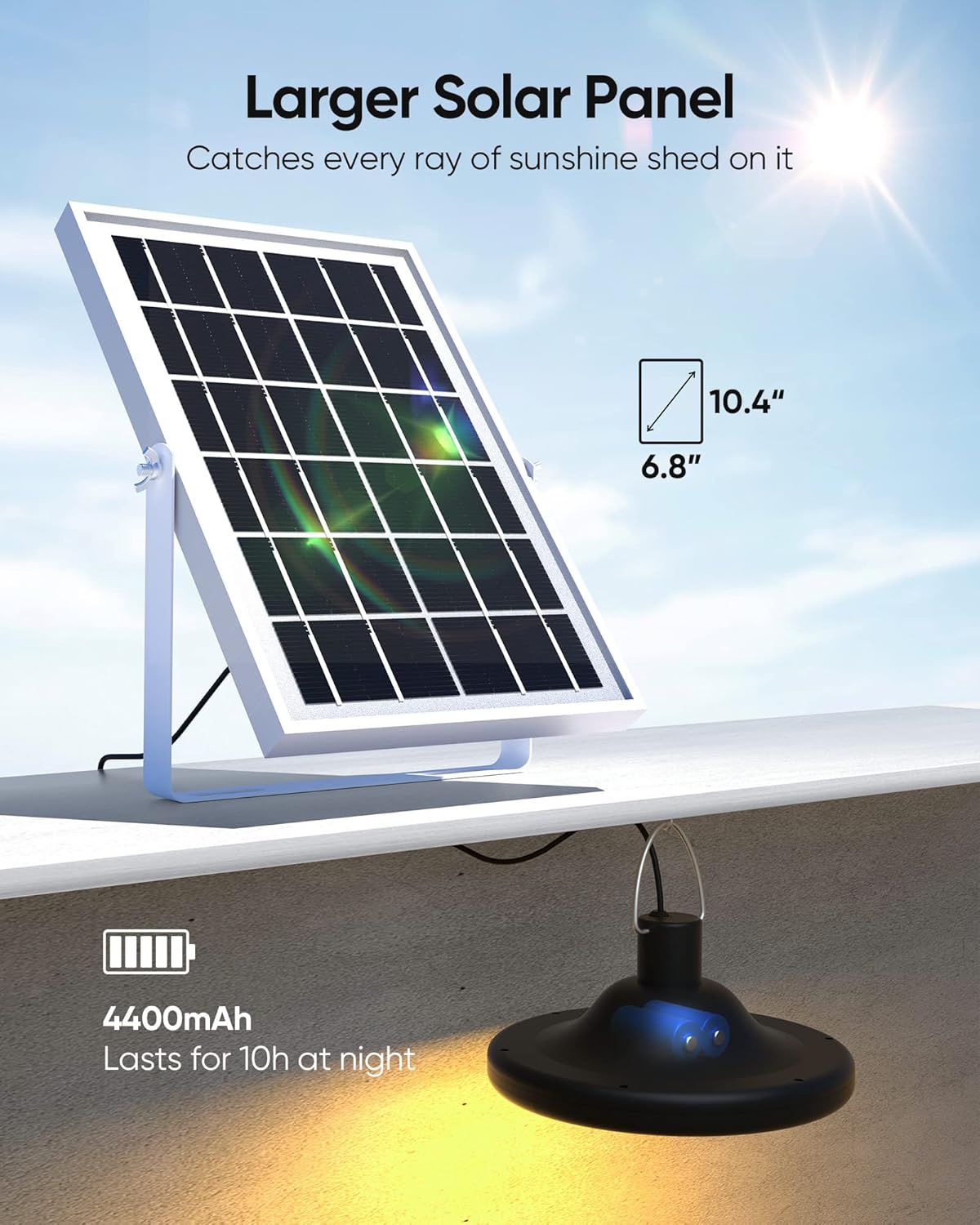
Image: The solar panel and a pendant light, highlighting the panel's dimensions and the battery capacity for extended night operation.
4.3. Connecting the Lights to the Solar Panel
Before initial use, connect the lights to the solar panel for charging. Ensure the connectors are securely fastened to maintain the IP65 waterproof rating.
Video: This video demonstrates the connection process between the pendant lights and the solar panel, and illustrates the various lighting modes and brightness adjustments.
5. Operating Instructions
The JACKYLED Solar Motion Sensor Pendant Light offers four distinct operating modes and adjustable brightness, controlled via the included remote.
5.1. Lighting Modes
The light features 4 modes, selectable via the remote control:

Image: Visual representation of the four distinct lighting modes available for the pendant light.
- Mode 1 (Dim-to-Bright at Night): The light stays dim at night and brightens to full intensity when motion is detected. After approximately 20 seconds of no motion, it returns to dim.
- Mode 2 (Off-to-Bright at Night): The light remains off at night and turns on to full brightness when motion is detected. After approximately 20 seconds of no motion, it turns off.
- Mode 3 (Constant ON at Night): The light automatically turns on at dusk and stays on at a constant brightness until dawn.
- Mode 4 (Constant ON Day & Night): The light stays on continuously, regardless of ambient light or motion. This mode is suitable for areas requiring constant illumination, even during the day.

Image: Mode 4 in action, providing light in a dark attic during daylight hours.
5.2. Remote Control Operation
The included remote controls allow you to manage the lights from up to 26 feet away. Each remote can control both lights.

Image: Remote control in use, demonstrating its range and ability to control multiple lights.
- ON/OFF: Power the lights on or off.
- Mode Selection: Buttons for Mode 1, Mode 2, Mode 3, and Mode 4.
- Brightness Adjustment: Use the 'UP' and 'DOWN' buttons to cycle through 6 brightness levels (20%, 40%, 60%, 80%, 90%, 100%).

Image: Illustration of the 6 adjustable brightness levels from 20% to 100%.
6. Maintenance
To ensure optimal performance and longevity of your JACKYLED Solar Motion Sensor Pendant Light, follow these maintenance guidelines:
- Clean Solar Panel: Regularly wipe the solar panel with a soft, damp cloth to remove dust, dirt, and debris. A clean panel ensures efficient sunlight absorption and charging.
- Inspect Cables: Periodically check the connection cables for any signs of wear, damage, or loose connections. Ensure they are securely plugged into both the lights and the solar panel.
- Clear Obstructions: Ensure no trees, buildings, or other objects are shading the solar panel, especially during peak sunlight hours.
- Battery Care: While the internal batteries are designed for durability, prolonged periods of low sunlight or extreme temperatures can affect performance. Ensure the unit gets adequate charging.
- Waterproof Integrity: The lights and solar panel are IP65 waterproof. Avoid submerging them in water or exposing them to high-pressure water jets. Ensure all connections are tight to maintain water resistance.

Image: The IP65 waterproof rating ensures durability against various weather conditions.
7. Troubleshooting
If you encounter issues with your JACKYLED Solar Motion Sensor Pendant Light, refer to the following common troubleshooting steps:
- Light Not Turning On/Charging:
- Ensure the solar panel is placed in direct sunlight for at least 6-8 hours to fully charge the batteries.
- Verify that all cable connections between the solar panel and the lights are secure.
- Check if the activation button on the light unit has been pressed.
- Confirm that the selected mode is appropriate for the current lighting conditions (e.g., motion modes require darkness to activate).
- Light Flashes or Behaves Erratically:
- This could indicate an unstable power supply. Ensure the solar panel is receiving consistent sunlight and the batteries are adequately charged.
- Disconnect and reconnect the cables to reset the connection.
- If the issue persists, it might suggest an internal component malfunction.
- Remote Control Not Working:
- Ensure there are no obstructions between the remote and the light sensor.
- Check the remote control's battery and replace if necessary.
- Ensure you are within the effective range (up to 26 feet).
- Motion Sensor Not Activating:
- Verify that the light is set to Mode 1 or Mode 2.
- Ensure the sensor is not obstructed and is positioned to detect motion in the desired area.
- Test the sensor in complete darkness, as ambient light can prevent activation in motion-sensing modes.
8. Safety Information
- Do not attempt to disassemble or modify the product. This may void the warranty and pose safety risks.
- Keep the product away from open flames or extreme heat sources.
- Ensure proper installation to prevent the lights or solar panel from falling.
- Dispose of batteries and electronic components according to local regulations.
9. Warranty and Support
For warranty information or technical support, please refer to the contact details provided with your purchase or visit the official JACKYLED website. Keep your purchase receipt as proof of purchase.