Introduction
This manual provides essential instructions for the proper use and maintenance of your TELESIN Waterproof Dive Case. Designed for GoPro Hero 9 and Hero 10 Black action cameras, this housing enables safe underwater operation up to 60 meters (196 feet), protecting your camera from water, dust, and impact during extreme activities.

Image: Front view of the TELESIN Waterproof Dive Case, showcasing its clear design.
Setup and Installation
Follow these steps to correctly install your GoPro Hero 9 or Hero 10 Black camera into the waterproof dive case:
- Pre-Use Check: Before inserting your camera, perform a leak test. Close the empty waterproof case and submerge it in water for approximately 30 minutes. Check for any signs of water ingress. If water is found, do not use the case and contact support.
- Open the Case: Locate the lock button on the side of the waterproof case. Press and slide the button to release the latch, then gently open the back cover.
- Insert Camera: Carefully place your GoPro Hero 9 or Hero 10 Black camera into the open case, ensuring it sits snugly and correctly aligned with the internal padding and button mechanisms.
- Close and Secure: Close the back cover firmly until you hear a click, indicating the latch is engaged. Ensure the lock button is in its secured position. Verify that the sealing ring is properly seated and not pinched.

Image: Step-by-step visual guide for opening the case, inserting the camera, and securing the back cover.

Image: Exploded view illustrating the reinforced glass and rubber sealing ring components for dual protection.
Operating Instructions
Once your camera is securely housed, you can operate it for various activities:
- Button Operation: The case features external buttons that align with your GoPro's controls, allowing you to power on/off, change modes, and start/stop recording without removing the camera from the housing.
- Underwater Use: This dive case is rated for depths up to 60 meters (196 feet). Ensure all seals are clean and properly closed before submerging.
- Image Clarity: The case lens is made of ultra-thick tempered glass with high light transmittance, designed to maintain clear and vivid video quality underwater.
- Temperature Considerations: When recording for extended periods, especially in warmer environments, the camera inside the sealed case may generate heat, potentially leading to internal fogging. Consider using anti-fog inserts if this becomes an issue.

Image: A GoPro camera housed within the TELESIN case, showing a clear display of underwater activity.
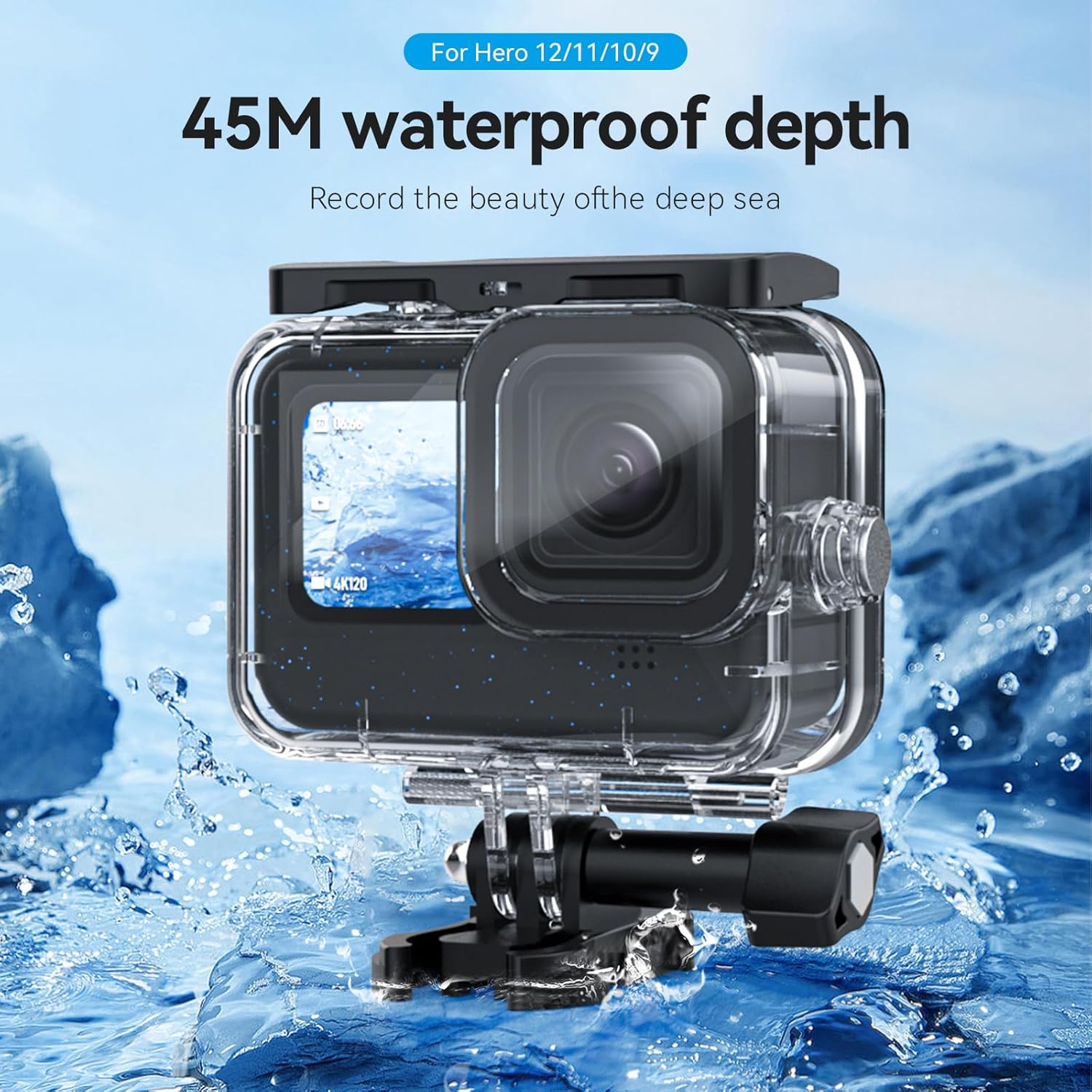
Image: The waterproof case with a GoPro camera, partially submerged, highlighting its deep-diving capability.

Image: A diver using the TELESIN Waterproof Dive Case with a GoPro camera during an underwater activity.
Maintenance
Proper maintenance ensures the longevity and reliability of your waterproof case:
- Cleaning: After each use, especially in saltwater, rinse the case thoroughly with fresh water. Do not use soap or harsh chemicals. Allow it to air dry completely before storage.
- Seal Inspection: Regularly inspect the rubber sealing ring for any dirt, sand, hair, cracks, or deformities. Even a small particle can compromise the waterproof seal. Clean the seal gently with a soft, damp cloth if necessary.
- Storage: Store the case in a cool, dry place away from direct sunlight. It is recommended to store the case with the back cover slightly ajar to prevent compression of the sealing ring over long periods, which can reduce its effectiveness.
- Lens Care: Clean the tempered glass lens with a soft, lint-free cloth. Avoid abrasive materials that could scratch the surface.
Troubleshooting
Common issues and their solutions:
- Water Leakage:
- Ensure the back cover is fully closed and the latch is securely locked.
- Inspect the rubber sealing ring for any debris, damage, or improper seating. Clean or reposition as needed.
- Perform a leak test with the empty case before each critical use.
- Internal Fogging:
- Fogging often occurs due to temperature differences between the inside and outside of the case, exacerbated by camera heat.
- Use anti-fog inserts (desiccants) inside the case to absorb moisture.
- Ensure the camera and case are dry before sealing.
- Buttons Unresponsive:
- Verify that the camera is correctly seated within the case and aligned with the external button mechanisms.
- Check for any obstructions around the buttons.
Specifications
| Model | Waterproof Case Only |
| Compatibility | GoPro Hero 9 Black, GoPro Hero 10 Black, GoPro Hero 11 Black, GoPro Hero 12 Black, GoPro Hero 13 Black |
| Water Resistance Depth | Up to 60 meters (196 feet) |
| Material | High-quality PMMA Plastic, Ultra-thick Tempered Glass |
| Mounting Type | Quick Release Mount |
| Item Weight | 132 g |
| Package Dimensions | 11.4 x 10.31 x 4.9 cm |

Image: The waterproof case underwater, highlighting its durable polycarbonate material construction.
Warranty Information
For specific warranty terms and conditions, please refer to the documentation included with your purchase or contact the retailer where the product was acquired. Warranty coverage typically addresses manufacturing defects and does not cover damage resulting from misuse, improper installation, or normal wear and tear.
Customer Support
If you encounter any issues or have questions regarding your TELESIN Waterproof Dive Case, please contact customer support:
- Manufacturer: TELESIN
- Phone Number: +91 8885241706
- Email: care@justshop24x7.com
Product Videos
No official seller videos are available for this product at this time.


