
Introduction
This manual provides essential information for the safe and efficient operation of your Satechi 100W USB C PD Compact GaN Charging Station. Please read this manual thoroughly before use and retain it for future reference.
The Satechi 100W USB C PD Compact GaN Charging Station utilizes advanced Gallium Nitride (GaN) technology to deliver efficient and powerful charging in a compact design. It features dual USB-C Power Delivery (PD) ports and one USB-A port, allowing for simultaneous fast-charging of up to three devices, including laptops, tablets, and smartphones.
What's Included
- Satechi 100W USB-C Compact GaN Charger
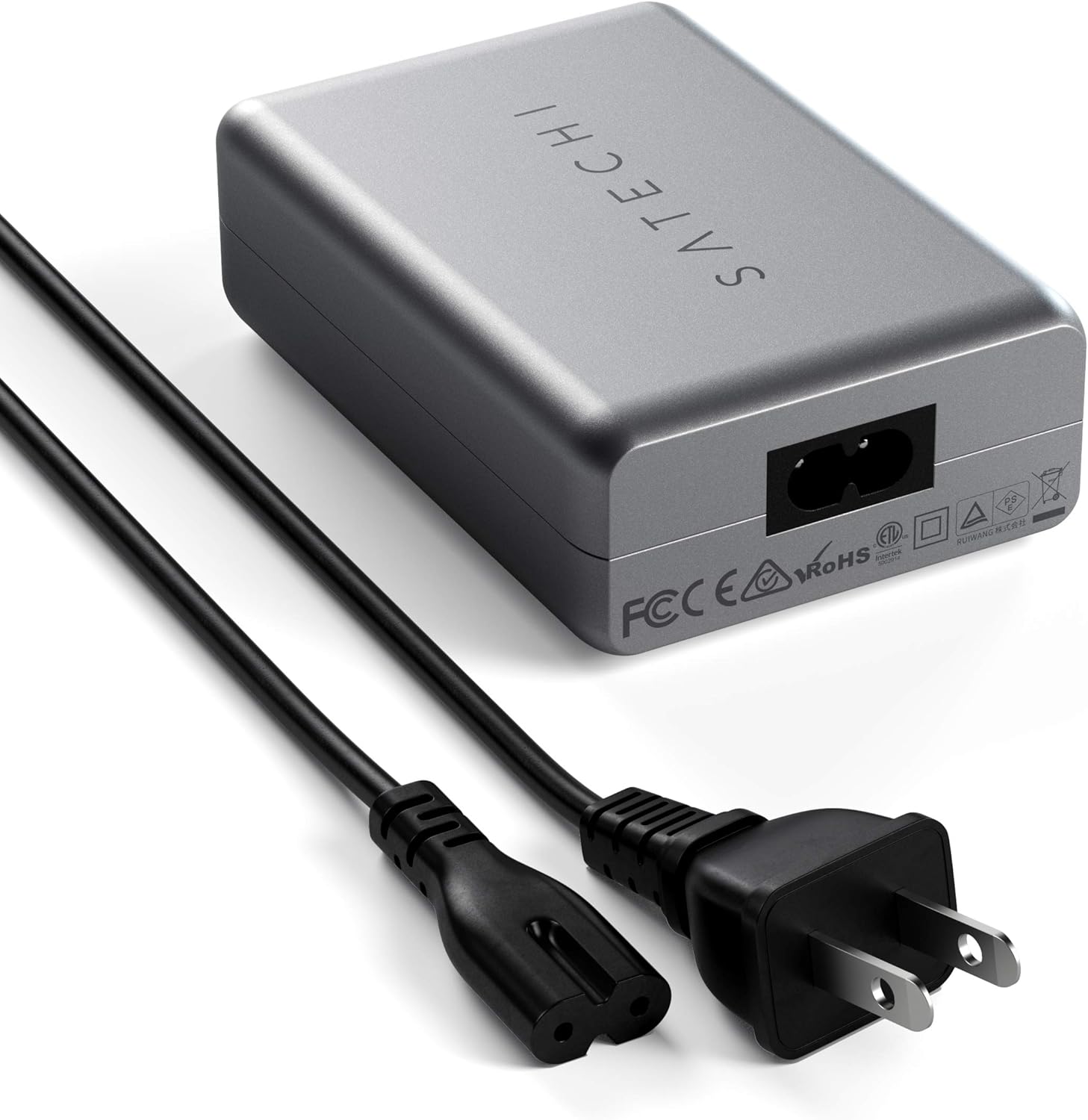
- 2-Pin Power Connector (Power cable)
- User Manual
Setup
- Connect the provided 2-pin power cable to the power input port on the Satechi 100W USB C PD Compact GaN Charging Station.
- Plug the other end of the power cable into a standard wall outlet (100 Volts input).
- The charging station is now ready for use.

Operating Instructions
The Satechi 100W USB C PD Compact GaN Charging Station features two USB-C Power Delivery (PD) ports and one USB-A port. It intelligently adjusts power output based on the connected devices.
Connecting Devices:
- Connect your USB-C compatible devices (laptops, tablets, smartphones) to either of the USB-C PD ports using a certified USB-C to USB-C cable (sold separately).
- Connect your USB-A compatible devices to the USB-A port using a certified USB-A cable (sold separately).
- For fast charging capabilities with Apple devices, a USB-C to Lightning cable is required (sold separately).
Intelligent Power Distribution:
The charger automatically distributes power to optimize charging speeds for all connected devices. Below is a table illustrating typical power output scenarios:
| Number of Devices | Port Configuration | Total Output |
|---|---|---|
| 1 Device | Single USB-C PD Port | Up to 100W |
| 2 Devices | USB-C PD + USB-C PD | 60W + 30W |
| 2 Devices | USB-C PD + USB-A | Up to 100W (USB-C) + 12W (USB-A) |
| 3 Devices | 2x USB-C PD + 1x USB-A | 60W + 30W + 12W |


Compatibility
The Satechi 100W USB C PD Compact GaN Charging Station is compatible with a wide range of devices. For optimal performance, always use certified charging cables.
Compatible Devices (Examples):
- MacBook Pro/Air: 2023 MacBook Pro 14-inch, 16-inch (M2 Pro & Max), 2022 MacBook Pro/Air M2, 2021 MacBook Pro 14-inch, 16-inch (M1 Pro & Max), 2020 MacBook Pro/Air M1, 2016-2019 MacBook Pro, 2018 MacBook Air.
- iPad: M2/M1 iPad Pro, M1 iPad Air, 2022 10th-Gen iPad, 2021 iPad Pro, 2021 iPad Mini.
- iPhone: iPhone 16 Pro Max/16 Pro/16/16 Plus, iPhone 15 Pro Max/15 Pro/15/15 Plus, iPhone 14 Pro Max/14 Pro/14/14 Plus, iPhone 13 Pro Max/13 Pro/13/13 Mini, iPhone 12 Pro Max/12 Pro/12/12 Mini, iPhone 11 Pro Max/11 Pro/11, XS Max/XS/XR/X.
- Other USB-C and USB-A powered devices requiring up to 100W.
Maintenance
- Cleaning: Disconnect the charging station from the power outlet before cleaning. Use a soft, dry cloth to wipe the surface. Do not use liquid cleaners or aerosol sprays.
- Storage: Store the device in a cool, dry place away from direct sunlight and extreme temperatures.
- Handling: Avoid dropping or subjecting the device to strong impacts. Do not disassemble the unit.
Troubleshooting
Device Not Charging:
- Ensure the charging station is securely plugged into a live wall outlet.
- Verify that the power cable is firmly connected to the charging station.
- Check if the charging cable connected to your device is fully inserted and not damaged.
- Try using a different certified charging cable.
- Test the charging station with a different device to isolate the issue.
Slow Charging:
- Ensure you are using a certified cable that supports fast charging for your device.
- Check the power distribution table in the "Operating Instructions" section. When multiple devices are connected, the power output per port may be adjusted.
- Some devices may limit charging speed if they are too hot or too cold.
Specifications
| Feature | Detail |
|---|---|
| Model Number | ST-TC100GM |
| Product Dimensions | 3.74 x 2.6 x 1.26 inches |
| Item Weight | 0.1 ounces |
| Input Voltage | 100 Volts |
| Amperage | 5 Amps |
| Total USB Ports | 3 (2x USB-C PD, 1x USB-A) |
| Special Feature | Next-gen Gallium Nitride (GaN) technology |
| Color | Space Gray |
Warranty and Support
Satechi products are covered by a 2-year limited warranty against defects in materials and workmanship under normal use.
For customer service and support, please visit the official Satechi website or contact their support team directly. You can also refer to the User Guide (PDF) for additional information.
Seller: Satechi (fulfilled by Amazon)