
Pyle PAD12MXUBT
Pyle Professional Wireless DJ Audio Mixer - PAD12MXUBT
User Instruction Manual
Introduction
The Pyle PAD12MXUBT is a 2-channel professional wireless DJ audio mixer designed for versatile sound control. It features a USB audio interface for computer playing and recording, Bluetooth connectivity for wireless music streaming, and multiple input options including XLR+6.35mm combo jacks for microphones, line-level instruments, and guitars. This compact mixer is built with an ultra-low noise design and high headroom, making it suitable for various audio mixing applications.

Image: Front view of the Pyle PAD12MXUBT Mini Mixer, showcasing its compact design and various input/output ports.
Package Contents
Please check the package carefully to ensure all items are present and in good condition.
- Mini Mixer (PAD12MXUBT)
- Power Adapter (2 Flat Plug)
- USB Cable

Image: Contents of the Pyle PAD12MXUBT package, including the mini mixer, power adapter, and USB cable.
Setup and Connections
Follow these steps to set up your Pyle PAD12MXUBT mixer for optimal performance.
- Power Connection: Connect the provided DC 5V power adapter to the mixer's power input and plug it into a standard electrical outlet. Alternatively, the unit can be powered via the USB cable from a PC.
- Microphone/Line/Guitar Input: Use the Combo Jack (XLR+6.35mm) for connecting microphones, line-level instruments, or guitars. Adjust the CH 1 gain control as needed.
- Line In (RCA): Connect stereo audio sources such as CD players, media players, or other line-level devices to the RCA Line In jacks.
- Main Mix Output (RCA): Connect the RCA Main Mix Output to your amplifier, powered speakers, or recording device.
- Headphone Monitor Output: Plug your headphones into the 3.5mm jack for monitoring the audio mix.
- USB Audio Interface: Connect the mixer to your computer using the supplied USB cable. The mixer will function as an audio input/output device for recording and playback.

Image: Detailed view of the Pyle PAD12MXUBT mixer's controls and connection points, including Mic/Line/Guitar input, Line In, Main Mix, Phones, and various control knobs.
Operating Instructions
Bluetooth Connectivity
The mixer features Bluetooth 5.0 for wireless audio streaming.
- Ensure the mixer is powered on.
- Activate Bluetooth on your device (smartphone, tablet, laptop).
- Search for Bluetooth devices and select 'MP' from the list.
- Once paired, you can stream audio wirelessly to the mixer. The wireless range is up to 50 feet.
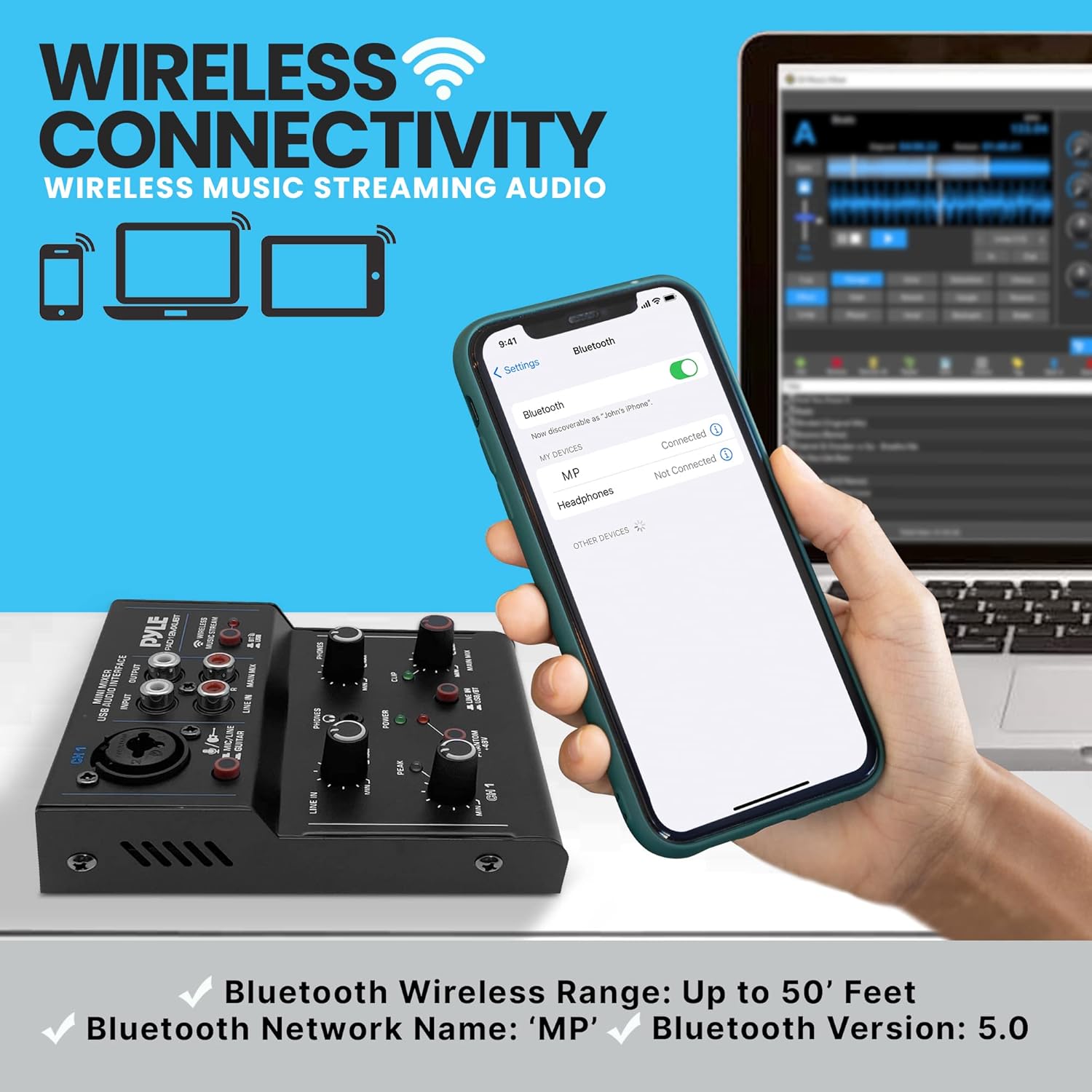
Image: Illustration of the Pyle PAD12MXUBT mixer's wireless connectivity, showing a smartphone connected via Bluetooth.
USB Audio Interface Operation
The mixer can function as a USB sound card for your computer.
- Connect the mixer to your computer using the USB cable.
- Your computer should automatically recognize the mixer as an audio device.
- Select the mixer as your input/output device in your computer's sound settings or recording software.
- You can now play audio from your computer through the mixer or record audio from the mixer's inputs to your computer.

Image: The Pyle PAD12MXUBT mixer connected to a laptop via USB, demonstrating its direct-to-computer sound recording and playback capabilities.
Control Functions
- CH 1 Control: Adjusts the input level for the Mic/Line/Guitar channel.
- Line In Controller: Adjusts the input level for the RCA Line In.
- Phones Controller: Adjusts the volume for the headphone output.
- Main Mix Controller: Adjusts the overall output volume of the main mix.
- Phantom +48V: Activates phantom power for condenser microphones connected to the XLR input. Ensure this is only used with microphones requiring phantom power.
- Line In USB/BT Switch: Selects between the RCA Line In input and the USB/Bluetooth input for the main mix.
- Peak/Clip Indicators: LEDs that illuminate when the input signal is too high, indicating potential distortion. Adjust input levels to prevent these from lighting up frequently.
Maintenance
To ensure the longevity and optimal performance of your Pyle PAD12MXUBT mixer, follow these maintenance guidelines:
- Cleaning: Use a soft, dry cloth to clean the exterior of the mixer. Do not use liquid cleaners, aerosols, or solvents, as they may damage the finish or internal components.
- Storage: When not in use for extended periods, store the mixer in a cool, dry place away from direct sunlight and extreme temperatures.
- Handling: Avoid dropping or subjecting the mixer to strong impacts, which can damage internal circuitry or external controls.
- Ventilation: Ensure proper ventilation around the unit to prevent overheating. Do not block any ventilation openings.
Troubleshooting
If you encounter issues with your Pyle PAD12MXUBT mixer, refer to the following common problems and solutions:
| Problem | Possible Cause | Solution |
|---|---|---|
| No sound output |
|
|
| Distorted audio / Peak LED constantly on |
|
|
| Bluetooth not connecting |
|
|
| USB recording issues |
|
|
Technical Specifications
| USB Sound Card | 2.0 Type-B |
| Power Supply | DC 5V, 500mA |
| Voltage | 100/240V |
| Power Consumption | 5W |
| USB Cable Length | 3.94 ft. |
| Product Dimensions (L x W x H) | 4.72'' x 3.95'' x 1.38'' inches |
| Item Weight | 1.24 pounds (0.56 kg) |
| Bluetooth Version | 5.0 |
| Bluetooth Network Name | 'MP' |
| Bluetooth Wireless Range | 50' Feet |
| Phantom Power | +48V |
| Number of Channels | 2 |
Warranty and Support
Pyle products are designed and manufactured to the highest quality standards. For information regarding warranty coverage, technical support, or service inquiries, please visit the official Pyle USA website or contact their customer service department.
Official Website: www.pyleusa.com
Please have your model number (PAD12MXUBT) and purchase information ready when contacting support.
Related documentsPAD12MXUBT


Ask a question about this manual
Ask about setup, troubleshooting, compatibility, parts, safety, or missing instructions. Manuals+ will review the question and use this page’s manual context to help answer it.