
Product Overview
The DJI Mini 2 is a beginner-friendly, powerful, and ultralight drone. It offers impressive performance, stunning image quality, and creative video capabilities with just a few taps. Explore an entirely new perspective, capturing the moments that make your life truly yours.

Figure 1: The DJI Mini 2 drone and its remote controller, showcasing its compact design.
What's in the Box
Your DJI Mini 2 package includes the following components:
- Aircraft x 1
- Remote Controller x 1
- DJI Mavic Mini 2 Intelligent Flight Battery × 1
- Spare Propellers (Pair) ×1
- Type-C Cable × 1
- Gimbal Protector × 1
- RC Cable (Micro USB connector) ×1
- RC Cable (USB-C connector) ×1
- RC Cable (Lightning connector) ×1
- Spare Control Sticks (Pair) ×1

Figure 2: All components included in the DJI Mini 2 standard package.
Setup
Unfolding the Drone
To prepare the DJI Mini 2 for flight, carefully unfold its arms. Start by unfolding the front arms, then the rear arms. Ensure all arms click securely into place.

Figure 3: The DJI Mini 2 in its unfolded, ready-to-fly state, demonstrating its ultralight design.
Battery Installation and Charging
Insert the Intelligent Flight Battery into the battery compartment at the rear of the drone until it clicks. To charge, connect the Type-C cable to the drone and a power source. The battery has a capacity of 2250 mAh.
Remote Controller Setup
Attach your smartphone to the remote controller using the appropriate RC cable (Micro USB, USB-C, or Lightning). Ensure your phone is securely mounted. Power on the controller and drone, then open the DJI Fly app to establish a connection.

Figure 4: The remote controller with a smartphone connected, displaying the live feed from the drone's camera.
Operating the Drone
Flight Performance
The DJI Mini 2 offers robust flight performance:
- Max Flight Time: Up to 31 minutes, providing ample time for capturing footage.
- Wind Resistance: Can resist Level 5 winds, ensuring stable footage even in challenging conditions.
- Max Altitude: Capable of taking off at a max altitude of 4,000 meters.

Figure 5: Key performance specifications of the DJI Mini 2, including flight time and wind resistance.
Camera Features
Equipped with a high-quality camera system:
- 4K Camera: A 12MP camera captures stunning 4K/30fps video.
- 3-Axis Gimbal: Ensures consistently smooth and stable image quality.
- 4x Digital Zoom: Allows for safer and more convenient adjustments to distance and composition without physically moving the drone closer.
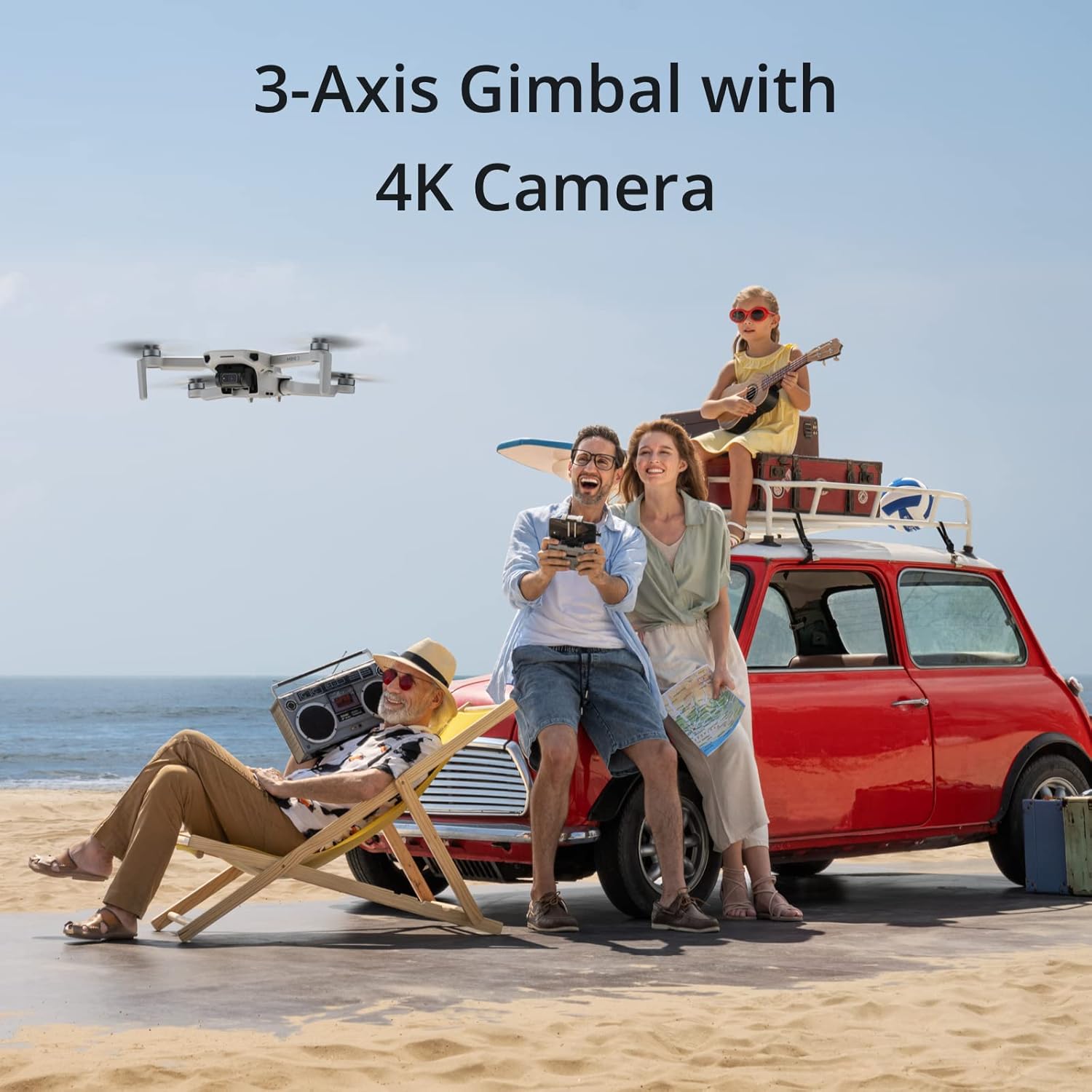
Figure 6: The DJI Mini 2 capturing aerial footage with its 3-axis gimbal and 4K camera.
Intelligent Modes (QuickShots)
The DJI Fly app features intelligent, built-in photo optimization and QuickShots for professional-level videos:
- QuickShots: Automatically records and shoots professional-level videos to share directly on social media.
- Panorama: Select from Wide-Angle, 180°, and Sphere panoramas for instant panoramic masterpieces.
- Enhanced Photo: The DJI Fly app automatically enhances image quality after downloading a photo, resulting in vivid colors and details.
Video Transmission
The drone utilizes OcuSync 2.0 for reliable video transmission:
- OcuSync 2.0: Supports up to 10km of HD video transmission.
- Anti-interference: Excellent capabilities, allowing you to fly farther and see clearer.

Figure 7: The remote controller interface showing the impressive 10km HD video transmission range of the DJI Mini 2.
Video 1: An official video from DPReview showcasing the DJI Mini 2's capabilities in a snowy mountain environment, highlighting its camera and flight performance.
Safety Information
Always prioritize safety during drone operation. The DJI Mini 2 weighs less than 249g, which may exempt it from certain registration requirements in some regions. However, always refer to local regulations before flying.
- Return to Home (RTH): This feature allows the drone to automatically return to its takeoff point if the signal is lost or battery is low.
- Altitude Lock: Helps maintain a stable altitude during flight, reducing the risk of accidental ascent or descent.
For detailed safety guidelines, please refer to the official Safety Information document provided by DJI.
Maintenance
Regular maintenance ensures optimal performance and longevity of your DJI Mini 2:
- Cleanliness: Keep the drone, camera, and sensors clean from dust and debris.
- Propeller Check: Inspect propellers for any damage before each flight and replace if necessary.
- Battery Care: Store batteries in a cool, dry place and follow charging guidelines to prolong their lifespan.
Troubleshooting Common Issues
If you encounter issues with your DJI Mini 2, consider the following:
- No Signal/Connection Loss: Ensure the remote controller and drone are fully charged and within range. Restart both devices and the DJI Fly app.
- Unstable Flight: Check propellers for damage or incorrect installation. Ensure the drone is calibrated correctly before flight. Avoid flying in strong winds.
- Camera Issues: Verify the gimbal protector is removed. Clean the camera lens. Ensure sufficient lighting for optimal image quality.
- Battery Draining Quickly: Ensure batteries are fully charged. Cold weather can reduce battery performance. Avoid aggressive flying styles.
Technical Specifications
| Feature | Specification |
|---|---|
| Brand | DJI |
| Model Name | DJI Mini 2 |
| Item Model Number | CP.MA.00000312.01 |
| Item Weight | 8.8 ounces (249g) |
| Product Dimensions | 5.4"L x 3.1"W x 2.2"H |
| Color | Gray |
| Video Capture Resolution | 4K |
| Effective Still Resolution | 12.0 MP |
| Battery Capacity | 2250 Milliamp Hours |
| Max Range | 10 km (OcuSync 2.0) |
| Control Type | Remote Control |
| Skill Level | Beginner |
| UPC | 190021030824 |
Warranty and Support
For warranty information, technical support, and additional resources, please visit the official DJI website or refer to the documents below:


