
Introduction
This manual provides instructions for the zdyCGTime 90 Degree Angle DC 5.5x2.1mm Power Connector Adapter. This adapter is designed for converting and connecting various DC power devices, offering a compact 90-degree solution for tight spaces. It features one male plug and two female jacks, allowing for power splitting or connection in specific configurations.
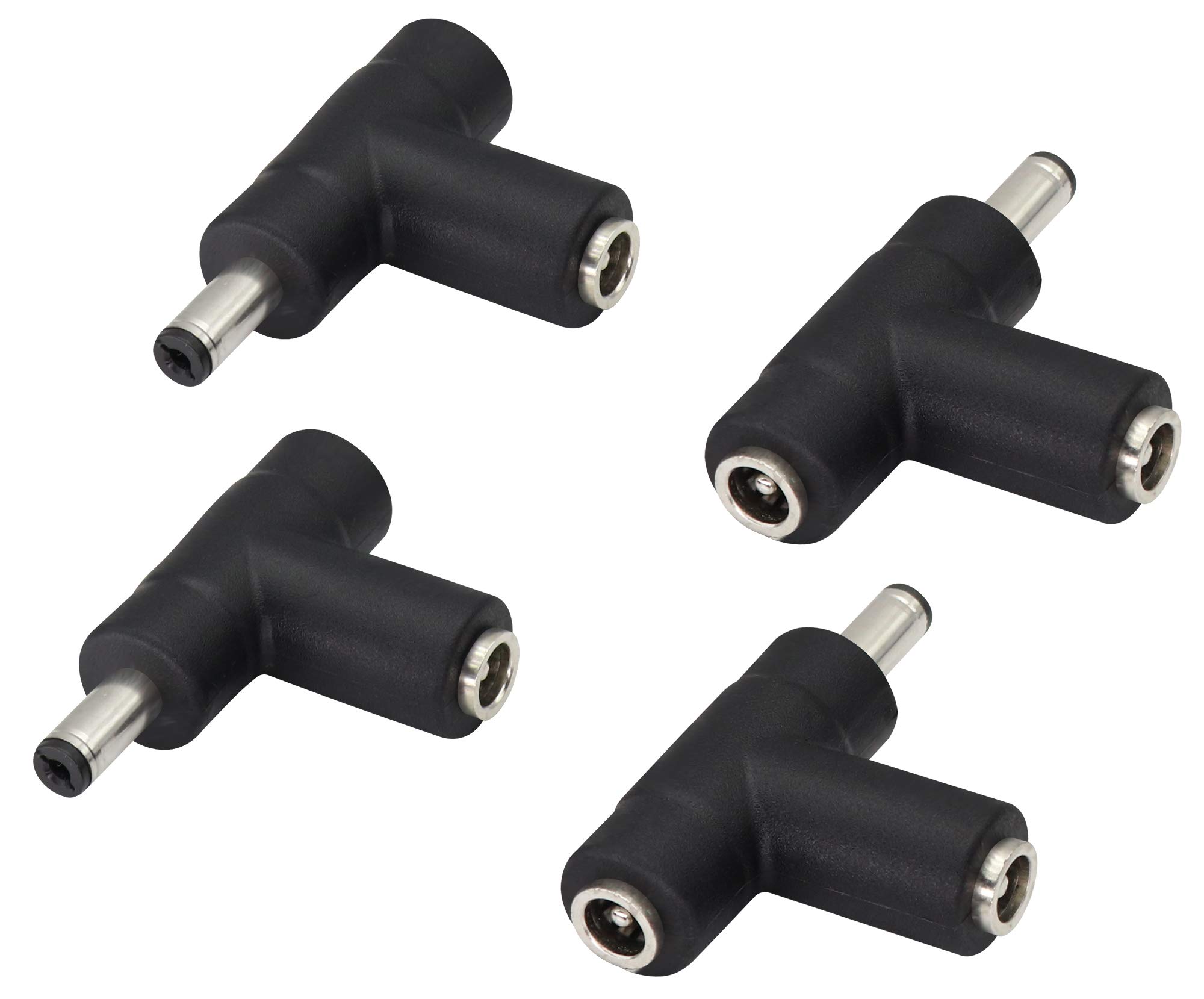
Image: Overview of the zdyCGTime 90 Degree Angle DC 5.5x2.1mm Power Connector Adapter.
Product Features
- 90-Degree Angle Design: Allows for connections in confined spaces and hard-to-reach areas, providing a sleek setup.
- Durable Construction: Nickel-plated connectors offer corrosion resistance, oxidation resistance, and a long lifespan, ensuring minimal signal loss.
- Multifunctionality: Facilitates the conversion and connection of different types of DC 5.5x2.1mm connectors.
- Quick Connection: Designed for efficient and rapid connection and disconnection of power sources.
- Broad Compatibility: Suitable for various devices including laptops, Android tablets, CCTV surveillance cameras, LED lights, routers, mini fans, cable modems, and car chargers.
Specifications
| Specification | Detail |
|---|---|
| Type | 90 Degree Angle DC Power Connector Adapter |
| Connector Configuration | 1x DC 5.5x2.1mm Male Plug, 2x DC 5.5x2.1mm Female Jacks |
| Hole Diameter (Female) | 5.5mm |
| Pin Diameter (Female) | 2.1mm |
| Outside Diameter (Male) | 5.5mm |
| Inside Diameter (Male) | 2.1mm |
| Contact Material | Copper |
| Finish Type | Nickel |
| Item Weight | 0.05 Kilograms |
| UPC | 682559181371 |

Image: Detailed dimensions of the adapter, showing its length (48mm) and connector sizes (8mm, 13mm, 20mm).
Setup and Installation
The zdyCGTime 90 Degree Angle DC 5.5x2.1mm Power Connector Adapter is designed for straightforward connection. Always ensure the DC adapter size (5.5mm x 2.1mm) matches the requirements of your devices before connecting.
Identifying Connector Types

Image: This illustration shows the distinct features of the DC 5.5x2.1mm male plug (with a central pin) and female jack (with a central hole).
Connecting the Adapter
To connect, align the male plug of your power supply or device with one of the female jacks of the adapter, and push firmly until secure. Similarly, connect the male plug of the adapter to the female jack of your receiving device. The 90-degree design allows for connections in tight spaces, preventing cable strain.

Image: Demonstrates how to connect a male DC 5.5x2.1mm power supply to a female port on the adapter.

Image: Illustrates the simple and secure connection process between the male and female DC 5.5x2.1mm connectors using the adapter.
Operating Instructions
Once connected, the adapter facilitates power transfer between compatible devices. Its primary function is to convert and connect different types of DC 5.5x2.1mm connectors, especially useful for managing cables in confined areas due to its 90-degree angle and T-splitter configuration.
Typical Applications

Image: This image displays various devices compatible with the adapter, including a DVR, a surveillance camera, a router, and a power adapter. The adapter can be used to connect these devices to their power sources or to other compatible components.
- Laptop Power Conversion: Use to adapt power cables for laptops requiring a DC 5.5x2.1mm connection.
- CCTV Camera Power: Ideal for connecting surveillance cameras to their power supplies, especially in installations where space is limited.
- LED Strip Lighting: Facilitates power connections for LED strip lights and similar low-voltage lighting systems.
- Router and Mini Fan Power: Provides flexible power connection options for network routers, mini fans, and other small electronic devices.
- Car Charger Applications: Can be used in automotive setups for various DC-powered accessories.
Maintenance
To ensure optimal performance and longevity of your zdyCGTime DC 5.5x2.1mm Power Connector Adapter, follow these simple maintenance guidelines:
- Keep Clean: Regularly clean the connectors to prevent dust and debris accumulation, which can interfere with conductivity.
- Handle with Care: Avoid applying excessive force when connecting or disconnecting to prevent damage to the internal pins or jacks.
- Proper Storage: Store the adapters in a dry, cool environment when not in use to prevent corrosion and physical damage.
- Inspect Regularly: Periodically inspect the connectors for any visible signs of wear, corrosion, or bent pins.
Troubleshooting
No Power Connection
If a device is not receiving power after connecting the adapter:
- Compatibility Check: Verify that both the power source and the receiving device are compatible with DC 5.5x2.1mm connectors.
- Secure Connections: Ensure all connections are secure and fully inserted into their respective ports.
- Power Source Functionality: Check the power source itself to confirm it is functioning correctly and supplying power.
- Adapter Inspection: Inspect the adapter for any visible damage, such as bent pins or cracks, which could impede power flow.
Loose Connection
If the connection feels loose or intermittent:
- Alignment: Ensure the male plug and female jack are correctly aligned and fully engaged.
- Wear and Tear: The adapter is designed for a snug fit. If it remains loose, check for wear on either the adapter's connectors or the device's port.
Warranty and Support
For warranty information or technical support regarding your zdyCGTime DC 5.5x2.1mm Power Connector Adapter, please refer to the product packaging or contact zdyCGTime customer service directly. It is recommended to keep your purchase receipt for any warranty claims.