
PERLESMITH PSTVS21
PERLESMITH Swivel Universal TV Stand Mount (PSTVS21) - Instruction Manual
Model: PSTVS21 | Brand: PERLESMITH
Introduction
This manual provides comprehensive instructions for the assembly, operation, and maintenance of your PERLESMITH Swivel Universal TV Stand Mount (PSTVS21). Designed for LCD, LED, OLED, Flat, and Curved Screen TVs ranging from 32 to 86 inches and weighing up to 99 lbs, this stand offers height adjustment, a 35° swivel function, and VESA compatibility up to 600x400mm. Its sturdy tempered glass base ensures stability and safety.
Safety Information
Please read and understand all instructions before installation and use. Failure to do so may result in personal injury or property damage. Keep this manual for future reference.
- Weight Capacity: Do not exceed the maximum weight capacity of 99 lbs (45 kg).
- TV Size: Suitable for TVs between 32 and 86 inches.
- VESA Compatibility: Ensure your TV's VESA pattern is between 100x100mm and 600x400mm.
- Stability: Always ensure the stand is placed on a stable, level surface.
- Children and Pets: Keep children and pets away from the TV stand during assembly and ensure the TV is securely mounted to prevent tipping. Consider using anti-tip straps for added safety.
- Cable Management: Properly route all cables to prevent tripping hazards and damage.
Parts List
Verify all components are present before beginning assembly. If any parts are missing or damaged, contact PERLESMITH customer support.
| Part | Description | Quantity |
|---|---|---|
| Tempered Glass Base | Main support base for the stand. | 1 |
| Support Pillar | Vertical column connecting the base to the TV bracket. | 1 |
| TV Mounting Bracket | Horizontal bracket that attaches to the support pillar. | 1 |
| TV Adapter Brackets | Vertical rails that attach to the back of the TV. | 2 |
| Hardware Kit | Assorted screws, washers, spacers, and tools for assembly. | 1 set |
| Non-Slip Pads | Protective pads for the bottom of the glass base. | 6 |
| Wire Management Clips | Clips to organize cables along the support pillar. | 2 |
Setup and Assembly
Follow these steps carefully to assemble your TV stand.
Step 1: Prepare the Tempered Glass Base
Place the tempered glass base on a soft, clean surface to prevent scratches. Attach the non-slip pads to the underside of the base.

Image: Applying non-slip pads to the tempered glass base.
Step 2: Attach the Support Pillar to the Base
Secure the support pillar to the tempered glass base using the provided screws. Ensure the pillar is firmly attached and stable.

Image: The sturdy tempered glass base and support pillar, highlighting the 40% larger base for enhanced stability.
Step 3: Mount the TV Mounting Bracket
Attach the horizontal TV mounting bracket to the support pillar. Use the appropriate screws and tighten them securely with the Allen wrench.

Image: The TV mounting bracket securely fastened to the support pillar.
Step 4: Attach Adapter Brackets to Your TV
Select the correct screws and spacers from the hardware kit that fit your TV's VESA mounting holes. Attach the two vertical adapter brackets to the back of your TV. Ensure they are level and securely fastened.
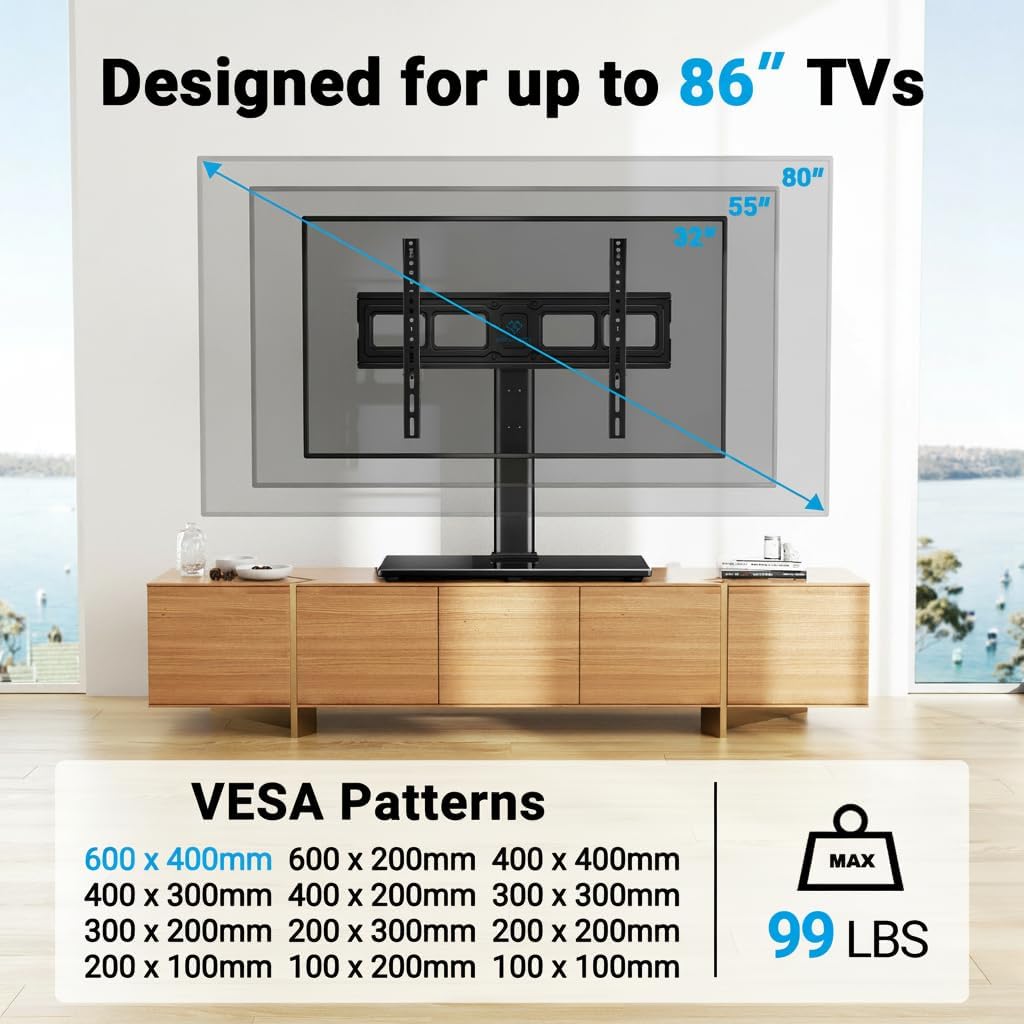
Image: A TV with the VESA adapter brackets installed, showing various VESA patterns supported and the 99 lbs max load.
Step 5: Hang the TV on the Stand
Carefully lift your TV and hook the adapter brackets onto the horizontal TV mounting bracket. Ensure the TV is centered and securely seated. Use the safety locks to prevent accidental dislodgement.

Image: Illustrates the easy, no-drilling installation process for the TV stand.
Step 6: Cable Management
Utilize the wire management clips on the support pillar to organize and conceal your TV cables for a neat and tidy setup.
Video: Official PERLESMITH video demonstrating the assembly and cable management features of the PSTVS21 TV stand.
Operating Instructions
Height Adjustment
The PERLESMITH TV stand offers 9 different height options. You can adjust the height of your TV by selecting different mounting holes on the support pillar and the adapter brackets. This feature is particularly useful for creating space underneath the TV for a soundbar, gaming console, or DVD player.
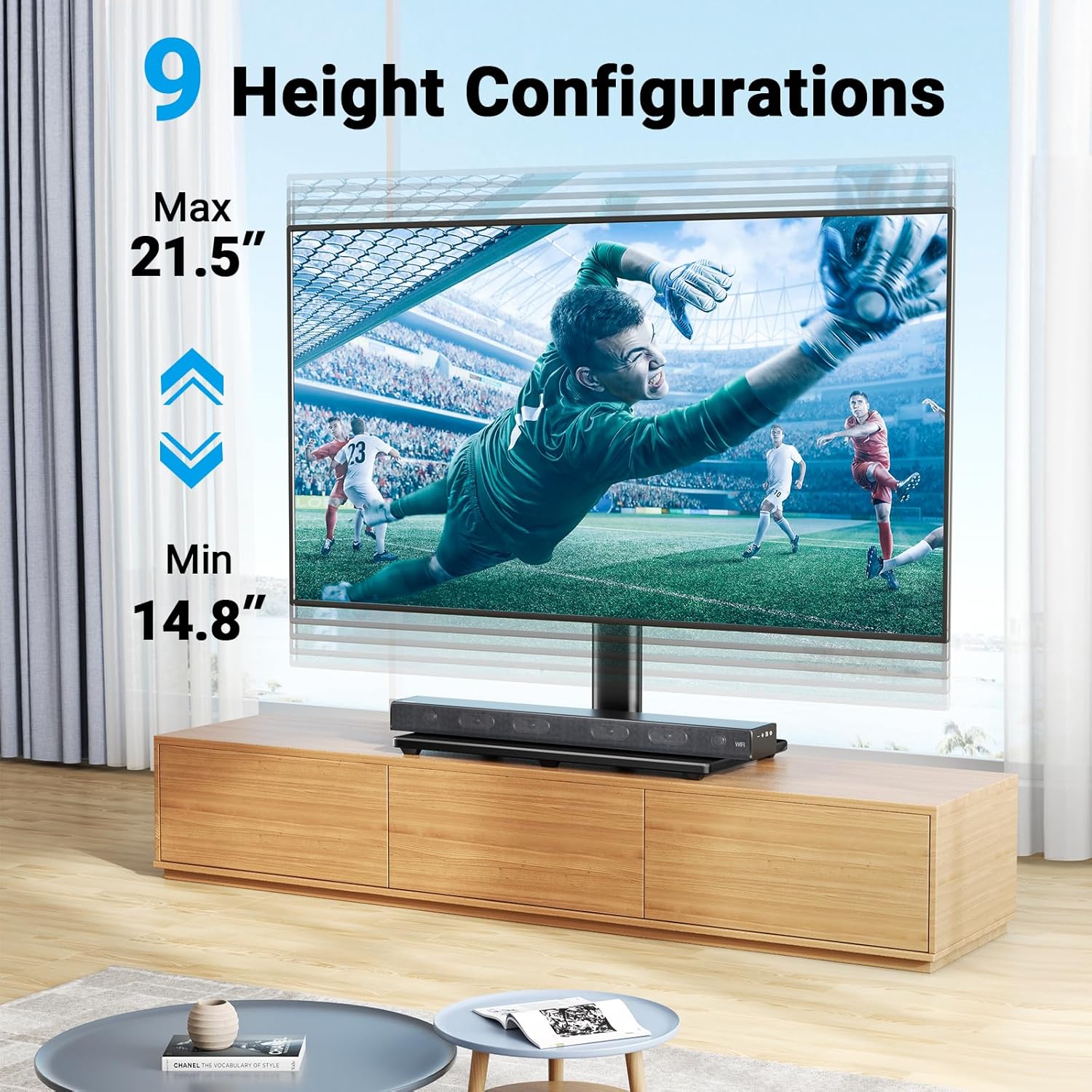
Image: Visual representation of the 9 available height configurations, ranging from a minimum of 14.8 inches to a maximum of 21.5 inches.
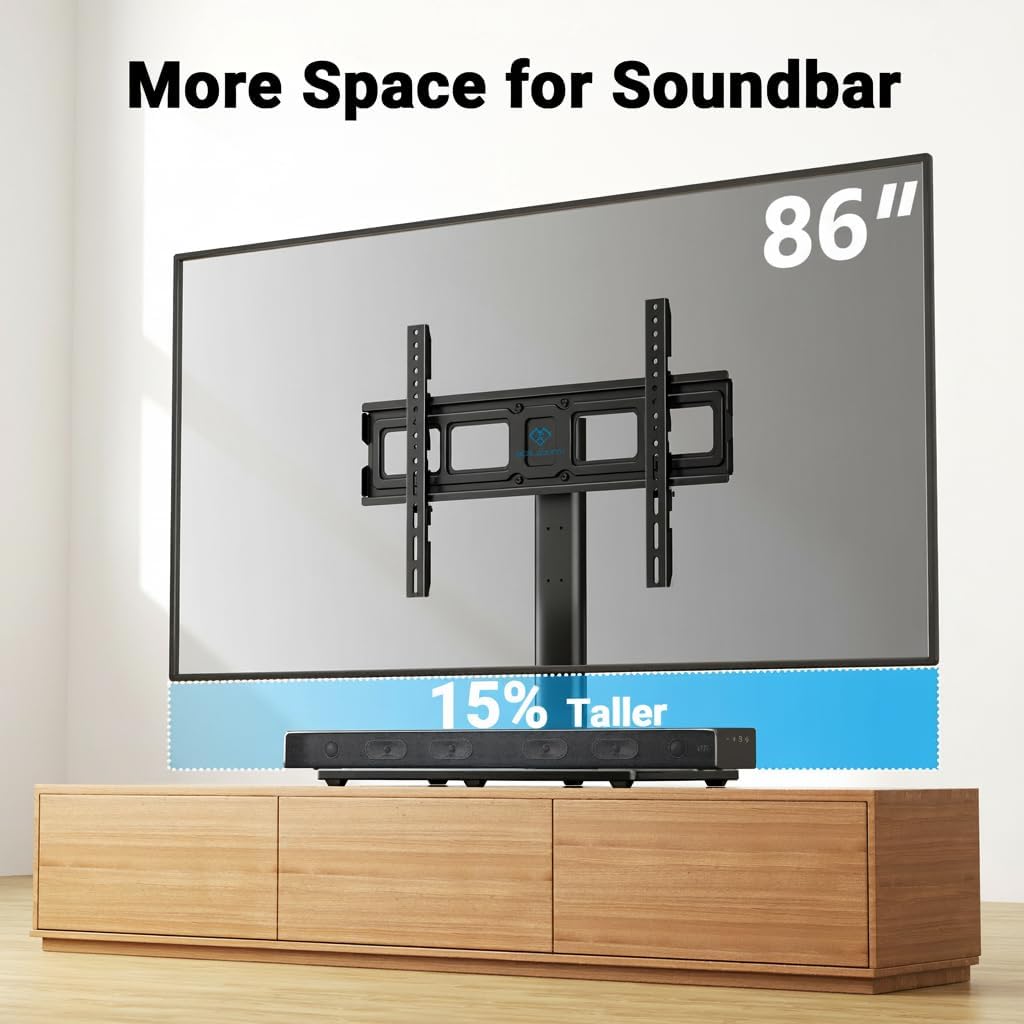
Image: The TV stand providing ample space (15% taller) for a soundbar underneath the television.
Swivel Function
The TV stand allows for a 35° swivel to the right or left. Gently push the TV screen to adjust the viewing angle as desired. This feature provides flexibility for optimal viewing from various positions in your room.
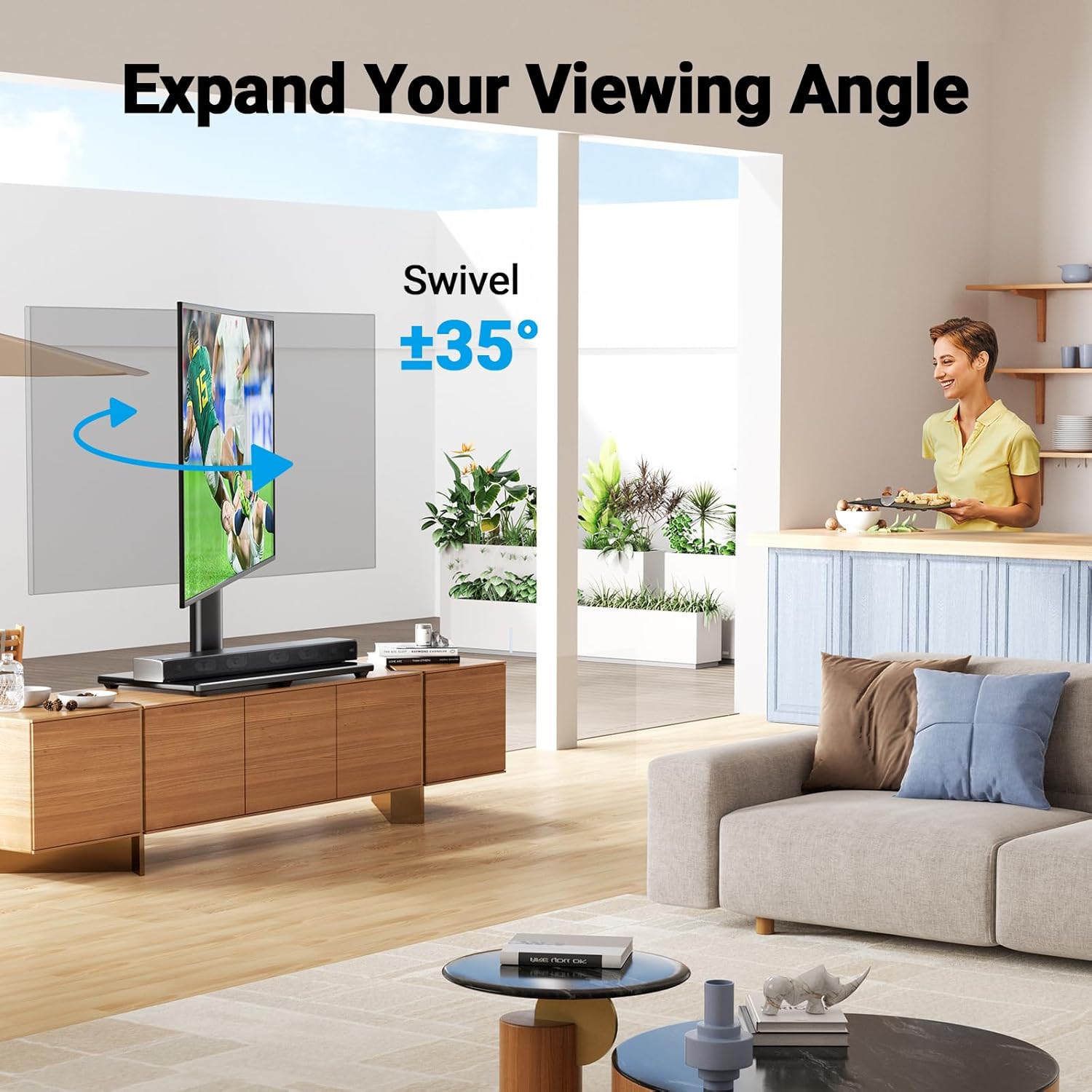
Image: The TV stand demonstrating its 35° swivel capability, allowing for an expanded viewing angle.
Maintenance
To ensure the longevity and appearance of your TV stand, follow these maintenance guidelines:
- Cleaning: Use a soft, damp cloth to clean the tempered glass base and metal components. Avoid abrasive cleaners or harsh chemicals that could damage the finish.
- Inspection: Periodically check all screws and connections to ensure they remain tight and secure. Retighten if necessary.
- Avoid Overloading: Do not place items on the stand that exceed its weight capacity.
- Cable Management: Regularly check cable routing to ensure no cables are pinched or damaged.
Troubleshooting
If you encounter any issues with your TV stand, refer to the following common solutions:
- TV is not level: Ensure the stand is on a level surface. Check that the adapter brackets are installed evenly on the back of the TV and that the TV is properly seated on the mounting bracket.
- Stand feels unstable: Verify all screws are tightened securely, especially those connecting the support pillar to the base and the mounting bracket. Ensure the TV's weight does not exceed the stand's capacity.
- Difficulty swiveling: Check for any obstructions around the base or the TV. Ensure the TV is not pressing against a wall or other furniture.
- Cables are messy: Re-route cables using the provided wire management clips. Additional cable ties can be used if needed.
Specifications
| Feature | Detail |
|---|---|
| Brand | PERLESMITH |
| Model Number | PSTVS21 |
| Mounting Type | Tabletop Mount |
| Movement Type | Swivel (35° right or left) |
| Material | Tempered Glass, Steel |
| Color | Black |
| Compatible TV Sizes | 32-86 inches |
| Maximum Load Capacity | 99 lbs (45 kg) |
| VESA Compatibility | 100x100mm to 600x400mm |
| Height Adjustment | 9 options (3 pillar settings, 3 TV bracket heights) |
| Base Dimensions | 23.62 x 11.02 inches (approx.) |
Warranty and Support
PERLESMITH is committed to providing high-quality products. For any questions, missing parts, or technical assistance, please contact PERLESMITH customer support. Refer to your product packaging or the official PERLESMITH website for specific warranty details and contact information.
Contact: Visit the PERLESMITH Store for more information.
Related documentsPSTVS21


Ask a question about this manual
Ask about setup, troubleshooting, compatibility, parts, safety, or missing instructions. Manuals+ will review the question and use this page’s manual context to help answer it.