
DJI CP.MA.00000306.01
Contents
DJI Mini 2 Fly More Combo - Instruction Manual
Model: CP.MA.00000306.01
Overview
The DJI Mini 2 is an ultralight, foldable drone designed for ease of use and high-quality aerial capture. Weighing less than 249 grams, it's highly portable and offers impressive performance with a 3-axis gimbal and 4K camera. It features OcuSync 2.0 for stable 10km HD video transmission and intelligent modes for creative video and photo capture.

Figure 1: Key features of the DJI Mini 2 drone.
What's in the Box
The Fly More Combo package includes:
- Aircraft x 1
- Remote Control x 1
- DJI Mavic Mini 2 Intelligent Flight Battery x 3
- Spare Propellers (Pair) x 3
- Type-C Cable x 1
- Gimbal Protector x 1
- RC Cable (Micro USB connector) x 1
- RC Cable (USB-C connector) x 1
- RC Cable (Lightning connector) x 1
- Spare Control Sticks (Pair) x 1
- Spare Screw x 18
- Screwdriver x 1
- Propeller Holder x 1
- Two-Way Charging Hub x 1
- DJI 18W USB Charger x 1
- Shoulder Bag x 1

Figure 2: All items included in the DJI Mini 2 Fly More Combo.

Video 1: An unboxing video demonstrating the contents of the DJI Mini 2 Fly More Combo.
Setup
Follow these steps to set up your DJI Mini 2 for its first flight:
- Charge Batteries: Fully charge all Intelligent Flight Batteries using the Two-Way Charging Hub and the included USB Charger.
- Unfold the Drone: Gently unfold the front and rear aircraft arms.
- Remove Gimbal Protector: Carefully remove the gimbal protector from the camera.
- Insert Battery: Slide a charged battery into the battery compartment on the drone.
- Install Control Sticks: Screw the control sticks into the remote controller.
- Connect Mobile Device: Attach your mobile device to the remote controller using the appropriate RC cable (Lightning, USB-C, or Micro USB).
- Download DJI Fly App: Download and install the DJI Fly app on your mobile device.
- Power On: Short press the aircraft power button once, then press and hold it again until the indicator lights turn on. Do the same for the remote controller.
- Connect to App: Open the DJI Fly app. It should automatically detect and connect to the drone. Follow any on-screen prompts for initial setup and calibration.

Figure 3: The DJI Mini 2 in its folded, compact form.

Video 2: An instructional video demonstrating the setup and first flight of the DJI Mini 2.
Operating
The DJI Mini 2 offers intuitive controls and intelligent features for an enhanced flying experience.
Flight Modes
- Normal Mode: Standard flight mode, balancing speed and stability.
- Cine Mode: Reduces flight speed and control sensitivity for smoother, more cinematic footage.
- Sport Mode: Increases flight speed and responsiveness for agile maneuvers.
Camera Features
The 3-axis gimbal ensures stable footage, while the 4K camera captures stunning detail.
- 4K Video: Records video at up to 4K resolution at 30 frames per second.
- 12MP Photos: Captures high-resolution still images.
- QuickShots: Automated flight paths and recording modes (Dronie, Helix, Rocket, Circle, Boomerang) for professional-looking videos with a single tap.
- Panorama: Capture wide-angle, 180°, and Sphere panoramas automatically.
- 4x Digital Zoom: Zoom in on subjects without physically moving the drone closer.
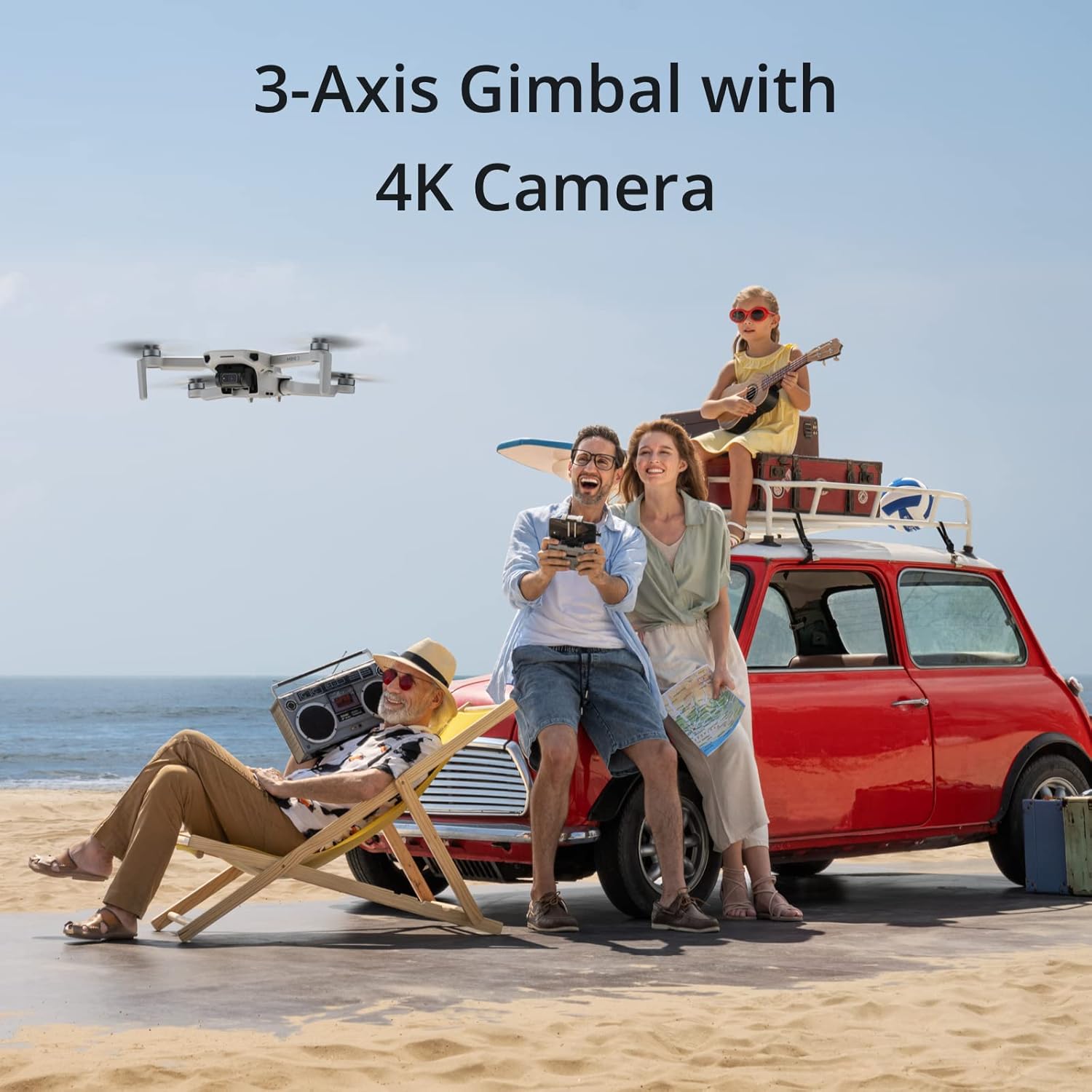
Figure 4: The DJI Mini 2 capturing aerial footage with its 4K camera.

Figure 5: Remote controller with smartphone displaying live video feed from the drone.

Video 3: A quick overview of the DJI Mini 2's capabilities and features.
Maintenance
Regular maintenance ensures the longevity and optimal performance of your DJI Mini 2.
- Clean the Drone: After each flight, gently wipe down the drone's body and propellers with a soft, dry cloth to remove dust and debris.
- Inspect Propellers: Check propellers for any cracks, bends, or damage. Replace damaged propellers immediately using the provided spare parts and screwdriver.
- Gimbal Inspection: Ensure the gimbal moves freely and is not obstructed. Reattach the gimbal protector when storing or transporting the drone.
- Battery Care: Store batteries in a cool, dry place. Avoid fully discharging batteries for extended periods. Charge them to about 50-60% for long-term storage.
Troubleshooting
Here are some common issues and their solutions:
- Drone not connecting to remote/app: Ensure both drone and remote are powered on and fully charged. Restart both devices and the DJI Fly app. Check that the mobile device is securely connected to the remote controller.
- Poor video transmission: Ensure you are within the specified transmission range (up to 10km). Avoid areas with strong signal interference. Try changing the Wi-Fi channel in the DJI Fly app settings.
- Drone drifting during flight: Perform IMU and compass calibration in the DJI Fly app settings. Ensure you are flying in an open area away from magnetic interference.
- Propeller noise/vibration: Check for damaged or loose propellers. Replace if necessary. Ensure propellers are correctly installed.
Specifications
| Feature | Specification |
|---|---|
| Brand | DJI |
| Model Name | DJI Mini 2 |
| Item Model Number | CP.MA.00000306.01 |
| Item Weight | 8.8 ounces |
| Product Dimensions | 6.25"L x 7.99"W x 2.2"H |
| Video Capture Resolution | 4K |
| Effective Still Resolution | 12 MP |
| Max Flight Time | 31 Minutes |
| Remote Control Technology | OcuSync 2.0 |
| Maximum Range | 4000 Meters |
| Wind Speed Resistance | Level 5 (8.5-10.5 m/s) |
| Battery Cell Composition | Lithium Polymer |
| Skill Level | Beginner |
Video 4: A comparison of DJI drone specifications, including the Mini 2.
Warranty & Support
For detailed user manuals, safety information, and certificates of compliance, please refer to the official documents provided by DJI.
For official product support and additional resources, visit the DJI Store on Amazon.
Documents and downloads
Ask a question about this manual
Ask about setup, troubleshooting, compatibility, parts, safety, or missing instructions. Manuals+ will review the question and use this page’s manual context to help answer it.