
SHOPPINGALL SA-DL1W-White
SHOPPINGALL LED Desk Lamp User Manual
Model: SA-DL1W-White
Introduction
Thank you for choosing the SHOPPINGALL LED Desk Lamp. This versatile desk lamp is designed to enhance your workspace with adjustable lighting, convenient charging options, and an intelligent LCD display. It features 3 color modes, 5 brightness levels, Qi wireless charging, and a USB charging port, making it an ideal solution for various lighting and charging needs.
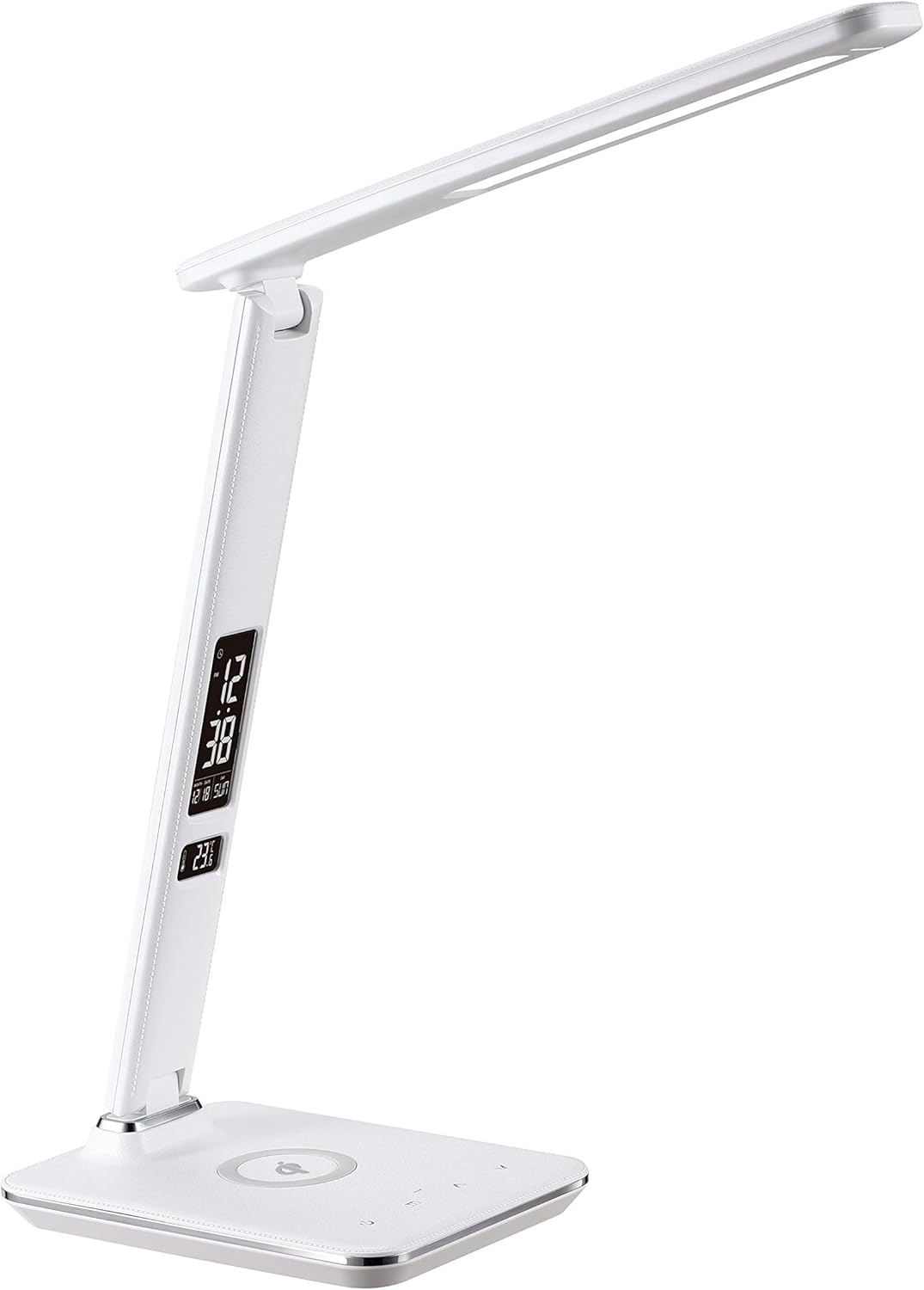
Image: The SHOPPINGALL LED Desk Lamp, showcasing its modern design and integrated features.
What's in the Box
Please check the package contents upon unboxing to ensure all items are present and in good condition.
- 1x SHOPPINGALL SA-DL1W LED Desk Lamp
- 1x Power Adapter
- 1x User Manual
- 1x Microfiber Cloth

Image: All items included in the product packaging.
Setup
- Unpack: Carefully remove all components from the packaging.
- Position the Lamp: Place the lamp on a stable, flat surface.
- Connect Power: Insert the power adapter cable into the DC input port located at the back of the lamp base. Plug the power adapter into a standard electrical outlet.
- Initial Power On: The lamp will power on automatically or can be turned on using the touch control panel.
Operating Instructions
A. Power and Lighting Control
The lamp features a touch-sensitive control panel on its base for easy operation.
- Power On/Off: Touch the power icon on the base to turn the lamp on or off.
- Brightness Adjustment: Use the '+' and '-' touch buttons on the base to cycle through 5 brightness levels.
- Color Temperature Modes: Touch the 'M' (Mode) button on the base to switch between 3 color temperature modes: Cold Light (Study), Warm Light (Sleep), and Natural Light (Relax).

Image: Visual representation of the 15 lighting options (3 color temperatures x 5 brightness adjustments).

Image: The touch control panel on the lamp base for easy adjustments.
B. Adjustability
The lamp head and arm are designed for flexible positioning to direct light precisely where needed.
- The lamp arm can be adjusted up to 90 degrees vertically.
- The lamp head can be tilted up to 150 degrees horizontally.
- The lamp can be folded flat for compact storage or transport.

Image: Lamp adjustability showing 150° head tilt and 90° arm fold.

Image: Full dimensions and adjustable angles of the lamp.
C. Charging Features
The lamp offers two convenient ways to charge your devices:
- Qi Wireless Charging: Place your Qi-compatible smartphone or smartwatch on the designated wireless charging pad on the lamp base. Ensure the device is centered for optimal charging.
- USB Charging Port: Connect your device using a USB cable to the 5V/2.1A USB output port located at the back of the lamp base.

Image: Wireless charging base with a smartphone.

Image: USB charging port in use with a tablet.

Image: Both wireless and USB charging in action.
D. Intelligent LCD Display
The integrated LCD display provides useful information at a glance.
- Information Displayed: The LCD shows current time, date, day of the week, and ambient temperature.
- Display Brightness: The brightness of the LCD display can be adjusted using the dedicated buttons on the lamp arm.
- Setting Time/Date: Use the 'Setting' button and 'Up'/'Down' buttons on the lamp arm to adjust the time and date. Refer to the detailed instructions in the full user manual for specific steps.
Image: The intelligent LCD display and its control buttons.
E. Product Demonstration Video
Watch this official product video for a visual guide on the features and operation of your SHOPPINGALL LED Desk Lamp.
Video: Official demonstration of the SHOPPINGALL LED Desk Lamp (SA-DL1W), highlighting its features like lighting modes, wireless charging, and adjustability.
Maintenance
- Cleaning: Use the provided microfiber cloth or a soft, dry cloth to wipe the lamp surface. Avoid abrasive cleaners or solvents.
- Storage: When not in use for extended periods, fold the lamp flat and store it in a dry, cool place.
- Power Disconnection: Always unplug the lamp from the power outlet before cleaning or performing any maintenance.
Troubleshooting
| Problem | Possible Cause | Solution |
|---|---|---|
| Lamp does not turn on. | Power adapter not connected properly or no power from outlet. | Ensure the power adapter is securely plugged into the lamp and the wall outlet. Test the outlet with another device. |
| Wireless charging not working. | Device not Qi-compatible, not properly aligned, or phone case is too thick. | Verify device compatibility. Re-position the device on the charging pad. Remove thick phone cases. |
| USB charging not working. | USB cable faulty or device not compatible. | Try a different USB cable. Ensure your device supports USB charging via the lamp's port. |
| LCD display is dim or off. | Display brightness set too low or turned off. | Adjust the LCD display brightness using the dedicated buttons on the lamp arm. |
Specifications
- Model: SA-DL1W-White
- Power Source: DC 5V
- Wattage: 8W
- Light Source: LED
- Color Temperature Modes: 3 (Cold Light, Warm Light, Natural Light)
- Brightness Levels: 5
- Charging Output (USB): 5V/2.1A
- Wireless Charging: Qi-certified
- Material: Plastic
- Color: White
- Dimensions (Folded): Approximately 38.79 x 18.4 x 6.4 cm
- Item Weight: 1.12 kg
- Special Features: Dimmable, Touch Control, LCD Display (Time, Date, Temperature), Wireless Charger, USB Charging Port.
Warranty and Support
Every SHOPPINGALL product purchased directly from authorized vendors comes with a 30-Day Free Return and a 1-Year Product Warranty.
For warranty claims, technical support, or any inquiries, please contact SHOPPINGALL customer service:
- Email: Support@ShoppingAll.com
- Toll Free: +1(855)266-9166
Please have your product model number (SA-DL1W-White) and purchase details ready when contacting support.
Ask a question about this manual
Ask about setup, troubleshooting, compatibility, parts, safety, or missing instructions. Manuals+ will review the question and use this page’s manual context to help answer it.